Delete your account
We're sad to see you go, but no hard feelings! Here's how to delete your Notion account 🗑
Gå till vanliga frågorWhen you delete your account:
The action is permanent. You might want to export any data that you want to keep after you delete the account.
Any private workspaces in which you were the only member will be deleted.
Any shared workspaces in which you were the only admin will be deleted.
Any deleted workspaces will be deleted for everyone in them. This means all users who were part of a workspace before it was deleted will no longer have access to that workspace or any content inside that workspace.
You’ll be removed from any shared workspaces in which you were a member or one of multiple admins.
You won’t be able to access any content from workspaces that are deleted or that you are removed from — even your private pages.
You’ll see a warning about which of your workspaces will be deleted when you try to delete your account.
To delete your account:
Go to
Settingsin your sidebar →{your name}.Select
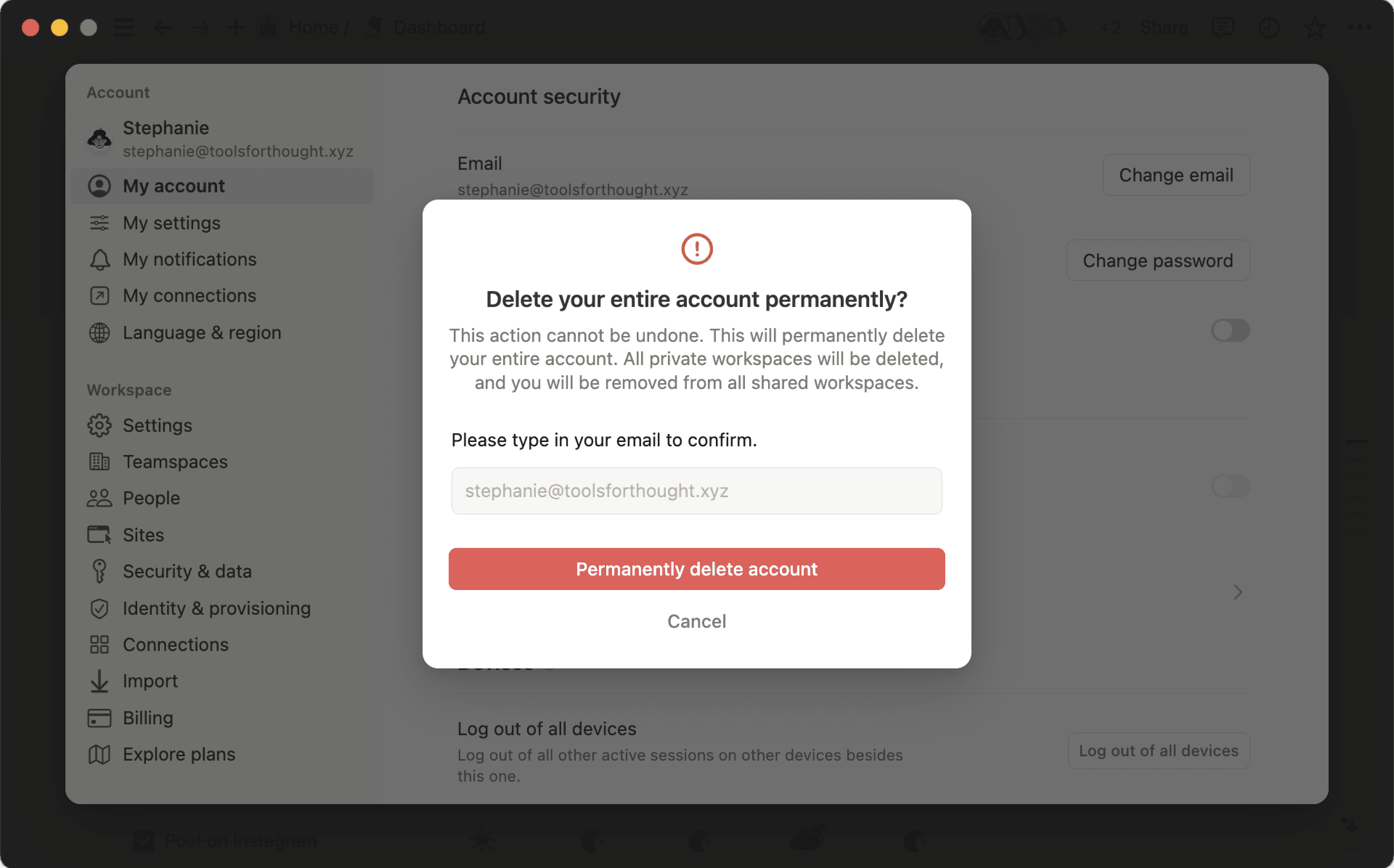
Delete my account.A window will pop up to confirm which of your workspaces will be deleted along with your account. To proceed, manually enter your account email. Then, click
Permanently delete account and {#} workspaces.

Note: Deleted something by accident? We may be able to restore your content within 30 days of deletion. Contact us at [email protected] with more details.
Vanliga frågor
Vad händer om jag råkar radera något permanent av misstag? Finns det något sätt att återställa sådant som raderats permanent?
Vad händer om jag råkar radera något permanent av misstag? Finns det något sätt att återställa sådant som raderats permanent?
Vi kan hjälpa dig om du råkar radera en sida, en arbetsyta eller till och med ett helt konto! Olyckor händer! 😅 Du kan skicka ett meddelande till oss i appen genom att klicka på ? längst ner till vänster om du använder skrivbordsappen (eller i sidofältet i mobilappen). Du kan även skicka e-post till oss på [email protected].
Vi sparar säkerhetskopior av vår databas, så vi kan återställa en ögonblicksbild av ditt innehåll från de senaste 30 dagarna om du behöver det.
Hur migrerar jag allt mitt Notion-innehåll till en annan arbetsyta?
Hur migrerar jag allt mitt Notion-innehåll till en annan arbetsyta?
Obs: Allt migrerat innehåll kommer att kopieras till den nya arbetsytan och dessa sidor har problem ibland. Klicka här för mer information.
Om du vill flytta ditt innehåll från en arbetsyta till en annan arbetsyta som är kopplad till samma konto klickar du på ••• bredvid sidorna på den högsta nivån i sidofältet (du kan även högerklicka) och väljer Flytta till. Du ser då alternativet att flytta dem till en annan arbetsyta.
När du flyttar sidor på den högsta nivån följer alla undersidor med. De visas i avsnittet Privat, men de kan flyttas till vilken plats som helst.