Börja med en mall
För att hjälpa dig att ta dig an en mängd olika utmaningar med Notion har vi skapat massor av mallar som du kan använda och anpassa som dina egna – inklusive några startmallar som redan finns i din arbetsyta! Så här använder du dem.
Gå till vanliga frågorNär du registrerar dig för Notion ser du en samling mallar i sidofältet. Dessa har valts ut för dig baserat på vad du berättar för oss under introduktionen. Du kan välja att lägga till dem i din arbetsyta och använda dem, eller så kan du radera dem.
Radera en mall:
Klicka på
•••till höger om sidnamnet.Klicka på
Radera.
Notions Marketplace innehåller tusentals mallar skapade för många olika ändamål av Notion-användare runt om i världen, som du kan använda för att komma igång i Notion eller för att få inspiration.
För att få tillgång till Marketplace, leta efter mallar och lägga till dem i din arbetsyta:
Gå till
Marketplacei sidofältet.När du hittar en mall du gillar kan du välja
Lägg till(om mallen är gratis) eller väljaKöp för {price}högst upp på sidan för att lägga till mallen i din arbetsyta.
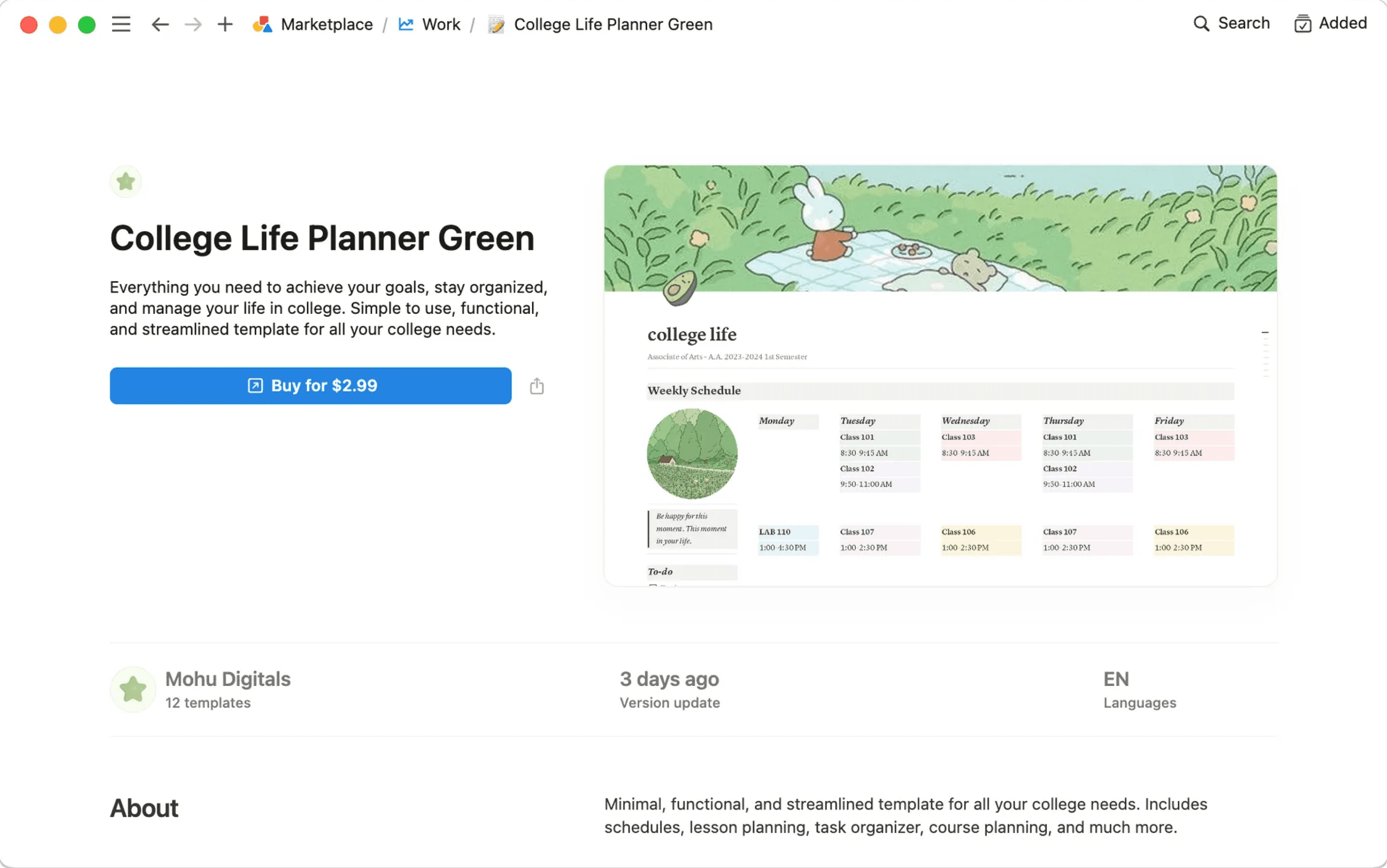
När mallen har lagts till i din arbetsyta kan du finjustera den så att den passar dina exakta behov. Läs mer om hur du hittar mallar på Marketplace här →
Vanliga frågor
Kan jag göra min sida till en mall som jag kan använda på andra ställen i arbetsytan?
Kan jag göra min sida till en mall som jag kan använda på andra ställen i arbetsytan?
Det bästa sättet att göra detta är:
Ha en tom version av mallsidan i det vänstra sidofältet.
Klicka på
•••bredvid sidans namn i sidofältet och sedan påKopieranär du behöver en ny kopia.
De här alternativen kan vara användbara beroende på ditt användningsområde!
Du kan snabbt kopiera innehåll med en mallknapp. Perfekt om du vill skriva dagbok! Mer om det här →
Med databasmallar kan du skapa nya databasposter som redan har ifyllda egenskaper och ifyllt sidinnehåll. Mer om det här →
Kan jag be om en mall för något?
Kan jag be om en mall för något?
Javisst! Vi vill gärna höra vad du har för idéer. Tweeta dem till oss på @NotionHQ (med hashtaggen #template) eller skicka dem till vårt team via [email protected].