Delete your account
We're sad to see you go, but no hard feelings! Here's how to delete your Notion account 🗑
Siirry usein kysyttyihin kysymyksiinWhen you delete your account:
The action is permanent. You might want to export any data that you want to keep after you delete the account.
Any private workspaces in which you were the only member will be deleted.
Any shared workspaces in which you were the only admin will be deleted.
Any deleted workspaces will be deleted for everyone in them. This means all users who were part of a workspace before it was deleted will no longer have access to that workspace or any content inside that workspace.
You’ll be removed from any shared workspaces in which you were a member or one of multiple admins.
You won’t be able to access any content from workspaces that are deleted or that you are removed from — even your private pages.
You’ll see a warning about which of your workspaces will be deleted when you try to delete your account.
To delete your account:
Go to
Settingsin your sidebar →{your name}.Select
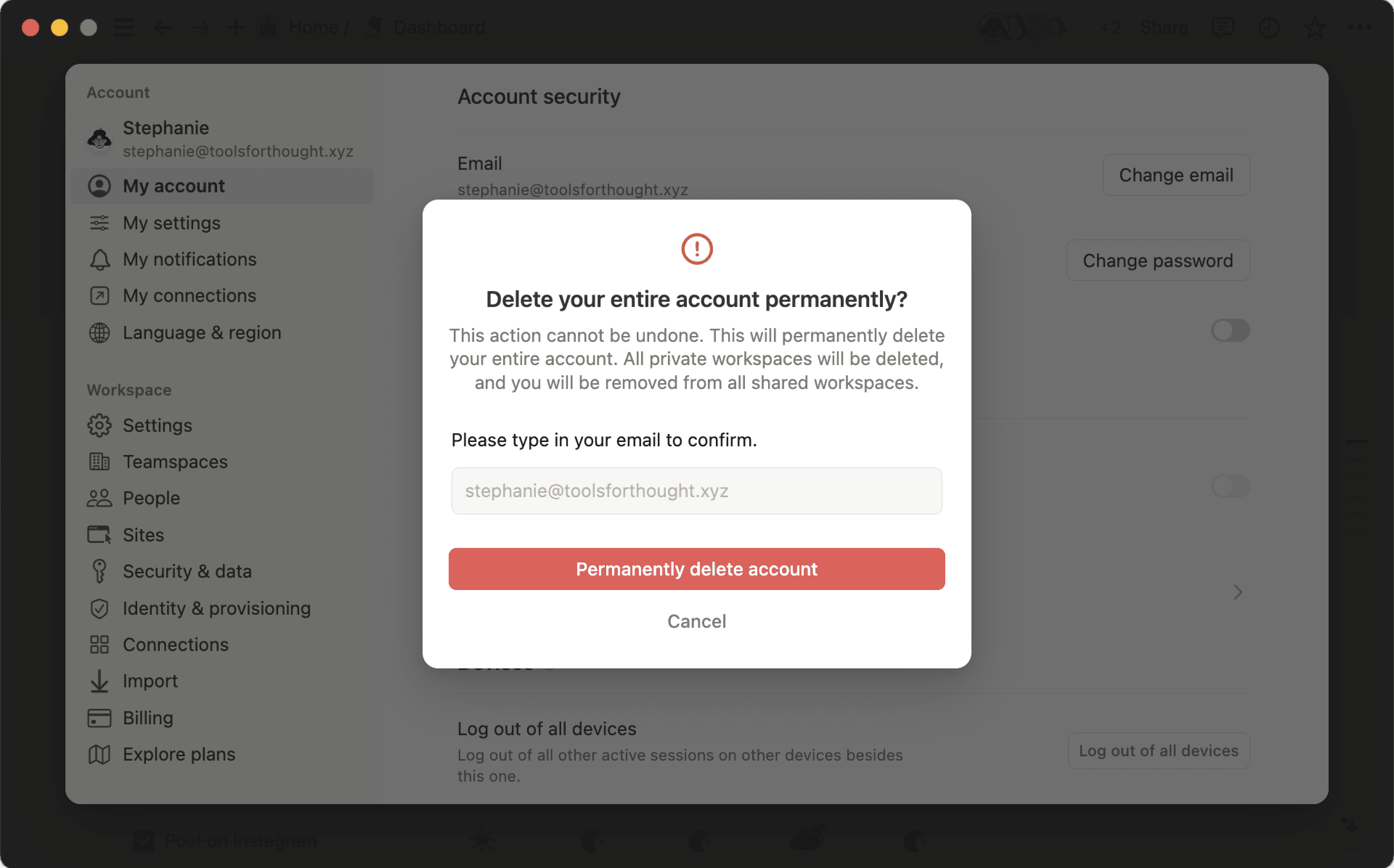
Delete my account.A window will pop up to confirm which of your workspaces will be deleted along with your account. To proceed, manually enter your account email. Then, click
Permanently delete account and {#} workspaces.

Note: Deleted something by accident? We may be able to restore your content within 30 days of deletion. Contact us at [email protected] with more details.
Usein kysytyt kysymykset
Mitä jos vahingossa poistin jotain pysyvästi? Voiko sitä palauttaa mitenkään?
Mitä jos vahingossa poistin jotain pysyvästi? Voiko sitä palauttaa mitenkään?
Jos poistat vahingossa sivun, työtilan tai koko käyttäjätilisi, autamme mielellämme. Vahinkoja sattuu 😅 Lähetä meille viesti sovelluksessa napsauttamalla työpöydän vasemmassa alakulmassa (tai mobiililaitteen sivuvalikossa) kohtaa ?. Voit myös lähettää sähköpostia osoitteeseen [email protected].
Säilytämme tietokannastamme varmuuskopioita, joten voimme tarvittaessa palauttaa tilannevedoksen sisällöstäsi viimeisten 30 päivän ajalta.
Miten voin siirtää kaiken Notion-sisältöni toiseen työtilaan?
Miten voin siirtää kaiken Notion-sisältöni toiseen työtilaan?
Huomio: Kaikki siirretyt sisällöt kopioidaan uuteen työtilaan, ja näillä sivuilla esiintyy toisinaan ongelmia. Katso lisätietoja täältä.
To move your content from one workspace to another associated with the same account, click ••• next to each of the top-level pages in your sidebar (or right click) and select Move to. At the bottom of the move menu, you’ll see a drop down to select a different workspace.
Kun siirrät ylätason sivuja, myös kaikki alasivut siirtyvät mukana. Ne näkyvät Yksityinen-osiossa, mutta voit siirtää ne minne haluat.