What are project milestones? Tips for better cross-functional alignment
Project work rarely slows down because teams lack effort—usually, the culprit is lost context. In other words, updates live in Slack threads, specs sit in Google Docs, and decisions disappear into meeting notes. And in the end, nobody has the full picture they need to move forward.
This breakdown often comes from tool sprawl and fragmented systems. According to Freshworks’ 2025 Global Cost of Complexity report, teams use an average of 15 different software tools and four communication channels every day. When this information is spread across so many places, it’s hard to see what you’ve decided on, what you’ve delivered, and what to do next.
Project milestones help teams restore that clarity by marking key decision points or deliverables and providing a shared reference point for progress. When milestones include related specs, discussions, and outcomes in one place, they help you see the full story of the work so you can keep the project moving.
Learn how Ramp is winning the fight against tool sprawl with a unified workspace.
What are project milestones, and how do they keep teams aligned?
Project milestones mark key moments in the project life cycle when a team completes an important deliverable, achieves a major decision, or makes significant progress toward a goal. But unlike everyday tasks, milestones signal that a project has moved forward.
These markers also create a shared understanding for stakeholders and cross-functional teams. After all, when everyone can see which milestones they’ve reached and what each one represents, it’s easier to assess where the project is and the dependencies that should follow.
Beyond that, however, clear milestones help teams reduce the manual coordination that often slows project and engineering managers down, too. That’s because instead of chasing updates or reconciling conflicting reports, teams can rely on agreed-upon checkpoints that show progress at a glance.
But milestones shouldn’t exist in isolation. When you connect them to the decisions, deliverables, and outcomes, everyone will instead have the context they need to act.
How do you identify and define effective project milestones?
Ultimately, effective milestones should signal real progress. That’s why, when you’re creating them, you should be careful not to confuse tasks with outcomes.
Here’s an example:
Poor milestone: “Design sprint completed.”
Good milestone: “Final design approved and ready for engineering handoff.”
The first example signals activity, while the second signals a decision and a state change. That’s what makes the second option a true milestone—it reduces uncertainty and unlocks the next phase of work.
Here are some specific ways that you can find the right milestones for your project:
Look for natural turning points in your project plan: Milestones often align with moments that represent tangible shifts in the project lifecycle, like completing user research, approving designs, finishing technical spikes, or reaching launch readiness.
Tie milestones to outcomes, not tasks: A milestone should reflect a key project deliverable or decision. This provides a clear signal that the team has achieved something important.
Define milestones as a team: Engineers, designers, and product managers often see different risks and dependencies. Using these diverse viewpoints helps you establish more realistic checkpoints together.
Atlassian’s 2025 State of Teams report found that teams that plan and track projects together are over five times more likely to deliver high-quality work. In light of this, you should set milestones through team collaboration—rather than relying on top-down mandates—and ensure that each one reflects reality.
How do you set up and manage project milestones?
Once your teams agree on the right project milestones, you’ll need a way to track them without adding coordination overhead. But the management process should feel lightweight—in other words, you’ll need to be able to capture decisions and clarify progress without constant manual updates.
The best way to do this is to keep everything in a connected workspace. When your milestones and the work itself live together, you can minimize the effort that’s necessary to track statuses or reconcile changes. Milestones also make it clear where the project stands, while linked context explains why every milestone matters.
Here are some practical ways to set milestones and manage project progress to maintain momentum:
Map key milestones to the project lifecycle
Identifying the project’s key phases—from project kickoff through delivery—starts with establishing a clear project scope. By defining what the project includes, what it doesn’t, and the outcomes that define success, you can create the criteria for meaningful milestones. But without this clarity, you risk tracking work that doesn’t support your primary project goals.
Once you’ve defined this scope, you can then plot your milestones. Developing a structured roadmap helps teams see how each checkpoint connects to timelines, dependencies, and deliverables so they understand how critical tasks drive the project forward.
Using a shared planning workspace also makes it easy to visualize project phases and major checkpoints in one place.
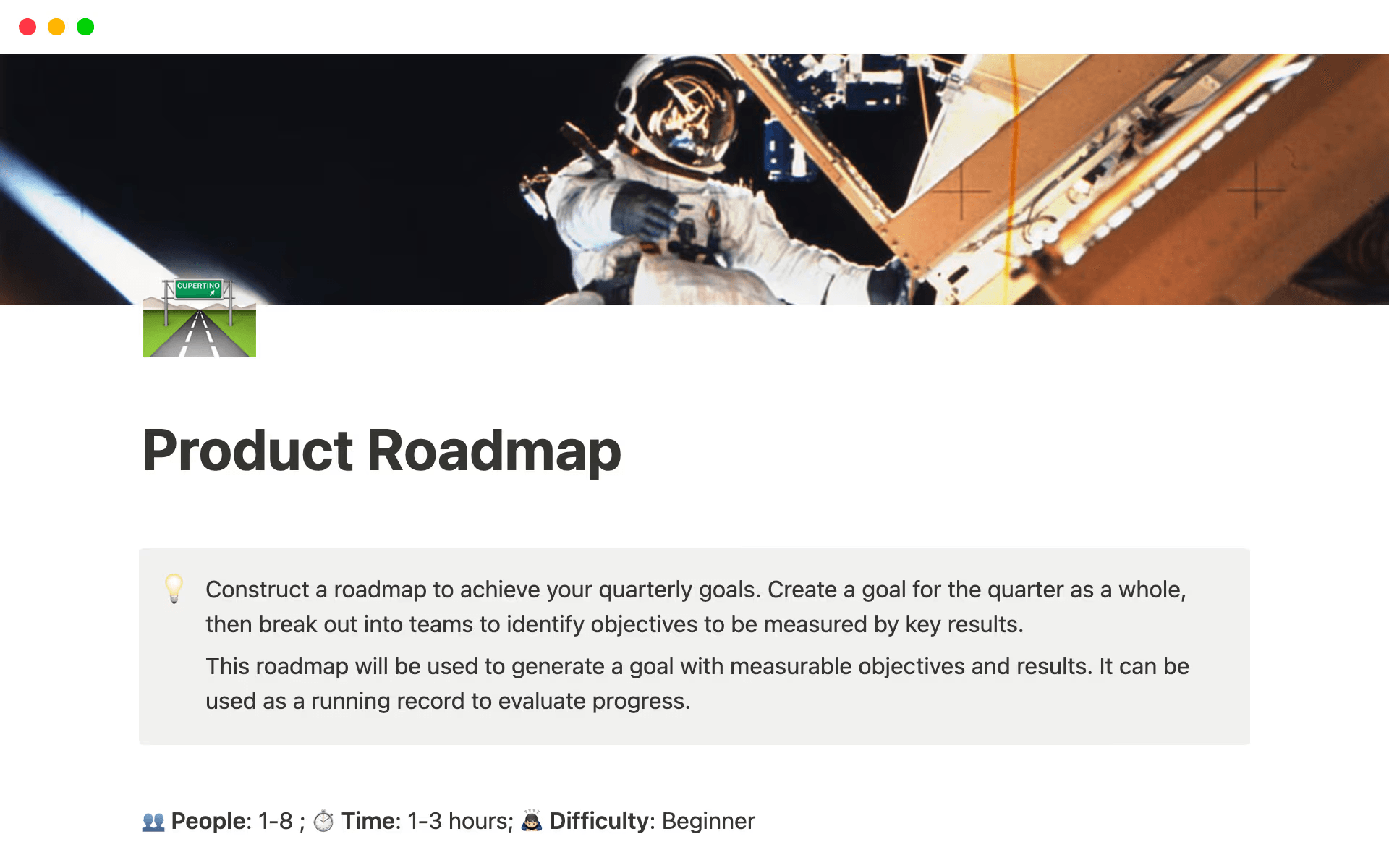
Notion’s product roadmap template, showing instructions for how to use its connected workspace (Source)
Define what each milestone represents
Clear, up-front definitions prevent confusion later, especially when multiple teams are contributing to the same project. To this end, each milestone should clearly describe the outcome it marks, the deliverables it involves, and the decisions it still needs to move forward.
Many teams pull this information directly from their project charter, which outlines the project’s goals, stakeholders, and constraints. Using this charter as a reference can help you ensure that milestones stay aligned with the original objectives rather than drifting as work progresses.
Using a project proposal template with built-in milestones can also bridge the gap between a charter and the work. When you bring goals, scope, and expectations into the milestones themselves, you can keep everything aligned from the start.
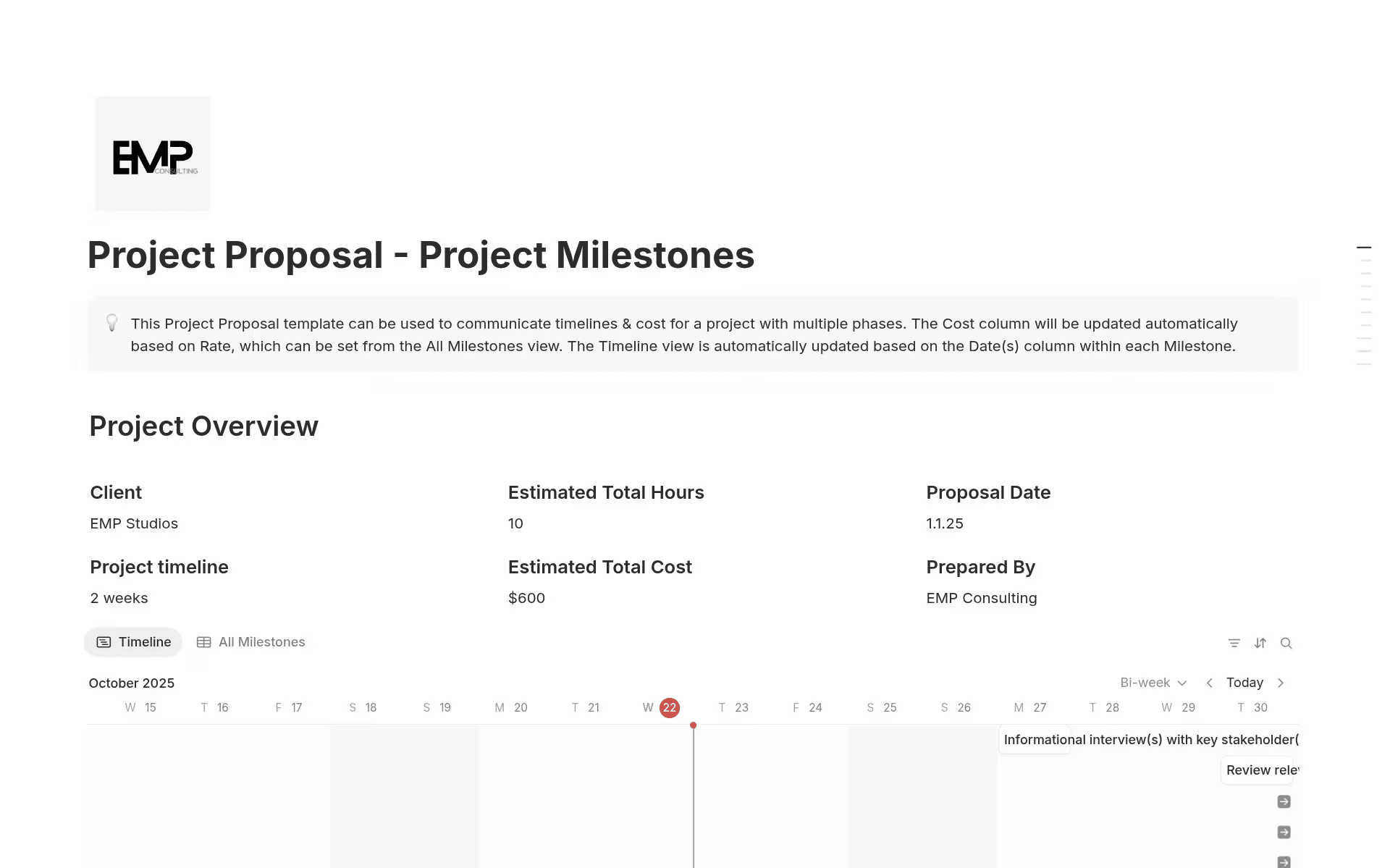
Notion’s project proposal template with milestones shows the project overview with dates, timelines, and estimated costs. (Source)
Track progress in the same place work happens
Milestones are most useful when your teams can see real-time progress without chasing updates across tools. This is why you need a shared project tracking system.
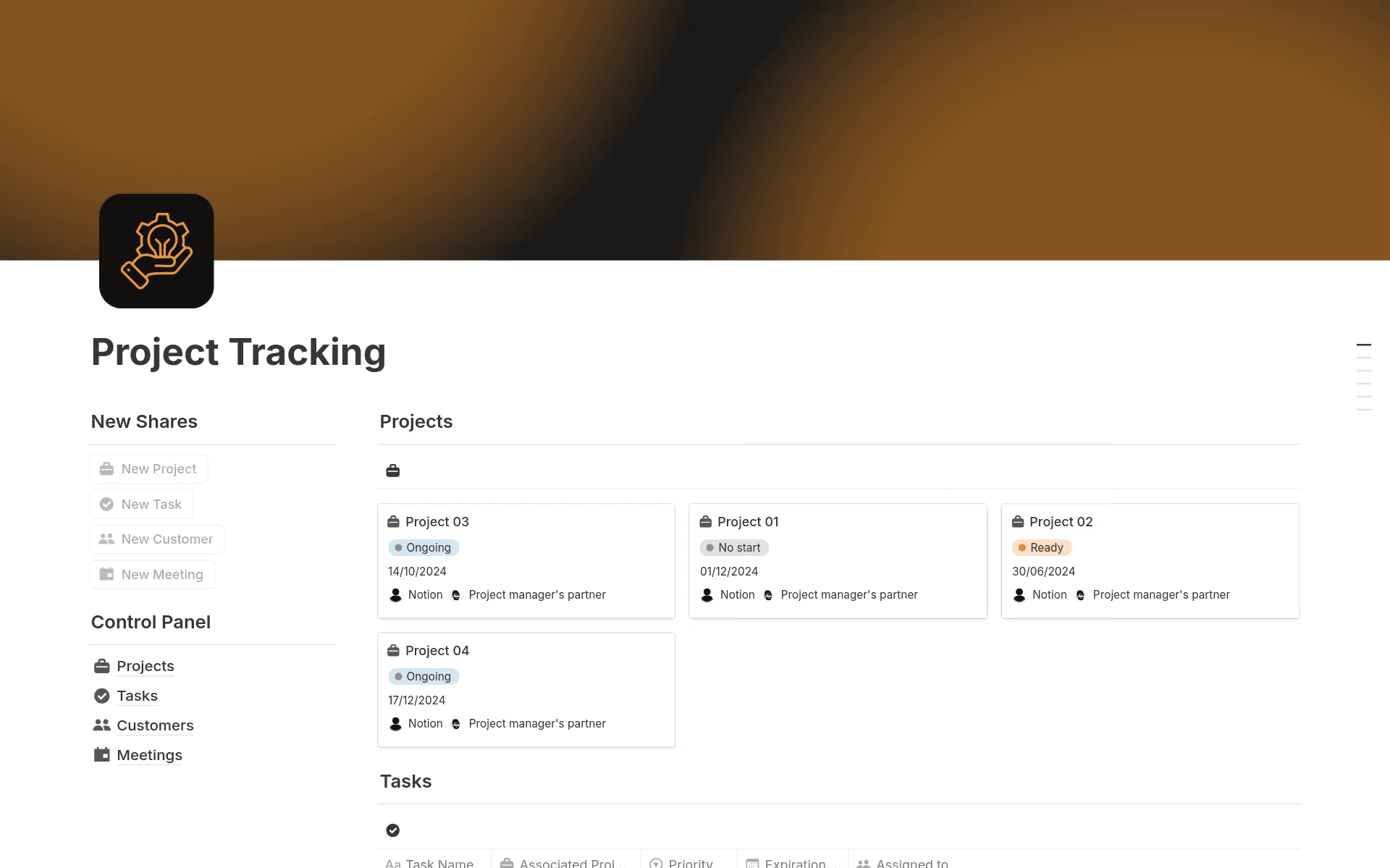
Notion’s project tracking template, showing project cards and a control panel for tasks, customers, and meeting notes. (Source)
Centralized project tracking tools let you link tasks, owners, timelines, and status updates directly to each milestone. Doing this connects execution and planning so everyone has the context they need to prioritize their next moves.
Attach context to every milestone
Decisions, specs, notes, and metrics should live alongside milestones rather than in separate documents or fragmented chat threads. When you tie context to execution, everyone can see the what and why behind every update. This centralized approach also makes it easier for stakeholders to review progress without needing multiple status meetings.
In a connected workspace like Notion, AI can help you streamline this process. That way, instead of reading through long pages or scattered updates, you can ask Notion AI to scan milestone documents, summarize progress, and highlight key decisions or risks. This automation speeds up reporting, simplifies onboarding for new team members, and keeps stakeholders aligned without increasing the administrative load.
Real-world examples of project milestones across product development teams
Across product and engineering teams, milestones typically follow the same pattern: discovery, planning, delivery, and iteration. Because of that, success often comes down to how clearly you map milestones and track each checkpoint along the way.
Here are two common scenarios that show how milestones guide work from the early planning phases through project completion:
1. Feature launches in an engineering roadmap
For engineering teams, feature launches provide the perfect framework for project management milestones. That’s because work usually progresses through distinct phases—including research, technical design, development, testing, and release—that each create natural checkpoints. These signal major progress and help you keep the project lifecycle on track.
An effective way to manage this flow is through a shared project timeline or milestone chart. In particular, creating a template in Notion that’s specific to your project can help you structure project mapping so every feature, dependency, and key deliverable stays visible.
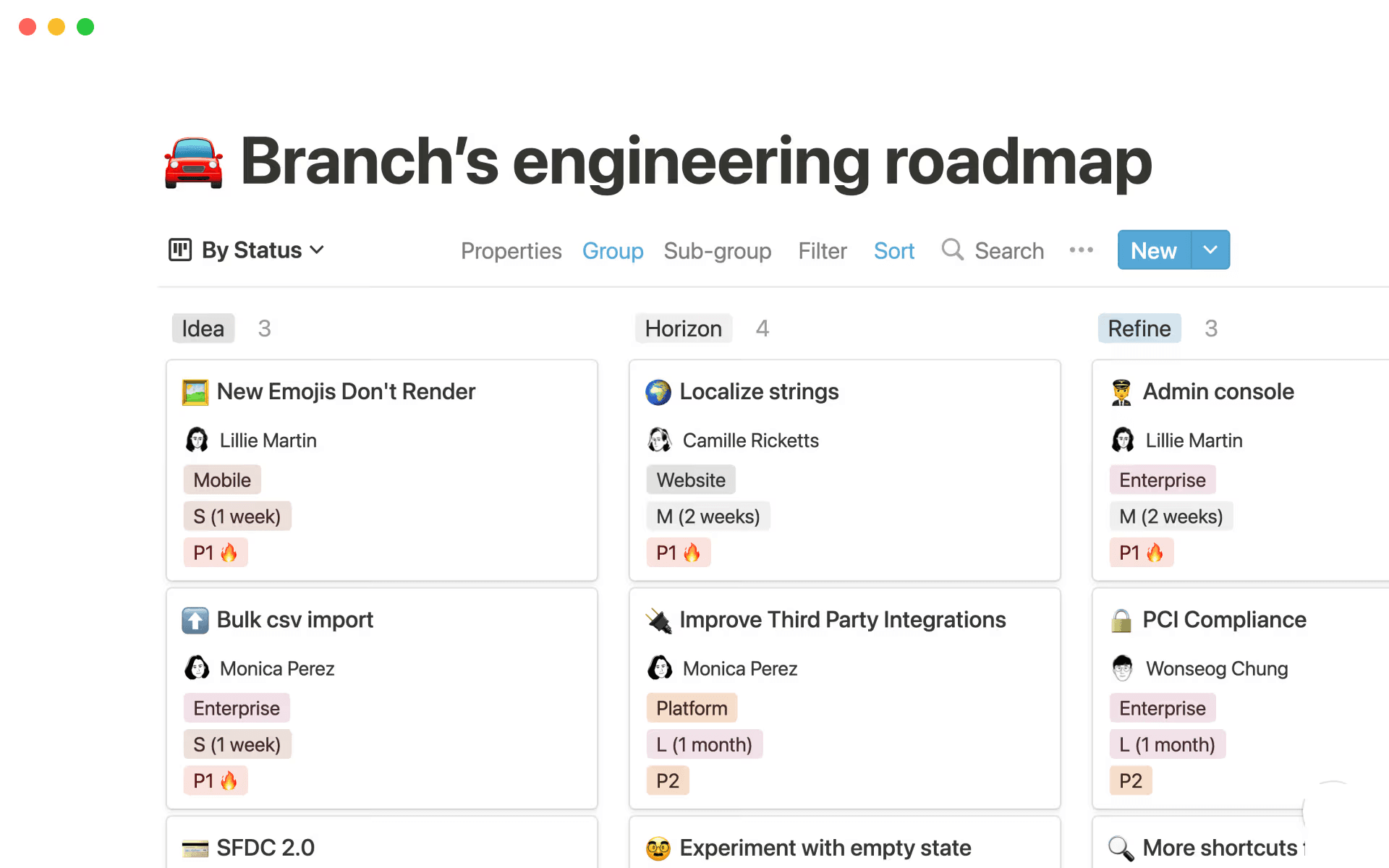
Branch’s engineering roadmap in Notion shows tasks by status, showing which jobs are moving through different milestones. (Source)
Branch, a mobile link attribution platform, uses an engineering roadmap to document and track its own engineering efforts. This centralized workspace ensures that everyone at the company works from up-to-date information and integrates new features directly into shared documentation. Keeping milestones, specs, and updates in one place like this helps Branch’s project team maintain alignment and reduce friction for stakeholders.
1. Platform migrations in planned stages
Migrations provide another clear use case for milestones, particularly when work happens in incremental stages. Rather than treating migration as one massive task, you can break it into manageable phases, such as environment setup, data validation, staged rollouts, and post-migration monitoring. Each phase then becomes a milestone that connects to project goals, metrics, and project outcomes.
When you also map these phases onto a structured project timeline, it becomes even easier to identify dependencies and see the most direct path to completion. Templates like Notion’s milestones timeline planner template can help you visualize important events and adjust the project schedule as conditions change. The built-in timeline and Gantt chart views show exactly how milestones connect, where phases overlap, and how a delay in one stage impacts the next checkpoint.
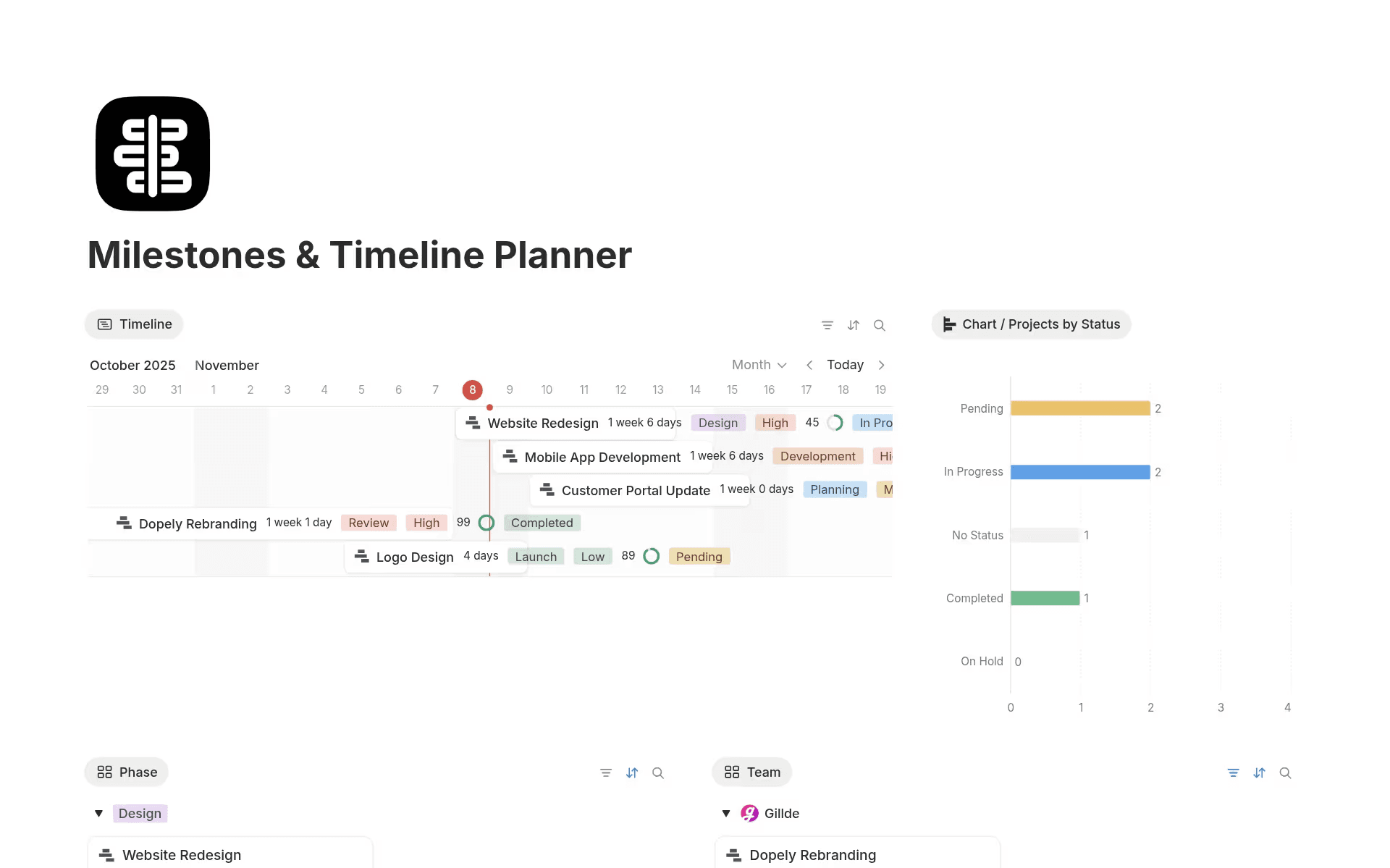
Notion’s milestones and timeline planner template, which shows milestones and tasks on a Gantt chart. (Source)
This approach reduces bottlenecks by measuring progress in meaningful stages rather than waiting for a single final delivery. Breaking the project into these increments also demonstrates major progress earlier, which helps you maintain team momentum and increases the chances that the project will be successful.
Connect project milestones to context for faster, smoother work
Project milestones are most effective when they capture more than just due dates. Linking them to decisions and real-time project progress as well lets you spend less time searching for information and more time moving work forward. This shared context also improves team collaboration, keeps stakeholders in sync, and prevents unnecessary delays.
One practical way to strengthen your milestone management is to house planning, execution, and updates in a single connected workspace like Notion. AI tools can then summarize progress and highlight risks, which reduces the need for manual reporting.
If you’re ready to centralize your milestone management, try Notion AI today to learn how you can organize all your decisions, context, and progress in one place.