A product team’s guide to effective engineering project management
On paper, software engineering projects often move in a straight line: an idea becomes a plan, a plan becomes code, and code ships to customers. But in reality, it’s rarely that clean. Context gets lost between tools, ownership blurs as teams scale—and before you know it, a project that looked simple is behind schedule. But it’s not because the work is hard. It’s because coordination is.
Engineering project management brings order to that complexity by aligning people, plans, and execution to turn ideas into shipped products without slowing anyone down. Notion can also help by providing a connected workspace where engineering, product, and design (EPD) teams can plan, build, and learn together. And when you layer Notion AI on top, that workspace becomes a proactive way to surface context and reduce manual overhead so you can ship faster while maintaining quality.
Engineering project management vs. engineering management vs. project engineering
Engineering project management sits alongside two other closely related disciplines: engineering management and project engineering. While the names are similar and the work overlaps, each function plays a specific part in project planning. Here’s how:
Engineering project management focuses on delivery. Project managers in this discipline are responsible for planning, coordinating, and tracking work across functions to ensure that projects hit scope, timeline, and quality goals. They also consider project risks, dependencies, milestones, resource management, and communication and often act as the connective tissue between project teams.
Engineering management focuses on people and systems. Engineering managers hire and mentor engineers, set technical direction, ensure code quality, and build the processes that help teams work sustainably. Their success depends on team health, technical excellence, and long-term velocity.
Project engineering focuses on technical work. Project engineers design and implement solutions, make architectural decisions, and turn requirements into working systems. And because they’re deep in the code, they solve technical problems every day.
How this looks in practice
To understand how these roles interact, imagine a team that’s building a new onboarding flow. Here’s what that process might look like for each role:
The engineering project manager coordinates the launch timeline, aligns product and design teams on scope, tracks dependencies with backend teams, and communicates progress to stakeholders.
The engineering manager ensures that the team has the appropriate skills for the task, reviews architectural decisions, and helps engineers navigate technical debt or trade-offs.
The project engineers implement the APIs, UI, and data pipelines that make the feature work.
Every role is essential, but they each focus on a different area. When everyone understands where their ownership begins and ends, though, projects will move faster and with fewer surprises.
What skills does an engineering project manager need?
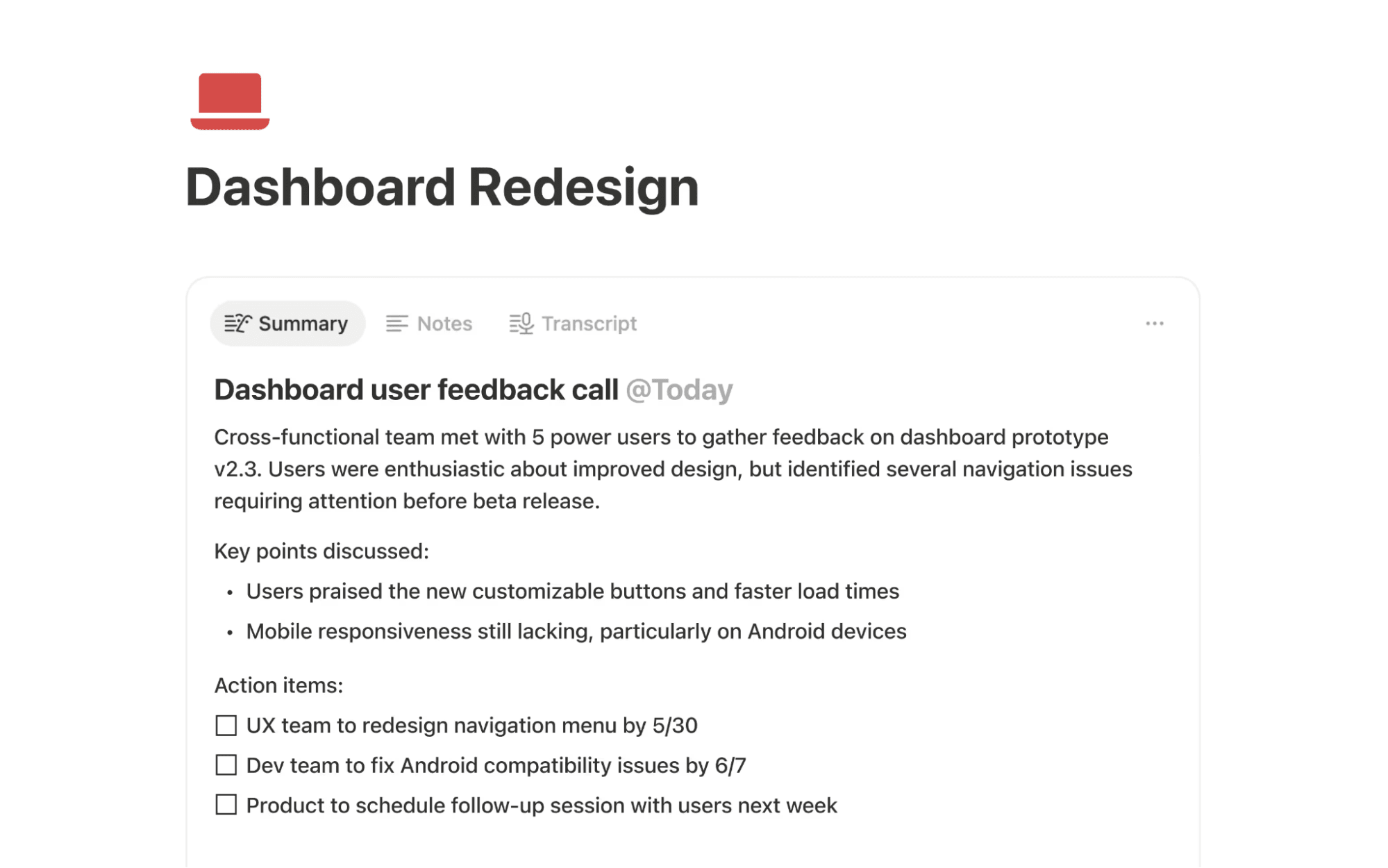
An example of a meeting summary generated with Notion AI (Source)
Engineering project managers operate at the intersection of technical execution and organizational complexity. While the role doesn’t typically require a master’s degree, a project management certificate—like a Project Management Professional certificate—is often necessary, alongside a specific technical and interpersonal skill set.
Below are several core skill areas that these managers need—and how modern tools like Notion AI can help you support each one:
Technical fluency without owning the code
Project managers don’t need to write production code, but they do need to understand how systems fit together and where complexity tends to surface.
Here’s what helps them:
Identifying risky dependencies between teams or systems
Asking the right questions during design and architecture discussions
Anticipating where technical trade-offs might affect timelines or project scope
How Notion AI can help: Notion makes this context easy to access by keeping technical specs, architectural diagrams, and decision logs in one connected workspace. Notion AI can then summarize long, technical documents or surface key decisions, helping project managers stay informed without interrupting engineers for updates.
Cross-functional communication and translation
An engineering project manager spends much of their day translating between different perspectives. This can include the following:
Turning product requirements into execution plans
Converting design constraints into engineering-ready scopes
Translating engineering realities into stakeholder updates and trade-offs
Success requires an ability to speak everyone’s “language.” This means distilling messages to convey what’s important to each team without overwhelming them with irrelevant information.
How Notion AI can help: This translation work is easier when everyone works from the same source of truth. To this end, Notion centralizes product briefs, design files, and engineering plans, while Notion AI helps you draft updates, summarize discussions, and turn meeting notes into clear next steps. That way, each team can see the same information and decide what’s relevant to their role.
Planning, coordination, and risk management
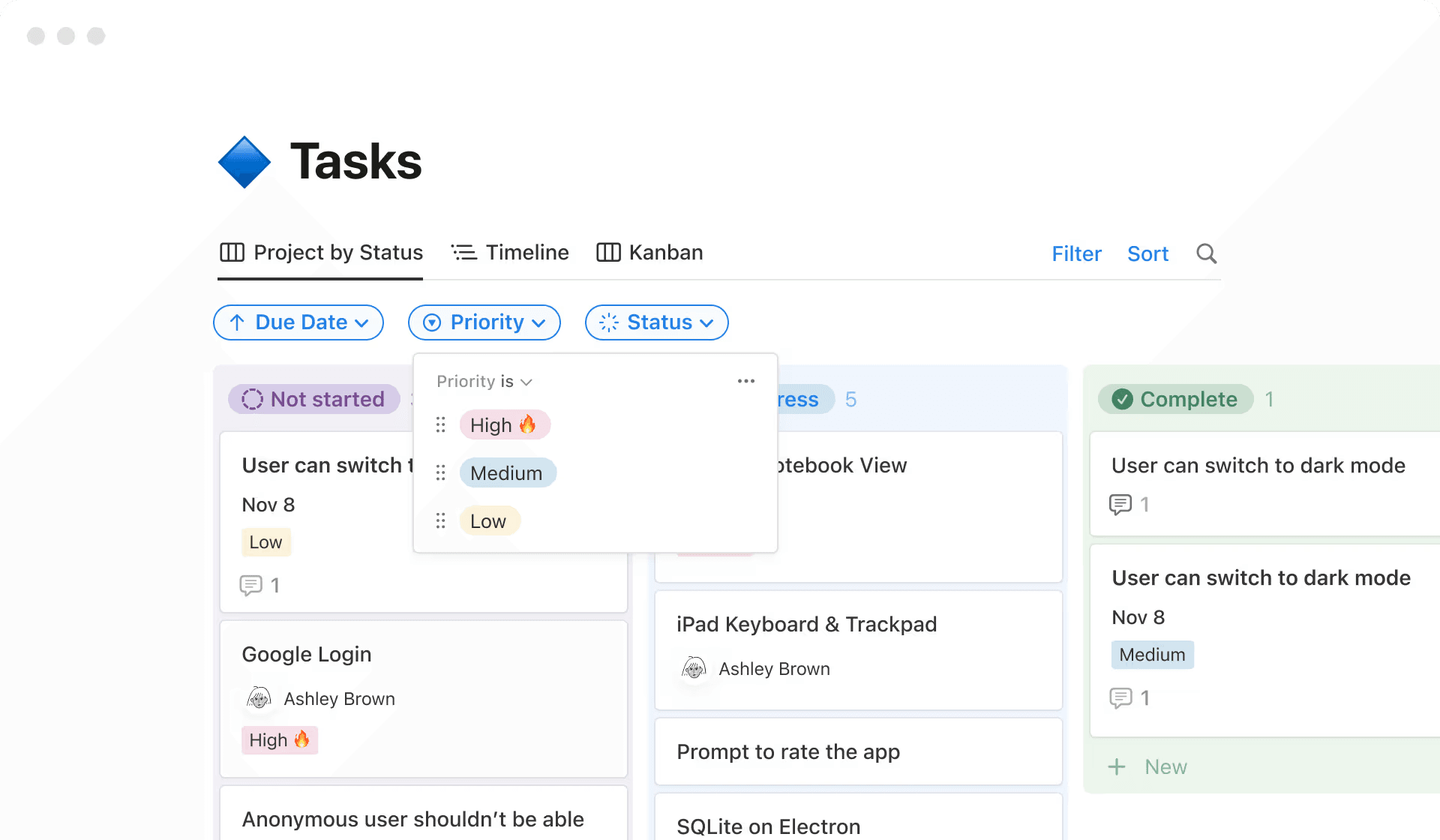
An example of a task database in Notion, sorted by task priority (Source)
Engineering project managers are responsible for keeping projects moving forward. This requires high-level organizational and task management skills like:
Defining milestones and tracking project progress
Managing dependencies across teams
Flagging risks early and coordinating mitigations
It also requires being able to adapt when things don’t go as planned by using quick decision-making and problem-solving to keep teams on track.
How Notion AI can help: Instead of maintaining separate trackers and spreadsheets, project and program managers can use Notion databases to manage projects end to end. Notion AI also reduces manual coordination by summarizing status, highlighting blockers, and helping project managers understand what’s changed.
Creating and maintaining a single source of truth
One of the most valuable project management skills is the ability to create shared clarity. This often means doing the following:
Documenting decisions so teams don’t rehash them
Making ownership and priorities visible
Preserving context as teams scale or change
How Notion AI can help: Notion connects docs, projects, and knowledge in one place so engineers and managers can find what they need instantly. And with AI layered in, teams can ask questions and get answers directly from their workspace rather than digging through outdated docs or chat history.
Modern skills for modern teams
Today’s teams are often distributed and fast-moving, so they need AI tools to support them. As a result, modern engineering project managers increasingly need to do these things:
Work effectively with AI to reduce manual overhead.
Maintain alignment across time zones and async workflows.
Adapt processes without introducing unnecessary friction.
How Notion AI can help: Notion AI supports these modern realities by helping teams stay aligned asynchronously, which reduces the need for constant meetings and keeps context available whenever and wherever work happens.
What methodologies and best practices drive effective engineering project management?
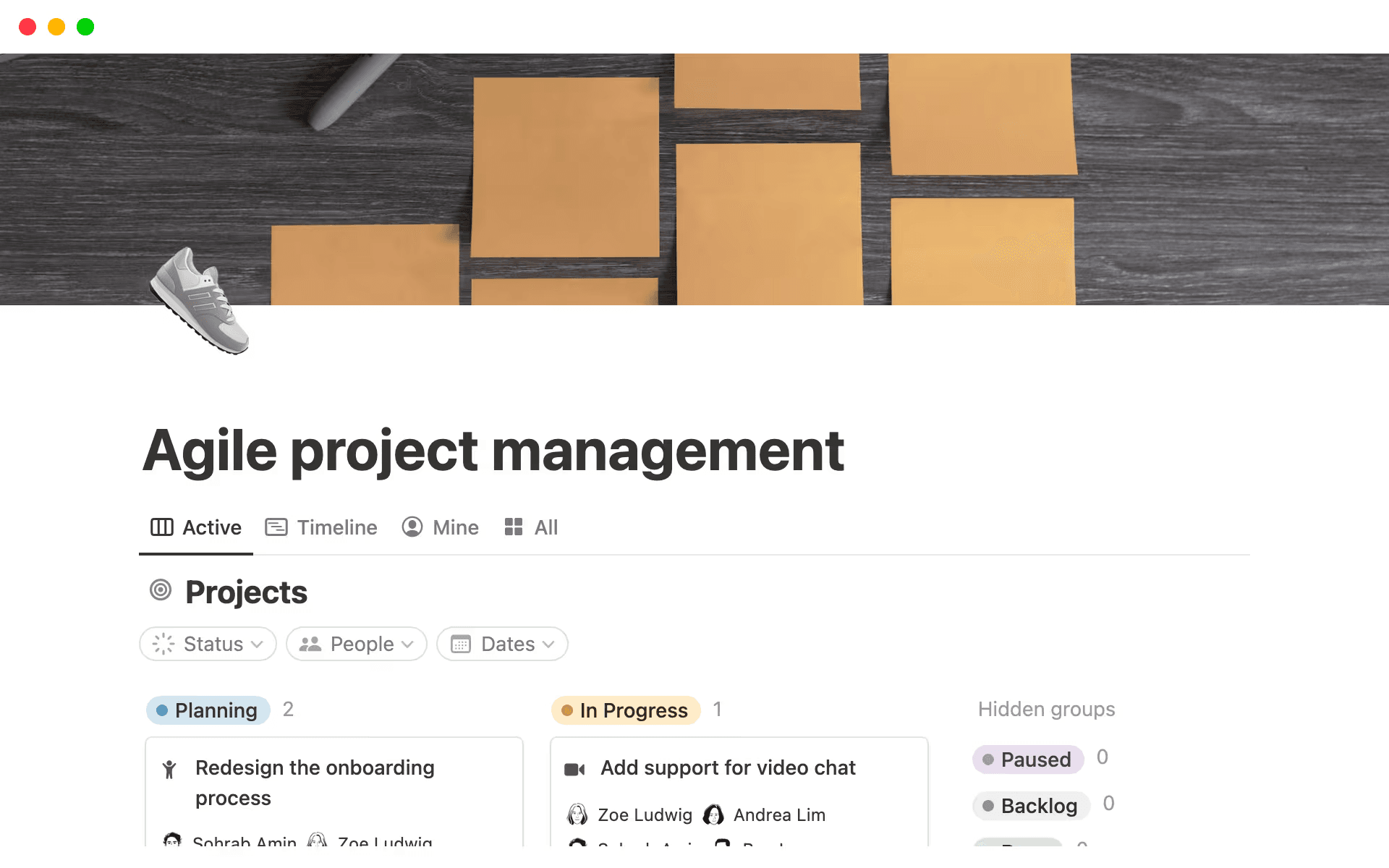
An agile project management template, available in Notion (Source)
There’s no single “right” way to manage engineering projects, but there are patterns that can consistently help you ship better work. Effective engineering project management blends these proven frameworks with flexible practices that support how you actually operate.
Here are a few examples:
Proven frameworks that emphasize iteration and feedback
Many engineering teams rely on established methodologies because they create shared language and expectations. These frameworks typically focus on how they organize work. Here are a few examples:
Agile project management prioritizes adaptability, fast feedback, and continuous improvement.
Scrum structures work into sprints with clear goals and review cycles.
Kanban helps you visualize flow, manage work in progress, and surface bottlenecks.
The critical path method identifies task dependencies and the longest sequence of work to determine overall project timelines (which is especially useful for complex initiatives).
These frameworks work best when they guide behavior rather than dictate it. If you treat them as rigid checklists instead, you’ll likely lose the benefits that they would provide.
Cross-functional collaboration as a first-class practice
Modern product development rarely follows a linear path from design to engineering to launch. Effective engineering project management accounts for this in these ways:
Encouraging early and ongoing collaboration among EPD teams
Making dependencies visible across functions and teams
Creating shared artifacts—like specs, timelines, and decision logs—that everyone can contribute to
When you build collaboration into your workflow, you’ll spend less time realigning and more time making progress.
Flexibility with guardrails
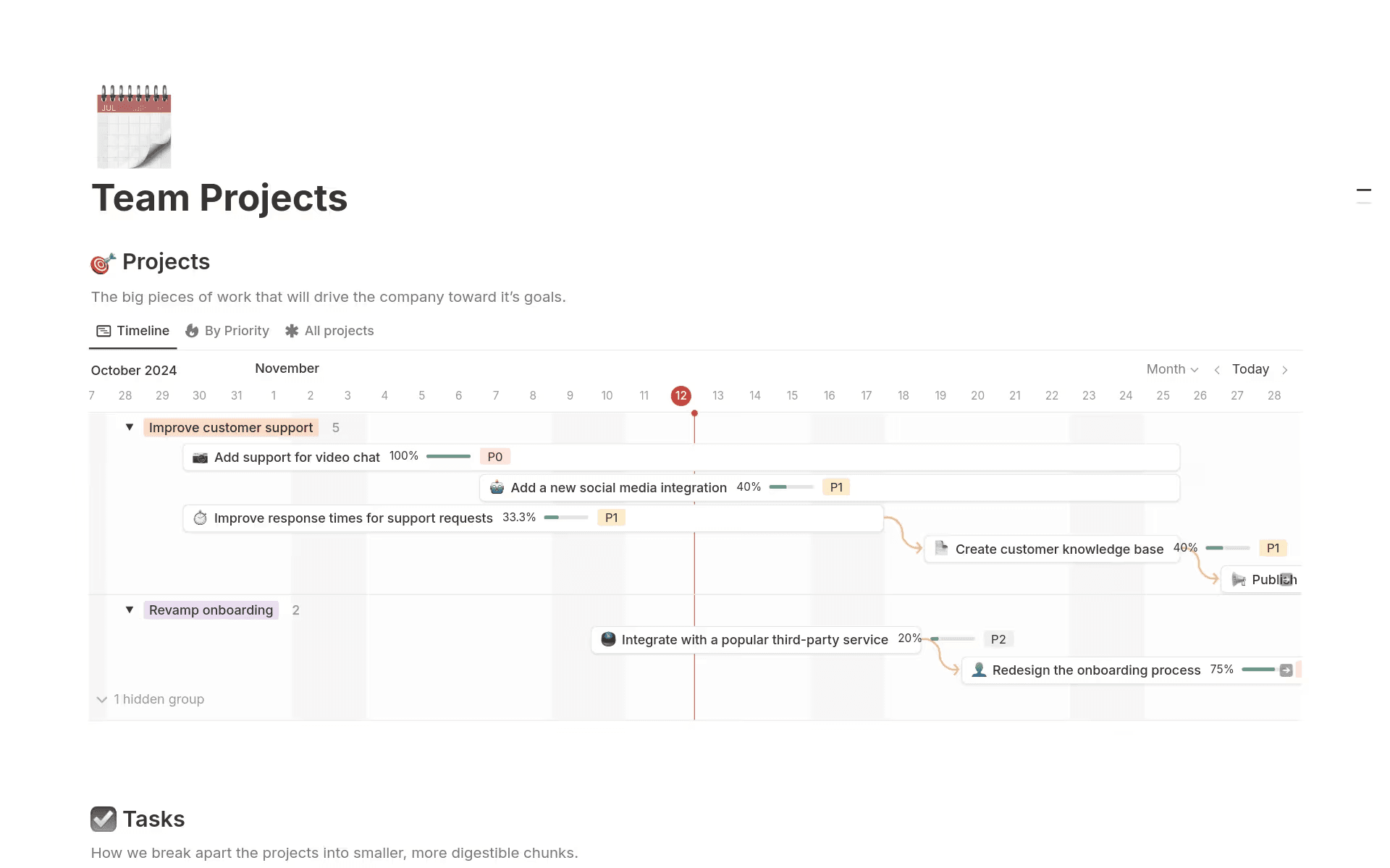
A Gantt chart template, available in Notion (Source)
High-performing teams strike a balance between structure and autonomy and define enough processes to keep work predictable without constraining teams when plans change.
Here’s what maintaining this balance involves:
Clear goals, ownership, and success criteria
Lightweight milestones instead of overly detailed plans
Processes that you can adapt as scope changes or priorities shift
For example, Gantt charts can be useful guardrails for complex projects as long as you don’t treat them like rigid contracts. Since they assume a level of certainty that engineering projects rarely have, they’re most helpful when you keep them lightweight.
Ultimately, however, the goal isn’t to eliminate the process—it’s to use just enough to support momentum and quality.
Shared visibility over status-driven management
Rather than relying on frequent status meetings, effective teams design systems that keep progress visible by default. Here’s what this often involves:
Documenting work as it happens instead of after the fact
Using shared project trackers that update in real time
Capturing decisions and rationale so teams don’t repeat discussions
This approach reduces coordination overhead and helps your teams stay aligned without constant check-ins.
Tools that adapt to you, not the other way around
Methodologies are only as effective as the tools that support them. Because of this, you’ll benefit most from systems that do these things:
Support multiple workflows, such as sprints, roadmaps, and ad hoc projects.
Connect planning, execution, and documentation in one place.
Evolve as teams and deliverables scale.
Notion enables this flexibility by letting you customize your workflows while maintaining shared context across EPD functions. This supports best practices without forcing a one-size-fits-all process on your teams.
How can teams use Notion AI to overcome engineering project management challenges?
EPD teams often face a consistent set of challenges: too many tools, too much manual work, and not enough shared context. Notion AI helps you address these pain points by embedding intelligence directly into connected workflows.
Here are a few practical ways teams use Notion AI today:
1. Connected project hubs instead of scattered tools
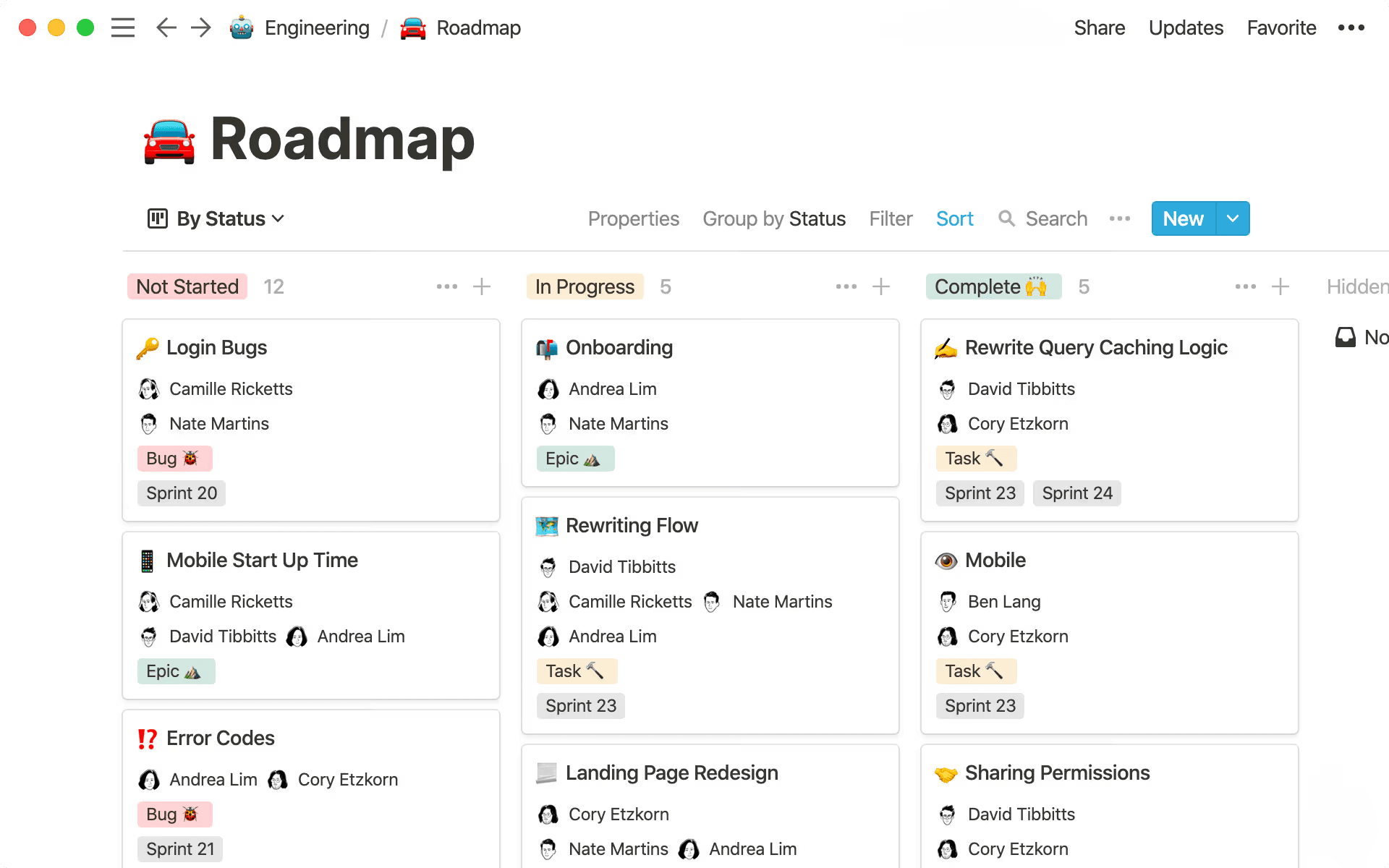
An example of a project roadmap in Notion (Source)
One of the biggest challenges in both product development and project management is tool sprawl. According to Okta’s 2025 Businesses at Work Report, the average company now uses more than 100 apps to run its operations—a 9 percent increase from the year prior. Because data is fragmented across so many systems, it’s nearly impossible for everyone to stay on the same page.
But with Notion, teams can create centralized project spaces that include goals, timelines, specs, designs, and decision logs. When engineers, product managers, and designers all work from the same source of truth, it reduces context switching and prevents misalignment.
To get started with a Notion workspace, check out how to create an efficient and transparent database for project management and roadmapping.
2. Automated status updates and summaries
According to a survey by Wellingtone, half of project management professionals spend a full day or more manually putting together project reports. But handing this responsibility off to automation frees up time for more meaningful work.
Instead of manually compiling updates, Notion AI can summarize recent changes, pull highlights from project databases, and generate stakeholder-ready reports. This keeps everyone informed without extra effort or meetings.
3. Faster onboarding and knowledge sharing
Catching up on months of work is one of the hardest parts of onboarding.
New engineering project managers need fast answers to basic questions like these:
“What are we building?“
“Who owns what?”
“How do we make decisions?”
Notion AI speeds up onboarding by making context easy to find and understand. Here’s how it can help new hires:
Summarizing long project docs and specs
Answering questions like, “What are the current risks?” or “Why did we choose this approach?”
Surfacing key decisions and open action items across projects
That way, instead of digging through months of docs, team members can ask Notion AI about past projects, architectural decisions, or team conventions and get answers instantly.
4. Templates and customer-proven workflows
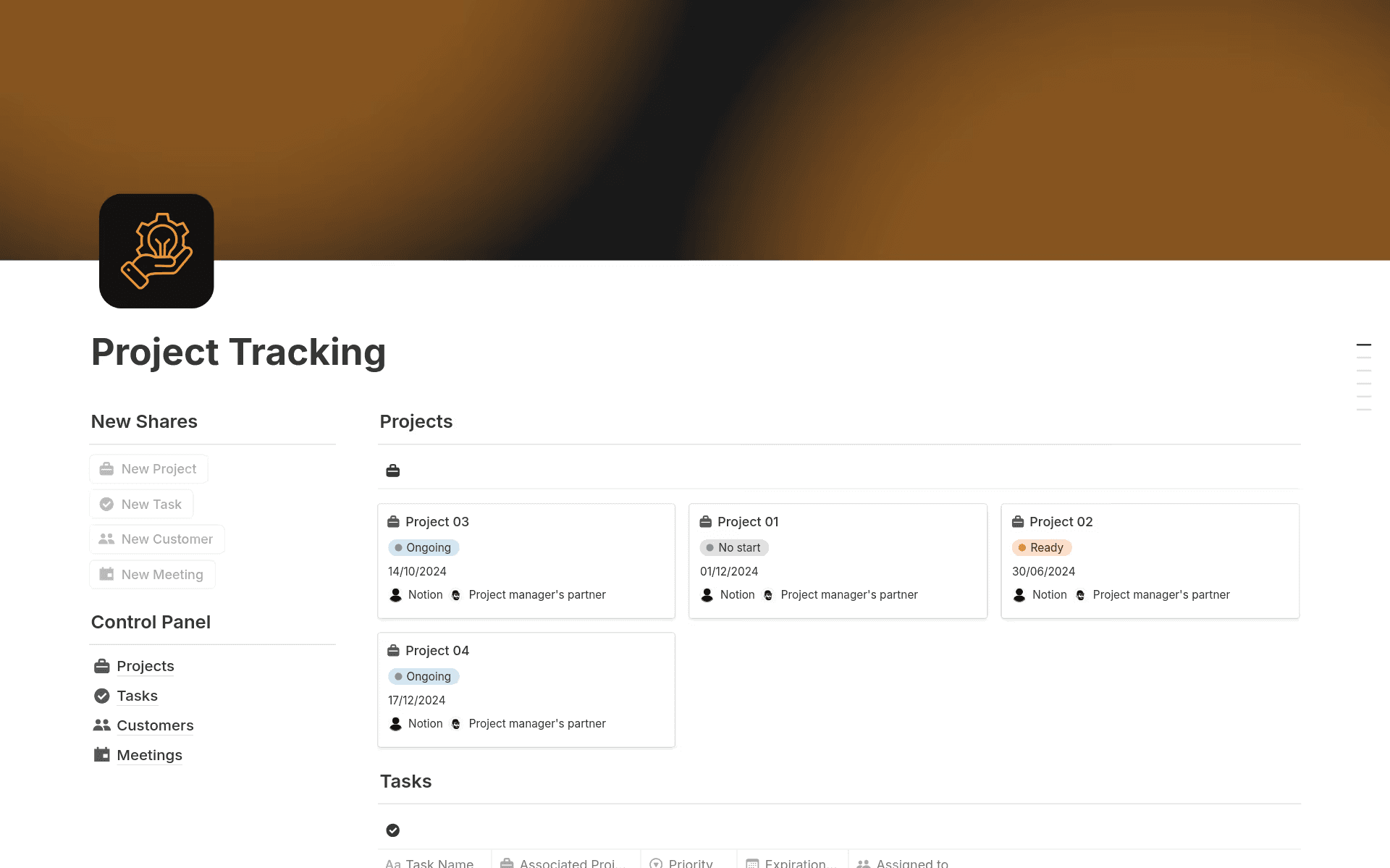
A project tracking template, available in Notion (Source)
Notion offers templates for engineering roadmaps, sprint planning, and project schedules that you can adapt to your needs. Many EPD teams use these as a starting point, then customize them as they learn what works best.
For example, this project tracking template is a great resource for tracking tasks and milestones, while these top engineering templates cover everything from gap analyses to bug management. You can also find more specific options in Notion’s library of more than 30,000 templates, including these templates for robotics engineers.
Across all of these use cases, the objective remains the same—reducing manual overhead while keeping your teams aligned. By combining flexible structure with AI assistance, Notion helps you stay ahead of complexity instead of reacting to it.
Drive more effective engineering project management with Notion AI
Engineering project management is changing. As teams become more cross-functional and distributed, successful projects depend less on rigid processes and more on shared context, good judgment, and timely communication.
Connected workspaces can help you accelerate this transition by bringing projects, knowledge, and documentation together in one place. This allows Notion AI to work directly where data lives by automating the repetitive coordination that typically slows projects down. Once you offload these logistics, you’ll gain the space to focus on strategy, risk management, and collaboration—the areas where human insight matters most.
If coordination currently feels harder than execution, it might be time to rethink your tools. Try Notion AI today to learn how a connected workspace can help your team manage engineering projects more effectively.