What’s a project roadmap? Why you need one & how to build it
Imagine that your product, design, and engineering teams are all grinding away—designers are brainstorming, product managers are riffing on future ideas, and engineers are scoping tickets. But there’s no single place where everyone can see what the others are up to.
These things will happen as a result:
Designers won’t know when the API will land.
Engineers won’t know which features to prioritize.
PMs will have to field a dozen Slack pings, all asking, “When can we ship?”
That kind of misalignment hurts productivity—but it doesn’t have to stay that way. A well-built project roadmap, especially one that’s part of a connected workspace, can bring these teams into sync. And with platforms like Notion AI, it’s now easier than ever to build a roadmap that stays alive.
What is a project roadmap?
A project roadmap is your team’s high-level “north star”—a shared blueprint of what you plan to build, when, and why. It’s not a to-do list or a Jira board, but it is a strategic view of goals, milestones, deliverables, and rough timing.
For product teams (and anyone who’s working cross-functionally across projects), a project management roadmap helps you zoom out and focus on the big picture. It also shows how design, engineering, and product fit together to deliver value. That makes it especially helpful in frameworks like Agile project management—where sprints and tasks are fluid—because it provides stable direction without locking you into rigid plans.
Project roadmaps vs. other planning tools

An example of a Gantt chart that Notion AI built (Source)
It can be helpful to know exactly how roadmaps differ from other planning strategies to understand how they work in practice. Here’s a quick comparison:
Project roadmap: A high-level view of project objectives, phases, and rough timelines
Project plan: A detailed breakdown of tasks, project schedules, and resource allocation, as well as who does what and when
Gantt chart: A visual representation of a timeline that shows actual dates, dependencies, durations, and task owners, often as part of a project plan
Product roadmap: A broader, longer-term plan that maps out product direction and features over multiple releases or quarters
While your roadmap sets the direction, your plan or Gantt chart shows execution, and your product roadmap charts long-term product vision.
Core elements of a project roadmap and when to use them
A project roadmap should include these components:
Strategic goals and desired outcomes: The problem you’re solving and what success looks like
Major project phases or milestones: Key signposts like “design complete,” “backend ready,” “MVP launch,” and “beta testing”
Deliverables: What you expect at each milestone (like “feature X completed,” “flows validated,” “QA done”)
Rough timing or sequence: Relative timing and quarter- or phase-based estimates
Dependencies and handoffs: Specifics like “design must hand off to engineering” or external dependencies like API readiness
Owners or responsible parties: Who leads each milestone or phase and is accountable for its success
Status indicators and risk flags: What’s on track, what’s delayed, and what’s at risk
You should build a project roadmap when you start a new project, launch a feature, plan a release, or enter quarterly or annual strategic planning. The more effort you put into creating your roadmap, the more value you’ll get from it.
Why do strong project roadmaps matter for product teams?
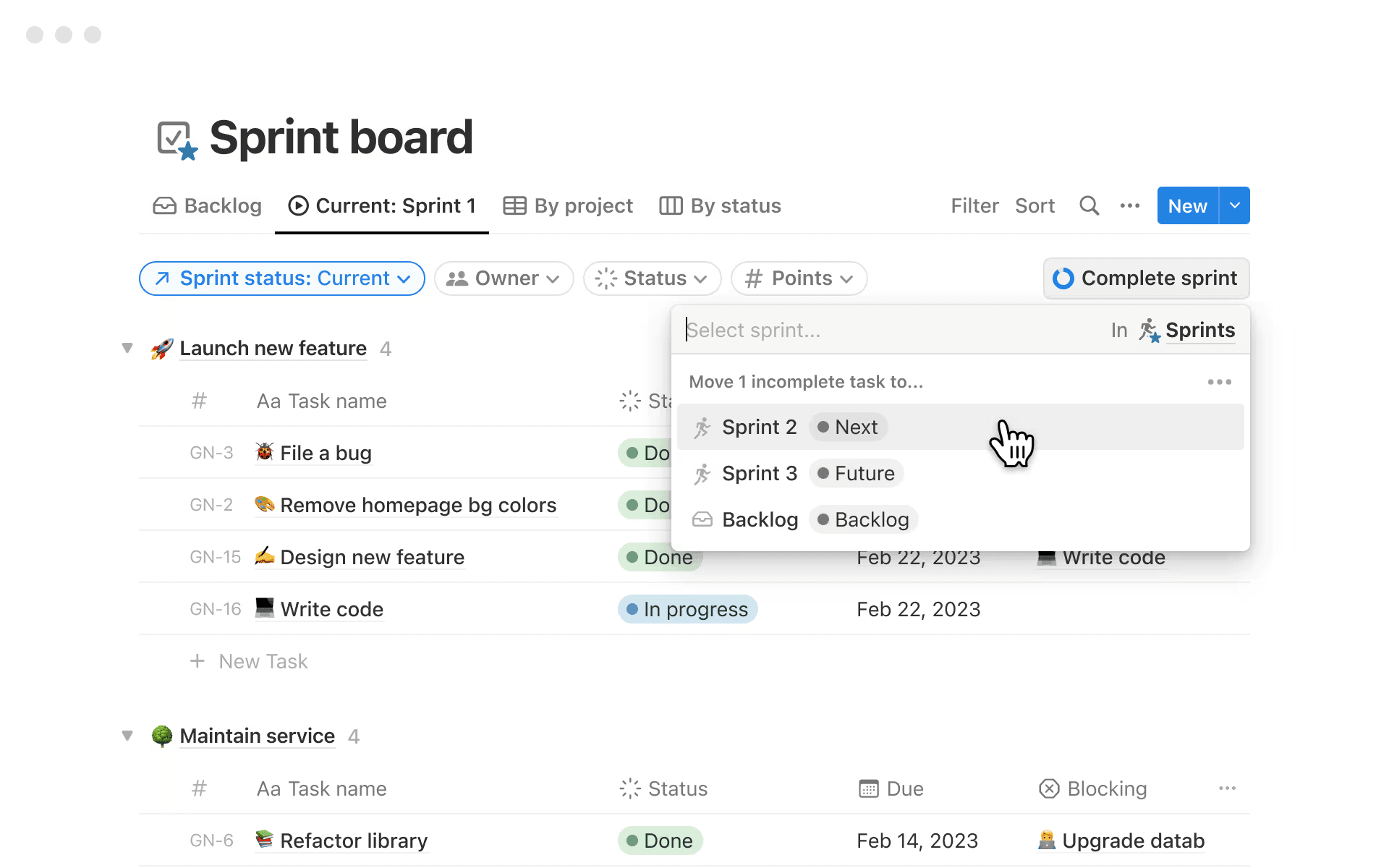
An example of a shared sprint board in Notion (Source)
You might think, “We use Jira, Slack, Figma, and everything else—isn’t that enough?” But without a shared roadmap, teams are more likely to run into friction, delays, and misalignment.
According to a 2021 report by Wellingtone, 45 percent of organizations are either somewhat or very dissatisfied with the current level of project management maturity within their teams. And only 37 percent consider themselves to have some level of satisfaction.
A good project roadmap can improve project maturity by delivering real business value in the following ways:
Shared alignment across teams: When designers, engineers, and product folks see the same high-level goals and milestone plans, everyone gets clarity and priorities become visible rather than arbitrary.
A single source of truth across workflows: If your roadmap lives alongside specs, docs, tasks, and notes in one workspace, people will always know where to go to find information.
Better anticipation of dependencies, risks, and handoffs: When you map cross-team dependencies early, you’ll reduce the chance of last-minute surprises.
Lower risk and less overhead: A living roadmap that you update as you learn more, designs change, or priorities shift keeps everyone on the same page and limits wasted work, rework, and miscommunication.
Less busywork and more building: A clean, shared roadmap leads to fewer meetings and follow-ups. With one in place, teams will also spend more time building and less time aligning, while leadership will get high-level visibility without micromanaging.
What are the most common mistakes teams make when building project roadmaps?
Even with the best of intentions, many project teams stumble when creating their first few roadmaps. Here are four of the usual suspects—and why they trip teams up:
1. Jumping into tasks without establishing business goals
Too often, teams start by writing vague tickets or tasks, like “Build this API,” “Design this screen,” or “QA this bug.” But if you don’t step back and ask why, you can end up shipping features that nobody uses—or building the wrong things altogether.
According to the Association for Project Management, unclear goals and ineffective planning are two of the top reasons that projects fail. Without clear project goals and success criteria, it’s hard to judge what to build now and what should wait.
2. Ignoring dependencies and cross-functional handoffs
Maybe the design team finishes mockups, but the backend isn’t ready. Or engineering has to wait until the API team makes a change. If you don’t map dependencies early, work piles up, waits, or requires rework, which slows down the whole team.
3. Treating the roadmap as a static document, not a living tool
A roadmap isn’t a one-time planning artifact—it’s a living document. So if you treat it like a “set it and forget it” document, it will quickly become outdated. And eventually, no one will check it anymore.
4. Using too many tools or creating roadmaps in silos
Sometimes, the biggest problem isn’t the work itself—it’s how you track it.
When each team uses different project management tools to track and complete work, visibility suffers. That’s because constantly context-switching between tools kills their focus.
How to build a project roadmap that actually works
With Notion AI, you can build project roadmaps that stay accurate, contextual, and connected to all the documentation your teams rely on. Here’s a practical process that you can use for better project management:
Start with strategic goals and success criteria
Before doing anything else, you should slow down and ask these foundational questions:
What problem are we solving?
Who is the user?
What outcomes matter?
How will we measure success?
To make this process easier, you can use Notion AI to accomplish these tasks:
Turn raw notes into crisp goal statements.
Extract themes from customer feedback or research.
Summarize key stakeholder direction into clear, actionable objectives and clear results (OKRs).
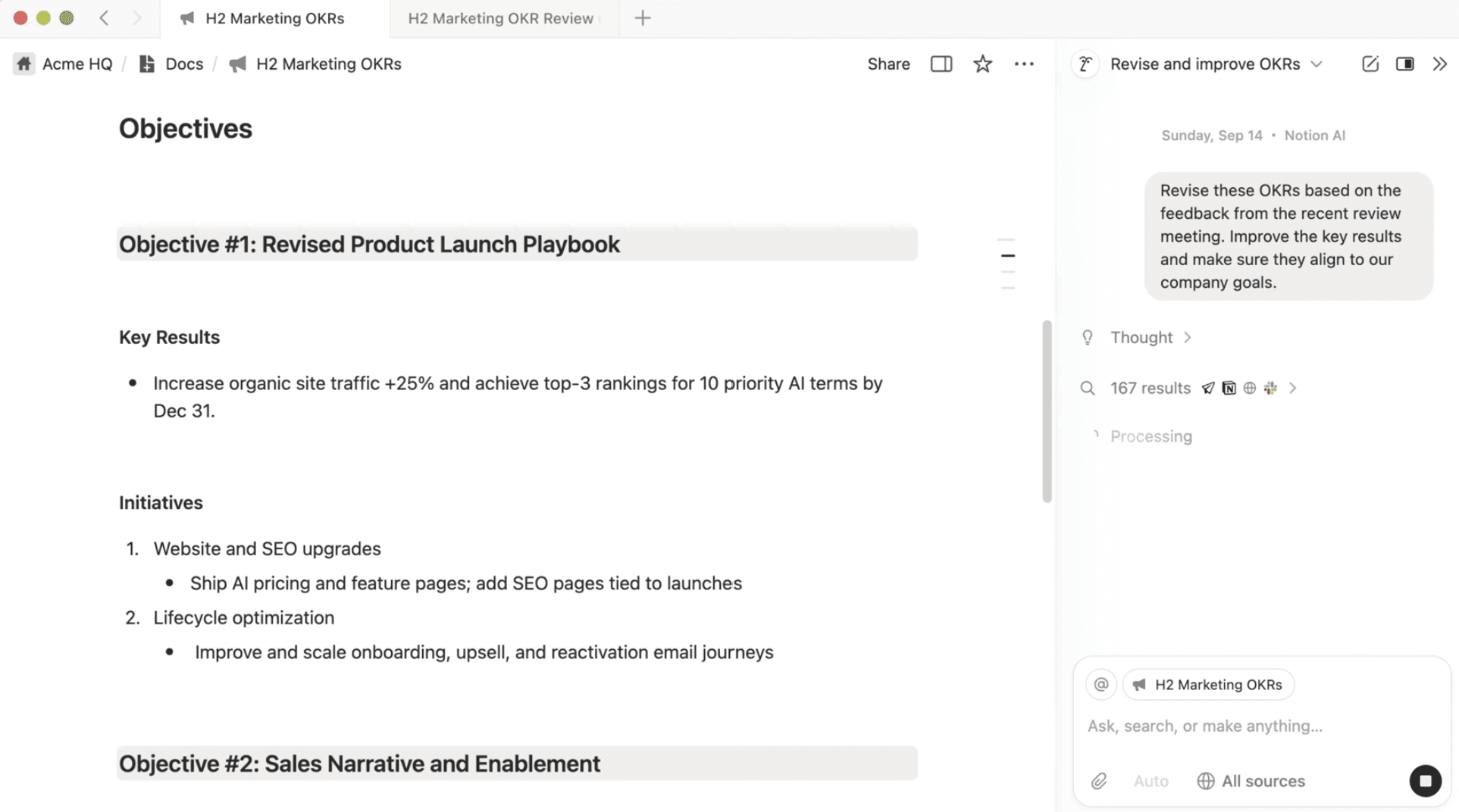
A screenshot of a prompt that asks a Notion AI Agent to revise existing OKRs based on meeting notes (Source)
For example, you can ask Notion AI to “summarize these customer pain points into three strategic goals for our Q3 redesign.” The tool will then recommend goals based on your existing documentation.
For more step-by-step guidance, check out this video to see how Notion AI Agents can help you finalize specific OKRs:
Uh-oh! It looks like your ad blocker is preventing the video from playing.
Please watch it on YouTube

Map major project milestones and key deliverables
Once you have your high-level overview in place, it’s time to give it some structure. Milestones help you create this scaffolding without getting lost in the weeds.
For product development teams, here are some typical milestones to include:
“Research complete”
“Design explorations approved”
“Architecture defined”
“Prototype prepared”
“MVP released”
“Beta testing completed”
“GA launched”
In Notion, you can use a free, pre-built project roadmap template as a guide for the roadmap planning process. Notion AI can then help you with these tasks:
Break down goals into high-level phases.
Suggest milestones based on similar past projects.
Translate long docs or spec drafts into a structured roadmap outline.
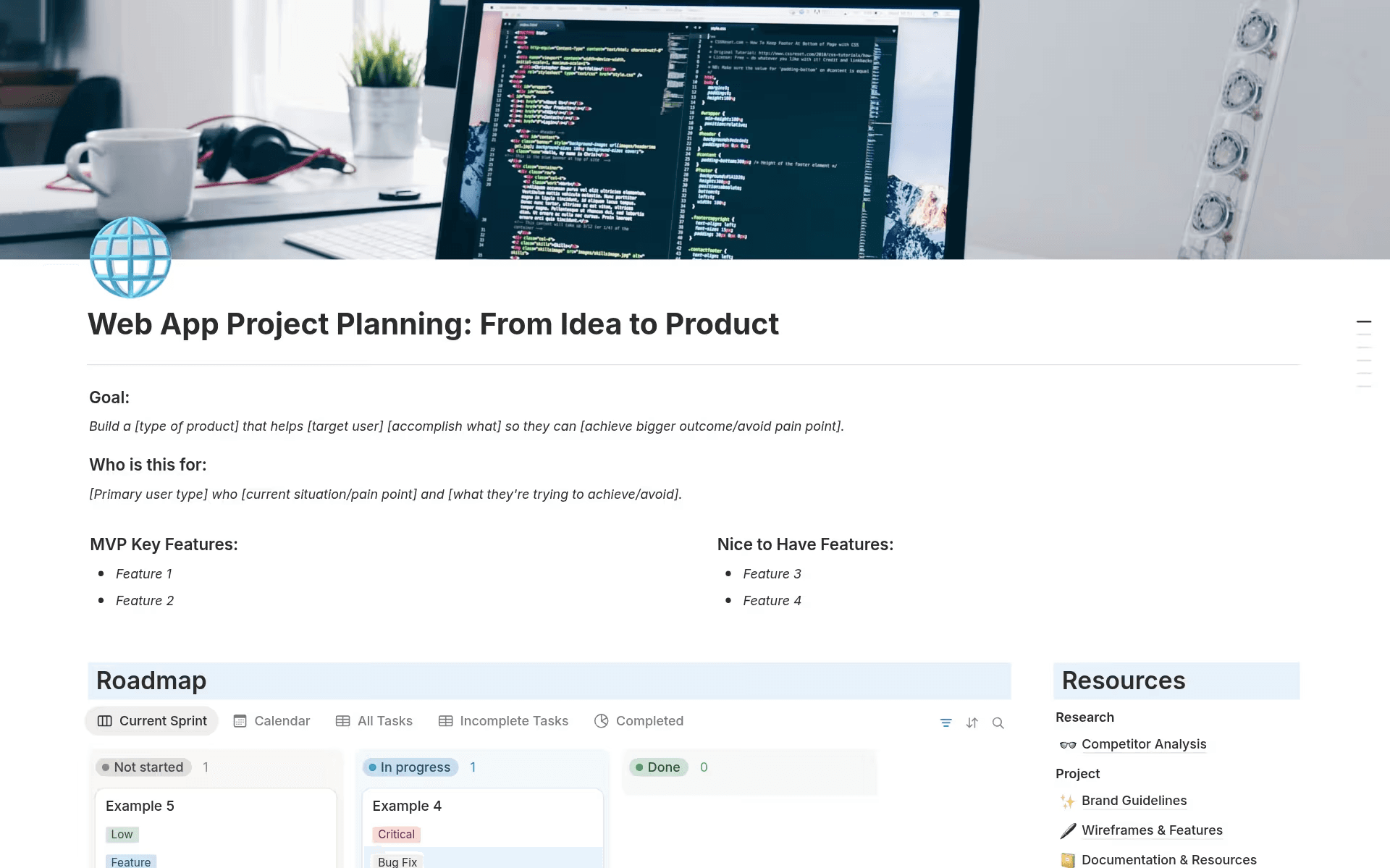
A screenshot of a project planning and roadmap template from Notion’s template gallery (Source)
For more help getting started, check out our guide to using Notion templates.
Identify key dependencies, handoffs, and risks
This step is where roadmaps often break down. Because engineering, product, and design teams rely deeply on each other throughout the project lifecycle, capturing dependencies early prevents delays later.
Notion can help you with this by doing the following:
Using database relations to connect milestones, specs, tasks, and owners
Adding a Dependencies field that links related items
Tagging risks or assumptions directly in line

Helpful Resource
Get step-by-step instructions on how to add dependencies to your database through our Help Center.
Notion AI can also help with these tasks:
Scanning the roadmap for missing owners or unclear timelines
Flagging milestones that seem unrealistic based on the project scope
Surfacing dependencies based on linked documentation
Example prompt: “Identify potential engineering-design handoffs in this roadmap and suggest where we may need earlier alignment.”
Create a visual, shared roadmap and communicate it broadly
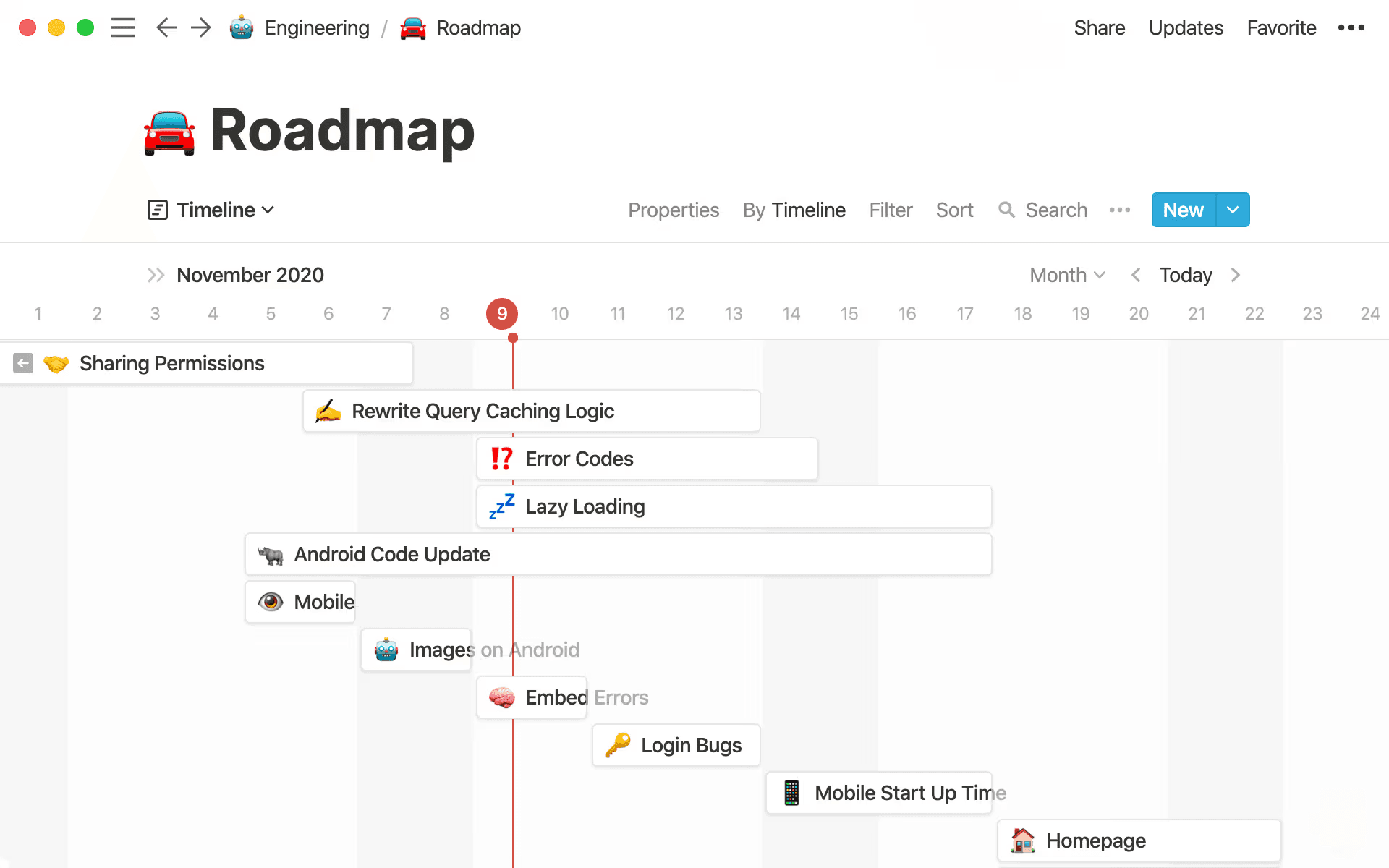
Notion’s timeline view offers a visual representation of how long your project will take. (Source)
Once the structure is sound, you’ll want to convert it into a visual project timeline. Notion’s timeline view, for instance, gives teams a clear overview of these facets:
What’s happening now
What’s coming next
What you need to prioritize
How phases overlap
Who is responsible for what
You can then embed design files, engineering specs, research notes, or sprint boards so context is always one click away.
Helpful Resource
Learn how to set up a timeline view in Notion with our Help Center guide.
Now that this visualization is in place, you can communicate it widely by doing the following:
Pinning it in your Notion workspace
Sharing it during sprint planning, team syncs, and leadership reviews
Using Notion AI to generate updates or summarize changes for stakeholders
Remember: a roadmap only works when everyone sees it—and believes in it.
Review and update regularly as part of your workflow
A project roadmap is a living document, so you’ll want to treat it as part of your operating rhythm. Here’s how:
Review it during weekly product syncs.
Update risks as new information emerges.
Adjust timelines based on validated discoveries.
Connect it to new documentation or specs.
With Notion, maintaining your roadmap should never feel like manual overhead. To make the process easier to stay on top of, Notion AI performs these tasks:
Using automation to generate weekly status summaries
Suggesting updates based on changes to tasks, specs, or notes
Tracking project progress in real time
Highlighting inconsistencies or outdated milestones
How AI helps teams build and maintain effective project roadmaps
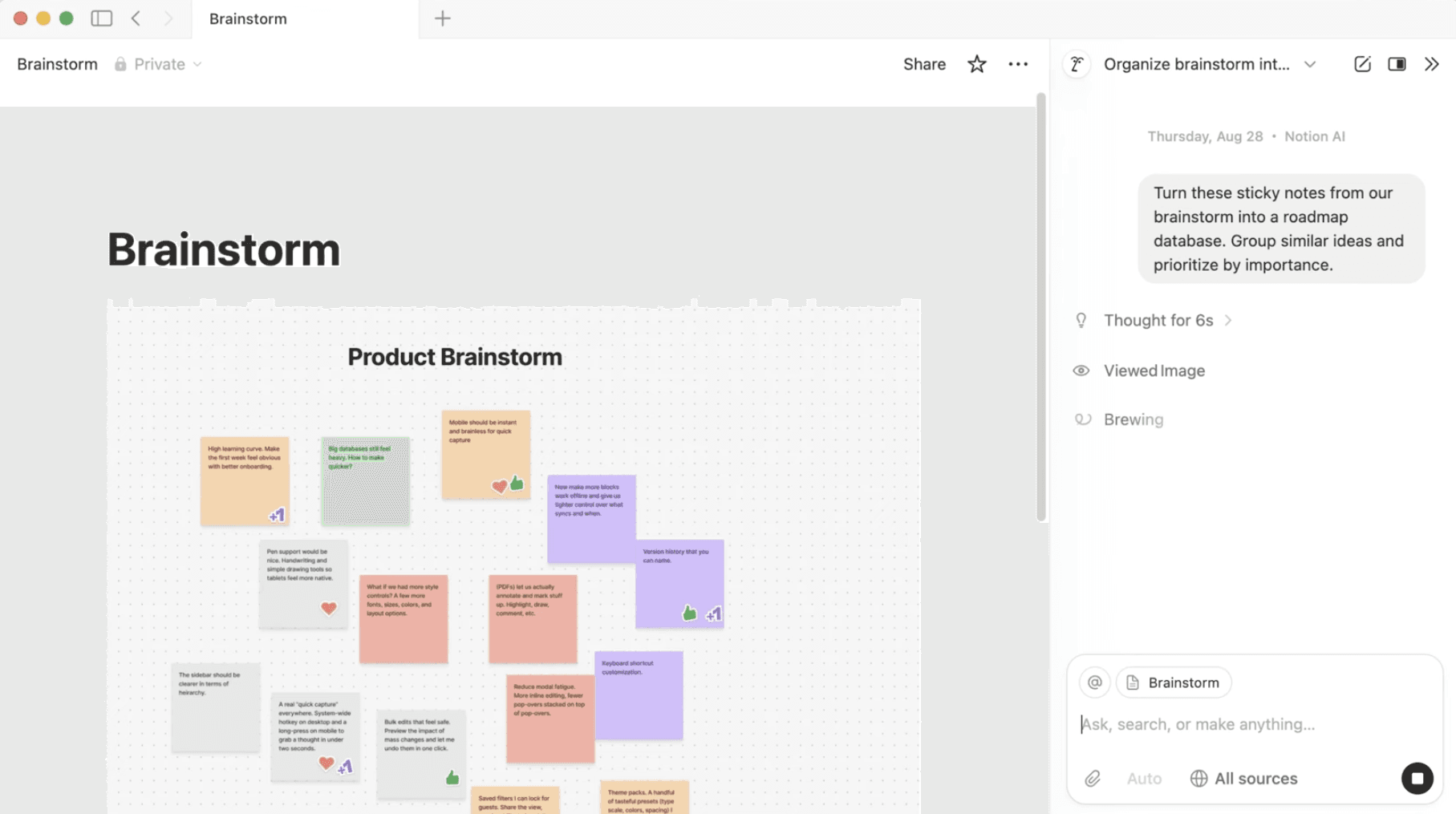
A Notion AI prompt to turn brainstorm notes into a roadmap database (Source)
You might think, “This all sounds nice, but it still seems like extra work.” That’s where AI in a connected workspace becomes especially helpful.
With Notion AI, for example, you’ll get these benefits:
Faster alignment: Instead of dissecting dozens of notes, Slack threads, or meeting recordings, you can tell AI to summarize goals from last week’s calls or combine user feedback into themes. This gives you clean goal statements without manual effort.
Early identification of dependencies and risks: Because your docs, tasks, and roadmap live together in shared dashboards, AI can spot missing owners, unlinked deliverables, and conflicting timelines. This means fewer surprises and roadblocks.
Effortless project status updates: AI can generate weekly or sprint-end summary updates and call out what’s changed and what’s next. This is great for busy stakeholders who don’t live in Jira or Figma.
Connected context: Because your specs, docs, designs, and tasks are all linked within the roadmap, Notion AI can help you translate that context when summarizing or suggesting changes. This means you’ll no longer have to dig through threads.
Minimal friction: When updates feel natural, not like a chore, team members will actually use the roadmap instead of abandoning it.
Build your next project roadmap with Notion AI
Your project roadmap is the backbone of your alignment between product, design, and engineering teams. It sets expectations, surfaces dependencies, and keeps priorities visible.
But building and maintaining a living roadmap doesn’t need to be a heavy lift. With Notion AI, it becomes a smooth, integrated part of your workflow.
If you’re ready to stop shipping without real visibility, let AI help you get clarity. Build your next project roadmap for free today with one of our roadmap templates—and watch as alignment follows.