AI product roadmap: How to plan, prioritize, and ship faster
 By Nicholas Lui
Building a roadmap is harder than it looks: product teams must sort through scattered feedback, conflicting priorities, shifting market signals, and dependencies that surface too late. But context often slips through the cracks, initiatives compete for attention—and the moment you publish your roadmap, it starts losing relevance. As products grow, this cycle accelerates, which means you have more data to review, stakeholders to align, and updates to rewrite.
Exhausting, right?
But AI breaks that pattern by pulling insights together, spotting themes, flagging risks, and turning raw research into clear direction. The result is a living, connected roadmap that stays accurate and helps accelerate decisions.
What’s an AI product roadmap, and when should teams use one?
An AI product roadmap is more than just a timeline with AI sprinkled on top. It’s actually a dynamic, context-aware system that helps product managers and cross-functional teams connect customer feedback, market trends, product vision, and ongoing work into a single source of truth.
Unlike traditional roadmaps that require constant manual updates, AI roadmaps don’t depend on someone remembering where decisions came from and whether priorities still match business goals. Instead, an AI-driven roadmap can automatically accomplish these tasks:
Pull insights from customer feedback, research, and user interviews.
Summarize themes or risks across multiple initiatives.
Spot dependencies early.
Turn rough ideas into AI-generated briefs, product requirement documents (PRDs), or problem statements.
Keep stakeholders aligned with real-time updates.
AI product roadmaps are especially valuable when you need faster decision-making, clear prioritization, and a roadmap that adapts as plans shift. The teams that benefit most from them are those that manage complex workloads, coordinate distributed contributors, or operate in fast-moving markets, since high-impact decisions in these contexts rely on quick data synthesis.
What problems does AI solve in roadmap planning for product teams?
Roadmap planning breaks down when information lives in too many places, updates move slowly, or teams lack visibility into decisions. Here are four other recurring themes that we commonly see:
Lost context across tools
Conducting research in one tool, assessing customer feedback in another, and viewing specs in still another means that teams lose the reasoning behind decisions. This, in turn, slows momentum because teams must spend more time retracing context than they can use to move work forward.
Notion AI helps product teams overcome this issue by centralizing decisions across discovery notes, metrics dashboards, and more. This makes patterns easier to see, assumptions easier to validate, and context easier to preserve. After all, when your context is intact, decisions get stronger.
Customers like Faire use Notion as a unified hub to search across docs, link initiatives to past learnings, and ask AI to summarize insights without jumping between systems. In fact, 71 percent of interviewed Faire employees said that Notion AI is their most important tool because it offers “one place to ask, act, and align instead of hopping between AI apps and systems of record.”
Immediately out-of-date roadmaps
Roadmaps need to reflect information like when market trends change or when teams uncover new customer needs. But all too often, they instead fall out of sync with reality.
With Notion AI, however, roadmap databases update in real time. And if a dependency slips or new insights shift prioritization, AI can rewrite summaries, flag risks, and suggest updated milestones automatically.
For Cohere, this is a major benefit. By centralizing its product roadmap planning in Notion, the company eliminated its need for manual updates across different tools and documents. This increase in efficiency has helped Cohere save seven hours per week.
Lack of awareness of blockers
Product teams often spread plans, specs, and updates across too many places, which makes it hard for them to spot early warning signs. That means issues are only obvious once a deadline passes or a problem escalates into an emergency. In fact, according to ProductPlan’s 2025 State of Product Management Report, 48 percent of product teams say they need fewer tools—not more—to help with their limited visibility into their product strategy.
Qonto solved this problem by centralizing its roadmap in Notion. As its tech operations principal, Jean-Philippe Denis, puts it, “With Notion, we identify potential issues instantly. We can track progress in real-time and resolve problems before they escalate.”
Delayed leadership updates
Quarterly reviews, board requests, and market shifts all demand clear updates—but teams often spend hours rewriting summaries or stitching together progress from scattered tools, which slows leadership’s decision-making. ProductPlan’s report also shows that 31 percent of product teams say senior leadership shapes their product strategy direction, so delayed updates can directly reduce decision speed.
Vercel encountered this same issue. “As we expanded to twelve product groups,” Technical Program Manager Brian Emerick explains, “we needed a cohesive system that created some standardization without the bureaucratic red tape.”
Because it switched its disconnected systems to one centralized product development hub in Notion, Vercel can now move faster without sacrificing clarity. “When your docs look this good and work this intuitively,” its VP of product, Lee Robinson, adds, “decisions happen faster.”
How do you build an AI product roadmap inside Notion?
Roadmapping tools are a lifesaver for product teams. In fact, according to Product-Led Alliance’s report, more than 50 percent of product operations practitioners rank roadmapping tools as their first or second most important tools. This report also highlights that AI has had a major impact on improving efficiency when roadmapping and prioritizing tasks.
Combining these insights makes the case clear: when teams bring AI into the roadmap process, the work moves faster, decisions become clearer, and priorities stay grounded in real insight, not manual busywork.
Tools like Notion make these efforts possible by enabling you to create an AI product roadmap. Here’s a simple, repeatable flow you can use to build your own:
1. Centralize customer insights and feedback
To start, create a shared space where product teams can collect feedback, research, metrics, and competitor analyses. This is the centralized knowledge base that AI will use when shaping roadmap themes or identifying customer needs.
If you need help, you can try these prompts:
“Summarize the top customer pain points from this quarter and group them by impact.”
“Summarize this week’s customer feedback by theme and highlight anything new.”
“Extract common pain points from these interview notes and group them by severity.”
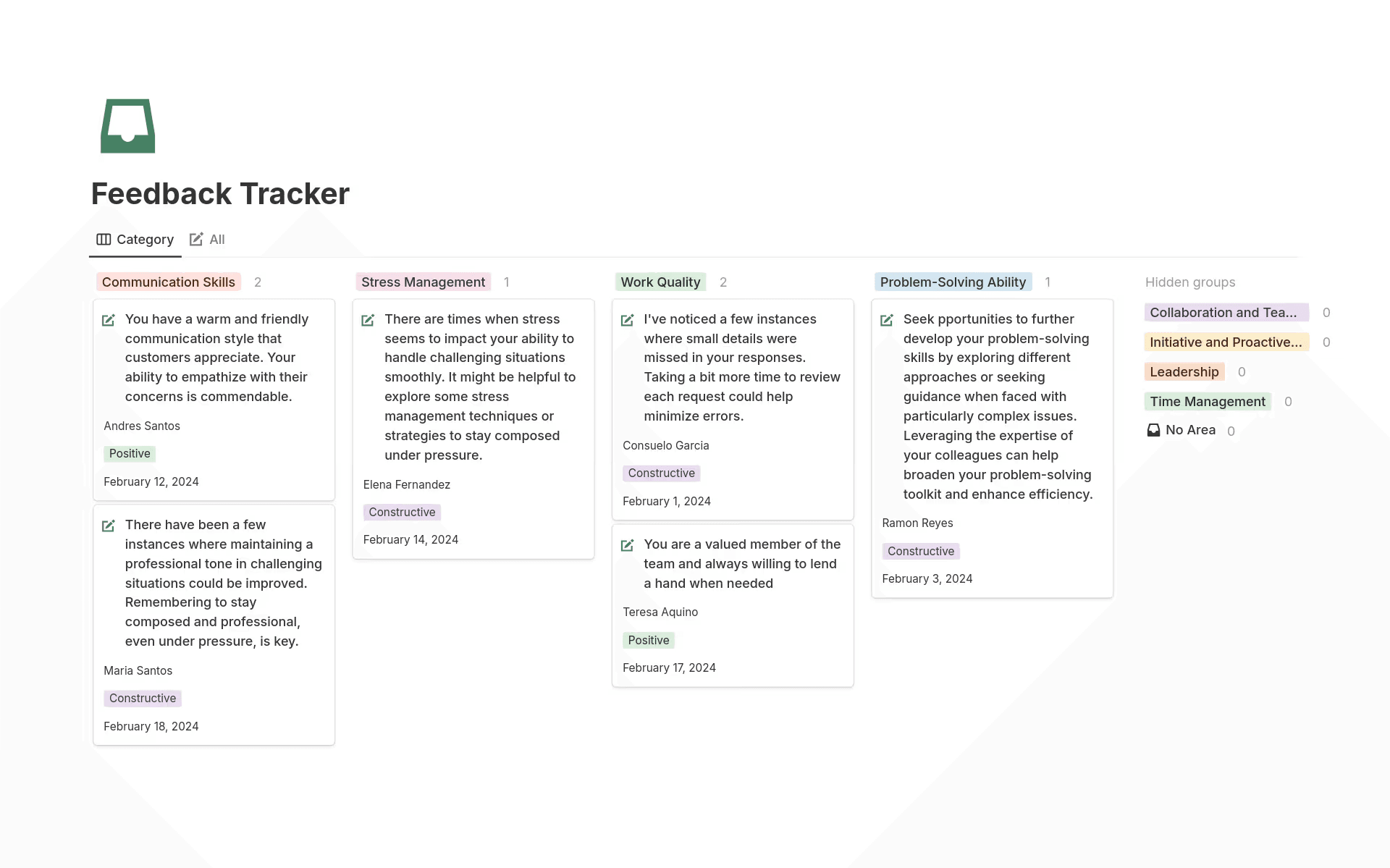
Notion’s feedback tracker shows categorized cards for communication, stress management, work quality, and problem-solving. (Source)
Here are some templates to help you centralize your customer insights and feedback:
2. Use AI to identify patterns and shape roadmap themes
Once your insights live in one place, AI can help your product managers see trends across markets, personas, and existing product features. This turns raw data into direction and gives you themes that bank on evidence, not intuition.
In particular, Notion AI can surface common threads, risks, and opportunities so you can choose the initiatives that move you toward your business goals. To do this, try these prompts:
“Group these insights into themes and highlight which ones appear across multiple customer segments.”
“Compare this quarter’s feedback to last quarter’s and show which themes are gaining momentum.”
“Read these notes and surface themes that align with our long-term product vision.”
3. Draft PRDs or initiative briefs with AI
After aligning on themes, you’ll want to turn them into structured documents. But instead of writing every brief from scratch, you can use Notion AI to generate PRDs, problem statements, or initiative summaries based on previous work.
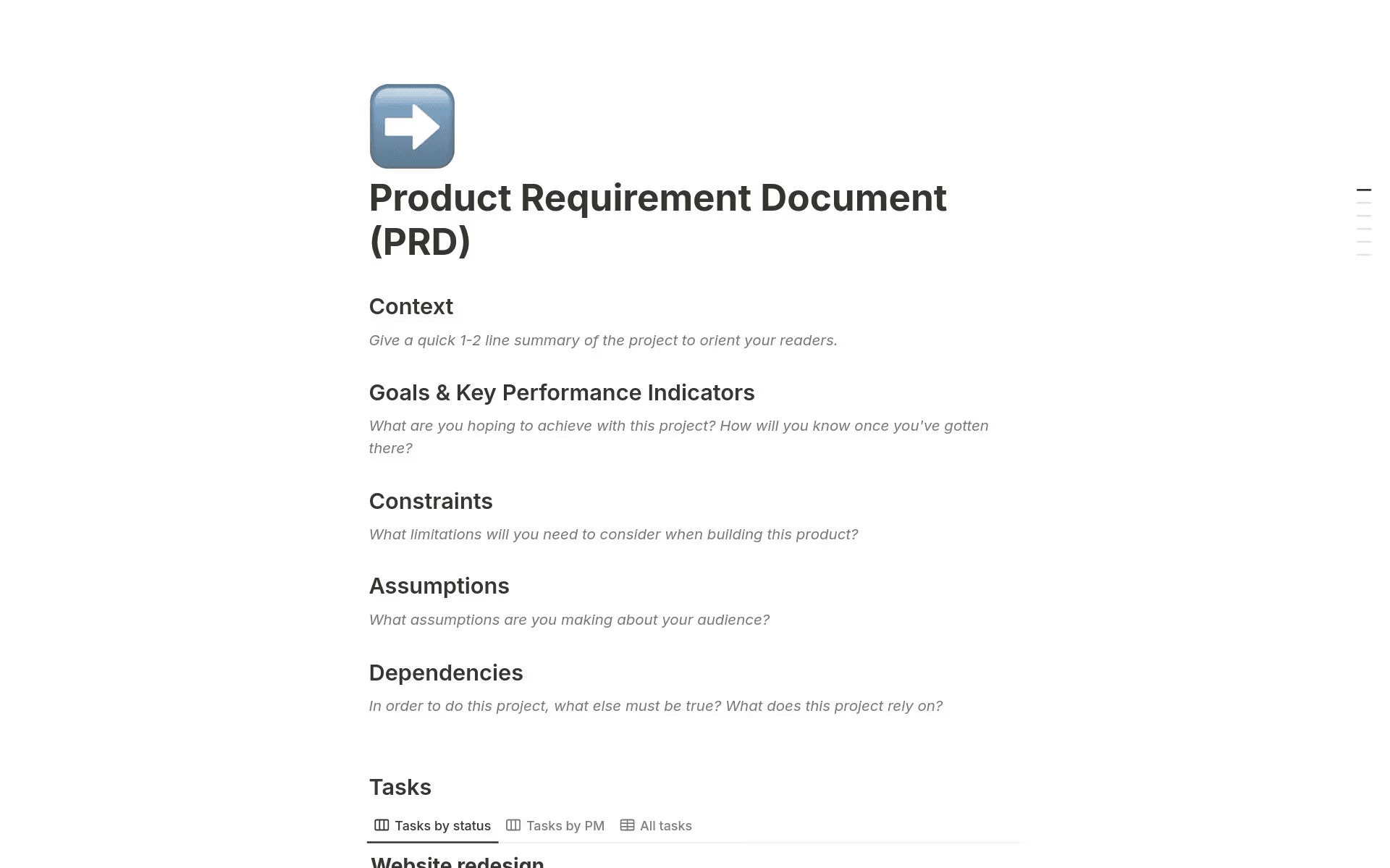
Notion’s PRD template shows sections for context, goals, constraints, assumptions, and tasks. (Source)
Here are some prompts to help you get started:
“Turn these discovery notes into a clear problem statement with goals, scope, and success metrics.”
“Draft a PRD for an onboarding improvement feature using last year’s spec as a reference.”
“Write an initiative brief for improving search functionality based on recent feedback notes.”
AI will then provide a high-quality first version quickly, which you can then refine or expand on manually.
If you don’t have an existing framework, try using these templates to structure your PRDs and problem statements:
4. Build a living roadmap database
A great roadmap should function as a database, not a slide deck.
To this end, Notion’s roadmap templates help you build a database to track initiatives, dependencies, milestones, deliverables, stakeholders, and metrics in one place. And because everything links back to research and documents, decision-makers will always know the reasoning behind priorities.
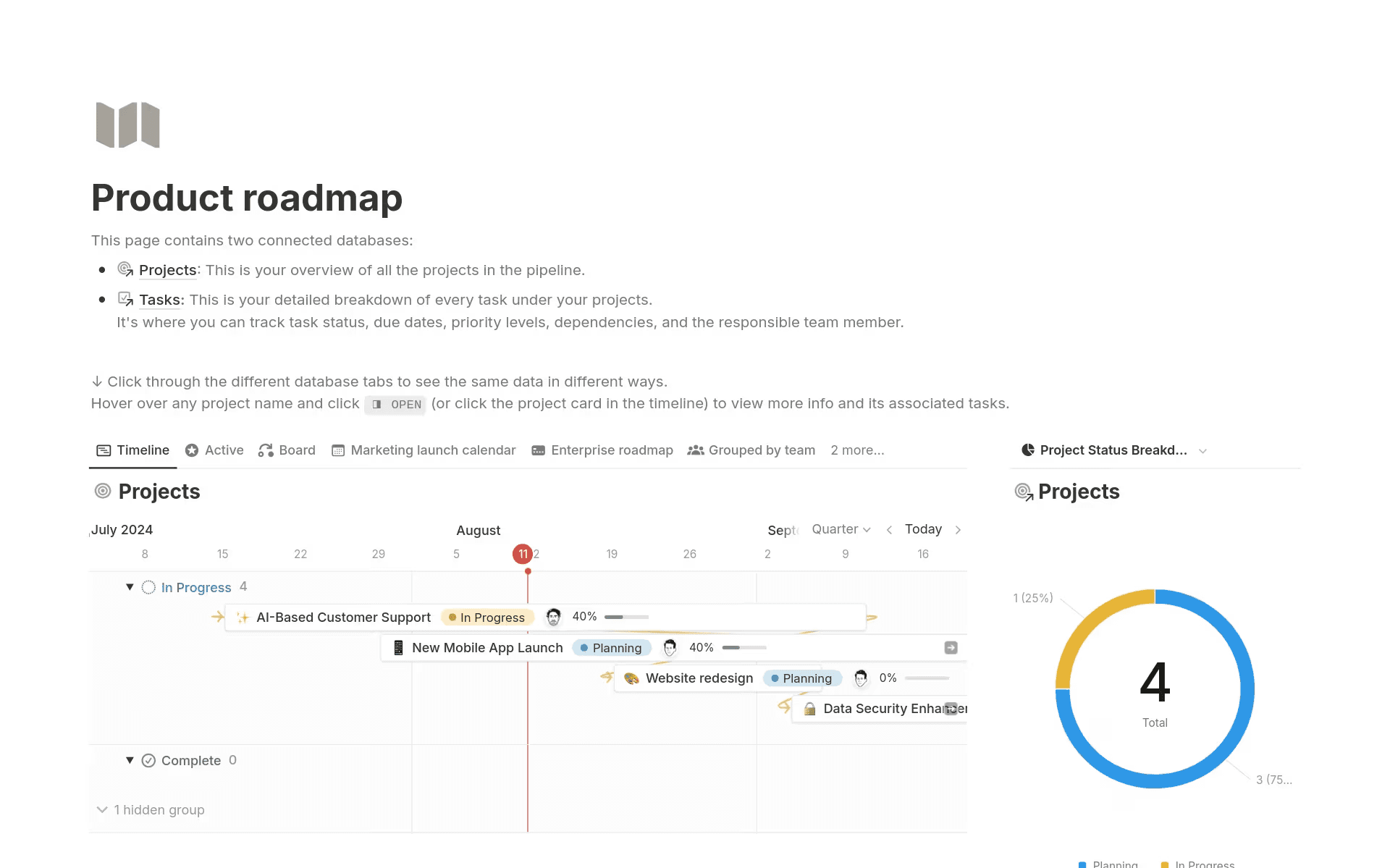
Notion’s Product Roadmap template shows a timeline view of projects with statuses, launch dates, and a project status breakdown. (Source)
Using Notion’s Product Roadmap template, you can set up these views from the same underlying database:
Quarterly roadmap: Plan by quarter and align with OKRs using the timeline view.
Theme-based roadmap: Group by product themes to show where you’re investing.
Status board: Use a Kanban board to manage day-to-day execution.
Dependency map: Surface blockers early using relation-based filtering.
Product launch calendar: Track key release dates with a calendar view.
Every view draws from the same data, so updates will sync automatically. This keeps your roadmap current, reduces manual work, and gives every stakeholder the context they need without creating competing versions of the truth.
If you need extra clarity, Notion AI can generate a quick summary for any item to make the strategy easy to understand at a glance.
5. Keep the roadmap up-to-date with AI
This step is where Notion excels. With AI updates, your roadmap will stay accurate even when plans shift. That way, you’ll spend less time rewriting documents and more time shipping new features.
When you use well-crafted prompts, Notion AI can perform the following tasks:
Rewrite status updates.
Highlight slipping milestones.
Summarize cross-team blockers.
Suggest prioritization changes.
Generate leadership summaries with current data.
Here are a few prompts you can try:
“Update this item’s status using the latest linked tasks and comments.”
“Check these timelines and flag anything that’s at risk of slipping.”
“Create a leadership-ready summary of the roadmap that covers key wins, risks, and upcoming milestones.”
How do teams maintain and govern an AI-assisted roadmap responsibly?
AI works best when it sits on top of a clear, trusted system. That’s why, to keep your roadmap accurate and dependable, you need robust governance that protects data quality and ensures that AI suggestions stay grounded in reality.
Here are some core practices to keep in mind for a reliable AI-assisted roadmap:
Maintain one source of truth: Keep research, decisions, and project data in a single workspace so AI pulls from consistent, high-quality information rather than scattered documents.
Keep data clean and structured: Use consistent naming, properties, and templates. These clean inputs result in clearer AI summaries, better pattern recognition, and more confident decision-making.
Use enterprise-grade controls: Enable Notion’s Enterprise features—like SAML SSO, SCIM provisioning, audit logs, and granular permissions—to make sure that the right people can access, edit, and review roadmap data securely.
Review AI outputs with human judgment: Validate summaries, PRDs, and updates to ensure accuracy and alignment. After all, AI should be a partner, not an autopilot.
How real teams use Notion AI for product roadmaps
High-growth teams use Notion to connect research, roadmapping, and execution in one place. Across these companies, the pattern is the same: Notion AI strengthens roadmaps by keeping information connected, searchable, and ready to act on.
Here are three companies that are using Notion to unify their workspaces:
1. Ramp: One workspace for alignment at scale
As Ramp scaled past 2,000 employees, it adopted Notion to reduce its tool sprawl. The company then gained a single workspace for roadmap planning, documentation, and feedback workflows. With AI layered on top, teams were able to draft updates faster, search across Slack, GitHub, and internal docs in seconds, and connect customer feedback directly to roadmap decisions.
2. Dojo: Unified planning to improve cross-team execution
Dojo moved more than 1,000 employees into Notion after its tool stack ballooned. By consolidating everything into one workspace, the company replaced its scattered systems with connected databases for planning, OKRs, and product roadmaps. Its product team now manages roadmaps alongside strategy docs with shared views for every stakeholder.
3. OpenAI: AI-ready knowledge for product development
In order for ideas, experiments, and decisions to connect, OpenAI runs its research, engineering, and product development processes in a single Notion workspace. That means teams document everything from research findings to debugging sessions, then use Notion AI to turn that knowledge into quick summaries and actionable context. This helps them move faster, unblock work across time zones, and keep technical insights accessible as they scale.
AI product roadmap template walkthrough
Notion’s product roadmap template makes it easy to build a connected system in your own workspace with the following features:
A centralized roadmap database with priority, owner, status, timelines, and dependencies
Linked views for quarterly planning, theme-based strategy, and day-to-day execution
Structured space for PRDs, problem statements, and initiative briefs
Intelligent AI to generate quick summaries so teammates grasp the strategy behind each item
Flexible foundations for product teams to adapt as they scale

Helpful Resource
You can also browse more product roadmap templates in our template gallery to find one that best fits your needs.
Build a smarter product roadmap with AI
AI makes roadmapping faster, clearer, and easier to maintain—especially when everything lives in one connected workspace. But for best results, you’ll want to centralize your insights, then use Notion AI to keep plans current and decisions sharp.
Ready to build a smarter roadmap? Explore what’s possible today with Notion’s product roadmap tools.