Scope statement for product teams: How to write one with Notion AI
Scope creep rarely announces itself. Instead, it slips in through vague assumptions, fuzzy dependencies, and undocumented decisions that live in someone’s head. So when one small change turns into five, teams start solving different problems while thinking they’re aligned, which allows timelines to slip and stretches resources thin.
A strong scope statement solves these issues by clarifying project boundaries early and defining what success includes, what it excludes, and how to handle change when reality shifts. For engineering, product, and design (EPD) teams that work across functions, that clarity keeps planning grounded and execution on track throughout the project lifecycle.
When scope lives alongside requirements, decisions, and delivery work in this way, alignment holds as projects evolve. And in a connected workspace, the scope statement stays useful long after kickoff, helping project teams avoid constant renegotiation and stay focused on shipping what matters.
How does a scope statement fit into project management?
A scope statement anchors the entire project management process by formalizing the project scope and documenting what teams will deliver and what’s out of bounds. Rather than acting just as a static artifact, it’s a living record of the project plan that evolves alongside the work and a single source of truth that EPD can return to as priorities shift. This ensures that execution stays aligned with the latest approved expectations.
Having this clarity also prevents the delivery issues that often crop up when knowledge is scattered across docs, tickets, and conversations. Instead of losing time to constant context switching, teams can use the scope statement to see exactly where a project stands. And by connecting high-level intent directly to project tracking, it becomes easy to see if a new request fits the original intent or introduces risk.
When teams treat scope as a living reference rather than a one-time agreement, project tracking becomes more reliable, changes feel intentional instead of reactive, and trade-offs stay visible. And if something falls out of scope, the team can point back to a documented decision instead of reopening old debates.
Why are scope statements essential to project success?
Clear boundaries are often the exception, not the rule. In fact, Wellingtone’s State of Project Management report found that only 52 percent of projects consistently use a scoping document during the planning stage. This leaves nearly half of all projects running in an ad-hoc fashion, where small additions stack up and teams absorb extra work.
This lack of clarity makes scope creep feel inevitable. When stakeholders interpret priorities differently, the project team ends up fielding constant questions about what they’ve included in the sprint. PMs and EMs then lose time to manual coordination since they must act as human routers for information, all because the statement of work exists in a vacuum. Without a shared, operational view of what teams are building, even a solid plan can fall apart the moment execution begins.
A strong project scope statement breaks this cycle by transforming the scope of work from a static document into an active gatekeeper. In Notion projects, you can link scope directly to the project plan and ongoing tasks. This allows for a conscious evaluation of every new requirement against the project’s capacity and surfaces necessary trade-offs rather than just lengthening the to-do list.
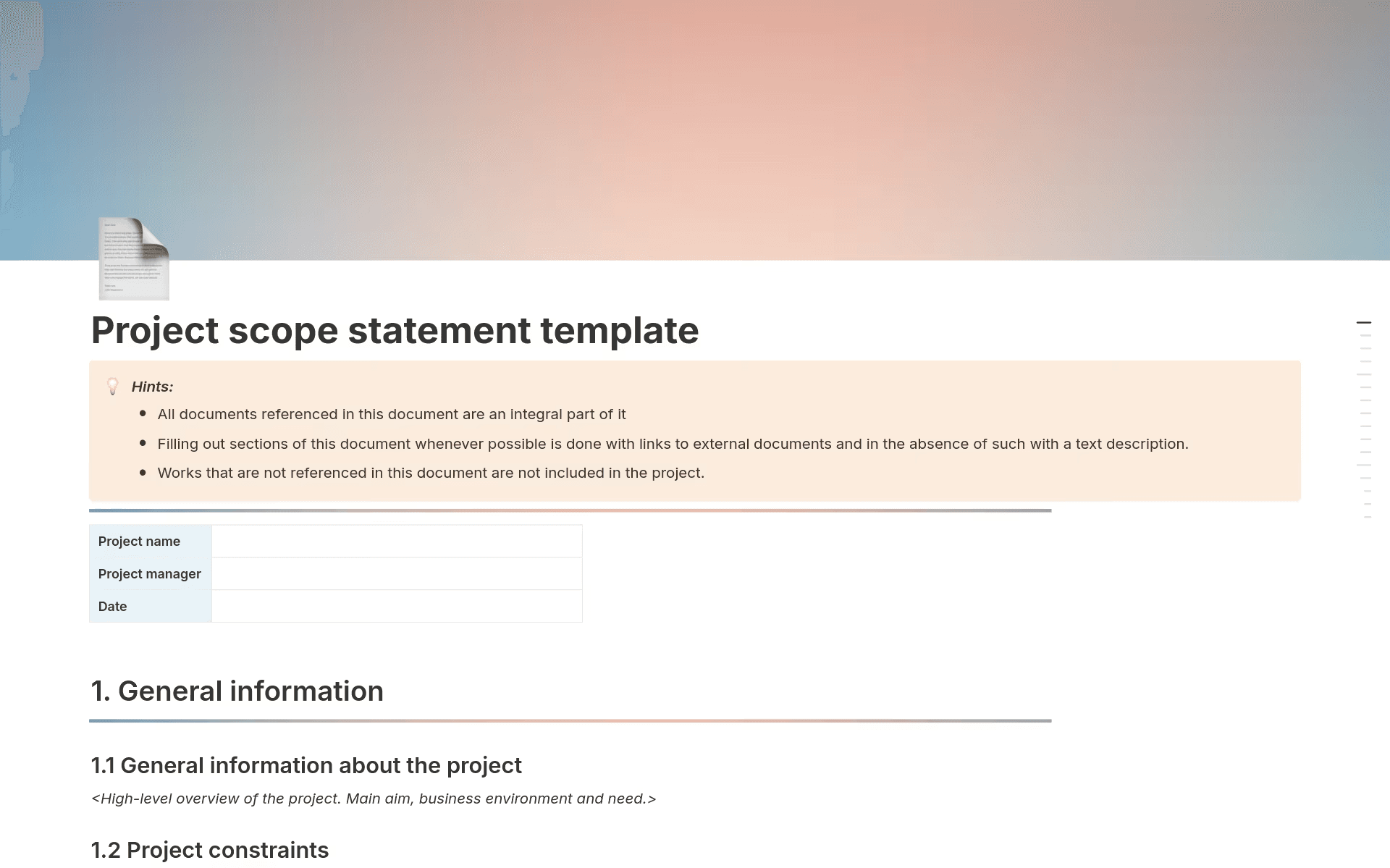
A project scope statement template in Notion that displays general information about the project (Source)
What elements should a scope statement include?
An effective project scope document gives cross-functional teams a shared reference point for planning and execution. Each element also helps them define the scope of a project while reinforcing the connection between decisions, work, and outcomes.
To this end, a complete scope statement includes these five pillars:
Project objectives: Clear objectives that define what the project aims to achieve and anchor decisions to business outcomes
Deliverables and requirements: Documented outputs and requirements that clarify what you’ll build and how you’ll measure success
Project boundaries: Explicit in-scope and out-of-scope definitions that set firm project boundaries and prevent unspoken assumptions
Assumptions and constraints: Stated assumptions and constraints that surface limitations early and make trade-offs visible
Acceptance criteria: Agreed-upon criteria that define how stakeholders will evaluate completion and approve work
Collectively, these elements transform isolated documentation into a connected system of project knowledge. But centralizing these guardrails in one of Notion’s project plan templates further bakes them into your workspace from day one, which keeps intent visible even as individual tasks and tickets take over.
How to write a scope statement in 5 steps with Notion AI
A useful scope statement doesn’t just list what you’re building—it also synthesizes the scattered discussions that happen before a project officially starts. When writing this statement, the goal is to move from rough notes to a structured agreement that your entire team will use.
The following five steps show how to bridge the gap between initial kickoff notes and an active, cross-functional plan using scope statement templates and Notion AI:
1. Define project objectives
Before you document any tasks or timelines, align on project goals. After all, clear objectives translate initiatives into concrete outcomes and set shared stakeholder expectations across EPD.
Notion’s project scope statement template provides the structure you need to capture these goals alongside context like customer problems, success metrics, and related decisions. To speed this up, you can use Notion AI to summarize kickoff meeting notes and surface recurring priorities. This ensures that your objectives reflect your team’s consensus rather than just aspirational language.
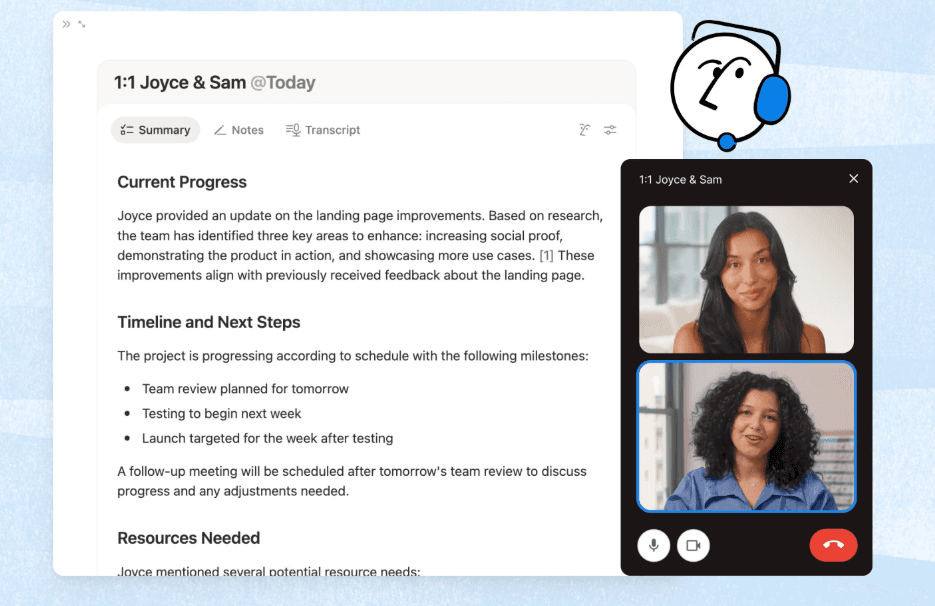
Notion AI’s Meeting Notes platform (Source)
2. Identify deliverables and requirements
Next, you’ll want to outline what your team will build and what each item requires to move forward. These well-defined project deliverables tie directly to milestones, creating measurable checkpoints throughout execution.
A lightweight requirements template can provide you this structure without the overhead of a full business requirements document. By using a single table to track work, owners, and timing, you reduce ambiguity and prevent essential tasks from slipping through the cracks. Notion AI can then extract specific project requirements from existing specs, stakeholder feedback, or prior projects and organize them into a clean, actionable draft.
3. Establish project boundaries
Once you’ve identified your deliverables, you should define what stays in scope and what counts as an exclusion. Using a product scope document template here allows you to connect these boundaries directly to the deliverables they protect.
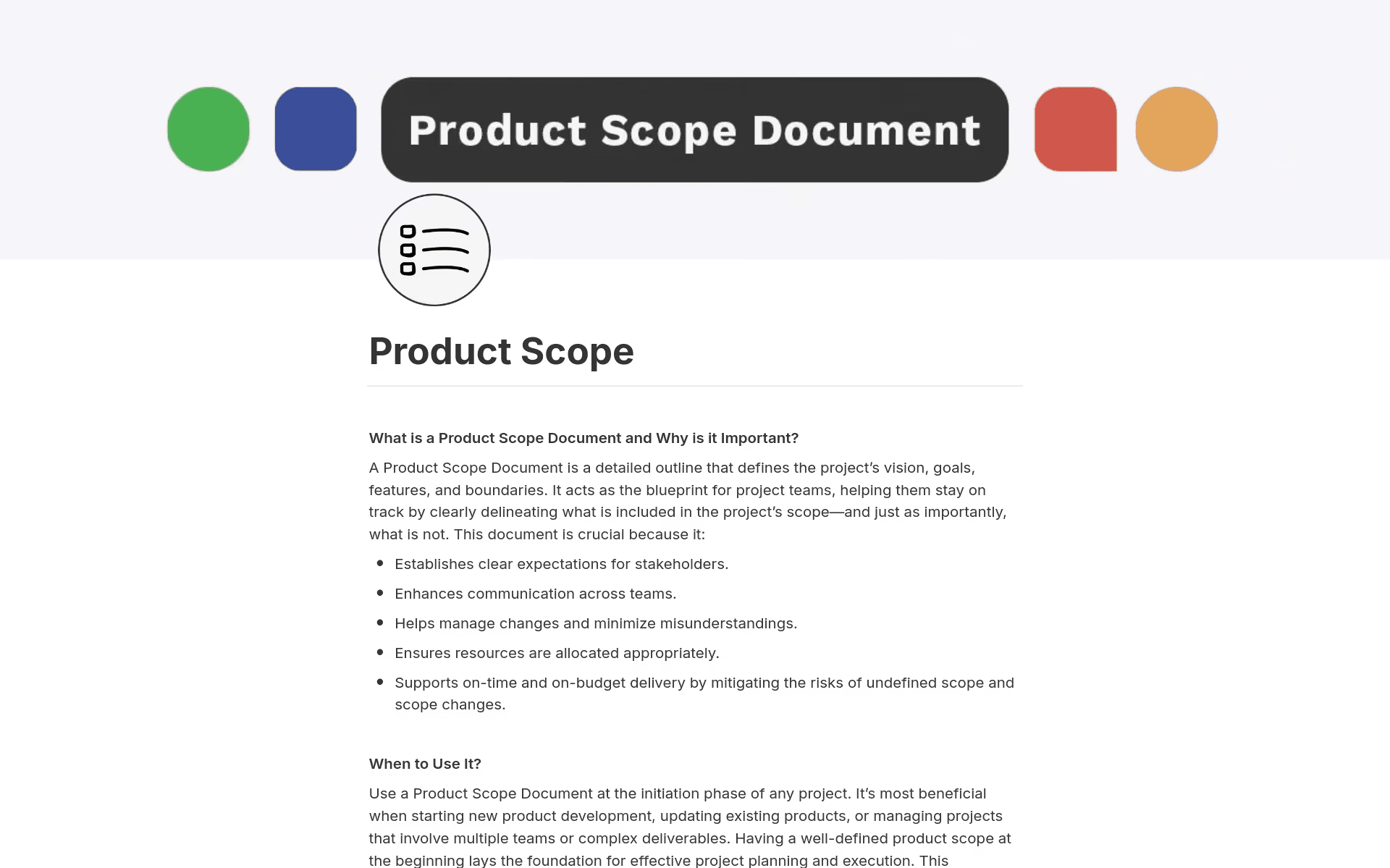
A product scope document in Notion that shows information on when to use this template and why it’s important (Source)
To keep these definitions from sitting idle, you can use Notion AI to flag comments or tasks that introduce out-of-scope work. This can prompt early discussion instead of late-stage surprises.
4. Document assumptions and constraints
Since leaving project assumptions unstated introduces hidden risk, it’s essential to capture known constraints, dependencies, and open questions early. Be sure to keep this information connected to the project hub so your team members can revisit these factors as conditions change.
Notion AI helps you stay ahead of shifting variables here by scanning updates, meeting notes, and external inputs for signals that an assumption no longer holds. That way, you can course-correct before issues escalate.
5. Specify acceptance criteria
To finish things off, you should define what success looks like in concrete terms. That’s because documenting acceptance criteria directly alongside major deliverables in a requirements template keeps expectations tied to the work itself. It also keeps reviews grounded in outcomes and supports alignment on what constitutes a completed project.
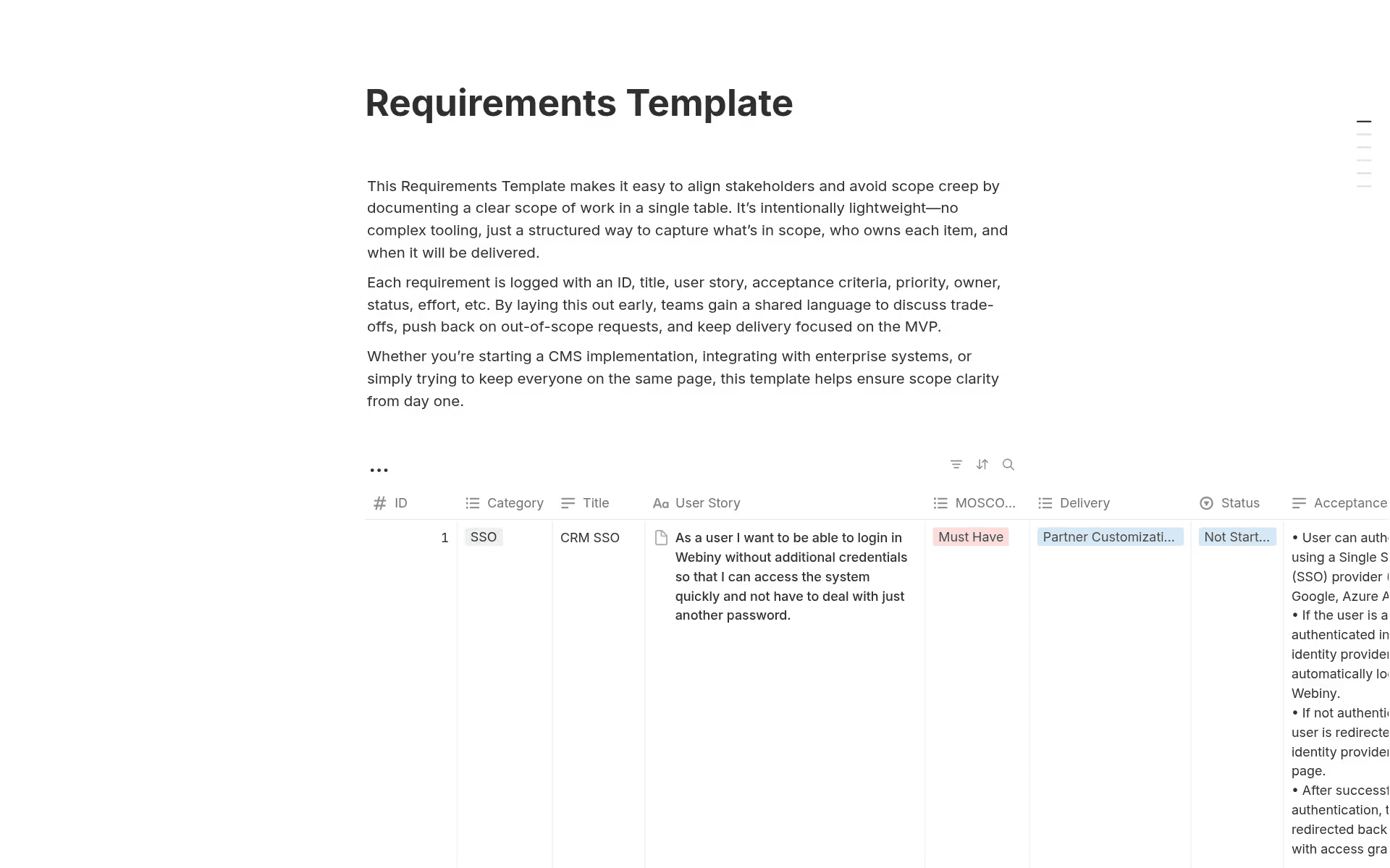
A requirements template in Notion that shows a table with columns for requirement ID, category, title, and more (Source)
To streamline the process, you can use Notion AI to draft initial acceptance criteria based on past projects or similar launches. This gives you a consistent baseline without extra setup. For instance, when a project moves from “planned” to “in progress,” the definition of success moves with it.
If you anchor scope inside the same workspace as planning, execution, and knowledge, your teams will spend less time re-explaining context and more time delivering work that matches the original intent.
Real project scope statement examples
Concrete scope statement examples can show you how to maintain boundaries without adding process overhead. Here are two scenarios that illustrate how EPD teams can define high-level guardrails while leaving room for change requests to roll in:
Example 1: Product feature launch
Objectives: Launch a new feature, reach 5 percent adoption among existing users within six months, and support $1 million in influenced revenue within the first year
Deliverables: Feature development, QA testing, in-app onboarding, launch messaging, and internal sales enablement
Exclusions: Post-launch feature enhancements and long-term customer support improvements
Constraints: Six-month timeline and a fixed cross-functional team allocation
Example 2: Technical platform migration
Objectives: Migrate core services to a new infrastructure to improve reliability and reduce deployment time by 30 percent
Deliverables: Data migration, system validation, internal documentation updates, and rollout plan
Exclusions: New feature development and non-critical refactors
Constraints: No customer-visible downtime and a fixed release window that aligns with quarterly planning
By keeping these definitions lean, teams can focus on specific trade-offs that drive decision-making. Moving these summaries out of static files and into your daily planning tools also allows everyone to remain aware of the agreed-upon limits.
Manage project scope with Notion AI for faster, coordinated execution
A scope statement shouldn’t be a hurdle to clear before the real work begins. When boundaries and criteria live alongside real tasks, they instead become a source of momentum rather than a static constraint. This visibility ensures that your teams can back every decision they make mid-sprint with the project’s original goals.
By moving scope into a connected workspace like Notion, you can minimize the manual work of keeping stakeholders informed. Notion AI can then synthesize updates and flag shifts in real time so your teams can spend less time defending the project’s boundaries and more time delivering.
Want to learn how you can maintain greater clarity as a project evolves? Explore how Notion AI supports smarter scope management and more coordinated execution today.