How to create a product launch plan (checklist & templates)
A great product launch has a rhythm—the team knows what’s shipping, why it matters, and when each piece needs to land. Conversations are focused, and decisions feel grounded. And even when plans shift, everyone can see the ripple effects and adjust together.
Too often, though, that level of alignment is accidental. Meanwhile, launch plans live across docs, tasks, and slide decks, while updates from meetings or messages never make it back to the plan. And over time, momentum then gives way to guesswork.
That’s why a strong product launch plan creates shared understanding across teams, turns decisions into actions, and helps work move smoothly from idea to release—even as priorities change.
What’s a product launch plan?
A product launch plan is an operating guide that keeps teams aligned throughout a product release by defining what’s shipping, who’s responsible, how teams communicate, and how decisions move forward as timelines evolve. And because new product launches rarely live in a single team, these plans naturally span product, marketing, sales, support, and leadership.
That cross-team complexity is what causes many launch plans to break down. For instance, context splits across tools, updates land unevenly, and teams make decisions but don’t always capture it in a way that they can act on. This results in avoidable friction, even in mature organizations. In fact, research from Boston Consulting Group found that over two‑thirds of large-scale tech programs fall short of their original timeline, budget, or scope.
Those breakdowns are making teams rethink how they manage work. According to Notion’s research, while 74 percent of companies already use project management software, 62 percent say they’re interested in adopting a new one in the next year.* The takeaway is clear: most teams still haven’t found a system that reflects how launch work actually happens or keeps it connected end-to-end.
The purpose of a product launch plan
Launching a new product carries real risk. According to research from MIT, 95 percent of new products fail because they don’t meet a real customer need. But a strong product launch plan reduces that risk by letting teams pressure-test assumptions, focus on what matters, and execute with clarity as plans take shape.
Product launch plans also give teams a shared structure that they can rely on, no matter what type of product they’re shipping. This makes it easier to coordinate across functions, align on priorities, and act without losing context along the way.
Just as importantly, strong launch plans make product success visible and keep teams on the same page regarding timing, messaging, and product features while allowing leaders to track progress and tradeoffs. When that foundation is in place, product launches can move faster, adapt more easily, and land with confidence, which sets teams up for a truly successful launch, not just a shipped release.
What steps should a product launch plan include?
A solid product launch plan gives teams a clear sequence to follow while remaining flexible as priorities change. That’s because, rather than locking teams into a rigid process, it works like a living product launch checklist by supporting Agile, Kanban, or hybrid workflows and enabling real-time updates across functions.
Each step below addresses a common friction point that teams run into as launches grow more complex, along with practical ways to use Notion to keep work connected:
1. Clarify your goals, metrics, and definition of success
Before planning timelines or deliverables, it’s essential to align on what success looks like pre-launch and beyond. That means naming the outcomes that matter, defining the metrics that signal progress, and clarifying who needs visibility into what.
To do this, you’ll want to keep all your goals, metrics, and launch notes in one place so updates don’t require manual reporting or last-minute status checks.
That’s why OpenAI’s teams use Notion to make metrics accessible and actionable across product and engineering. As a result, “teams spend less time switching between tools, and product and engineering leaders get faster visibility into the metrics that shape OpenAI’s roadmap. The system saves over an hour of reporting prep each week. More importantly, it ensures critical insights reach the right teams at the moment they need them.”
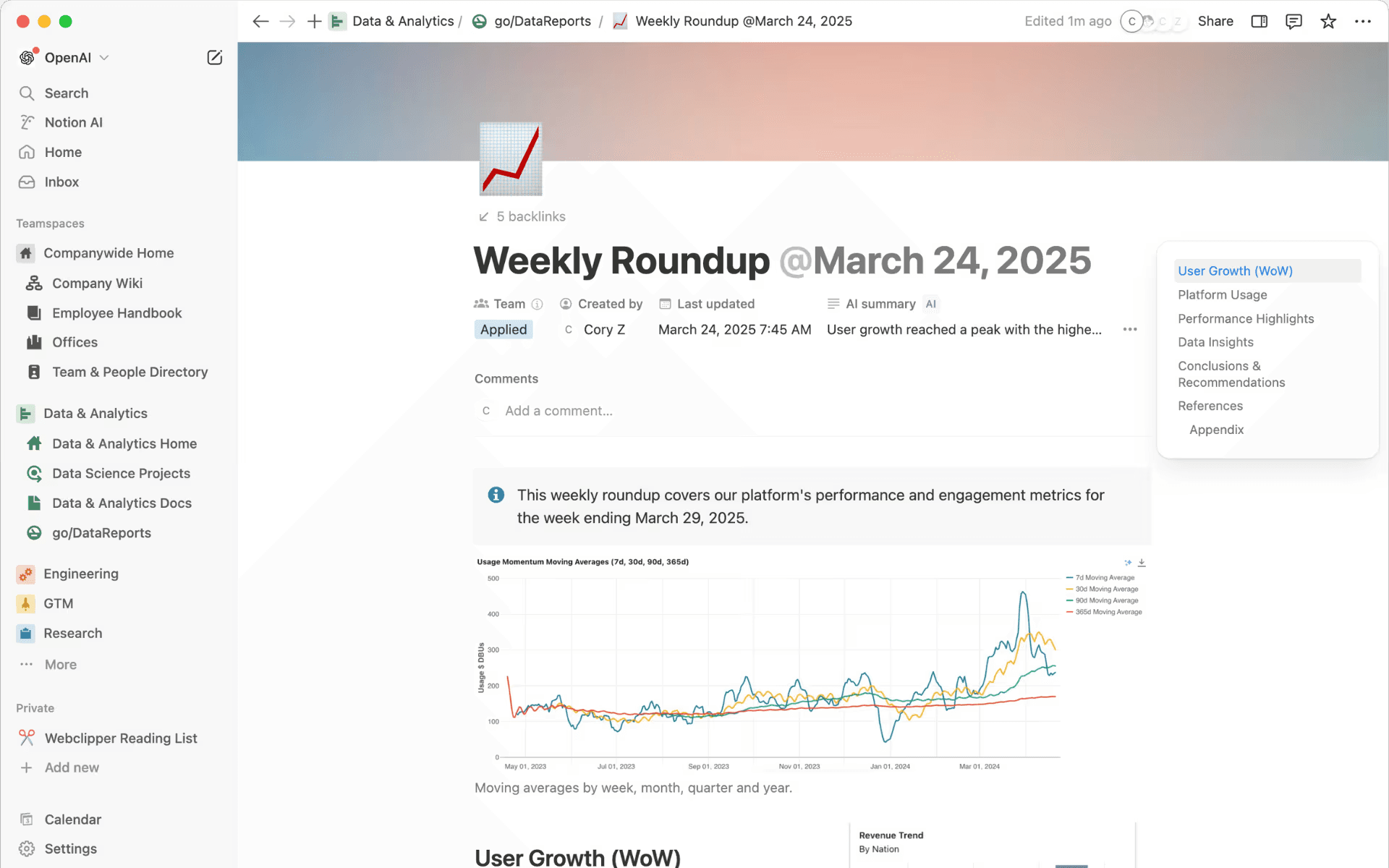
A weekly roundup in Notion, with a chart that shows platform performance and engagement metrics (Source)
2. Identify who’s involved and what each team owns
Since launch work moves faster when ownership is explicit, you’ll want to define responsibilities for core team members who shape decisions or approvals along the way.
In Notion, you can use projects or views to clarify ownership, surface dependencies, and provide a clear picture of how each team’s work fits into the launch timeline.
3. Connect requirements, research, and your roadmap
Product requirements, customer research, and roadmap decisions often live in different systems. But bringing them together early helps teams make informed trade-offs and supports a cohesive go-to-market strategy.
To do this, link specs, research notes, and roadmap items directly to launch milestones so context stays attached to the work.
4. Map out timing, milestones, and possible risks
Timelines change—so what really matters is having a shared view of milestones, constraints, and known risks so teams can adapt without losing alignment. You can gain this by applying timeline and board views to help your teams spot bottlenecks, track progress, and adjust plans as inputs evolve.
5. Prepare GTM messaging, assets, and handoffs
Effective launches depend on clean handoffs between product, marketing, and sales. Messaging and assets should also be easy to find, review, and reuse as plans take shape.
Notion makes this possible by centralizing messaging frameworks, asset drafts, and approval workflows so teams don’t have to hunt through folders or threads for the latest version.
6. Confirm readiness across teams before launch
As launch day approaches, teams need confidence that scope, timelines, and dependencies will still hold. Aligning these aspects helps you prevent surprises and last-minute scrambles at the end of the process. To do this, you can use shared readiness checks and filtered views to confirm alignment across teams before the launch goes live.
At Linktree, product teams use Notion’s timeline views to manage roadmaps and filter tasks and launch dates while labeling certainty levels as solid, liquid, or gas. This approach reduces its timeline management from hours to seconds and preserves clarity across teams.
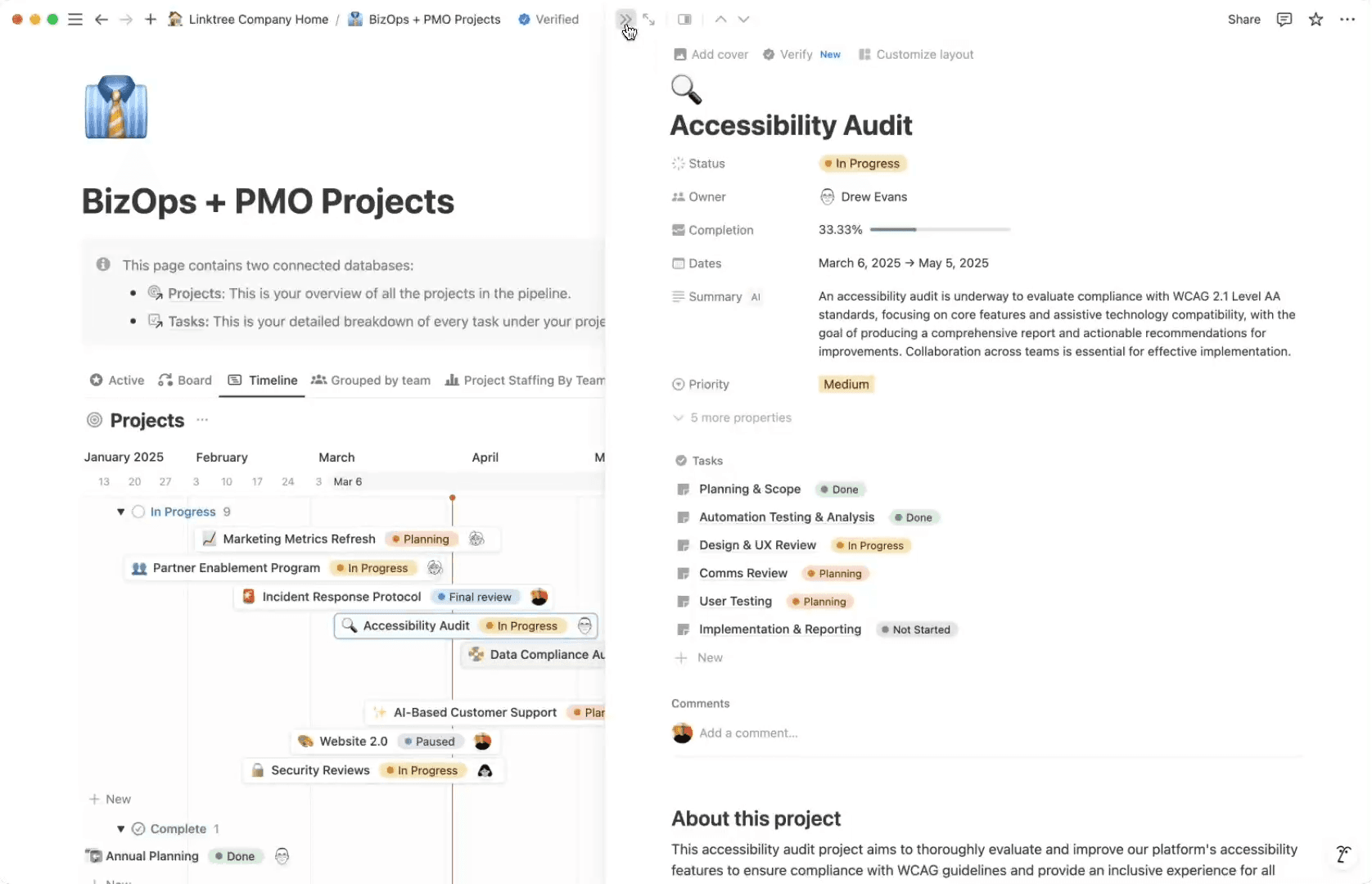
A screenshot displaying quick edits in Gantt charts in a BizOps/PMO project alongside detailed accessibility audit information (Source)
What questions should teams ask before launching?
Before moving into the final stages of the launch process, it’s wise to pause and ask these questions:
Is the product grounded in customer insight? Decisions should reflect real user feedback, not assumptions, and insights should tie back to the product roadmap.
Does every team understand its role and responsibilities? Clear ownership reduces last-minute confusion and lets everyone focus on execution.
Are blockers and dependencies clearly visible? Hidden handoffs often cause delays, but making dependencies explicit instead improves collaboration and helps teams tackle issues early.
Are risks and contingency plans documented? Capturing known risks gives teams options and helps leaders make data-driven decisions under pressure.
Does everyone share a single source of truth? Visibility across product, marketing, and support teams ensures that updates travel quickly and consistently so everyone can optimize the launch as conditions change.
These questions will help you uncover potential risks, improve your cross-functional visibility, and find a clearer path to iteration before the launch goes live. This process also reduces misalignment, enables proactive risk management, and keeps the launch moving forward with confidence.
How to build a product launch plan in Notion
Whether you’re part of a fast-moving SaaS team that’s refining product positioning or a cross-functional team that’s launching a new feature, building a launch plan in Notion starts with a simple shift: organizing planning, execution, and updates in one place. That way, you can follow a step-by-step flow that keeps context intact instead of stitching together docs, tasks, and meeting notes across tools.
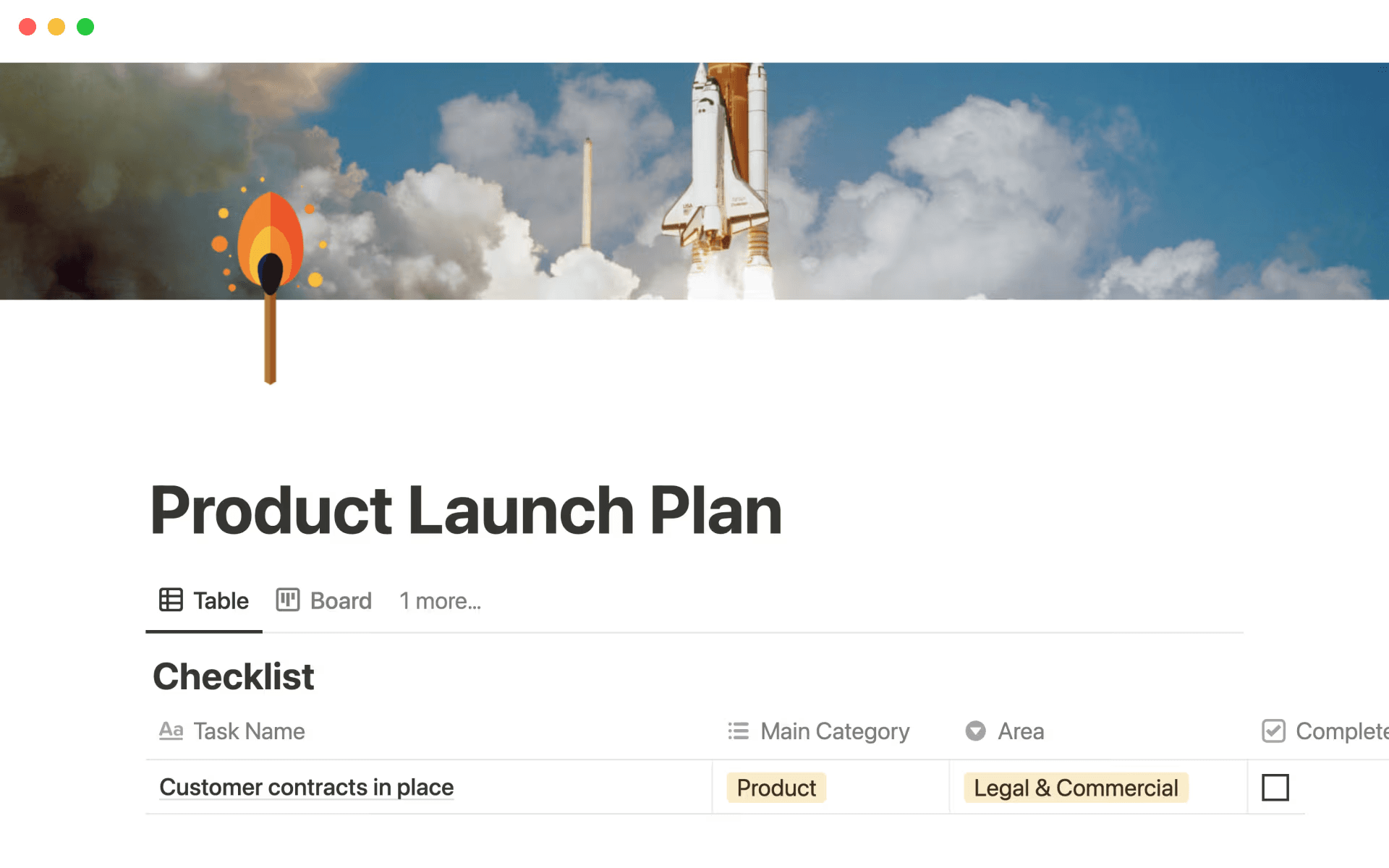
A Product Launch Plan template in Notion that displays a Table view for “Checklist” database (Source)
Many teams get started quickly with Notion’s Product Launch Plan template. But if that format doesn’t match your workflow, you can browse the full library of related templates and tailor one to your needs. Here’s how you can do that:
Bring PRDs, research, and roadmaps into one view
With a centralized launch template, teams can connect PRDs, customer research, and roadmap decisions to keep the value proposition visible as plans evolve.
Anchoring product development in a single roadmap like this helped Qonto, a European FinTech company, reduce silos. With timeline views and shared Kanban boards across product, marketing, and ops, its teams were able to work from a single source of truth and coordinate more smoothly.
Uh-oh! It looks like your ad blocker is preventing the video from playing.
Please watch it on YouTube

Use databases to track tasks, owners, and approvals
Databases make it easier to track owners, approvals, deadlines, and launch readiness in one place while tying work back to KPIs and key messages.
Teams often start with the Product Launch Guide template, then customize views for engineering, product marketing, or leadership so each group sees what matters most.
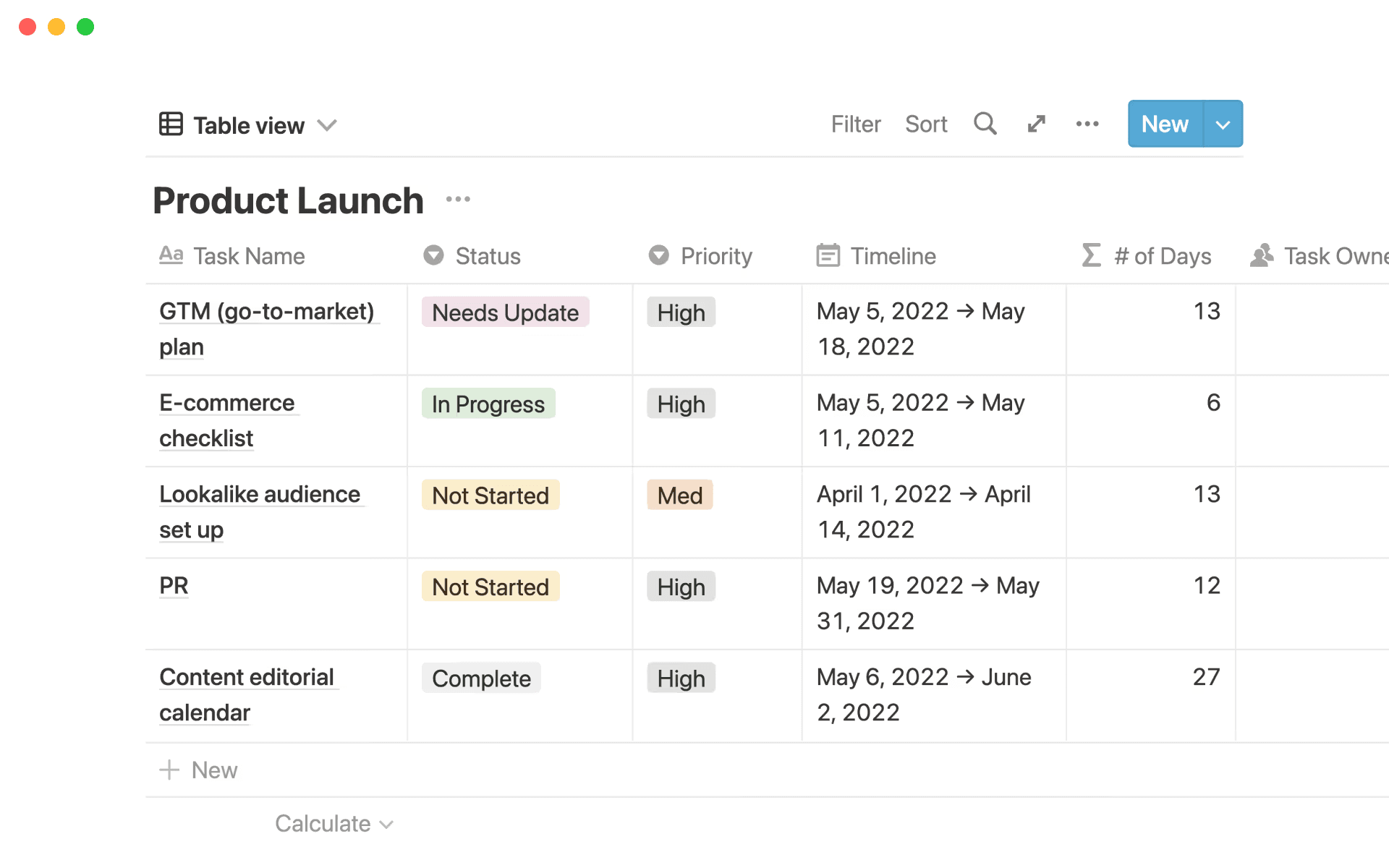
A Product Launch Notion project that displays a table view of tasks by status (Source)
Turn meeting conversations into connected updates
Launch work often advances through planning reviews, readiness checks, and last-minute tradeoffs. That in itself isn’t an issue—but when resulting decisions and next steps fail to make it back into the plan, it does become problematic.
Notion AI Meeting Notes keeps conversations connected to execution by capturing meeting audio and generating organized summaries with key decisions and action items stored alongside launch docs, tasks, and timelines. Instead of translating notes into updates later, teams can move forward with shared context already in place.
Uh-oh! It looks like your ad blocker is preventing the video from playing.
Please watch it on YouTube
Create weekly summaries and check-ins automatically
Regular updates keep momentum high, but manual reporting slows teams down. To resolve this issue, AI-generated summaries and status updates help teams share progress without breaking focus.
At Ramp, a financial operations platform, teams draft documentation, meeting recaps, and project updates directly in Notion using AI to reduce overhead while preserving context. This allows product and engineering to streamline roadmap management and customer feedback workflows and keep leadership informed with alerts when timelines shift.
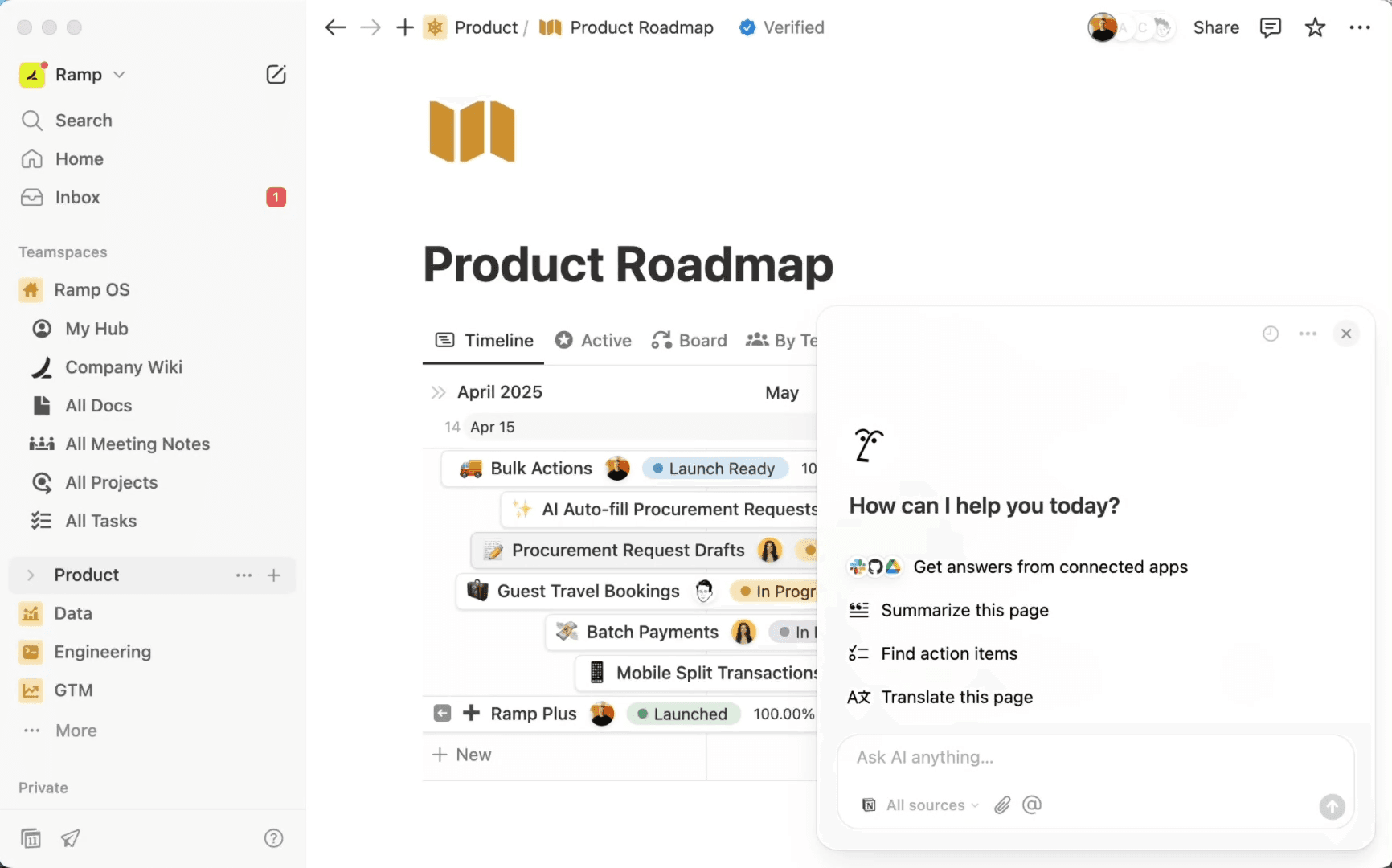
A Notion AI agent integration in Notion’s Product Roadmap template (Source)
Organize GTM plans, assets, and reviews in one place
Launch coordination doesn’t stop with the product. Housing GTM plans alongside creative assets for social media, reviews, webinars, and partnerships also creates a clear path from planning to execution.
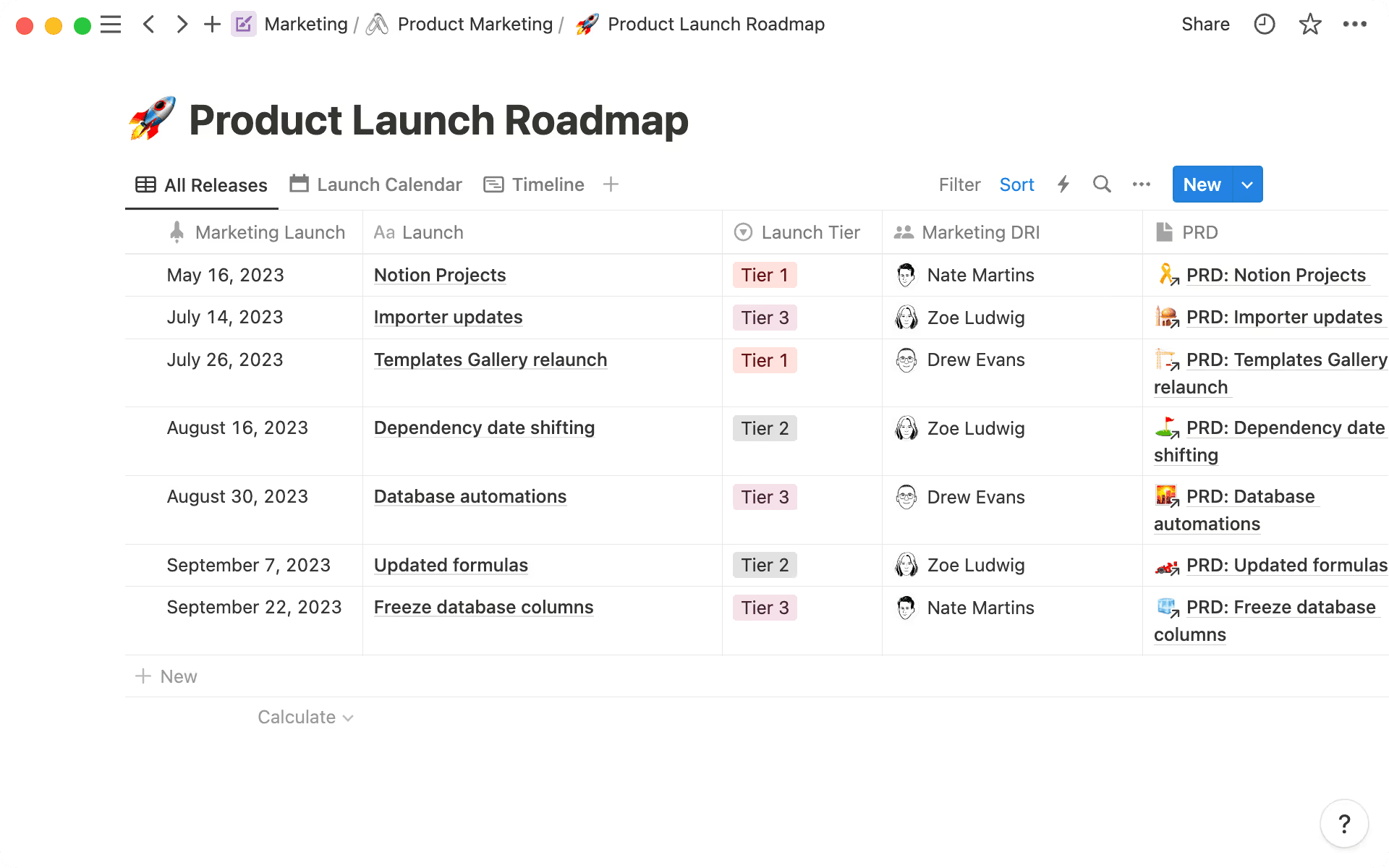
A Product Launch Roadmap project in Notion, displaying all releases by date (Source)
Marketing teams use Notion’s flexible structure to support enablement materials, messaging reviews, and cross-team collaboration, which helps launches stay connected, adaptable, and aligned as work unfolds.
Best practices for managing a successful product launch
Strong launches rarely come down to heroic effort. Instead, they succeed because of small, repeatable product management practices that reduce friction, improve visibility, and make it easier for teams to move together. Here are some that you can follow to ensure best results:
Keep every launch document connected and easy to find
When launch materials live in different places, teams often waste time retracing decisions instead of acting on them. Centralizing PRDs, timelines, research, and GTM plans in one connected workspace instead keeps context intact and helps new stakeholders to get up to speed. After all, the faster that teams can find what they need, the fewer last-minute clarifications will derail progress.
Make ownership unmistakably clear across every workstream
Ownership shouldn’t require interpretation. That’s why it’s important to clearly name owners for each workstream, dependency, and approval. This prevents progress from stalling and reduces back-and-forth during crunch time. When responsibility is visible, accountability will follow naturally.
Share frequent, lightweight updates to keep teams aligned
Alignment slips when updates arrive too late or in too much detail. Instead, you’ll want to implement short, consistent check-ins that focus on what’s changed, what’s blocked, and what’s next. These help teams stay oriented and create a steady feedback loop that gives teams space to adjust early rather than react under pressure.
Identify risks early and document how you’ll address them
Risk becomes disruptive when it’s implicit. But surfacing risks as they arise—and documenting planned responses—instead turns uncertainty into something that teams can manage. This practice also helps leaders weigh trade-offs sooner and provides clearer guardrails as timelines tighten.
Create a repeatable workflow and refine it after each launch
No launch is identical, but patterns do emerge quickly. That’s why workflows that evolve over time capture what worked, what slowed progress, and what should change for future launches. Small refinements then compound, which makes future launches smoother and more predictable.
Launch products faster with Notion AI
When goals, timelines, decisions, and updates live together, teams stay aligned and launch activities move forward without constant coordination. That’s why a clear product launch strategy is so important—it gives everyone the same view of what’s happening and why.
Notion AI further helps teams reduce the friction that slows them down by turning meetings into actionable updates, enabling reporting in less time, and keeping stakeholders informed without extra effort. After all, when context is connected to execution, teams can focus on delivering a launch on time and with confidence.
Ready to start planning your next launch in Notion with a connected workspace, AI, and a ready-to-use template that keeps every team aligned from day one? Learn how to use Notion for product planning today.
Resources:
*Numerious Productivity Study commissioned by Notion (n=1,000). US only. Question: Which of the following tools or software does your organization use, if any? Select all that apply.