Simplify your team’s issue tracking management with Notion AI
Most engineering teams struggle with keeping issues clear, current, and connected as work moves, not with finding them in the first place.
An issue might start as a bug report, turn into a task, spark a design discussion, and resurface weeks later during a release review. But along the way, context fragments, decisions hide in comments, and ownership blurs. Before long, engineers are spending more time retracing their steps than resolving what’s in front of them.
When issue tracking sits apart from the docs, decisions, and plans that shape product work, teams lose the thread, context slips, priority becomes harder to judge. That’s because this breakdown isn’t about process discipline—it’s about where issues live.
But the teams that move faster take a different approach: they treat issue tracking as part of the same system where product work already happens. That way, issues stay grounded in context from intake through delivery.
Why does issue tracking break down in standalone ticketing systems?
In practice, issues rarely arrive in clean, predictable shapes. What looks like a bug may actually reveal a deeper blocker, a regression can expose long-standing tech debt, or a customer-reported problem might touch design, infrastructure, and product decisions at once. But most standalone ticketing tools flatten that complexity—everything enters the system the same way and moves through the same narrow path, regardless of impact or nuance.
But the cracks show up quickly as context scatters across product requirements docs, Slack threads, and pull requests in GitHub. Triage then slows when teams have to reassemble information by hand. And similar issues keep surfacing again and again because nothing connects them upstream. Once the work moves beyond engineering, visibility fades and product leaders struggle to explain why a sprint slipped or how priorities changed halfway through delivery.
The core problem here is separation. When issues sit apart from the decisions, plans, and artifacts that shape product work, they lose meaning over time. As a result, teams stop using the system to understand progress and use it only to record activity.
A more resilient approach treats issues as part of the product system itself. In other words, when teams connect issues directly to specs, decisions, and active work, they preserve context and keep momentum intact as projects evolve.
What should you look for in issue tracking software?
Issue tracking software should help teams make better decisions faster about what to fix, when to fix it, and how work connects, not just record what’s broken. This matters because developer time is expensive and fragile. In fact, research shows that roughly 26 percent of developers’ time involves reproducing and fixing failing tests, which adds up to an estimated 620 million developer hours every year. And when issues lack context, that number only climbs.
The difference between systems that help and those that slow teams down usually comes down to a few core capabilities that only work well inside a connected workspace—not in rigid, ticket-only tools that teams build around static queues. Here’s what to look for when you’re evaluating those capabilities:
Context-rich issues that stay connected to real work
Most bug tracking setups treat issues as isolated records. For instance, an issue tracker might tell you what’s broken but not why it matters or how it connects to the broader effort. As a result, engineers end up chasing context across planning documents, release conversations, customer input, and long-lived roadmap decisions.
Strong issue tracking software instead keeps issues anchored to the surrounding work so context stays intact as decisions evolve. And in a connected system like Notion, issues live directly inside projects, which makes it easier to understand their impact and tradeoffs without switching tools or reconstructing intent after the fact.
Flexible workflows that adapt to how teams actually work
Each team decides what matters most a little differently since priorities shift across projects, roles, and moments in the lifecycle. So when systems lock teams into rigid states and rules, friction creeps in and work starts to happen around the tool instead of through it.
To counter these issues, more flexible workflows move with teams and allow them to prioritize issues in ways that match the work at hand, reflect different responsibilities across team members, and evolve as projects change. The result is a system that supports momentum rather than interrupting it, even as processes grow more complex.
End-to-end visibility across roles
Issue tracking often breaks down the moment that work leaves engineering since PMs want clarity, leadership wants confidence—and everyone else wants fewer status meetings.
That’s why the right approach provides shared dashboards that surface real-time progress and metrics without extra reporting overhead. After all, when issues, projects, and outcomes stay connected, visibility becomes a byproduct of work rather than another task to manage.
Automation and AI that reduce manual triage and status work
Manual triage is where time quietly disappears. That’s because teams must re-label, re-prioritize, and re-explain issues as decisions happen elsewhere.
This is where automation like Notion AI makes a difference. As Notion solutions engineer Peter Escartin puts it, “Notion AI is always watching—humans might look away.” With the right instructions and integrations, AI can detect decisions that teams make in tools like Slack or Jira and update the relevant project automatically, filling gaps that PMs would otherwise have to resolve themselves. But keep in mind that the goal isn’t to automate judgment—it’s to automate the busywork around it.
Scalability across teams without process fragmentation
Growth introduces variation since, as organizations add teams, each group brings its own priorities, rhythms, and ways of working. But without a shared foundation, usage patterns will diverge, governance will weaken, and alignment will become harder to maintain across teams.
Using a scalable project management tool lets you support multiple teams in a single workspace while still enabling customizable workflows where they make sense. That balance preserves shared visibility and standards at the organizational level and gives teams room to operate effectively day to day. As a result, teams can scale together instead of drifting apart.
How does issue tracking work in Notion?
Issue tracking doesn’t live in a separate silo in Notion. Instead of logging tickets into a disconnected queue, it places issues where product work already happens and where development teams define specs, priorities, and releases. That means you’ll get clarity on both the issue itself and its place in the bigger delivery picture.
Check out this four-minute video for a quick overview:
Uh-oh! It looks like your ad blocker is preventing the video from playing.
Please watch it on YouTube

At the center of issue tracking in Notion is a flexible issue database that serves as your system of record. In it, each issue is a structured item with core properties like status, severity, owner, priority, and links to the relevant sprint or product spec. These fields make it easy to capture all the essential decision-making signals up front and keep them visible as the issue moves toward resolution.
Then, as an issue flows through its lifecycle stages, your team can use views and filters that fit how you work. For example, you might have a board that shows where every issue stands today, a timeline for upcoming release impact, or a table that prioritizes issues across categories.
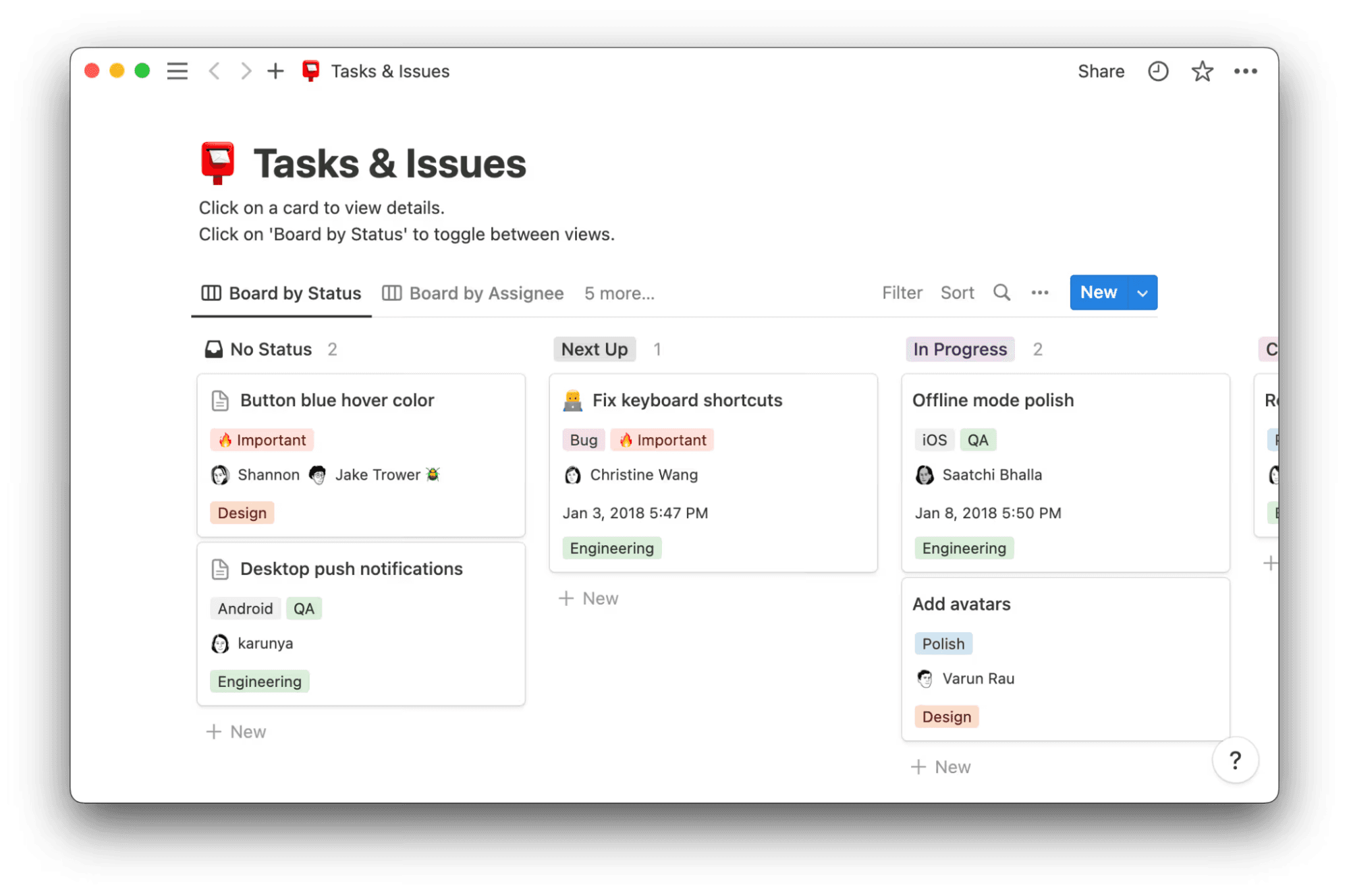
A Notion template that shows tasks and issues on a Kanban board (Source)
These different roles naturally see different slices of that data:
Engineer views show assigned issues, active blockers, and what’s coming up next.
Product manager views surface prioritization signals and emerging trends to support planning and tradeoff decisions.
Leadership views highlight risk, release readiness, and overall throughput so leaders can stay informed without requesting ad hoc updates.
By keeping issues embedded in the same workspace where project planning, documentation, and collaboration happen, Notion makes issue tracking a living part of product management and execution.
Common issue tracking workflows that teams run in Notion
Teams choose Notion because it combines user-friendly design with the depth of a full project management tool and supports real work without forcing rigid processes. In practice, though, teams don’t “set up an issue tracker” in Notion. Instead, they run a few repeatable workflows that bring issues from signal to resolution without losing context.
Below are three common workflows that teams rely on every day:
Intake and triage across internal and external issues
Issues arrive from everywhere—engineers log bugs that they uncover during development, support flags customer-reported problems, and stakeholders submit requests after reviewing a build. But Notion can bring those signals into one intake flow that supports effective issue management from day one.
To do this, teams often start with the Issues Tracker template, which uses Notion forms to collect reports from anyone—even external users who don’t have a Notion account. From there, AI summaries help teams consolidate context, reduce duplicates, and surface patterns early. Kanban boards then make triage visible so they can assign ownership, set priority, and align work during scrum rituals or DevOps handoffs without extra meetings.
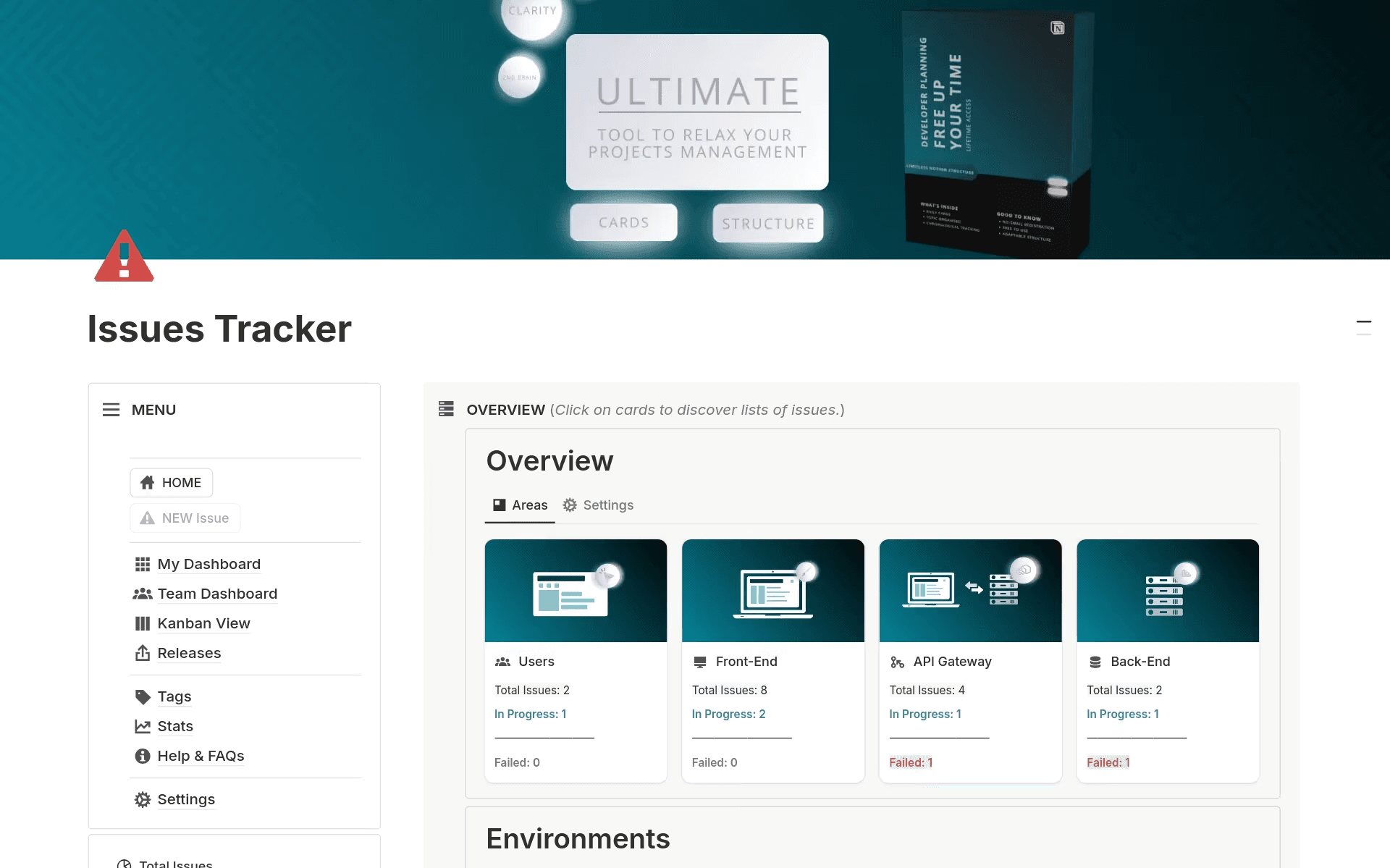
Notion’s Issues Tracker template features an overview of issues across business areas (Source)
The result feels structured, but not heavy. Every issue has a clear next step, and no one has to guess what matters most.
Bug → fix → release pipeline
Once triage ends, teams need a clean path from investigation to release. In Notion, because issues connect directly to sprints, fixes, and upcoming releases, teams can create a custom issue resolution process that mirrors how they ship.
With the Bug Tracker template, teams can link bugs to active sprint work and watch status updates roll up automatically as fixes progress. Engineers can then move work forward without duplicating updates, and PMs can see readiness at a glance. Then, after release, teams can tie retrospectives and release notes back to the original issues to preserve learning instead of scattering it across tools. This pipeline keeps momentum high while ensuring that nothing disappears once code merges.
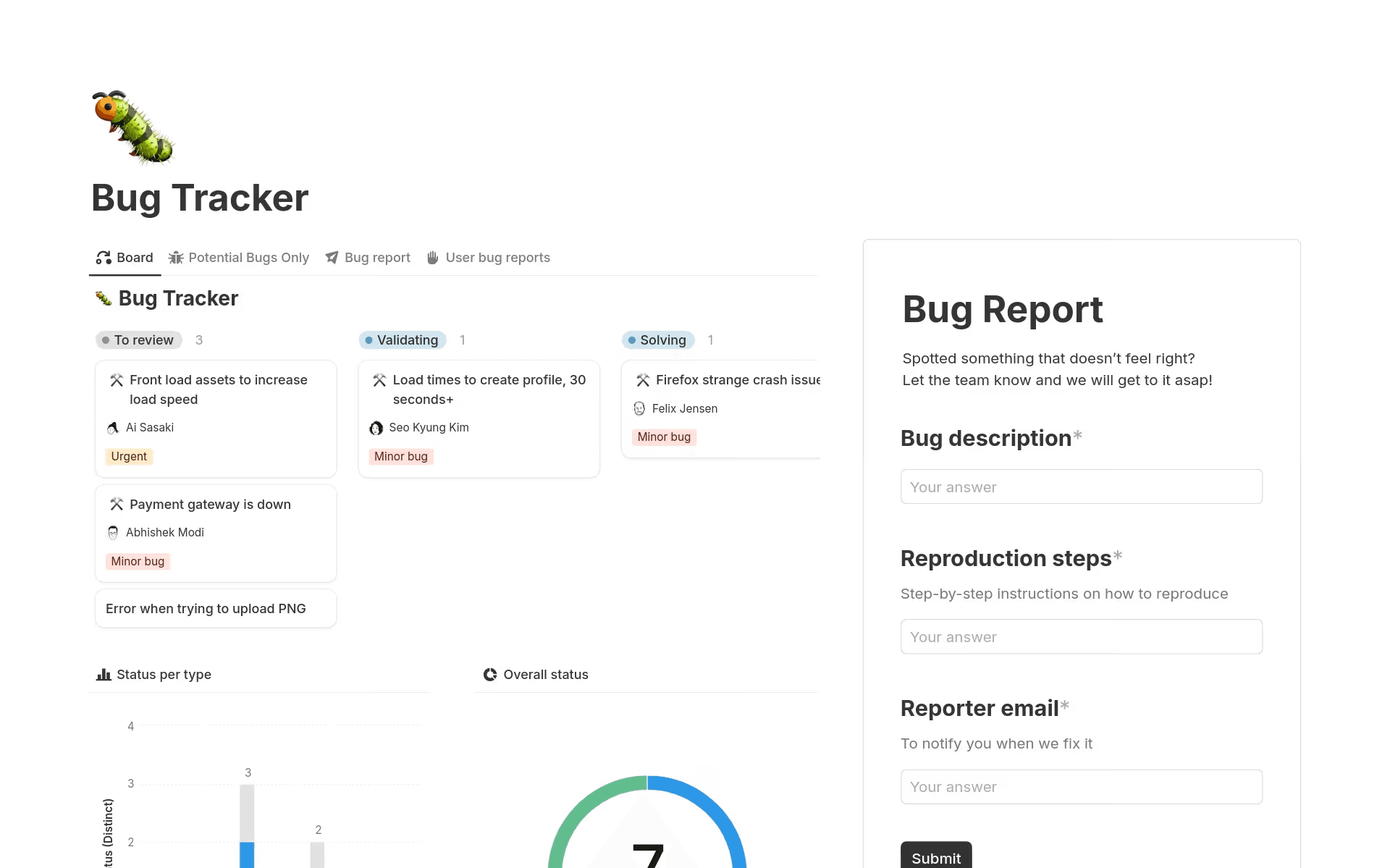
Notion's Bug Tracker template allows team members to track bug statuses (Source)
Customer-reported issue feedback loop
Customer feedback becomes most valuable when teams close the loop. That’s why, in Notion, feedback links directly to issues and roadmap items to create shared visibility across product, support, and leadership.
The Client Feedback Hub template in particular gives teams a structured way to move from signal to resolution. With it, requests, bugs, and complaints enter one system, where SLA-aware properties make urgency visible and impact scoring clarifies tradeoffs. Then, when teams ship a fix, they can update the original feedback directly and turn resolution into a closed-loop system that supports customer experience over time.
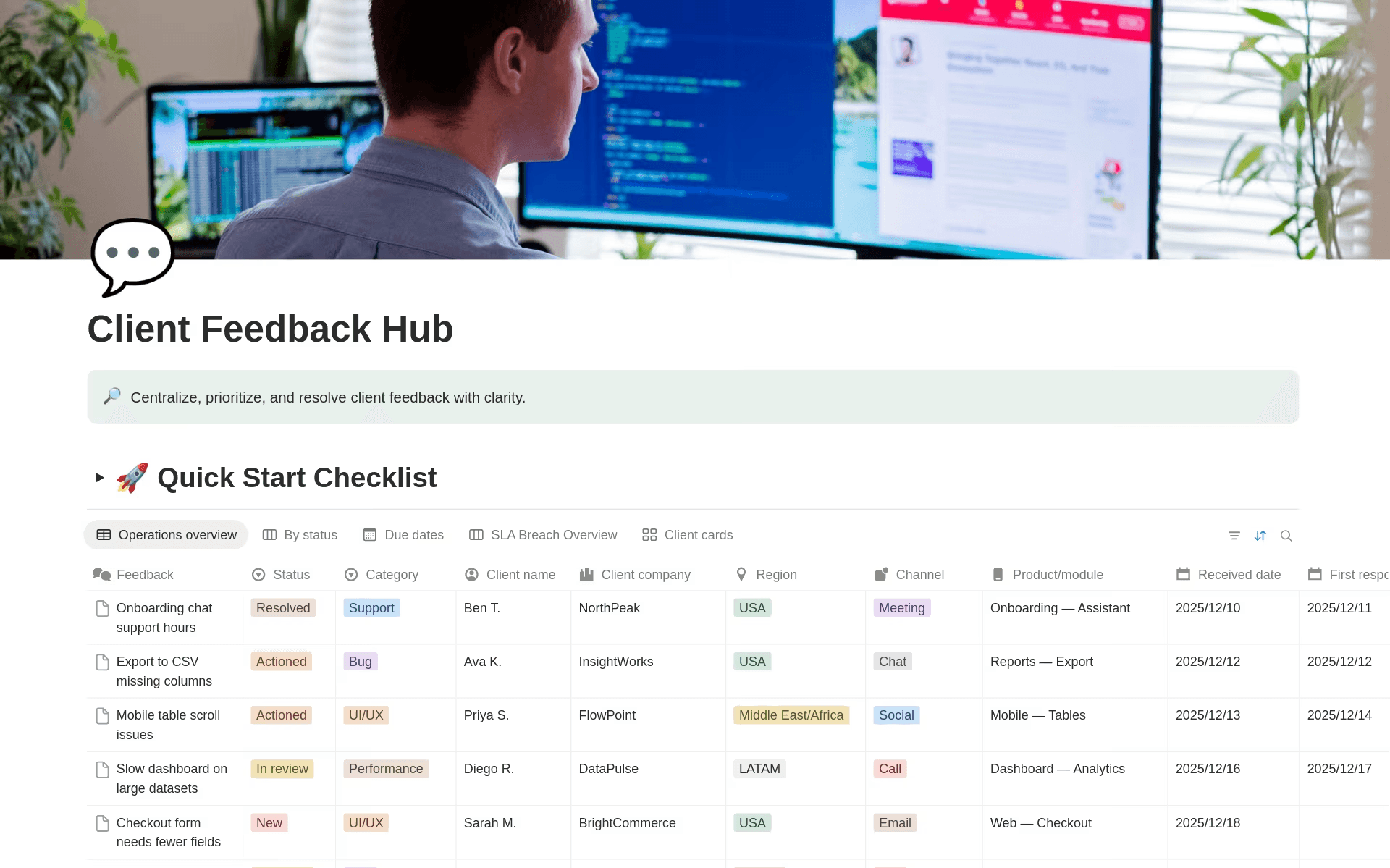
The Client Feedback Hub Notion template features a Quick Start Checklist for prioritizing client input (Source)
By keeping feedback connected through resolution, teams can learn faster, respond more clearly, and steadily improve customer satisfaction without building separate systems for each function.
How to standardize and scale issue tracking in Notion
As your organization grows, issue tracking stops being a local problem and instead becomes a systems problem. That’s because what worked for one squad may no longer hold across several. As a result, backlogs grow unevenly, definitions drift, and leadership asks for clarity that’s hard to assemble after the fact.
Using Notion for issue tracking lets you scale without losing consistency because you can build structure and flexibility into the same workspace from the start.
To get started, you’ll want to define a shared foundation using templates. This involves standardizing the core issue schema once, with common properties like severity, priority, ownership, and resolution times, then reusing it across teams and projects. Custom fields also let you capture what matters most to your organization without fragmenting the data model. This gives every team a common language while leaving room for local nuance.
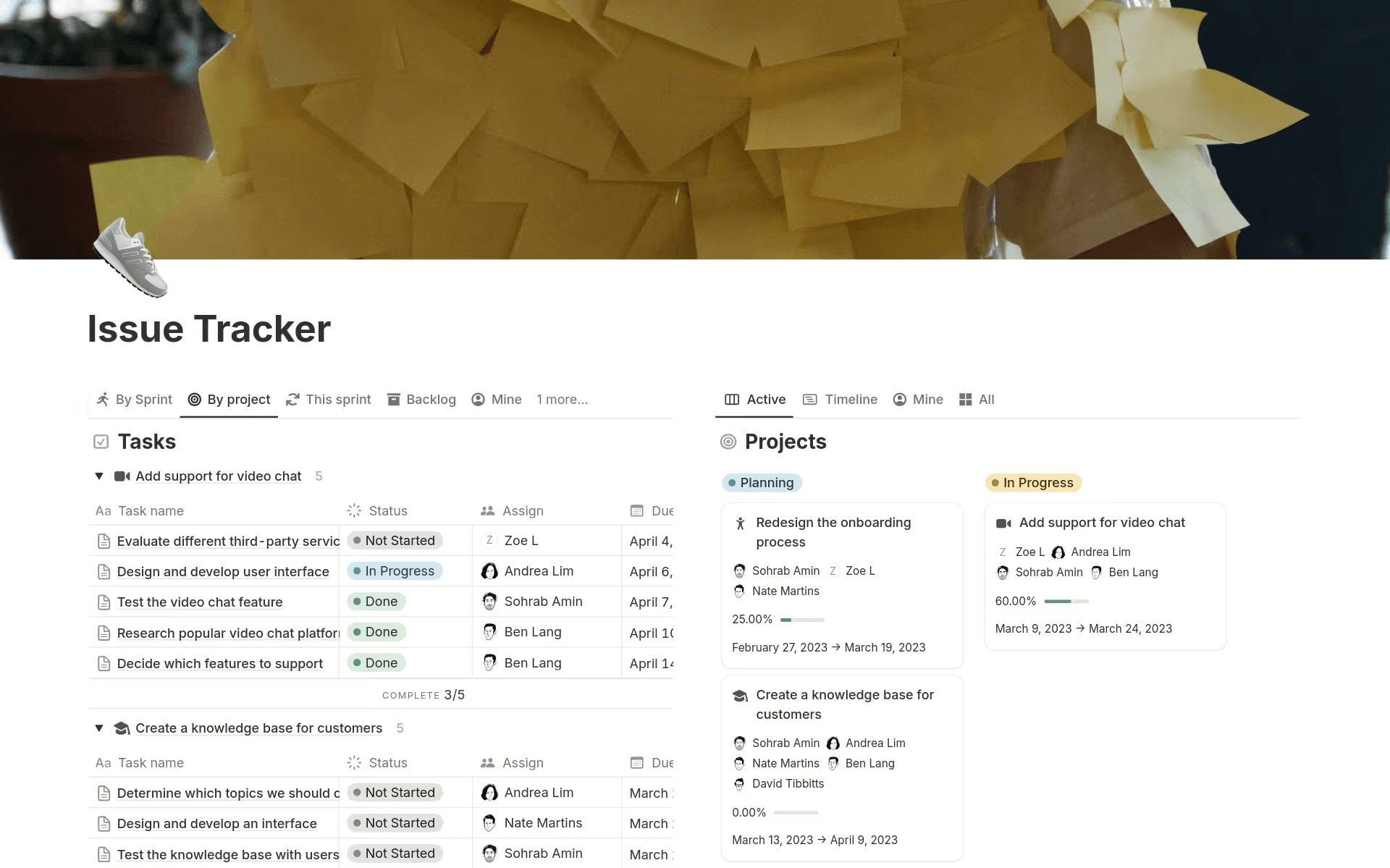
Notion’s Issue Tracker template allows teams of all sizes to track tasks and projects (Source)
From there, you’ll introduce governance without slowing execution. But instead of enforcing rigid workflows, you’ll rely on permissions to balance global visibility with team-level autonomy. This allows you to see patterns across platform, infrastructure, and product work while each team maintains workflows that fit how they execute day to day. That way, everyone can work from the same source of truth without approvals becoming a bottleneck.
Then, as more teams contribute, alignment becomes easier to maintain. Shared views, for instance, help you connect issues across domains, surface dependencies early, and keep roadmaps grounded in live signals rather than stale updates. Leadership reporting then stays current because it reflects the system as it operates, not a snapshot that you pull together at the end of the sprint.
Finally, you can protect quality as volume increases and avoid backlog decay by treating issue tracking as an active system, not a passive log. Regular triage, clear ownership, and consistent status updates are important here to keep issues actionable and resolution focused. That way, you can scale issue tracking without also scaling process overhead, even as your organization grows.
Use Notion AI to streamline issue tracking from intake to resolution
Strong issue tracking not only supports delivery but also reinforces teamwork, preserves context, and turns day-to-day problem-solving into a shared knowledge base that teams can build on. That’s because when issues stay connected to specs, decisions, and outcomes, teams will naturally spend less time chasing updates and more time moving work forward.
Notion AI adds an operational layer to that foundation by helping teams organize context as issues come in, keep work current as decisions happen, and surface what matters most without adding process or noise. The result fits naturally into Agile project management, where clarity remains essential even as priorities shift.
Want to give your engineering teams a more reliable way to track issues from intake through resolution? Learn how Notion makes project management easier.