What is stakeholder mapping? A practical guide for product teams
Stakeholder misalignment usually stays hidden until a project is in full swing, then surfaces just as decisions settle and momentum becomes expensive to lose. For instance, a requirement might suddenly reenter the conversation, feedback could arrive from someone you never looped in, or priorities may shift quietly. The impact ripples across timelines, ownership, and trust, forcing discussions on topics that you thought you’d already closed.
Stakeholder mapping instead makes influence explicit. Instead of relying on static kickoff notes, this process tracks who shapes decisions, where approvals happen, and how input flows across functions.
By housing this context in a connected workspace like Notion, you can ensure that it evolves alongside the project rather than becoming a stale document that no one looks at. That way, as scope changes and decisions accumulate, alignment stays visible and execution stays on track.
What is stakeholder mapping, and how does it affect project success?
Stakeholder mapping is the practice of identifying everyone who influences or is impacted by product decisions. It helps you categorize the different types of stakeholders who are involved—including key stakeholders with formal decision authority and key players who shape direction more informally—so you can build a clear stakeholder engagement strategy before work begins.
This clarity removes the guesswork around who needs visibility, who provides input, and who has the final word. By establishing these roles early, you can create a shared foundation for stakeholder management that keeps coordination simple, even as the project grows more complex.
For engineering, product, and design (EPD) teams, this foundation directly affects shipping speed. That’s because mapping stakeholders up front replaces fragmented knowledge and manual coordination with a clear structure, which prevents the endless back-and-forth that happens when roles are vague. This strengthens project governance from the start and reduces the late-stage surprises that derail delivery.
Which stakeholder mapping frameworks should you know about?
Not every project calls for the same level of rigor, and the best stakeholder mapping frameworks reflect that. These decision-making models give EPD teams a practical way to visualize influence, prioritize stakeholders, and adapt their approach based on project complexity, organizational dynamics, and the mix of internal and external stakeholders involved.
Using the right frameworks also reduces the time you spend navigating politics and increases the time you have to build. That’s because it replaces vague check-ins with clear cross-functional collaboration across all stakeholder groups.
Here are three frameworks to take note of:
1. Power-interest grid
The power-interest grid works best for straightforward projects where authority and involvement stay relatively stable. By using it to map project stakeholders based on how much power they hold and how much they care about the outcome, you can help project teams prioritize the people who need active engagement over those who only require updates.
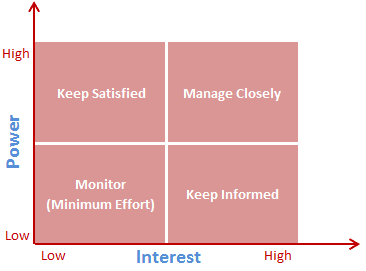
A power interest grid that shows interest on the x-axis and power on the y-axis to determine stakeholder involvement (Source)
For project management teams, this framework offers quick visualization with minimal overhead. For that reason, it suits projects with clear ownership, well-defined governance, and limited external stakeholders—in other words, environments where alignment depends more on execution discipline than managing shifting influence.
2. Influence-impact matrix
The influence-impact matrix adds nuance when projects cut across functions or rely on informal authority. Instead of focusing solely on power, it examines who shapes decisions and how much impact they have, which helps teams anticipate friction before it slows execution.
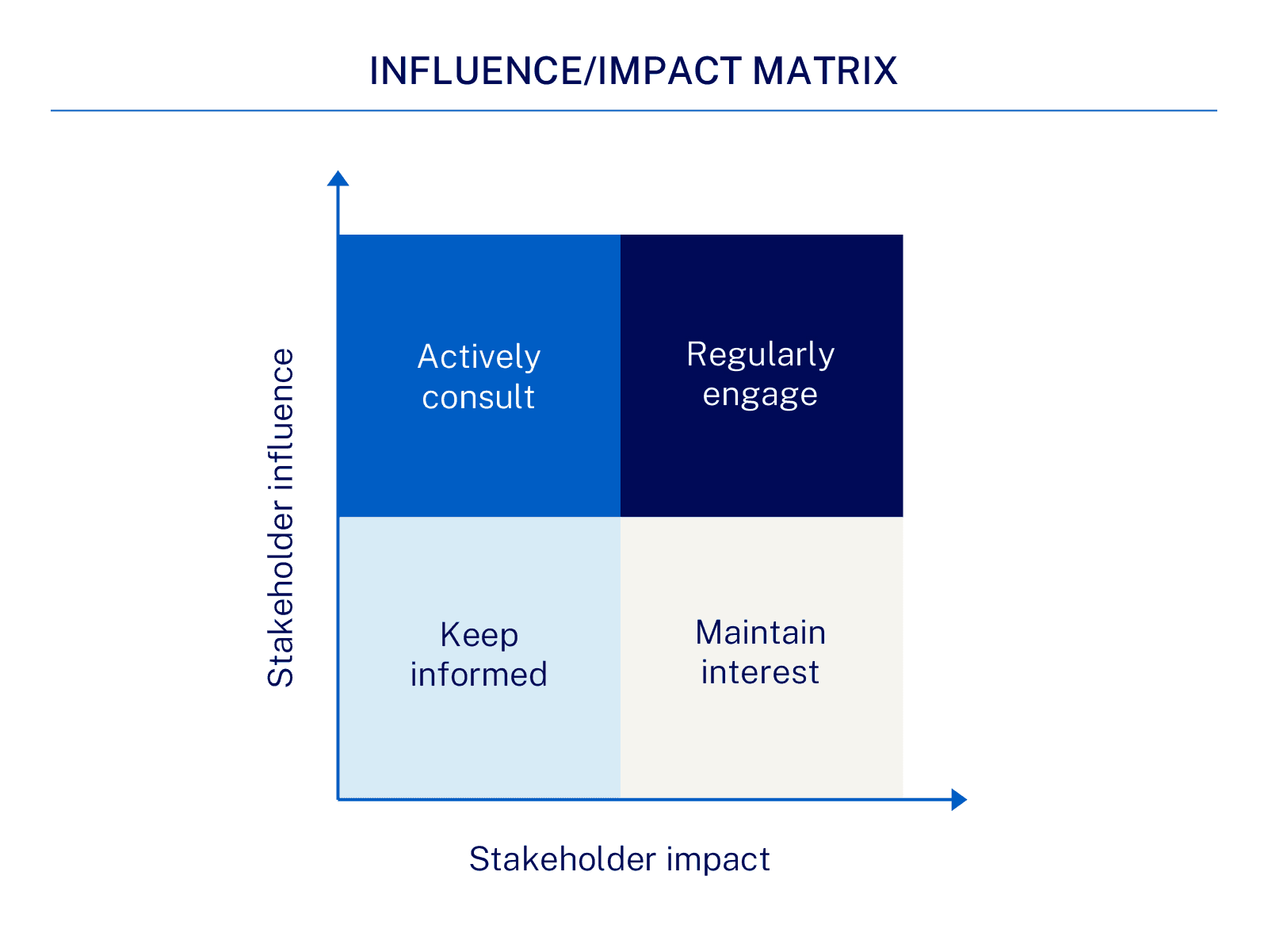
An influence-impact matrix that shows stakeholder impact on the x-axis and stakeholder influence on the y-axis (Source)
This model improves cross-functional collaboration by surfacing key players who steer direction informally. It works especially well in matrixed organizations where stakeholder management depends on relationships as much as reporting lines.
3. Salience model
The salience model fits complex initiatives with layered project governance and diverse stakeholder groups because it evaluates stakeholders based on power, legitimacy, and urgency. This offers a more dynamic view of who matters most at different stages of a project.
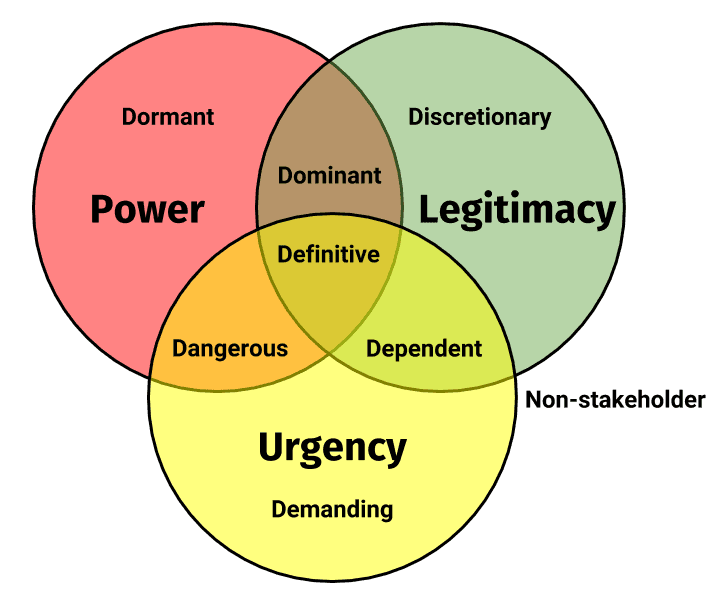
A salience model that shows a Venn diagram with circles for power, legitimacy, and urgency (Source)
This model is useful when priorities shift quickly, external stakeholders enter the picture, or regulatory and leadership pressures evolve because it helps teams adjust their engagement strategies without reworking the entire stakeholder map and thus keep alignment intact as conditions change.
What does stakeholder mapping look like in practice?
Stakeholder mapping proves its worth when it moves from theory into day-to-day execution. This allows you to surface hidden influences early, align expectations before decisions harden, and clear the path for steady shipping.
Here are some stakeholder mapping examples that show how the process shapes real-world outcomes:
Launching a new product without last-minute chaos
Imagine that an EPD team locks in a new product launch plan and heads into the final sprint feeling aligned. Product and engineering move quickly, but legal and customer support surface concerns late, which forces timeline changes that no one planned for.
The problem isn’t disagreement—it’s that the team failed to identify legal and support as high-interest stakeholders early on.
A lightweight stakeholder analysis would have clarified which relevant stakeholders needed early visibility and how feedback should flow. With a clear communication plan in place, the team could have addressed risk management concerns early and protected execution speed through launch.
Making technical architecture decisions across teams
In another scenario, a platform team proposes a major architectural change to support long-term scalability. Since the plan looks clean in isolation, the team moves forward confidently—but pushback arrives once implementation begins. Downstream teams then raise concerns about workflow disruptions and resourcing constraints that no one ever discussed.
Mapping internal stakeholders early on would have surfaced informal influencers and clarified who needed to weigh in versus stay informed, though. And instead of relying on ad hoc meetings or whiteboards that disappear after a workshop, the team could have maintained stakeholder context as the technical strategy took shape.
Best practices for effective stakeholder mapping
Stakeholder mapping is most effective when you treat it like an ongoing workflow rather than a one-time exercise. That’s why you could integrate mapping into daily operations. Here are some ways you can do that:
Integrate stakeholder data directly into project management tools to simplify updates to engagement levels and communication plans.
Schedule periodic reviews at key milestones to keep mapping relevant as stakeholder needs change.
Document assumptions and track changes in interest so stakeholders stay aligned without slowing execution.
Notion’s approach to stakeholder mapping
Notion pulls stakeholder context out of stagnant spreadsheets and embeds it where work happens. And by consolidating this data into existing project workflows, our platform ensures that alignment stays current as projects evolve.
The following approach builds stakeholder management into everyday rituals using familiar project management best practices rather than additional processes:
Start with a shared foundation, not a blank page
To begin, you should brainstorm a list of stakeholders who are connected to your product launch, feature decision, or cross-functional initiatives. Notion’s stakeholder mapping template provides structure early on in this process by helping your team define roles, categorize stakeholder levels of interest, and create clear visual representations of influence.
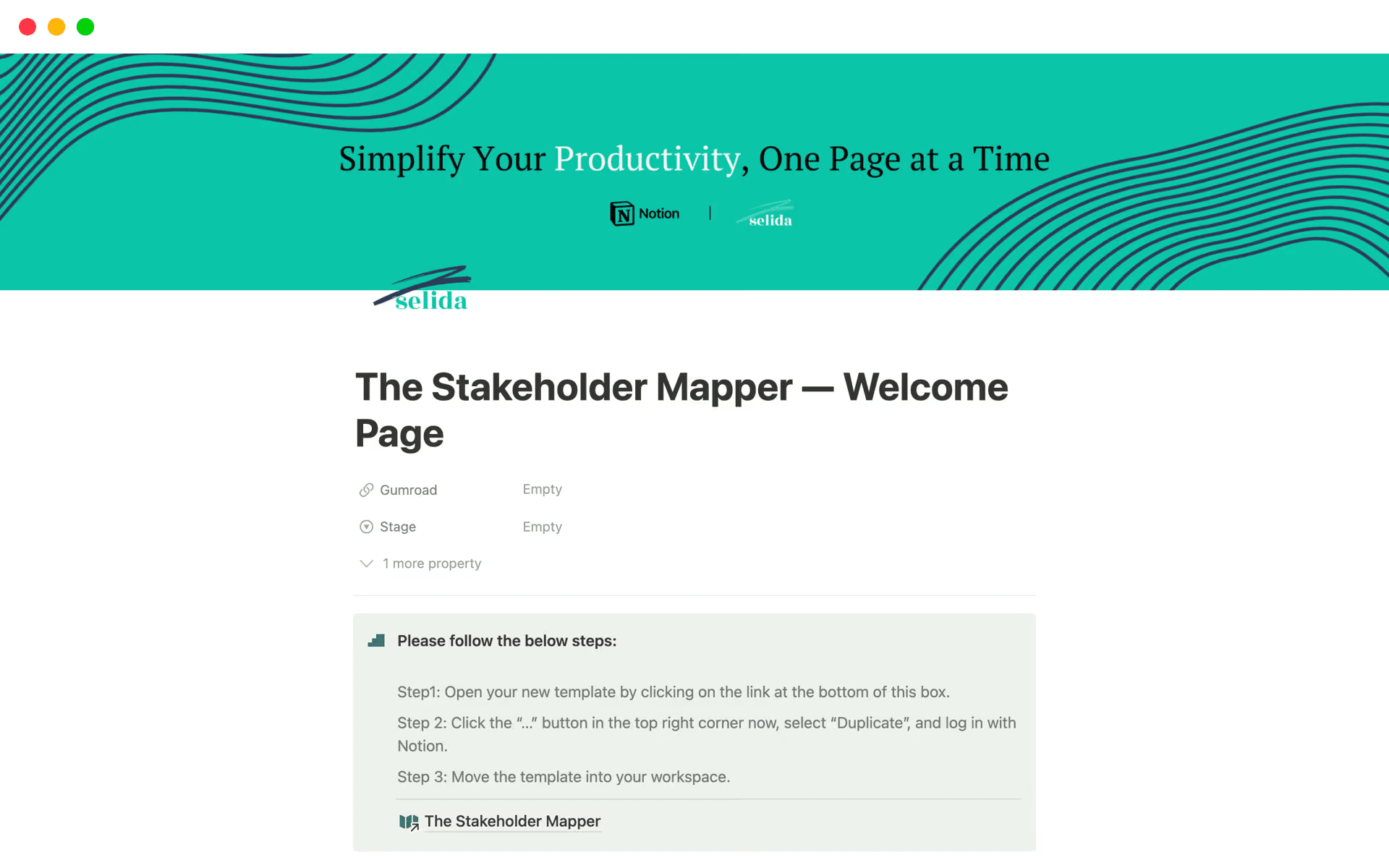
The Stakeholder Mapper template in Notion, which shows fields for Gumroad and Stage before a brief intro (Source)
Because this work lives next to project plans, stakeholder relationships remain visible while context stays fresh, which eliminates the need to reconstruct decisions weeks later.
How Notion AI helps: Instead of manually entering data, you can use Notion AI to scan your project proposal or recent meeting notes. For instance, ask it to “identify all departments and individuals mentioned as contributors or approvers” to generate an initial stakeholder list in seconds.
Connect stakeholder context to real project work
As initiatives move forward, you should link your stakeholder records directly to your projects, launch timelines, and decision logs. This keeps communication strategies grounded in reality and ensures that the right people stay involved at the right times, especially as priorities shift.
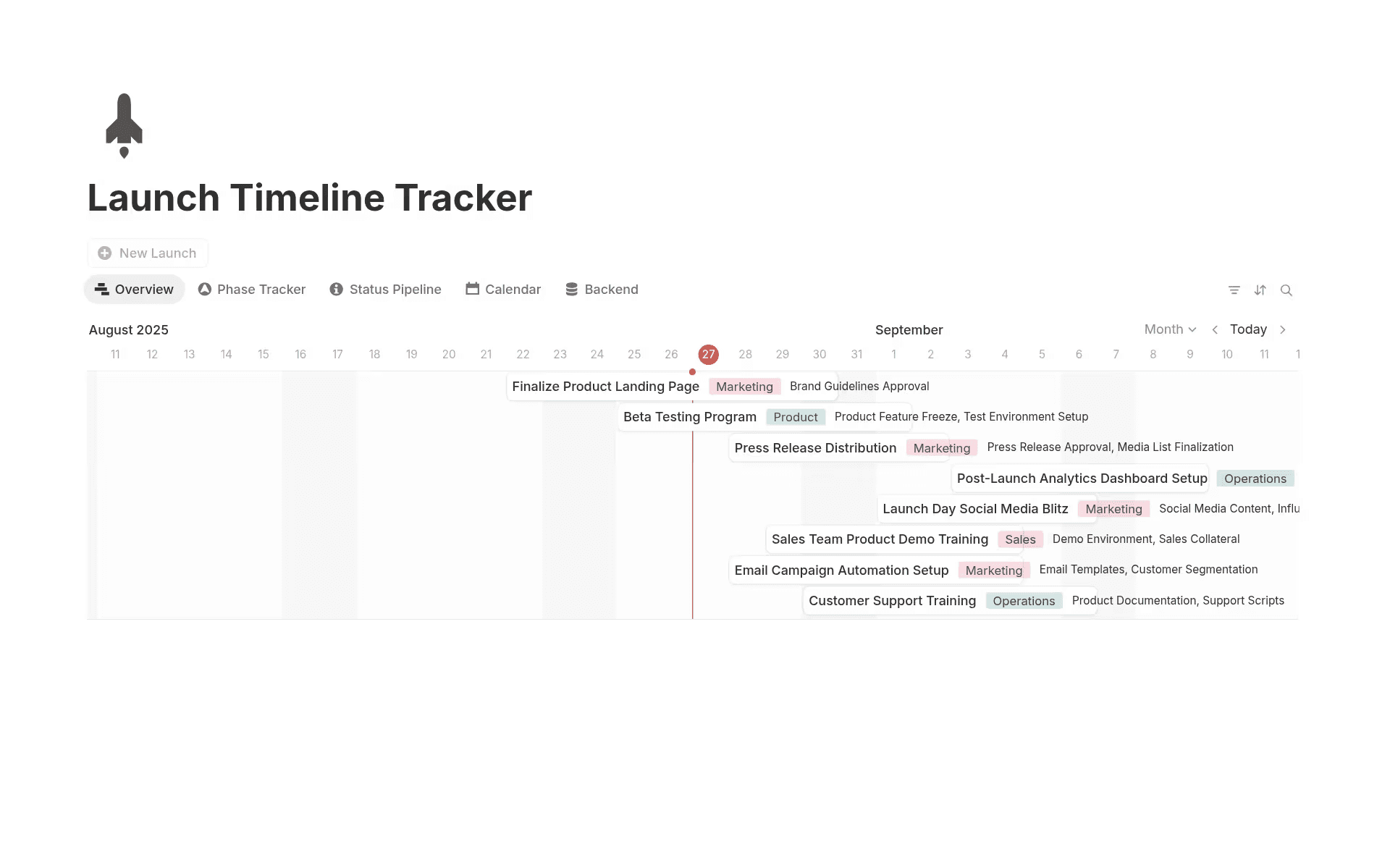
The Launch Timeline Tracker template in Notion, which shows an overview of launch-related tasks (Source)
Instead of tracking updates across tools, Notion projects bring stakeholder context into the same space where teams plan and ship work. This visibility helps you build trust by showing how feedback turns into decisions rather than loose ends.
How Notion AI helps: You can use Notion AI to help automate the information retrieval that slows projects down. For example, it can summarize a stakeholder’s latest feedback or sentiment based on linked meeting transcripts so you see their current stance without digging through pages of notes.
Keep stakeholder maps alive as projects evolve
Stakeholder maps lose value when you treat them as static artifacts. But using a connected workspace like Notion makes it easy to instead update levels of influence, adjust engagement plans, and revisit assumptions as scope changes or potential stakeholders emerge.
Maintaining stakeholder context alongside project documentation also helps you replace fragile spreadsheets with living systems that support execution. This leads to fewer surprises, clearer ownership, and mapping that supports momentum instead of slowing it down.
How Notion AI helps: Notion AI helps you bridge the gap between different stakeholder groups by tailoring information to the audience. For example, you can prompt it to draft a high-level executive summary of a technical architecture change or generate a list of action items for the Legal team based on a launch plan. This ensures that everyone receives the right level of detail without you having to write five different versions of the same update.
Drive project success with effective stakeholder mapping
Effective stakeholder mapping does more than prevent friction—it also sets the pace for your entire project. When you clarify influence early and keep it visible, decisions stick, surprises shrink, and alignment stays steady. This up front clarity gives your teams the confidence to move fast without reopening conversations or renegotiating ownership.
Success doesn’t require a complex process, though—you just need a better place for context to live. That’s why it’s important to move your maps out of static spreadsheets and into Notion’s connected workspace. This ensures that stakeholder insights evolve alongside the work. And by keeping this knowledge in the same space as your project plans, you can replace disconnected documentation with a living system that actually supports execution.
Ready to learn how you can identify key players, reduce surprises, and keep projects moving forward? Build your next stakeholder map today with Notion AI.