Project Management on Notion
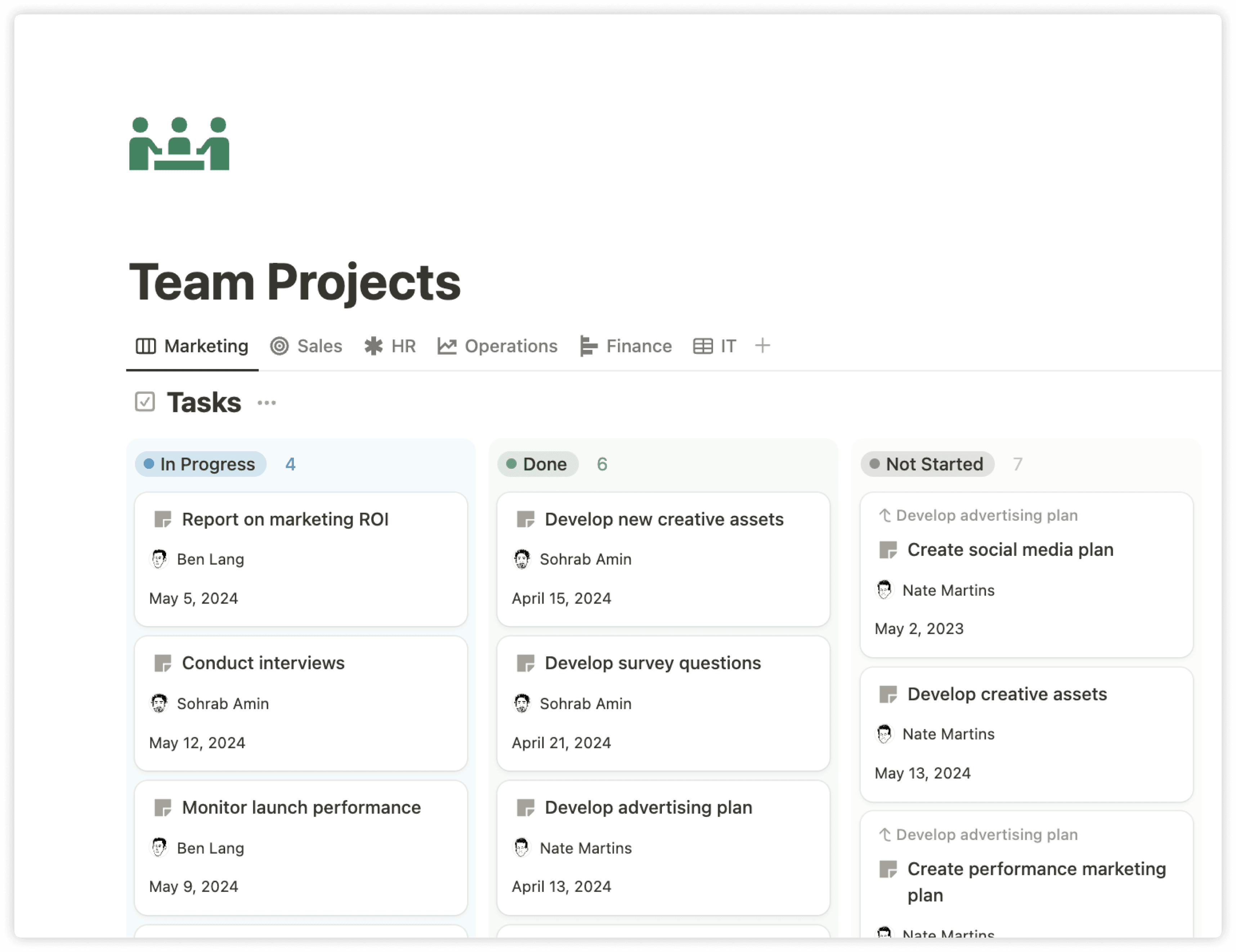
Project Management That Actually Works: How Notion Transforms Team Collaboration
Project management shouldn't feel like wrestling with a dozen different tools just to get work done. Yet most teams find themselves juggling separate platforms for planning, communication, documentation, and tracking – creating more chaos than clarity. There's a better way to manage projects, and it starts with bringing everything together in one connected workspace.
What great project management looks like
Effective project management creates clarity, not complexity. When it's working well, everyone on your team knows what they're working on, why it matters, and how their work connects to the bigger picture. Information flows seamlessly between planning and execution. Team members can find what they need without hunting through email threads or pestering colleagues for updates.
Great project management also adapts to how your team actually works. Some projects need detailed Gantt charts and milestone tracking. Others work better with simple kanban boards and daily check-ins. The best systems flex with your needs rather than forcing you into rigid frameworks.
Most importantly, successful project management keeps the focus on outcomes, not busy work. Your tools should help you deliver results faster, not slow you down with administrative overhead.
How it feels in most tools
Traditional project management tools often create more problems than they solve. Teams typically end up with a fragmented workflow: project timelines in Asana, team communication in Slack, documentation scattered across Google Drive, and important context lost in the gaps between systems.
This fragmentation leads to constant context switching. You're updating a task in ClickUp, then jumping to Microsoft Teams to discuss it, then opening Confluence to check the requirements, then back to email to follow up with stakeholders. Each transition breaks your focus and slows down progress.
Information silos become inevitable. The marketing team's campaign brief lives in Monday.com, the design team's mockups are in Figma, and the development team's technical specs are in Jira. When project details are spread across multiple platforms, it becomes nearly impossible to maintain a single source of truth.
Updates become a chore rather than a natural part of the workflow. Team members resist updating project status because it requires logging into yet another tool and manually syncing information that should flow automatically.
What are the big gaps
The biggest gap in traditional project management is the disconnect between planning and execution. Tools like Jira excel at high-level planning while Trello handles day-to-day tasks well, but they struggle to connect strategic goals with tactical work. Teams lose sight of why they're doing what they're doing.
Knowledge management represents another critical missing piece. Projects generate enormous amounts of context – meeting notes, decisions, research, feedback, and documentation. When this knowledge lives separately from your project timeline in tools like SharePoint or Dropbox, teams constantly reinvent the wheel or make decisions without full context.
Collaboration happens in real-time, but most project tools are designed for periodic updates rather than ongoing conversation. Important discussions happen in Slack or email, leaving incomplete records in your project management system and making it difficult for team members to stay aligned.
Automation is either non-existent or overly complex. Teams waste time on repetitive tasks like status updates, progress reports, and routine notifications that could be handled automatically. When automation does exist in tools like Zapier integrations, it often requires technical expertise that most teams don't have.
Finally, most tools force teams to choose between simplicity and power. Simple tools like Todoist are easy to use but lack the flexibility for complex projects. Powerful tools like Microsoft Project have every feature imaginable but overwhelm users with unnecessary complexity.
How Notion fills these gaps
Notion bridges these gaps by creating a truly connected workspace where project management, knowledge, and collaboration live together. Unlike traditional tools that force you to switch between platforms, everything your team needs exists in one place that adapts to your specific workflow.
Connected planning and execution
Take a software development team launching a new feature. In Notion, their product roadmap links directly to individual user stories, which connect to technical specifications, which tie back to business objectives. When a developer marks a feature complete, it automatically updates the product roadmap. When a designer shares new mockups, they're instantly accessible from the related project tasks. This connectivity ensures that strategic planning and daily execution stay aligned – something impossible when your roadmap lives in ProductPlan while your tasks are in Jira.
Knowledge at your fingertips
Every project in Notion becomes a comprehensive workspace. A marketing campaign might include the project timeline, creative briefs, meeting notes from stakeholder reviews, competitive research, and performance metrics – all in one place. Team members joining mid-project can quickly get up to speed by reading through the connected context rather than scheduling multiple catch-up meetings or hunting through Confluence pages.
AI-powered automation that actually helps
Here's where Notion AI makes a real difference. After a project kickoff meeting, Notion AI can automatically extract action items from your meeting notes and create corresponding tasks in your project database, complete with assignees and due dates. It can generate weekly project summaries by analyzing task completion rates and recent updates, then share them with stakeholders automatically. Unlike complex automation tools that require technical setup, Notion AI works with natural language – just ask it to "create a project status report" and it pulls together the relevant information.
Flexible collaboration
Teams can collaborate directly within project pages through comments, mentions, and real-time editing. When a client provides feedback on a design mockup, they can comment directly on the embedded Figma file within the project page. Stakeholders can provide input on deliverables without switching to email or scheduling separate meetings. Project discussions happen where the work is happening, creating better context and reducing miscommunication.
Customizable workflows that adapt
Whether your team prefers agile sprints, waterfall planning, or something in between, Notion adapts to your methodology. A consulting team might track projects by client priority and billing status, while a product team focuses on feature complexity and user impact. You can create custom properties to track the metrics that matter to your projects, build views that show exactly the information each team member needs, and automate routine updates without complex configuration.
The result is project management that feels natural rather than forced. Teams spend less time managing their tools and more time delivering results. Information flows smoothly between team members, and everyone stays aligned on priorities without constant check-ins.
When project management works this well, it becomes invisible—just part of how great teams get things done.
For deeper insights into specific project management approaches, explore our guides on agile project management in Notion, setting up project templates, and automating project workflows. You'll find practical examples and step-by-step instructions to help your team get started.
Try Notion for free and experience how connected project management can transform your team's productivity. Set up your first project workspace in minutes and see why thousands of teams have made the switch.