How to write a project charter: Tips, examples, and templates
A project charter keeps engineering, product, and design (EPD) teams aligned as they build and ship and clarifies why a project exists, what success looks like, and who makes decisions. But instead, it often ends up as a static doc that teams create at kickoff and then forget once sprint planning begins.
While the charter sits idle, the real work moves quickly—decisions happen in Slack, scope changes live in tickets, and context goes missing in meeting notes. This fragmentation forces teams into a cycle of constant recaps and redundant status updates.
A strong project charter breaks this cycle by acting as a living reference that connects vision to execution and stays relevant as the work evolves.
Project charter vs. project plan: Is there a difference?
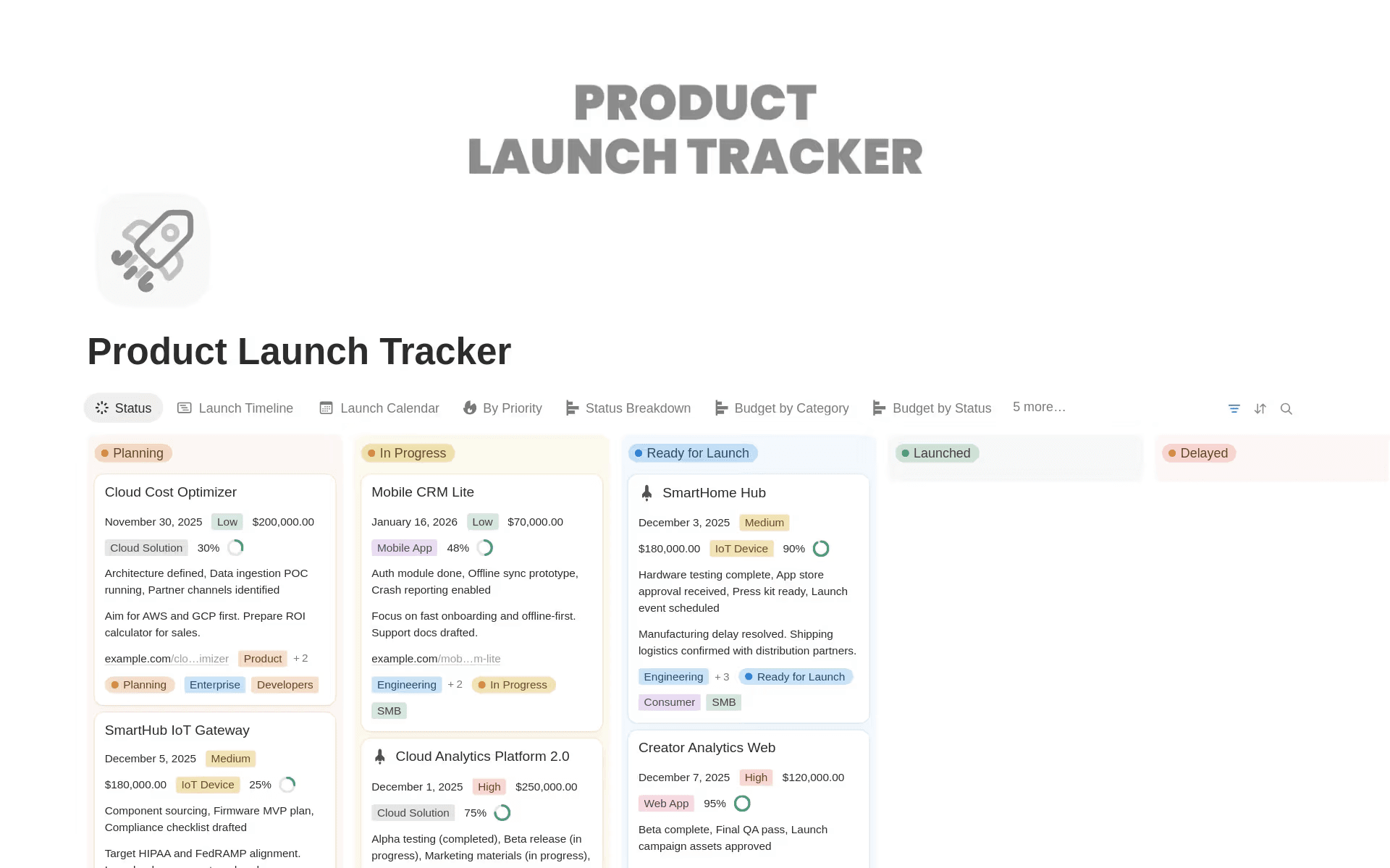
An example of a project plan that’s available as a template in Notion (Source)
While project charters and project plans both guide the planning process, they have different aims.
A project charter is a formal document that authorizes a project by outlining its purpose and business case for stakeholder approval and buy-in. It also defines project objectives and aligns them with broader goals to address the initiative’s high-level “what” and “why.”
Ultimately, a successful project charter helps teams answer questions like these:
“Why are we doing this?”
“What problem are we solving?”
“What does success look like?”
“Who is accountable?”
A project plan, on the other hand, is a comprehensive roadmap for project execution that explores the “how” and “when.” It includes major milestones, the project scope statement, and risk management strategies alongside the work breakdown structure, which helps teams visualize all of the project’s tasks.
Project plans address questions like these:
“What tasks do we need to complete?”
“In what order should we complete them?”
“Who should do them?”
“What timeline are we on?”
For EPD teams that are working in agile environments, the project charter often precedes sprint planning. That’s because it frames an initiative strategically before teams break it down into stories. In practice, the two constantly connect in these ways:
Charters define project goals, while roadmaps reflect them.
Charters set scope boundaries, while sprint planning enforces them.
Charters define project success, while analytics and retros measure it.
When all of this stays in one workspace, each relationship becomes obvious and actionable.
How project charters reduce coordination overhead
If your calendar feels full of never-ending status updates and administrative tasks, you’re not alone. According to a 2025 survey by Microsoft 365, the average employee receives 117 emails and 153 instant messages each workday, and most workers average 2 minutes between interruptions from meetings or notifications during key work hours.
Even when team members have time to focus, information gaps sometimes stall progress. In fact, a 2024 research study found that 22 percent of employees spend a half-day per week searching for information, while another 10 percent spend a full day and a half looking for what they need to work.
For EPD teams, that overhead often shows up in these ways:
Repeated questions about scope (“Is this in or out?”)
Confusion over priorities (“Is this still the main goal?”)
Decision ambiguity (“Who signs off on this?”)
Stakeholder alignment meetings that rehash old ground
But a well-written, well-connected project charter reduces that friction. With one, instead of interrupting a product manager for clarity, a designer can reference scope boundaries. Rather than revisiting decision authority mid-sprint, engineers can see who owns trade-offs. And instead of rewriting context in every update, team leads can link back to the charter.
When the charter becomes a living reference, it helps teams answer recurring questions without forcing them to sift through docs or hop on another call. And when the charter stays connected to the rest of your workspace, it becomes part of your workflow instead of another tab to manage.
What key elements make a project charter useful?
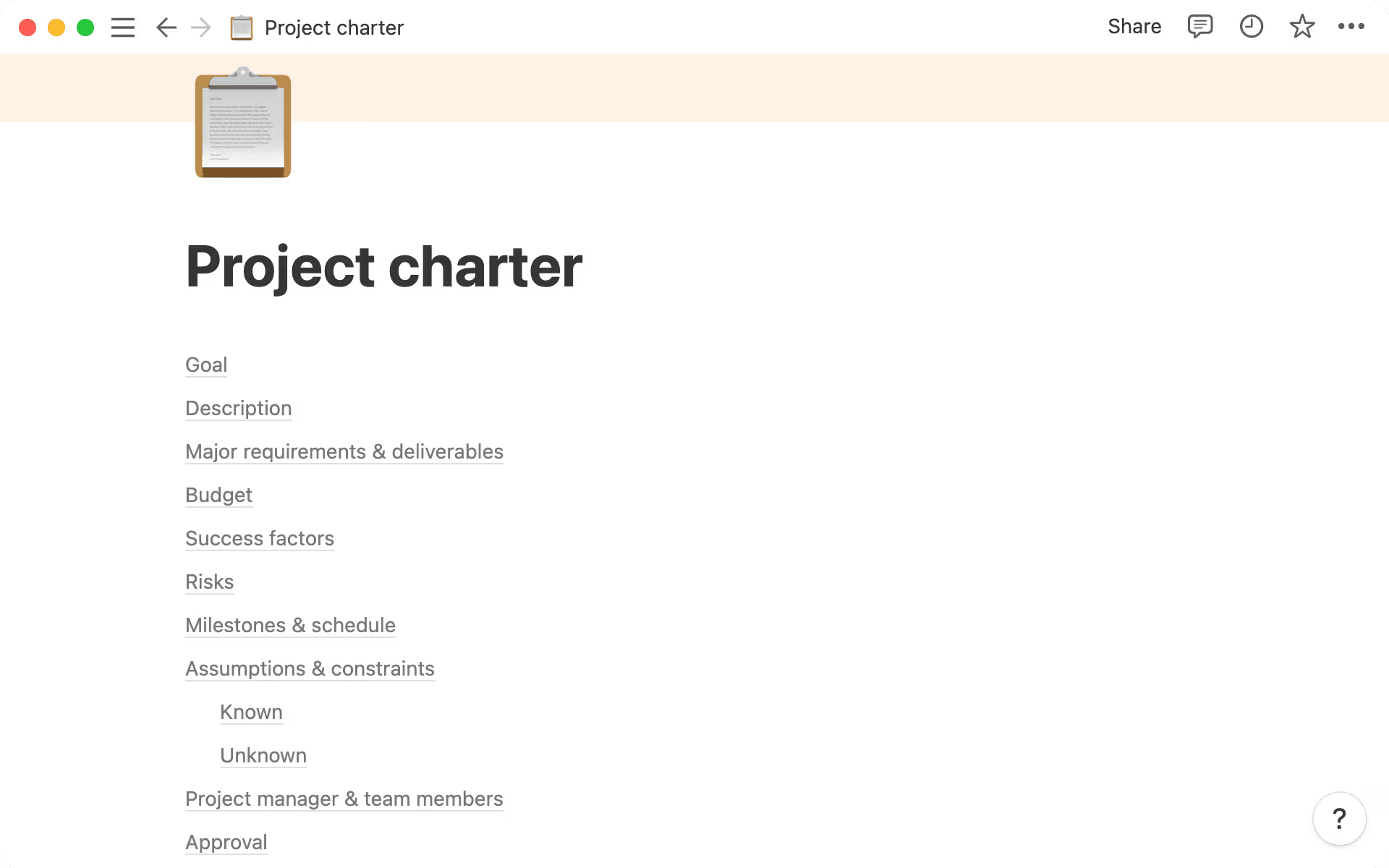
A sample table of contents from a project charter in Notion (Source)
Not all project charters are equal, though. Some are bloated with generic language, while others are so high-level that they’re meaningless in practice.
For cross-functional EPD teams, the most useful charters share a few essential characteristics: they’re concise, outcome-driven, and connected to real workflows. They also share key information that teams need to guide the project forward, including the following elements:
Project purpose and business justification
Teams stay better aligned when everyone understands why a project exists and what the end goal is. To that end, your team charter should clearly articulate these aspects:
The problem or opportunity
The business needs it addresses
Why the project matters now
For EPD teams, this section should also link directly to roadmap themes or OKRs. That way, when priorities shift, the impact on active projects becomes clear immediately and everyone will have the necessary context to navigate sprint tasks and trade-offs.
Scope boundaries and key deliverables
Scope ambiguity can be one of the biggest drivers of coordination overhead. But defining the following in your project charter can help you prevent scope creep throughout the project:
What’s in scope
What’s explicitly out of scope
Key deliverables or project milestones
This process isn’t about creating a detailed backlog, though—that’s something you’ll manage in your project plan. Instead, you should use the charter to set guardrails that help product and engineering leads make real-time decisions with fewer mid-sprint debates.
Key stakeholder roles and decision-making authority
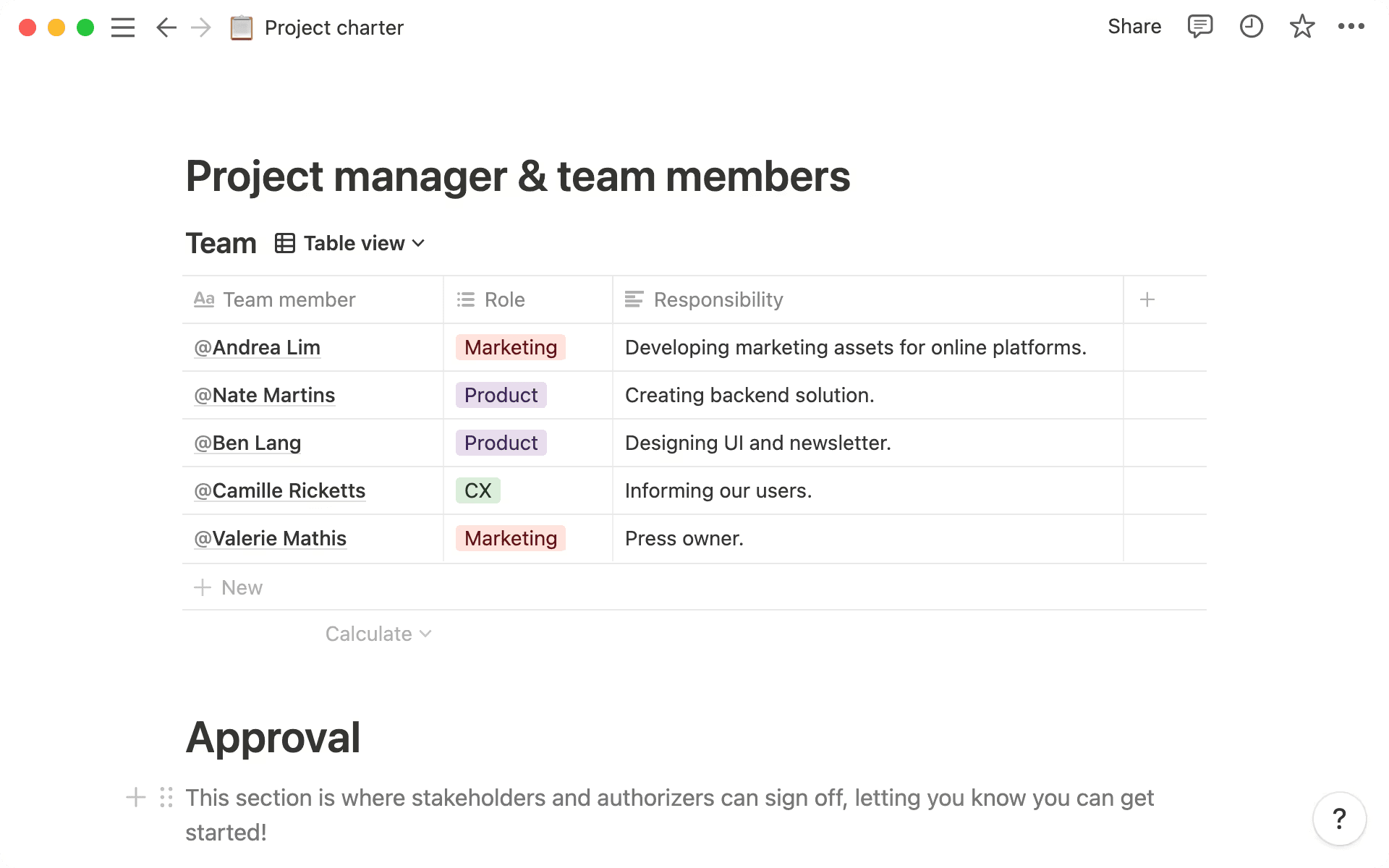
A sample project team within a Notion project charter (Source)
Cross-functional teams move quickly—but this can sometimes lead to a lack of clarity about who the decision-makers are. To instead maintain accountability and prevent confusion, you should explicitly identify the following roles:
Project sponsor
Product owner
Engineering lead
Design lead
Key stakeholders
Decision-making model (like the DRI or RACI)
Clarifying project stakeholders from the start reduces friction during trade-offs and prevents too many people from being involved when deadlines approach.
Success criteria and measurable outcomes
Project success involves more than just shipping a product. Outlining metrics in your charter also enables you to measure progress along the way. That’s why you should consider defining these aspects:
Quantitative metrics (like activation rate, latency, and adoption)
Qualitative outcomes (like improved usability)
Measurement timeframes
When success criteria are clear, sprint planning becomes more intentional. As a result, engineers will understand why performance work matters and designers can see how usability connects to outcomes.
Project budget, timeline, and resource requirements
Even agile teams benefit from constraints.
To keep your project on track, your charter should document these requirements:
Target milestones
Budget considerations
Resource allocation
Dependencies
This doesn’t lock you into inflexible Gantt charts, though. Instead, it ensures that you consider feasibility early to prevent late-stage surprises.
How to write a project charter using Notion AI
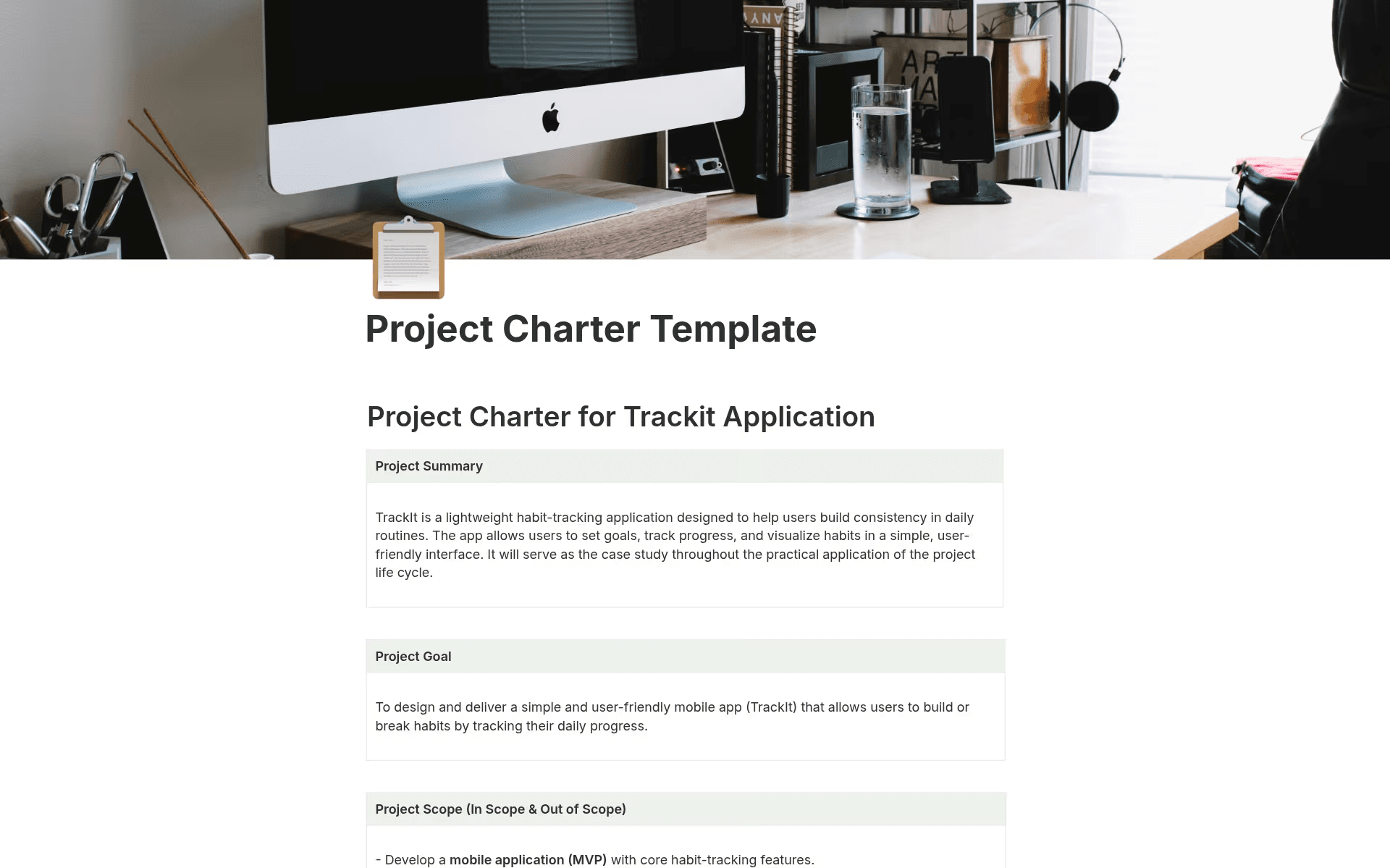
A project charter template that’s available in Notion (Source)
For most teams, the challenge of creating a project charter isn’t knowing what to include—it’s finding the time to document and maintain it so it stays relevant. To speed up the process, here’s a practical five-step approach that uses Notion AI and fits into existing EPD workflows:
1. Generate a purpose statement from existing docs
Instead of drafting your project purpose from scratch, you can start by pulling in what already exists in your workspace:
Roadmap databases
OKRs
Discovery notes
Customer research documents
Past retros
Then, use Notion AI to summarize these inputs into a clear project purpose statement. For example, you can prompt it to do the following:
Extract the core problem statement.
Identify business impact.
Draft two or three measurable objectives.
Because everything lives in the same workspace, AI doesn’t have to guess. Instead, it can synthesize real context. And as your project roadmap evolves, you can re-run summaries or ask Notion AI to update the “Purpose” section based on newly linked documents. This keeps your charter up-to-date without manual rewrites.
2. Use databases and @mentions to clarify decision-makers
One of Notion’s greatest advantages is that it lets you structure people, teams, and roles as data rather than just typing names in a paragraph.
To more clearly organize your charter template, you can do the following:
Use @mentions to tag project owners and stakeholders.
Pull from a People or Team database to define roles.
Add a lightweight RACI table using a simple database view.
Once you do that, you can use Notion AI in these ways:
Generate a responsibility summary for each role.
Convert a list of stakeholders into a clear decision-making framework.
Identify gaps in ownership.
Linking stakeholders as data means changes in team structure will show instantly. That means your project charter will stay accurate without manually fixing outdated names.
3. Connect scope and deliverables to linked project databases
Instead of hand-typing scope items, you can connect your charter directly to the following Notion items:
An epics database
A specs repository
A roadmap board
A task database
With linked database views, it’s easy to display only the items that are relevant to your initiative. This turns your scope section into a dynamic window into real work. Then, you can use Notion AI in these ways:
Summarize selected epics into high-level scope boundaries.
Identify themes across related tickets.
Draft an “In Scope/Out of Scope” section from existing specs.
When you add new project deliverables to the database, they’ll automatically appear in your linked view. That means your charter will reflect reality instantly.
4. Turn sprint data and metrics into measurable success criteria
Success criteria often start as aspirations but end up disconnected from actual reporting. To prevent this, you should connect your charter to these components:
A metrics database
Experiment tracking pages
Analytics reports
Sprint review notes
Once that’s done, you can use Notion AI to do the following:
Transform raw metric definitions into clear outcome statements.
Summarize sprint learnings into updated success criteria.
Highlight performance trends from linked review docs.
When metrics live in structured databases, your success section will stay measurable by default. And because AI can summarize sprint updates, you can quickly adjust targets or refine outcomes without rewriting everything.
5. Keep timelines and resources current
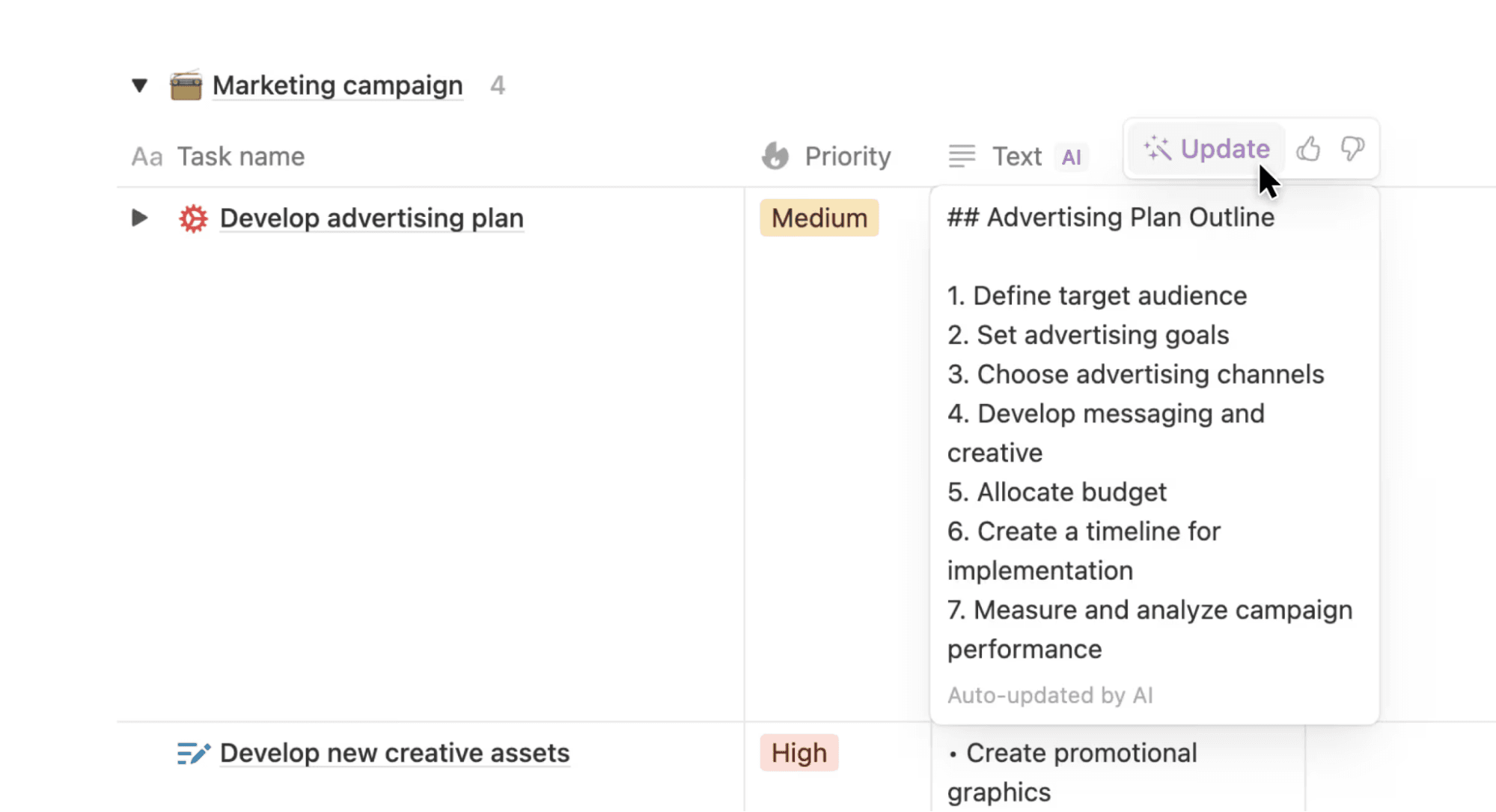
An example of using Notion AI to auto-update a document summary (Source)
Rather than manually updating milestone sections, you can embed the following directly in your charter:
A timeline view of your project database
A resource allocation table
A dependency tracker
Notion’s synced blocks also ensure that milestone summaries stay consistent across your charter and project hub. You can then use Notion AI to do these things:
Generate a milestone narrative from your timeline view.
Flag potential resource conflicts.
Summarize potential risks before planning sessions.
As sprint schedules shift, your project timeline will update automatically in the linked view so the charter evolves alongside execution.

Template
Browse the top free project charter templates in Notion’s template library to see what fits your project best, or explore these broader project management templates for help once you move past the initiation phase.
Project charter best practices (and common mistakes to avoid)
Even the best-written charter can drift into irrelevance. To prevent this, here are a few tips on how to keep it useful throughout the project lifecycle:
Treat it as a living document
Project teams often write a project charter but never revisit it. As a result, it quickly becomes outdated and shows only kickoff assumptions.
Instead, you should update it at key milestones, including after discovery, after major sprint reviews, and before launch. To speed up the process, you can use AI-assisted summaries, too.
Don’t over-engineer the process
A common mistake is creating a 15-page template that slows kickoff. Project charters should instead be concise (one to three pages) and outcome-focused. If a section doesn’t drive decisions, cut it.
If you need help with this, use Notion AI to condense verbose drafts into sharp, actionable summaries.
Connect it to execution
Storing your project charter in a separate location from specs and tickets won’t make it a useful, living reference point. Instead, you should keep it where teams can easily see and access it alongside the work.
In Notion, you can do this by linking it to epics, meeting notes, and decision logs. When everything lives in one connected workspace, context will flow more naturally.

Helpful Resource
For further tips and guidance, check out our blog post on writing a project charter that’s clear and effective.
Write your next project charter with a customizable Notion template
Project charters shouldn’t sit in isolation—instead, they should power your work. But that doesn’t mean you need to rebuild your workflow or start from scratch. All you need is a unified platform to bring your charter and context together across your entire project.
Want to keep your team aligned, informed, and moving forward together? Write your next charter today with Notion AI to see the difference that a connected workspace makes.