What’s a product backlog? & How to build one with Notion AI
While a product backlog should help your team focus, it often turns into a cluttered list that no one trusts. Additionally, shifting priorities and context that lives in different tools make it hard to decide what to work on next.
But when you know how to create a well-structured, connected backlog, it’s easier to keep your teams aligned and move work forward with confidence.
What is a product backlog?
A product backlog is a prioritized list of work items that your product team creates to achieve a product goal and that you update continuously. It’s a core component of the Agile methodology that helps you organize upcoming work.
In Agile project management, this ordered list acts as the main decision-making tool between strategy and execution. It also helps teams decide what to work on next, what can wait, and what no longer matters.
When you manage it well through a unified workspace like Notion, your backlog creates focus and alignment. But when you manage it poorly, it becomes cluttered, outdated, and disconnected from real priorities.
Who uses a product backlog?
The product owner primarily manages the backlog, but all your Scrum team members—including the development team, Scrum master, and stakeholders across engineering, design, and business functions—use it. It’s also the main input for sprint planning since, during this process, teams pull high-priority items from the backlog and turn them into a sprint backlog that they can commit to.
In this way, the backlog becomes a shared reference that guides what the team decides, builds, and reviews. And rather than serving as a fixed plan like in traditional project management, it evolves as you learn more about customers, constraints, and outcomes.
The benefits and challenges of using backlogs
When you manage product backlogs well, your teams get a shared view of priorities. This helps you balance new features with technical debt and make clearer trade-offs in fast-moving Agile environments.
The problem, however, is that many teams don’t manage backlogs consistently. As a result, while Agile practices may exist in sprints and planning meetings, alignment often breaks down in the backlog itself. Items also pile up without clear ownership, order, or connection to real goals.
According to Boston Consulting Group, while 94 percent of companies use Agile initiatives, only 53 percent see meaningful changes in how teams work together. Delivery outcomes reflect the same gap—Wellingtone’s 2024 State of Project Management report shows that only 34 percent of organizations mostly or always finish projects on time, often due to inconsistent ways of working.
Internal Notion research points to a similar pattern. Although 86 percent of users manage projects at work, they often manage them in different ways.* Without shared standards, backlogs fragment, context disappears and prioritization becomes subjective.
A backlog only delivers value when teams actively manage it through shared processes and regular review. But keeping backlog items, supporting docs, and feedback in one connected workspace like Notion makes that goal easier to achieve by giving everyone the same context. From there, Notion AI can summarize input, surface patterns, and reduce the manual effort of keeping backlogs up to date.
What should a product backlog include?
A strong product backlog brings structure to competing ideas by helping your team agree on what matters most. But that shared understanding ultimately comes from capturing what’s broken or missing and what your team has learned along the way.
Here’s a breakdown of the elements that every backlog should include:
Features
Features describe new or improved functionality for end users. In a product backlog, they often start as high-level ideas and become more detailed as you learn more and get closer to building them out.
A strong feature item typically includes these aspects:
The user problem or need it will solve
Context like product requirements, research, or stakeholder input
A rough sense of impact and effort to help with prioritization
To help you make better build decisions, features should connect to strategy and real customer feedback. Linking them to product docs, research, and feedback also helps you clarify why the work matters, not just what you need to build. In Notion, that context lives directly on the backlog item so it stays intact from idea to delivery.
Bug fixes
Issues that affect reliability, performance, or user experience require bug fixes. But while these fixes are often urgent, they can be easy to overlook among bigger initiatives.
By including bug fixes in the backlog instead, you can resolve urgent defects quickly without losing sight of longer-term product work.
Technical debt
Technical debt refers to the work you need to do to keep systems reliable and maintainable. Putting this debt directly into the backlog forces your teams to weigh maintenance work against new feature development. That makes it easier to plan improvements before problems start slowing delivery.
Knowledge acquisition
The knowledge acquisition process involves documenting the learning you acquire before committing to the solution you’ll build. This can involve research, technical investigation, or small experiments that answer open questions.
These backlog items help you perform these tasks:
Checking whether an idea is viable
Validating assumptions about user needs or solutions
Reducing risk before turning ideas into features
By treating learning as real backlog work, you can avoid committing to features with unanswered questions. Instead, you’ll use what you’ve learned to shape and prioritize backlog items.
How do you prevent backlogs from becoming dumping grounds?
Product backlogs turn into dumping grounds when teams stop actively managing them. But the fix here is consistent hygiene, not more meetings.
That’s why healthy product backlog management relies on these three things:
A regular review cadence
Repeatable standards for what belongs in the backlog
Clear ownership
Together, these aspects prevent backlog bloat, reduce tool sprawl, and make it easier to trust what’s at the top of the list.
Here’s what that hygiene framework often looks like:
A shared workflow for reviewing and updating product backlog items
Basic metadata like priority, status, and owner on every item
One clear owner who’s responsible for backlog quality
A connected workspace like Notion makes this structure easier to maintain. That’s because when backlog items, supporting docs, and feedback all live together, you won’t lose context as priorities change.
What a weekly backlog triage ritual looks like
Backlogs change quickly as new information comes in, priorities shift, and work moves forward. But a weekly triage instead keeps your backlog useful and current without eating up too much time, which gives you the space you need to sort, refine, and remove items before they pile up.
In each session, the Scrum team should do the following:
Review new product backlog items and verify that they’re valid
Merge or remove duplicates and outdated ideas
Fill in missing context or acceptance criteria
Reorder priority items based on current goals
Here, Notion AI helps you keep your rituals short and focused by handling the manual cleanup. It can also summarize long inputs, identify duplicates, group related requests, and tag items. After all, when you have a solution that handles the busywork that tends to slow backlog reviews down, you can focus on more important decisions instead.
How do you prioritize a backlog when everything feels important?
Effective backlog prioritization uses simple, repeatable methods that force trade-offs and make decisions explainable. Here are some common approaches to explore:
RICE: Score items based on their reach, impact, confidence, and effort.
MoSCoW: Sort work into must-have, should-have, could-have, and won’t-have.
Cost of delay: Prioritize based on what it costs to wait.
Opportunity scoring: Rank work by unmet user needs versus effort.
To apply these methods consistently, though, your teams need a shared view of priorities, a way to compare work side by side, and enough context to understand where compromise makes sense. Each of the methods below offers a structured way to evaluate backlog items and make priority decisions more consistent:
Keep backlogs aligned with connected roadmaps
Prioritization breaks down when you review backlog items without looking at your product roadmap. This means you’ll end up deciding what to work on based on what’s easiest, loudest, or most recent rather than what moves your product forward.
To prevent this from happening, you can link each backlog item to a clear roadmap goal. Then, if a certain priority doesn’t support where your product is headed, you can push it down or remove it.
Keeping your roadmap and backlog in the same place also reveals feedback loops so you can see what still matters, what can wait, and what no longer fits. This is how Mixpanel keeps its backlog on track. By maintaining roadmaps and backlog items in one shared Notion workspace, its product teams can connect day-to-day work back to strategic goals and keep priorities aligned as plans change.
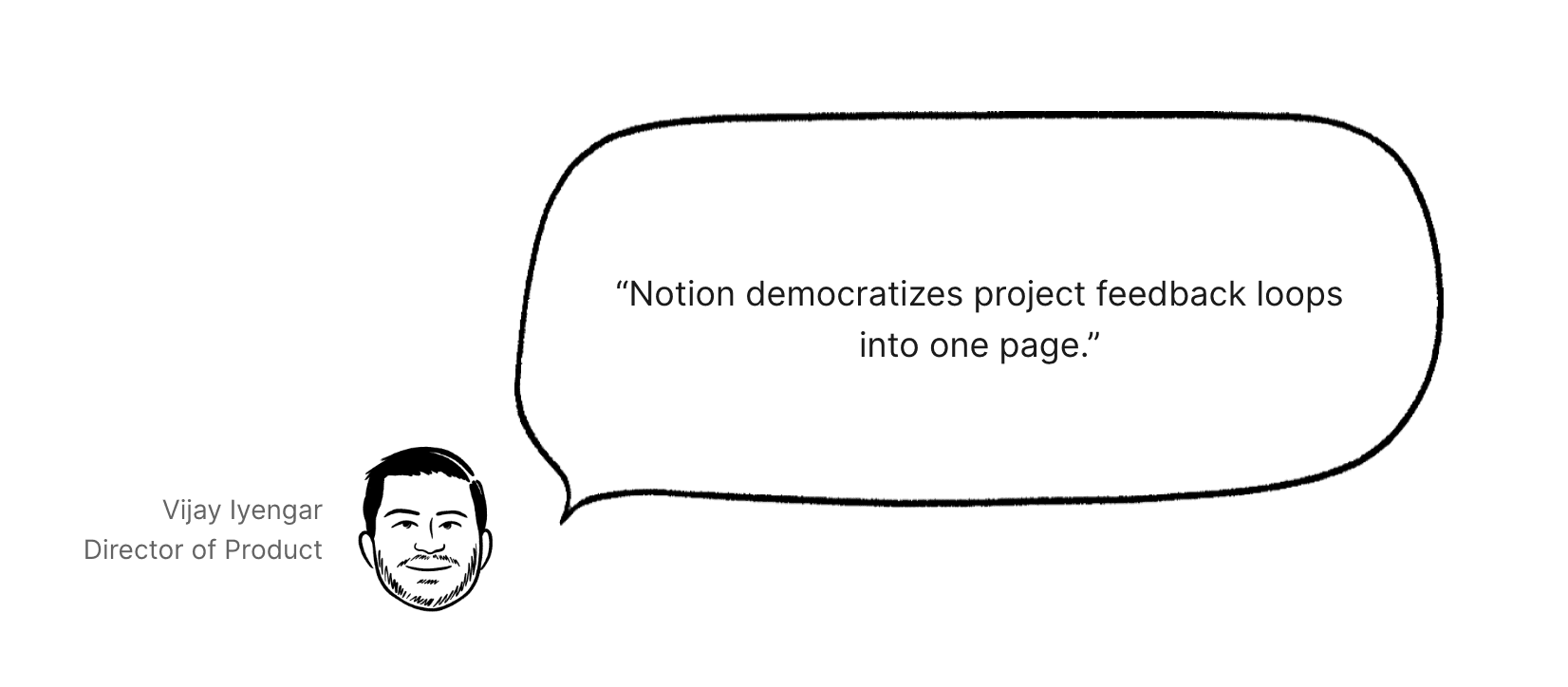
An image that shows Mixpanel’s director of product, Vijay Iyengar, explaining how Notion keeps feedback in one page (Source)
Use AI to surface high-signal customer themes
When feedback is scattered across tools, you’ll have to review requests one by one. As a result, the volume will become overwhelming and it’ll become easy to miss patterns that could help you prioritize work.
But centralizing customer feedback instead allows you to group related inputs and flag recurring themes. That way, rather than working on isolated problems, you can focus on what most customers consistently care about.
Notion AI helps here, too, by summarizing custom inputs, flagging duplicates, and clustering related requests so you can fix pressing issues first. Teams like Ramp put these capabilities to work by using Notion AI to collect, tag, and relate customer feedback directly to roadmap and backlog decisions, which makes it easier to prioritize recurring needs over one-off requests.
Balance short-term demands with long-term priorities
If you only look at what’s urgent, bug fixes and ad hoc requests will push long-term work aside—even when it’s critical to your product’s future.
To avoid this problem, you should make the full backlog visible and separate different types of work. Then, use clear views for features, bugs, and technical debt and decide up front how much capacity each one gets. Doing this makes backlog grooming easier and helps you prevent long-term work from slipping as things change.

Template
For more help prioritizing your backlog, try using Notion’s prioritization template.
How to create a product backlog
Building a useful product backlog means setting up a system you can maintain. Here’s a simple, practical way to do it in Notion—and how AI can help along the way:
1. Define your product areas and intake sources
To start, you’ll need to decide where work comes from. This means defining your product areas, then listing intake sources like customer feedback, bugs, internal requests, and research.
In Notion, you can capture these inputs through shared forms or templates—such as the product evaluation form or customer feedback survey—to standardize information before you add it to the backlog.
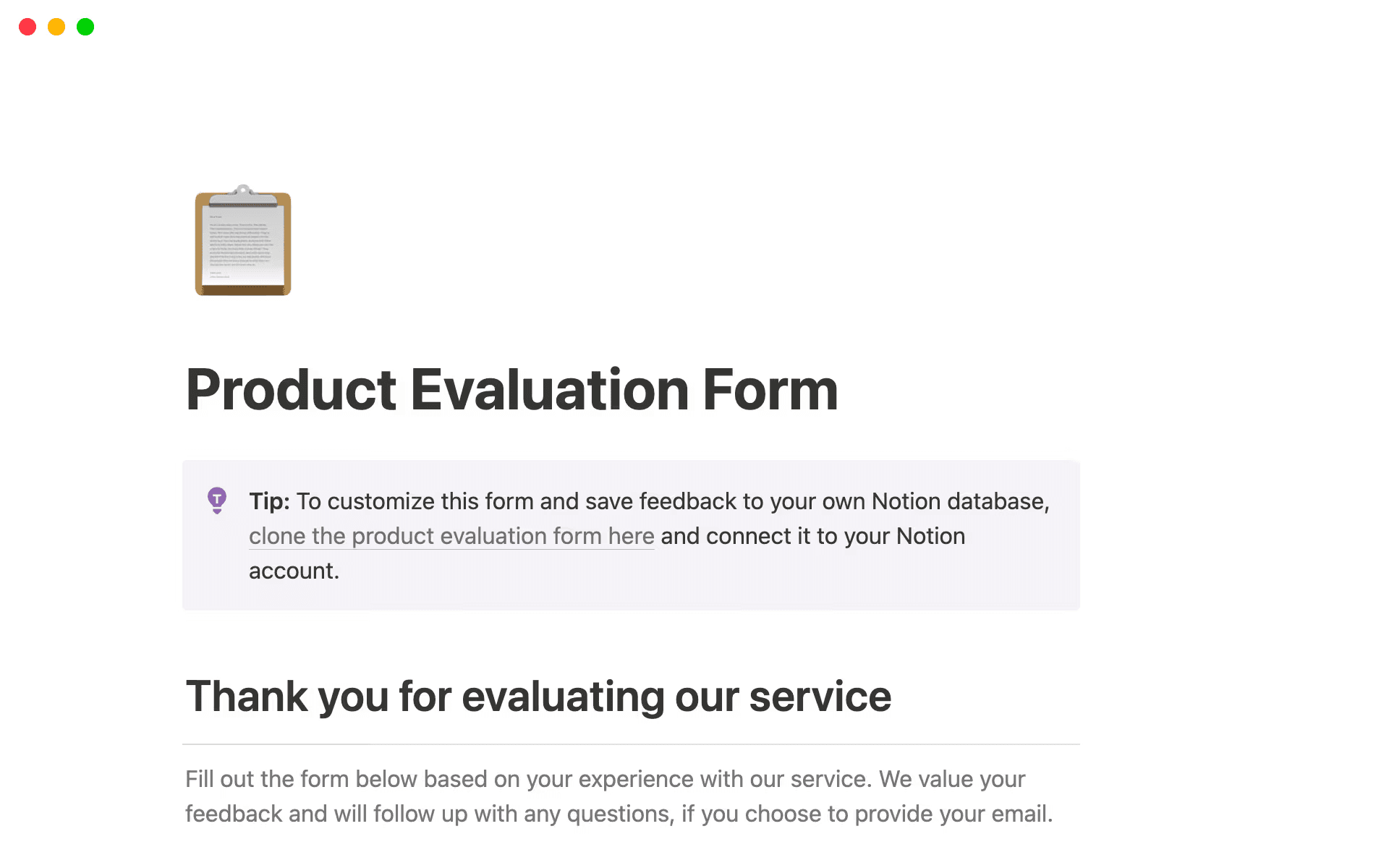
Notion’s product evaluation form template (Source)
2. Create a structured backlog database
Your product backlog database is where you turn raw inputs into structured backlog items. Having this kind of consistent structure makes it easier to evaluate, prioritize, and maintain work as the backlog grows.
To build that consistency, you’ll want to create a single backlog database that includes these fields:
Priority
Status
Owner
Effort
User story
Related product area
This structure lets you compare items side by side so the backlog supports decisions rather than simply acting as a tracking mechanism.
Template
Check out our product backlog template to help you get started faster.
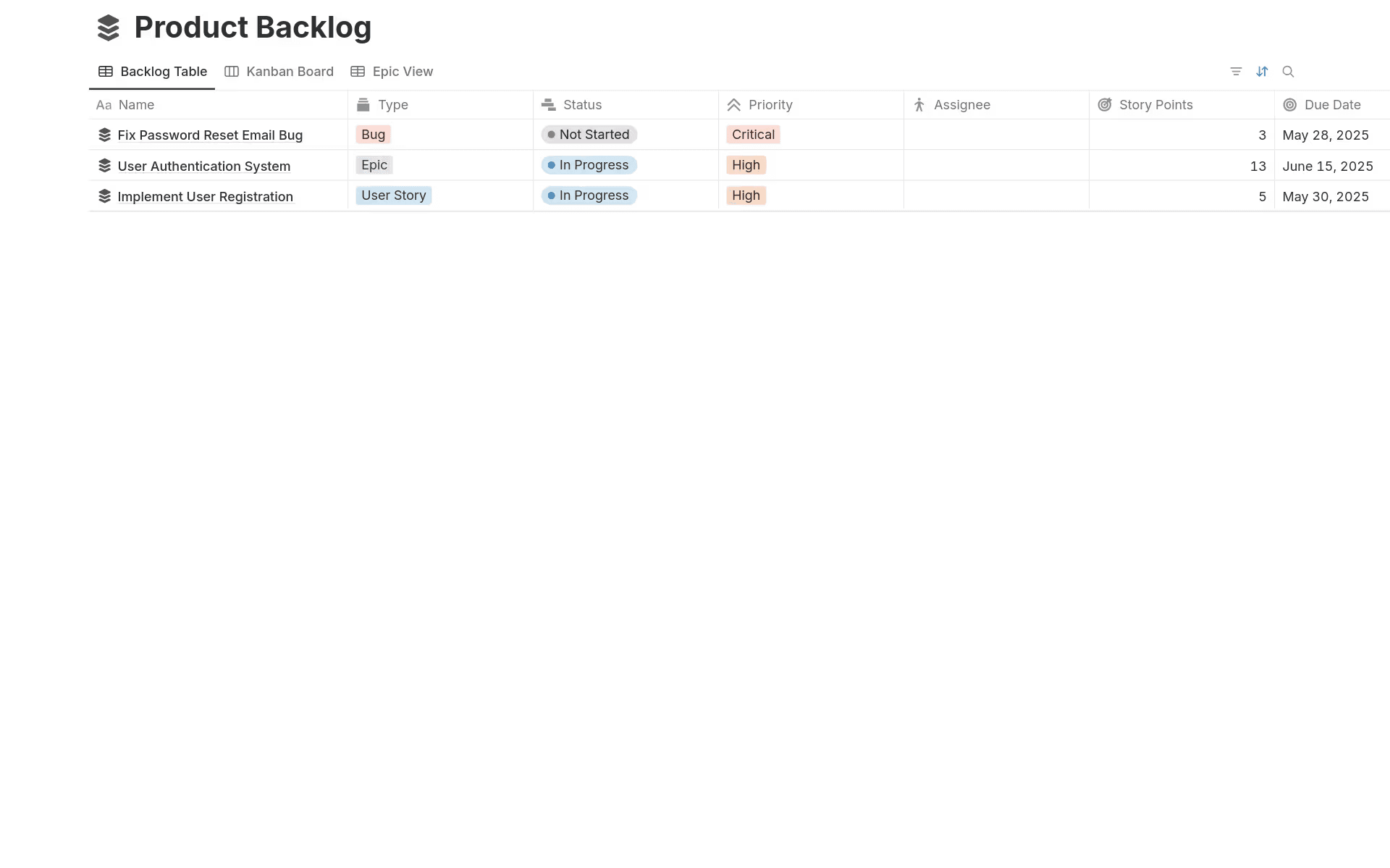
Notion’s product backlog template, which shows the task type, status, priority, assignee, story points, and due date (Source)
3. Connect docs, feedback, and roadmaps
Next, you should link backlog items to supporting docs, customer feedback, and roadmap goals so each item carries its context. After all, when you attach background decisions to the item, it becomes easier to prioritize what’s next.
In Notion, linking items across databases connects backlog work to the information that teams use to make decisions. That way, instead of guessing why an item exists or how it fits into larger goals, teams can trace each item back to its source.
Here's what you can link a backlog item directly to:
The documents that define it
The feedback that inspired it
The roadmap goal it supports
4. Use AI to draft, summarize, and tag items
Now comes the time to use Notion AI to speed things up. Here’s what it can help you do:
Draft backlog items from notes.
Summarize long feedback threads.
Tag items consistently.
Group similar requests.
Doing this reduces manual cleanup and makes it easier to review and reprioritize backlog items as new work comes in.
5. Convert priorities into execution
Once an item moves to the top of the backlog, prioritization ends and execution begins. The next step is connecting that work to delivery.
To do this, use Notion to link the backlog item to a roadmap milestone. Then, break it down into sprint-ready tasks in a sprint plan template or scrum template. Be sure to include clear owners and acceptance criteria, too.
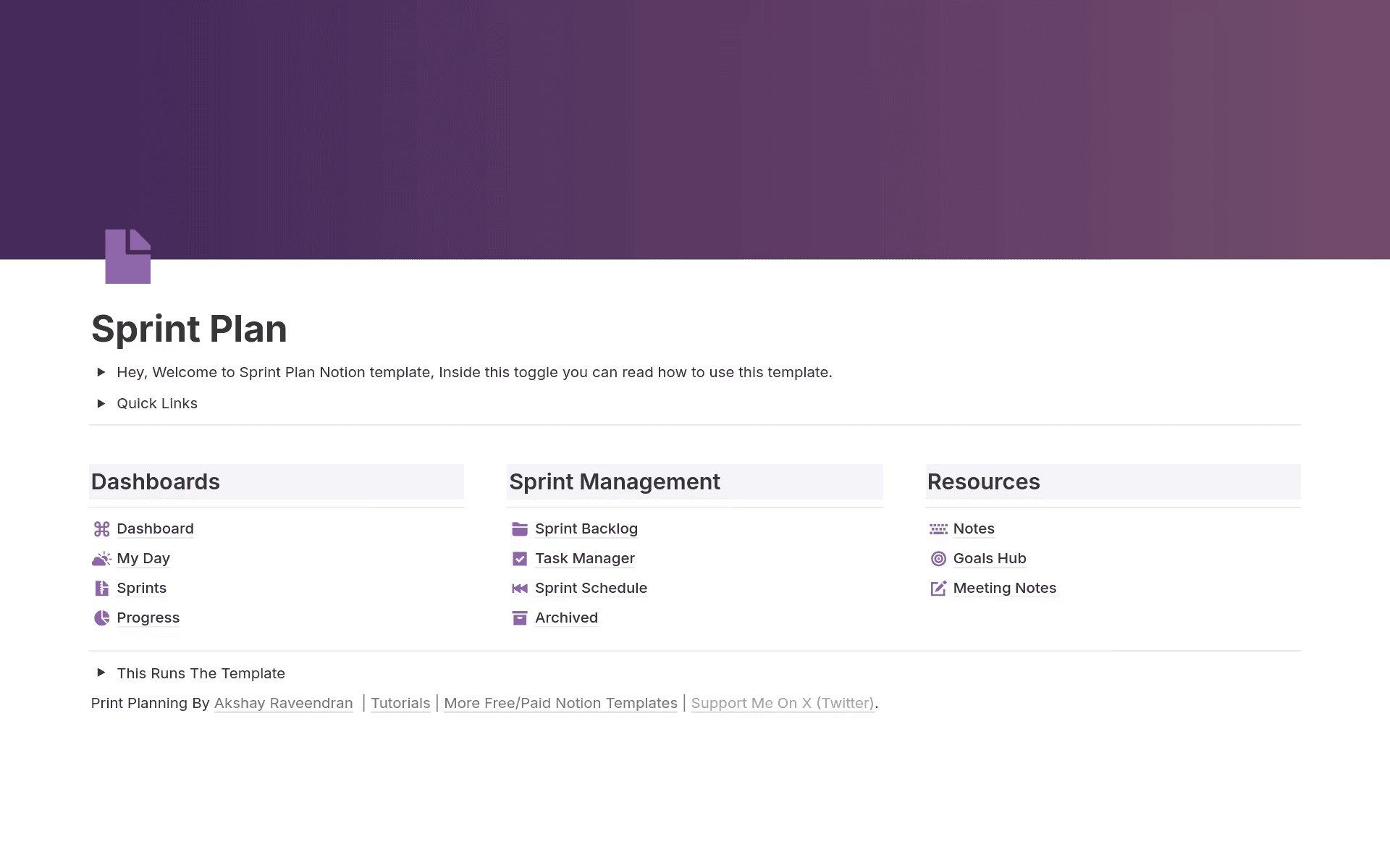
Notion’s sprint plan template, which provides a dashboard, sprint management, and resources (Source)
Build a better product backlog with Notion AI
A strong product backlog focuses and aligns your team so they’re ready to act as priorities change. Your teams can achieve that focus by keeping their backlog, docs, feedback, and roadmap connected in one place and using AI to reduce manual work. This kind of connected system allows product teams to move from prioritization to execution without losing context.
Want to reduce clutter and spend more time building what matters? Explore how Notion brings everything together for product management teams today.
*Source: Notion Internal Survey (N = 624). Respondents were Notion users in collaborative work environments across the US, UK, France, Japan, South Korea, Brazil, Australia, India, and Canada.