A guide to improving project tracking with Notion AI
Project lifecycles are supposed to be linear—plan, build, ship. But for most engineering, product, and design teams, the real experience looks quite different. For instance, roadmaps shift, specs splinter into multiple versions, and tasks drift away from decisions you made weeks earlier. And somewhere in the mix, teams lose track of what’s going on—not because they’re disorganized, but because knowledge is scattered across too many places.
This disconnect quietly slows teams down, leading to repeated decisions, manual reporting rituals, and an incomplete picture of what’s actually happening.
But when the project management tools you use connect your work and AI can interpret that shared context, project tracking becomes less about chasing information and more about moving forward with clarity. That’s the value of an intelligent, unified workspace—which is exactly what Notion AI provides.
What is project tracking?
Project tracking is the ongoing process of defining, planning, executing, and monitoring the work you put in toward a shared goal. In other words, it’s how you turn strategic intentions into tangible results. It involves capturing product decisions, defining what to build, breaking that down into tasks, executing, and then measuring where things stand.
For engineering, product, and design teams, that means juggling these layers:
A project roadmap that describes initiatives and outcomes
Specs or requirements that details what you’ll build
Project tasks and sprints that outline implementation
Status updates and reviews that track project progress and feedback
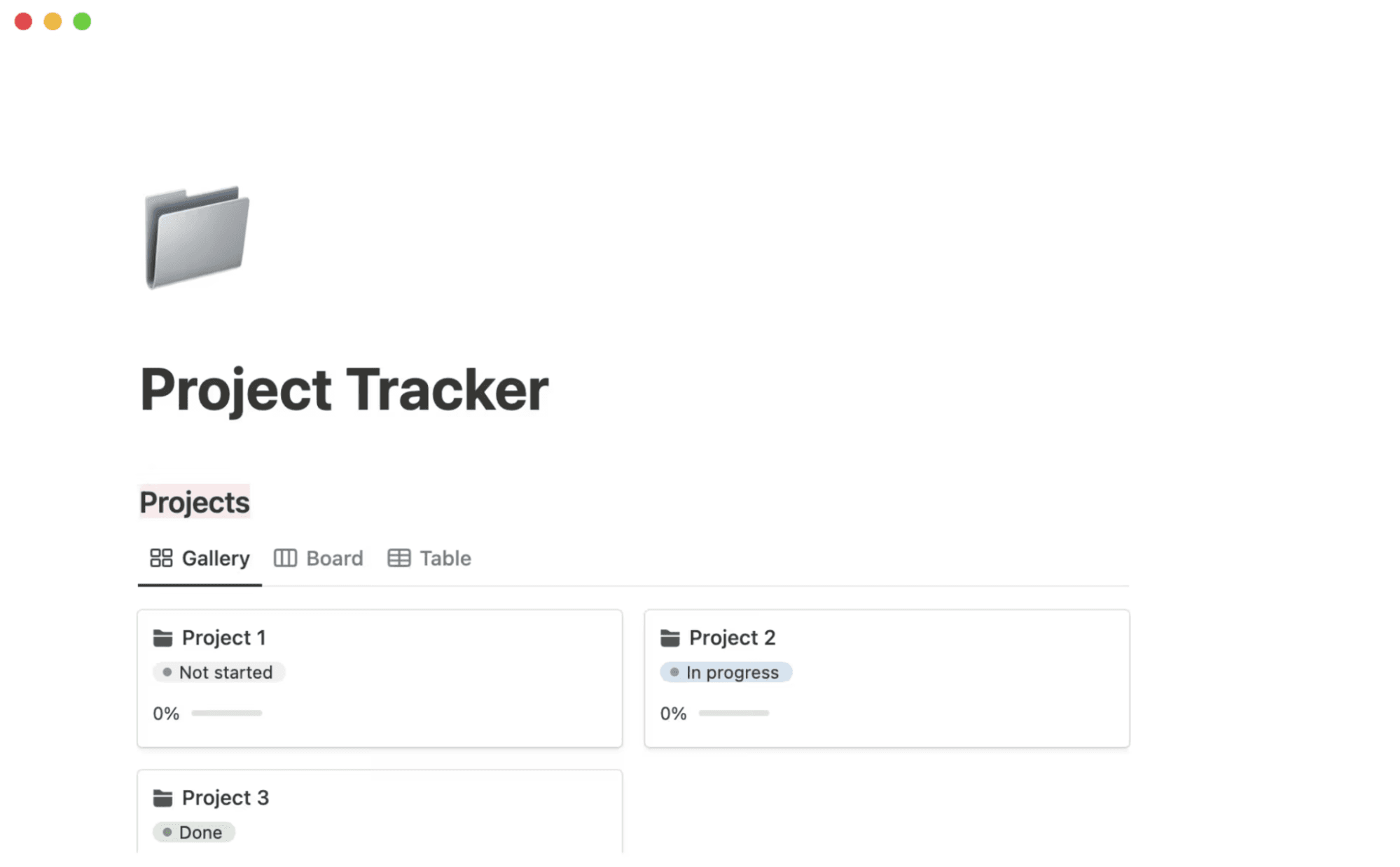
Sharon Joseph's project tracker template in Notion (Source)
Traditional project tracking methods often rely on a patchwork of tools, which creates silos that introduce friction at every step. That means teams spend more time searching for information and manually syncing changes than actually moving work forward.
But modern teams need a more agile approach, one where information flows naturally across systems, documents, and people. This creates a single source of truth, preserves context, and establishes a flexible environment that keeps pace with decisions.
What problems do teams face with traditional project tracking tools?
Teams often evaluate project management software based on its key features, such as time tracking, team collaboration tools, task tracking, and timeline views. But these features alone don’t solve the foundational problem if the underlying workflow remains disconnected.
To make project tracking truly effective across functions, you need a standards-based approach that takes these features into account:
Real-time dashboards that reflect the project’s actual state
Dynamic documentation that evolves with decisions
Flexible views for different teams’ needs
Structured workstreams that connect strategy, specs, and execution
A unified doc and database model, like the one that Notion offers, can serve as the foundation for nonlinear collaboration and teamwork, where everything is linked and up-to-date.
Here are some problems you’ll likely run into without this type of approach:
Fragmented roadmaps, tasks, and documentation
These days, no one is immune to SaaS sprawl. According to Zylo’s 2025 SaaS Management Index, the average company had a portfolio of roughly 275 applications in 2024. Organizations with small teams of 500 employees or fewer used an average of 152 apps, while enterprises of 10,000 employees or more relied on 660 apps on average.
In many product development workflows, the following are true:
Project plans live in slide decks or Excel spreadsheets.
Specs remain isolated in Word docs or shared drives.
Teams track tasks and subtasks in a separate ticketing system or project tracking software.
Meeting notes live in another place entirely.
Each system reflects a different “source of truth,” so when product decisions shift mid-quarter, teams don’t always update specs, engineers build against stale requirements, and no one really knows which documents are correct. This fragmentation introduces inconsistency and duplication, which forces teams to waste time reconciling versions rather than building.
Gaps in visibility across engineering, product, and design
Each discipline approaches work differently. For instance, product teams need outcome-level clarity, engineering needs technical detail, and design needs context. But when artifacts live across different tools, no one has a complete view of the project.
These are the consequences of this approach:
PMs are frantically piecing together where engineering is in the build.
Engineers are building toward the wrong project goals.
Designers are working from outdated specs.
Leaders are flying blind on dependencies or cross-team risks.
Visibility shouldn’t be a scavenger hunt—it should be automatic.
Manual status reporting and inconsistent updates
Every week, someone compiles project status updates on sprint progress, remaining tasks, and bottlenecks. Another person might combine meeting notes into a summary, and a third may map dependencies. These manual processes mean that reports will be outdated the moment they’re written, blockers will slip through the cracks, and dependencies will go unnoticed.
When project tracking relies on manual effort, it will always be delayed, incomplete, or inconsistent.
Slow decision capture and disconnected meeting outcomes
Meetings produce decisions like changes to project scope, milestones, or due dates. But those changes often sit in Slack threads, meeting notes, or personal docs, not tasks or specs.
This means that teams lose decisions, follow-up is unclear, and no one knows who owns what. The next time someone questions why something changed, no record exists. That knowledge is gone for good.
How does a connected workspace improve project tracking?
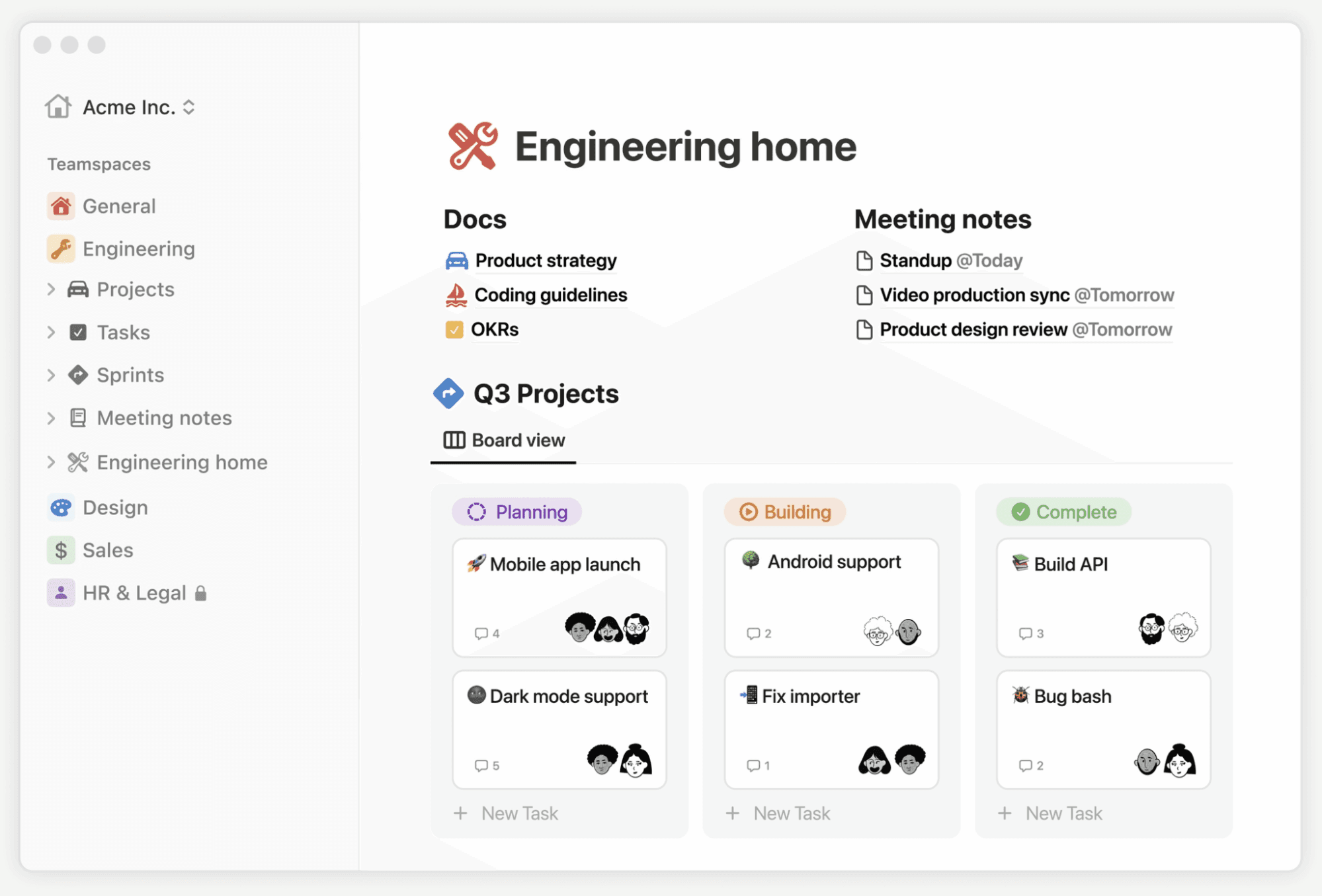
An example connected workspace in Notion, showing docs, meeting notes, and tasks (Source)
Imagine a workspace where product roadmaps, specs, tasks, meeting notes, and cross-team decisions all live together—connected, searchable, and automatically updated. That isn’t just integration. It’s reunification—knowledge and action are inseparable.
This is what a connected workspace accomplishes. It removes friction, reduces cognitive load, and unifies everything your team does. Here are a few examples of how that happens:
Centralized project information creates a single source of truth
When all your project data lives in the same place, everyone will know where to look—no checking Slack or digging through old folders.
This means updates happen automatically. For example, when you change a spec, the linked tasks will reflect that change. Or when a roadmap milestone shifts, tasks and project timelines will adjust accordingly. No more duplicate doc versions or lost context—just a living workspace that evolves with your work.
Linked roadmaps, tasks, and specs eliminate context gaps
In a connected project workspace, these things will happen automatically:
A roadmap item links to its spec document.
The spec links to implementation tasks and tickets.
Tasks feed progress back up to roadmap-level views.
That chain keeps context intact. Then, if something changes at the top level, downstream work doesn’t break silently. Instead, everything remains coherent and easy to track.
Shared views and standardized workflows maintain alignment
Different teams often want different views. For example, engineers might prefer a sprint board, while designers want handoff checklists.
With a unified model, each team can build tailored views without duplicating work. That way, everyone sees a different perspective, but the underlying data is still the same.
Reduced tool sprawl improves cross-functional clarity
Every tool that your team members use carries overhead due to context switching, permissions, onboarding, and maintenance. That’s because the more tools you have, the more noise you’ll get.
A connected workspace reduces that noise by combining multiple apps into one. Instead of juggling several tools, your team can focus on what matters: delivering value.
How does AI enhance project tracking?
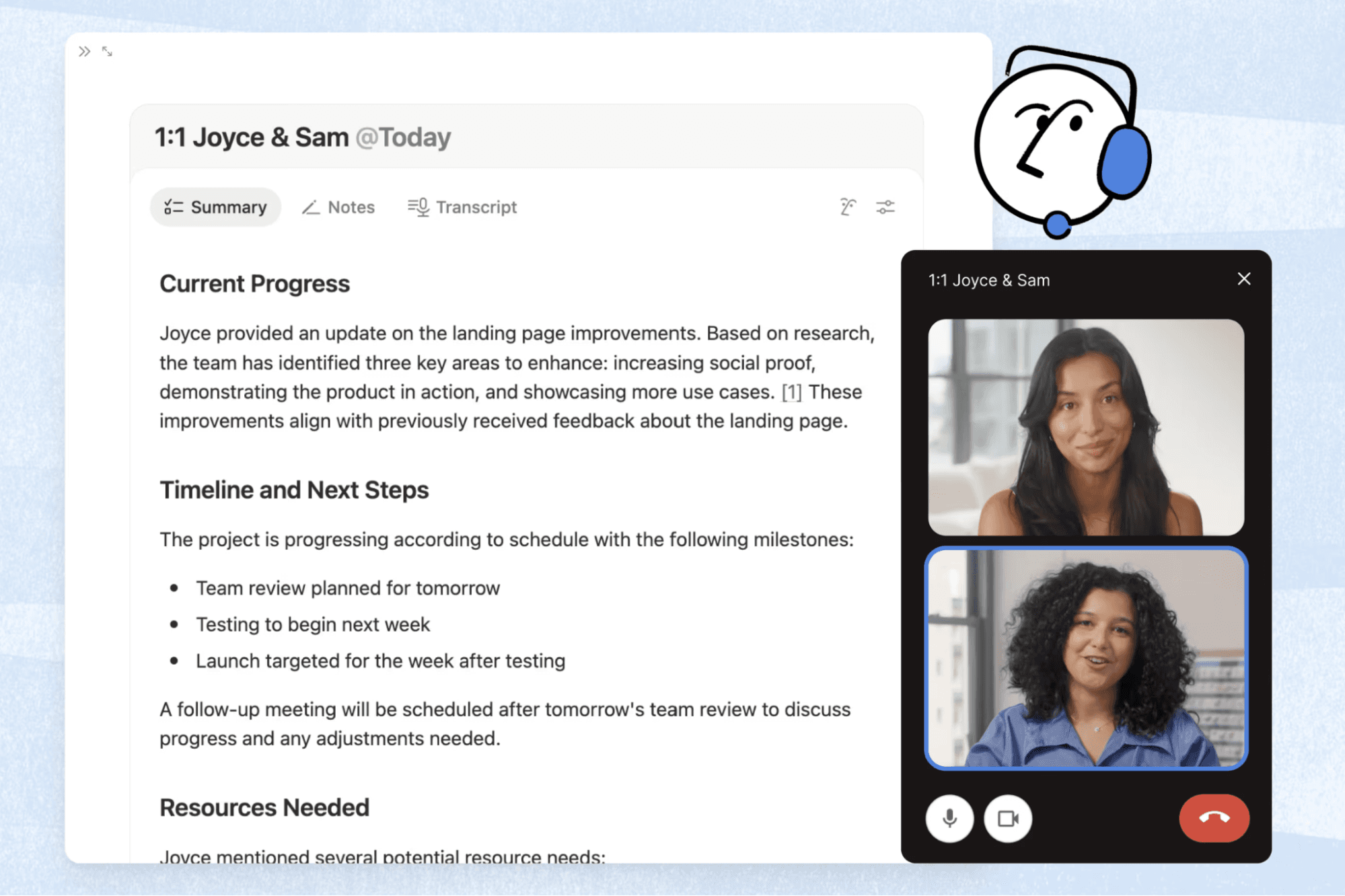
Example Notion’s AI Meeting Notes feature, summarizing a 1:1 meeting (Source)
While a connected workspace solves structural problems, AI acts as a force multiplier. This means that instead of just storing and linking information, AI transforms it into actionable insights.
According to a 2025 survey by the Association for Project Management, project professionals who already use AI report seeing clear benefits from using it across these key project functions:
50 percent say that it aids task and schedule automation, resource allocation, and risk analysis.
49 percent note that it helps with reporting and dashboarding.
43 percent feel that it improves stakeholder communications.
Here’s what AI brings to the table:
Automatic meeting summaries: AI captures key decisions, action items, and next steps during every call. Notion AI in particular can then use these notes to automatically assign owners, priority levels, and due dates to tasks so follow-through isn’t optional.
Auto-updated project summaries: It reduces manual workloads by generating project performance updates for stakeholders as tasks shift or teams complete them.
Blocker detection and alerting: It can also surface overdue tasks, dependency conflicts, or stalled work before they lead to schedule risks.
Context-aware routing: These tools can tag and notify the right owners when a spec changes or a dependency moves.
Cross-tool and cross-document search: AI can help you retrieve information instantly by searching across all your apps simultaneously and providing answers with context. For instance, Notion’s Enterprise Search helps you create weekly summaries of work across apps like Jira, Figma, GitHub, Google Drive, and Microsoft Teams.
Pattern detection and risk identification: It can highlight recurring issues, bottlenecks, or workflow inefficiencies so teams can address them before they become disruptive.
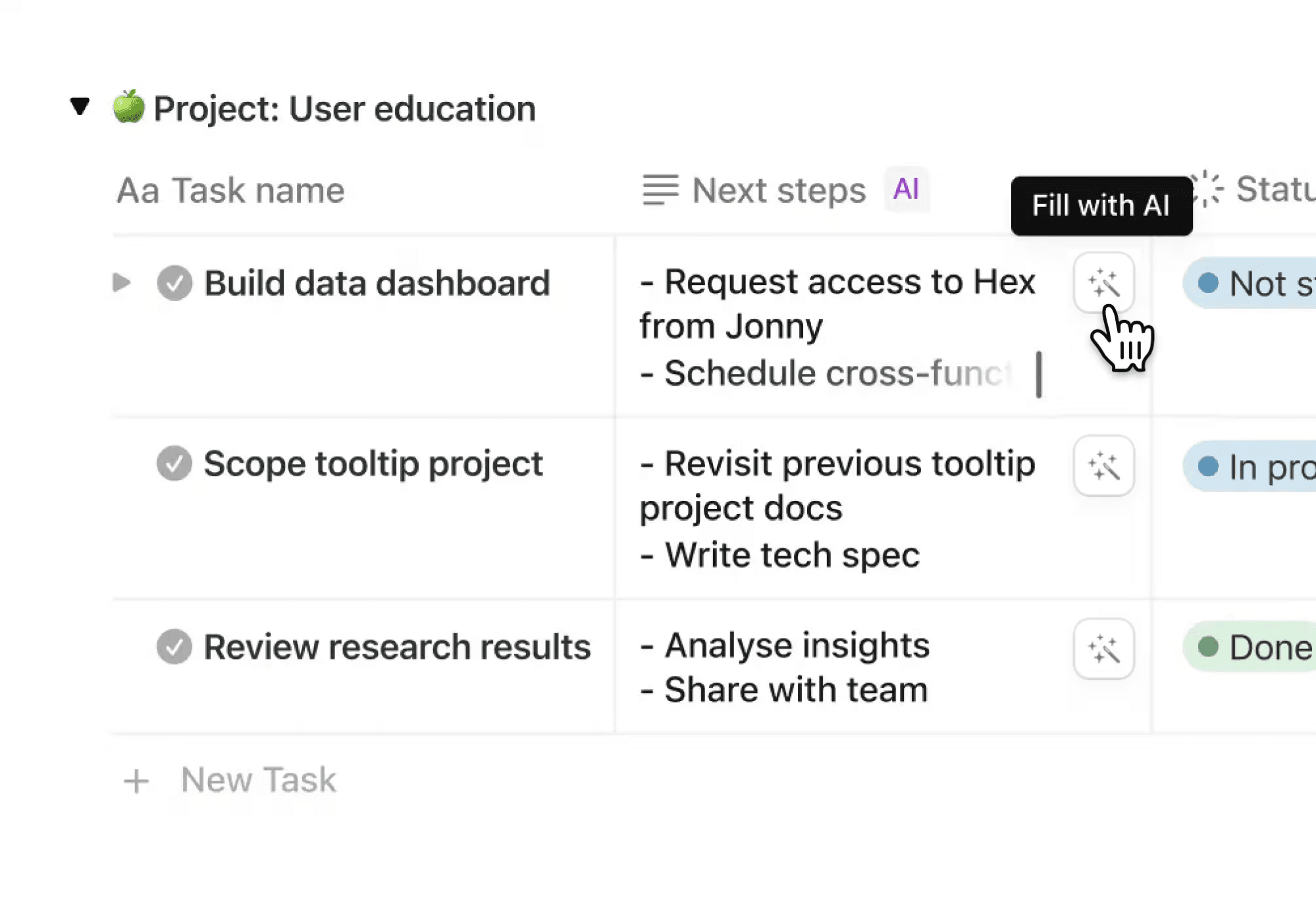
Notion AI automation use case (Source)
AI’s value is immediate:
Faster decisions: No more waiting for manual updates or sync meetings.
Less manual overhead: You’ll spend less time reporting and more time building.
Early risk detection: You’ll spot problems before they block delivery.
Better alignment: Everyone will see the same truth in the same workspace.
Clearer accountability: Tasks, decisions, and ownership will stay up-to-date as your team works.
How can you improve project tracking for cross-functional teams?
Adopting a connected, AI-driven approach requires discipline and intentional design. Here’s a practical, four-step playbook to help your team make the shift:
1. Centralize project artifacts in a single workspace
To get started, bring everything into one workspace. Here’s what you should focus on moving over:
Roadmaps
Feature specs and technical docs
Sprint boards, backlogs, and tickets
Design assets and handoff notes
Meeting notes and action items
You can get started quickly by using Notion’s free project management templates to structure this information and build relationships between it. Here are a few helpful templates:

Helpful Tip
Once you’ve chosen a template, check out our guide on using linked databases or watch the video below to learn how to build an ideal project roadmap.
Uh-oh! It looks like your ad blocker is preventing the video from playing.
Please watch it on YouTube

2. Standardize views, taxonomies, and cross-team workflows
After you’ve created the foundation for your project tracker, you should set these common standards across teams:
Define shared fields, such as priorities, owners, phases, impacts, and risks.
Use templates for specs, tasks, and product requirements documents.
Create clear workflows, such as spec → task → review → done.
Build views tailored to each function, like these:
Product: Roadmap, backlog, quarterly plan
Engineering: Sprint board, open tickets, dependencies
Design: Handoff checklist, review board, asset tracker
Notion lets you add as many views to an existing database as you’d like, including tables, lists, boards, galleries, calendars, or timeline layouts, among others. This kind of shared structure ensures that everyone communicates using the same language, even if they’re looking at the work from different angles.

Helpful Resource
Check out our guide on using database views to learn how to set them up.
3. Use AI to automate reporting and reduce repetitive work
Once you organize and link your workspace, let Notion AI do the heavy lifting for these tasks:
Generating weekly or milestone-based status reports automatically from database changes
Creating summaries and auto-generating action items and tasks after meetings
Flagging blockers like overdue tasks, dependencies, and unclear specs
Searching across docs, apps, and history when you need to trace context or decisions
Surfacing patterns—such as repeated delays on tasks with unclear specs—and suggesting process tweaks
4. Build shared dashboards for cross-functional teams
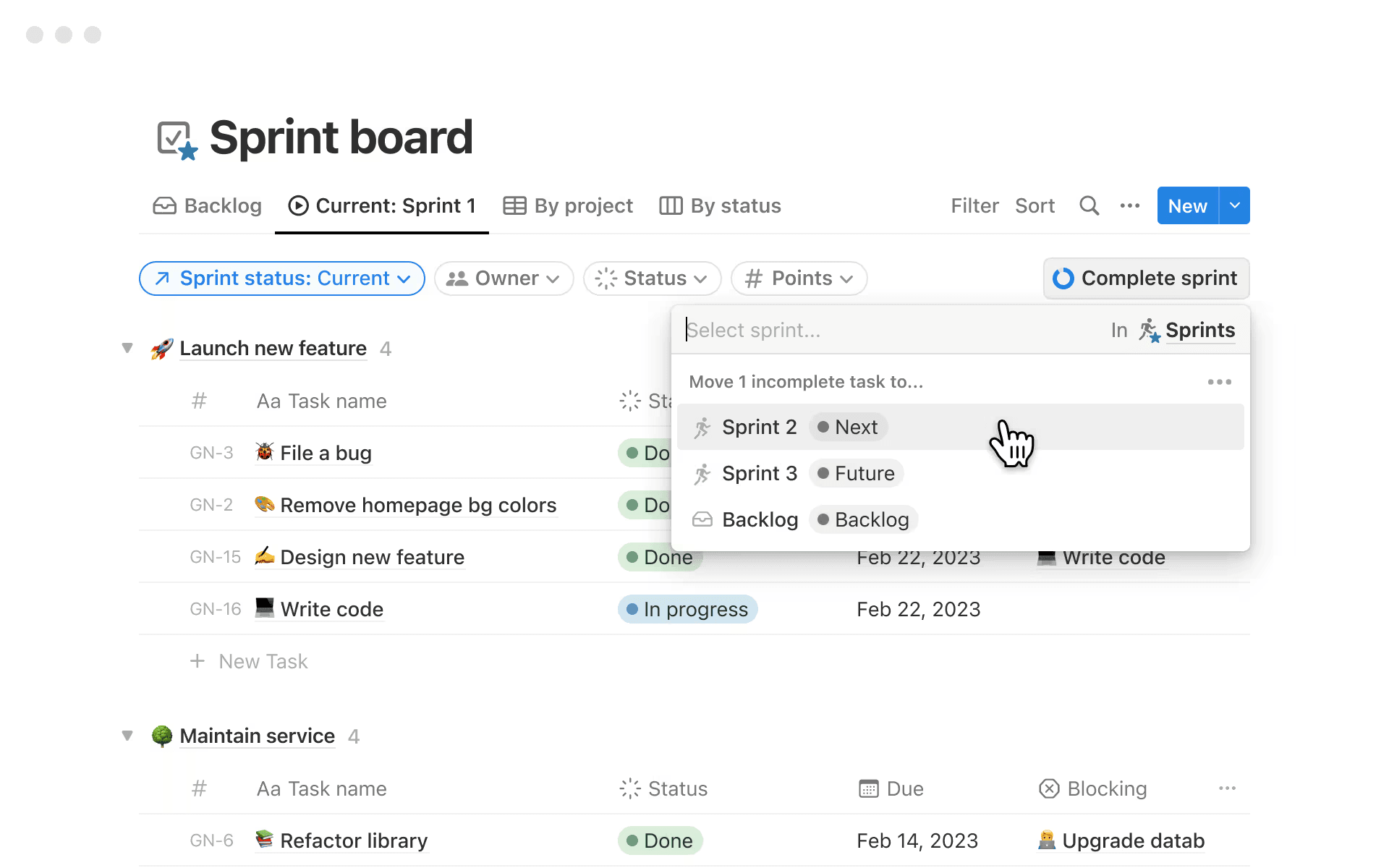
A sample sprint board in Notion (Source)
Now, it’s time to create shared dashboards that act as your alignment control center. Here’s what you can build:
Rollup roadmap dashboards for product and leadership
Sprint boards for engineering
Design review and open question trackers for design
Risk, dependency, and milestone views for cross-team coordination
Because all dashboards draw from the same connected data, updates anywhere can go everywhere. That means everyone stays aligned—without sending another email.
Get started with Notion AI for end-to-end project tracking
A connected workspace—especially one that AI powers—can make a huge difference when it comes to effective project tracking. Notion AI in particular centralizes your work, standardizes your workflows, and automates your busywork so you can deliver projects with greater clarity, predictability, and speed. With it, decisions won’t go missing, specs will stay current, tasks will be meaningful, and dashboards will reflect reality.
It’s not magic, though—it’s just a smarter way to work.
Ready to experience the future of project tracking? Try Notion AI for free today to learn how you can transform the way your team plans, builds, and ships.


