Notion AI settings overview
Learn how workspace owners use Notion AI settings in the AI Command Center to manage AI access, controls, credits, and usage.
Jump to FAQsUse Notion AI settings to manage how your workspace uses Notion Agent and Custom Agents. Manage model controls, credit balances and limits, usage, connected apps, and AI insights in one place.
This article is for workspace owners on the Business or Enterprise plan. If you're a member, read Manage your AI credits instead.
Your workspace needs to be on the Business or Enterprise plan.
You must be a workspace owner. Some settings, like turning on a model or setting credit limits, are also available to admins.
In your sidebar, go to
Settings.Select
Notion AI.Use the tabs across the top to move between sections.
Overview: See how your workspace uses credits by month, day, credit type (Standard, Select, or Notion), or feature. Find members who are nearing their limit or have requested more credits. The tab also lists each agent, its owner, type, number of runs, and credits used. You can change an agent’s model from the table.
Controls: Choose which model providers and models people can use with Notion Agent and Custom Agents. Set the default model for new Custom Agents, and choose who can create agents: everyone, workspace owners only, or selected members and groups. Restricting a model provider changes the quality and efficiency of Auto. Learn more about restricting a model provider for your workspace →
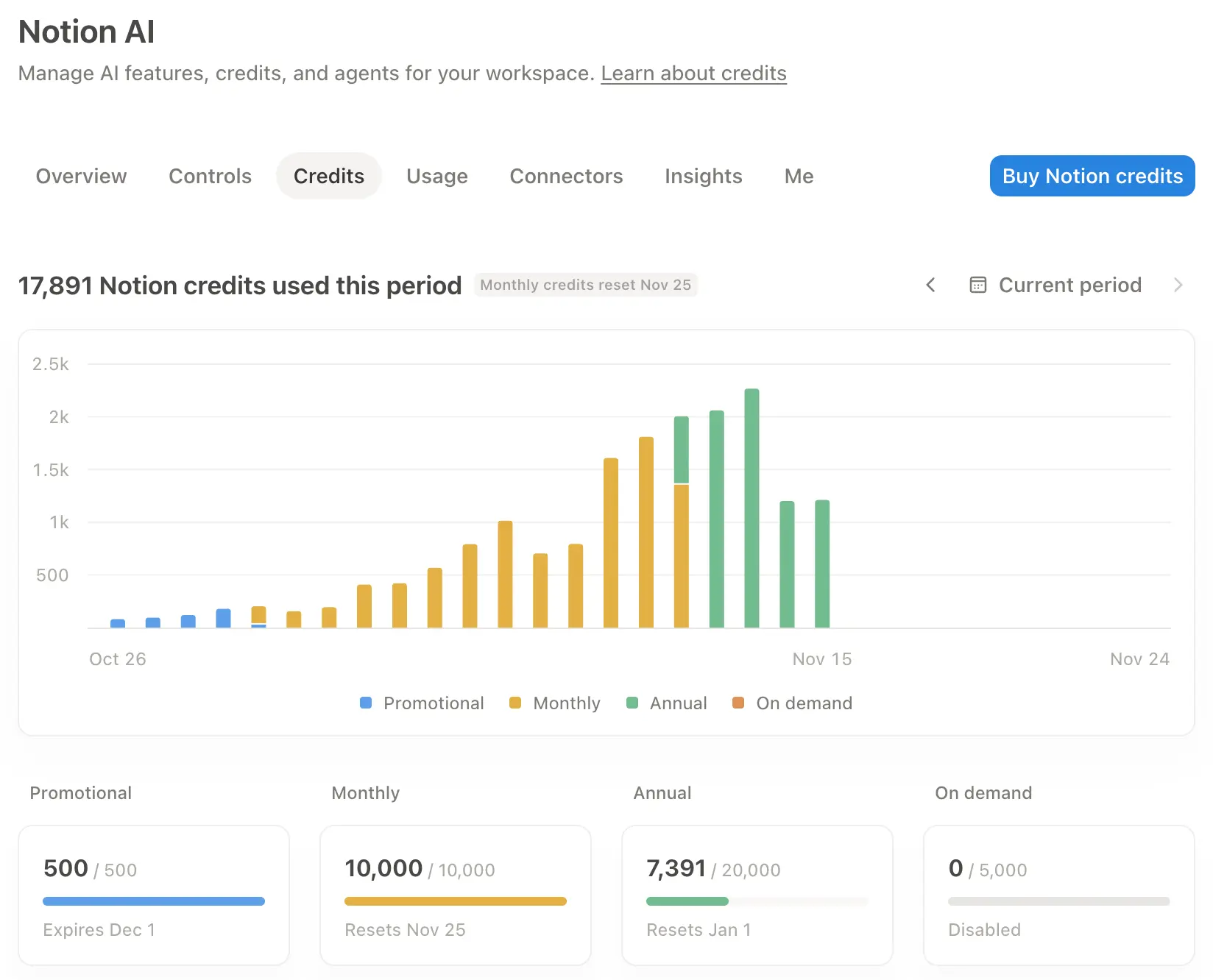
Credits: See each credit type's balance, reset date, and expiration date. Buy more Notion credits, and set default or custom credit limits for members, groups, and agents. You can also choose Unlimited to remove an individual limit, and choose members to help manage and review credit requests.
Usage: See a detailed breakdown of credit usage by member, group, and agent to understand where your workspace’s credits are going. Export usage data as a CSV or use the Admin API to create your own reports.
Connectors: See which apps your workspace can connect to Notion AI and which apps are already connected.
Insights: See the kinds of work people across your workspace do with AI. Use these insights to understand how your team uses AI and share helpful workflows.
Me: Your own credit usage breakdown and personalization settings, plus a list of the agents you own. All members have this tab.
When a member or an agent needs more Notion credits, they can send a request instead of waiting on the default limit. Go to Settings → Requests to review, approve, or decline requests for workspace credits, Custom Agent funding, and higher limits. Learn more in Review requests for Notion credits →
Workspace owners and admins on the Business or Enterprise plan can open Notion AI settings, including the
Overview,Controls,Credits,Usage,Connectors, andInsightstabs.Members can see their own usage and personalization settings under the
Metab, and any Custom Agents they own, but can't change workspace-wide controls or limits.

Note: Only workspace owners can review and approve credit requests, and they can route requests to a chosen group instead of handling them alone. Learn how to review requests for Notion credits →
Decide who reviews requests ahead of time. Assign a group or a few people to review and approve requests, so they don't pile up on one person.
Find what's driving the spend before you approve. Start with the member, then look at the agents they own and the model each agent uses. For example, a busy agent running on a costly model may be the real cause. Switching it to a more efficient model can reduce its spend without adding credits.
Give access with a limit instead of raising the default. Assign the requester to a credit limit that fits, or make a new one, so one person or team gets more room while everyone else stays the same. You can set a limit for a whole group at once.
Remember approving doesn't buy credits. Access still depends on the credits your workspace has available. Keep an eye on usage over time so you can plan your budget and buy more before you run low.
Encourage
Auto. When members use for everyday work, their credits go further, which means fewer requests.Encourage fund shared agents. Shared Custom Agents are funded with workspace Notion credits, so they don’t draw down one member's balance.
More resources:
FAQs
Does Notion AI settings replace Access & billing?
Does Notion AI settings replace Access & billing?
No. Access & billing still covers your Notion plan and payment details. Notion AI settings is where you manage AI-specific controls, credits, and usage.
The Notion credits page will be removed on Nov. 2, 2026. After that, manage credits from the Credits tab in Notion AI settings.
Can I export the usage data?
Can I export the usage data?
Yes. You can export usage data as a CSV or pull it with the Admin API to bring it into your own reporting.
What happens if my workspace runs out of Notion credits?
What happens if my workspace runs out of Notion credits?
Custom Agents and premium models pause automatically until credits reset or an admin adds more. Learn more about what happens if you run out of credits.
Can members see what other members or agents are spending?
Can members see what other members or agents are spending?
No. Members only see their own usage and agents under the Me tab. Workspace-wide breakdowns in Overview and Usage are only visible to owners and admins.