Start med en skabelon
For at hjælpe dig med at tage en række udfordringer op med Notion, har vi skabt masser af skabeloner, som du kan tage og tilpasse som dine egne – herunder nogle startskabeloner, som allerede er i dit arbejdsområde! Sådan bruger du dem.
Gå til Ofte stillede spørgsmålNår du først tilmelder dig Notion, vil du se en samling af skabeloner i din sidemenu. Disse er udvalgt til dig baseret på det, du fortæller os under onboarding. Du kan vælge at tilføje dem til dit arbejdsområde og bruge dem, eller du kan slette dem.
Sådan sletter du en skabelon:
Klik på
•••til højre for sidenavnet.Klik på
Slet.
Notions Marketplace indeholder tusindvis af skabeloner bygget til mange formål af Notion-brugere over hele verden, som du kan bruge til at komme i gang i Notion eller blive inspireret.
Sådan får du adgang til Marketplace, finder skabeloner og tilføjer dem til dit arbejdsområde:
Gå til
Marketplacei din sidemenu.Når du finder en skabelon, du kan lide, kan du vælge
Tilføj(hvis skabelonen er gratis) eller vælgeKøb for {price}øverst på siden for at tilføje skabelonen til dit arbejdsområde.
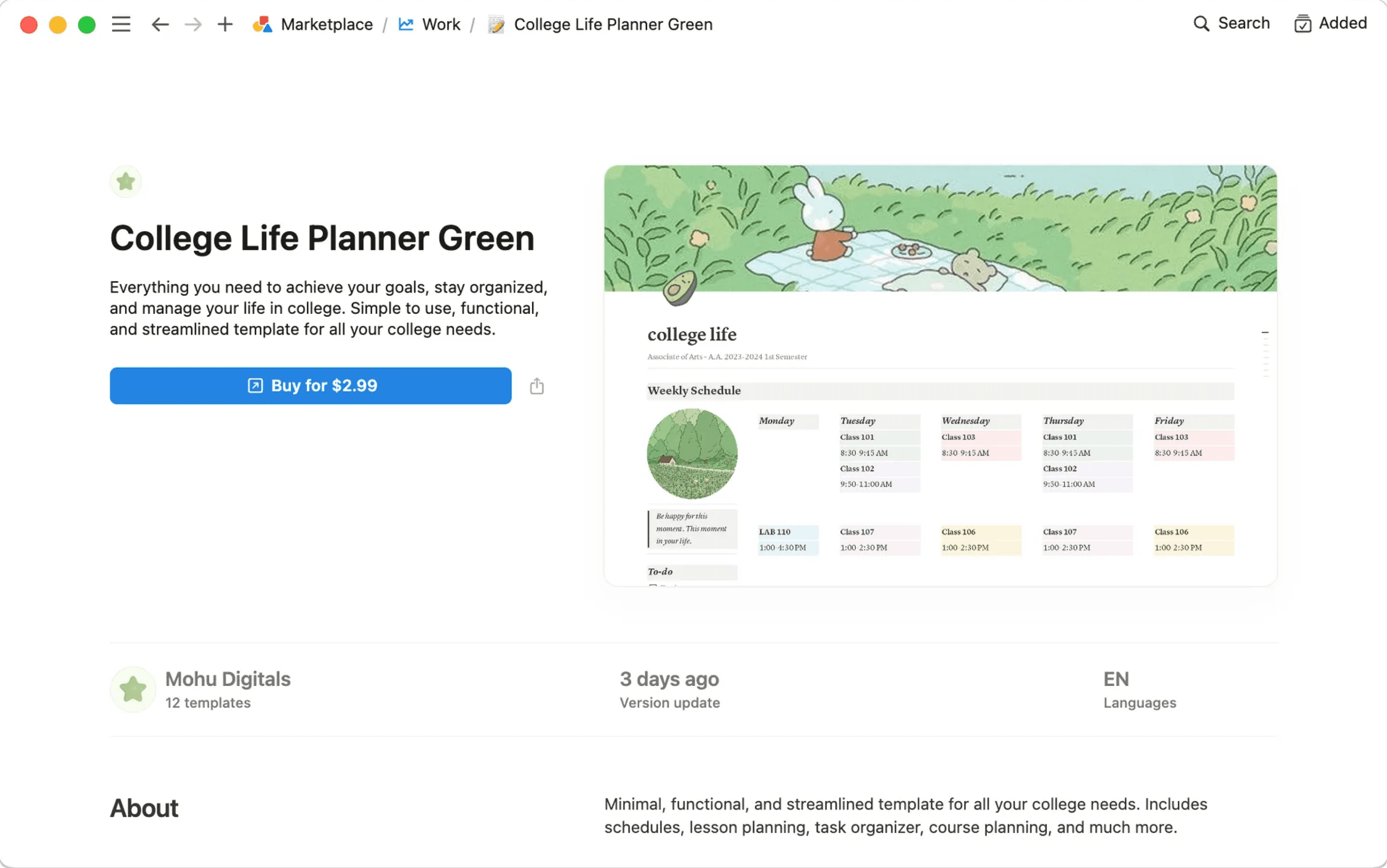
Når skabelonen er tilføjet til dit arbejdsområde, kan du finjustere den, så den passer præcis til dine behov. Læs mere om at finde skabeloner på Marketplace her →
Ofte stillede spørgsmål
Kan jeg lave min side om til en skabelon, som jeg kan bruge andre steder i mit arbejdsområde?
Kan jeg lave min side om til en skabelon, som jeg kan bruge andre steder i mit arbejdsområde?
Den bedste måde at gøre dette på er:
Hav en tom version af din skabelonside i dit venstre sidepanel.
Klik på
•••ved siden af sidens navn i dit sidepanel, og derefterDuplikér, når du har brug for en ny kopi.
Afhængigt af din brug kan disse muligheder være nyttige!
Du kan hurtigt duplikere bidder af indhold med en skabelonknap. Perfekt til at skrive dagbog! Mere om det her →
I databaser kan du oprette nye databaseposter med egenskaber og sideindhold allerede udfyldt ved at bruge databaseskabeloner. Mere om det her →
Kan jeg anmode om en skabelon til noget?
Kan jeg anmode om en skabelon til noget?
Ja! Vi sætter pris på dine ideer. Tweet dem til os på @NotionHQ (med hashtagget #template), eller send dem til vores team på [email protected].