发布 Notion 站点
你在 Notion 中构建的任何页面只需点击一下即可变成美观的 Notion 站点。发布博客、简历或作品集、职位上架信息、网站到达页——可能性与网络本身一样广阔。
跳转到常见问题使用 Notion 站点,你可以:
把页面发布到网上。
如果你使用的是付费方案,你还将解锁站点的额外 自定义 功能,包括搜索引擎优化、主题、Google Analytics 集成等。你还可以购买附加服务选项以 将现有自定义域名用于站点 等。
了解更多关于 Notion 站点功能可用性和价格的信息 请点击此处 →
发布 Notion 站点:
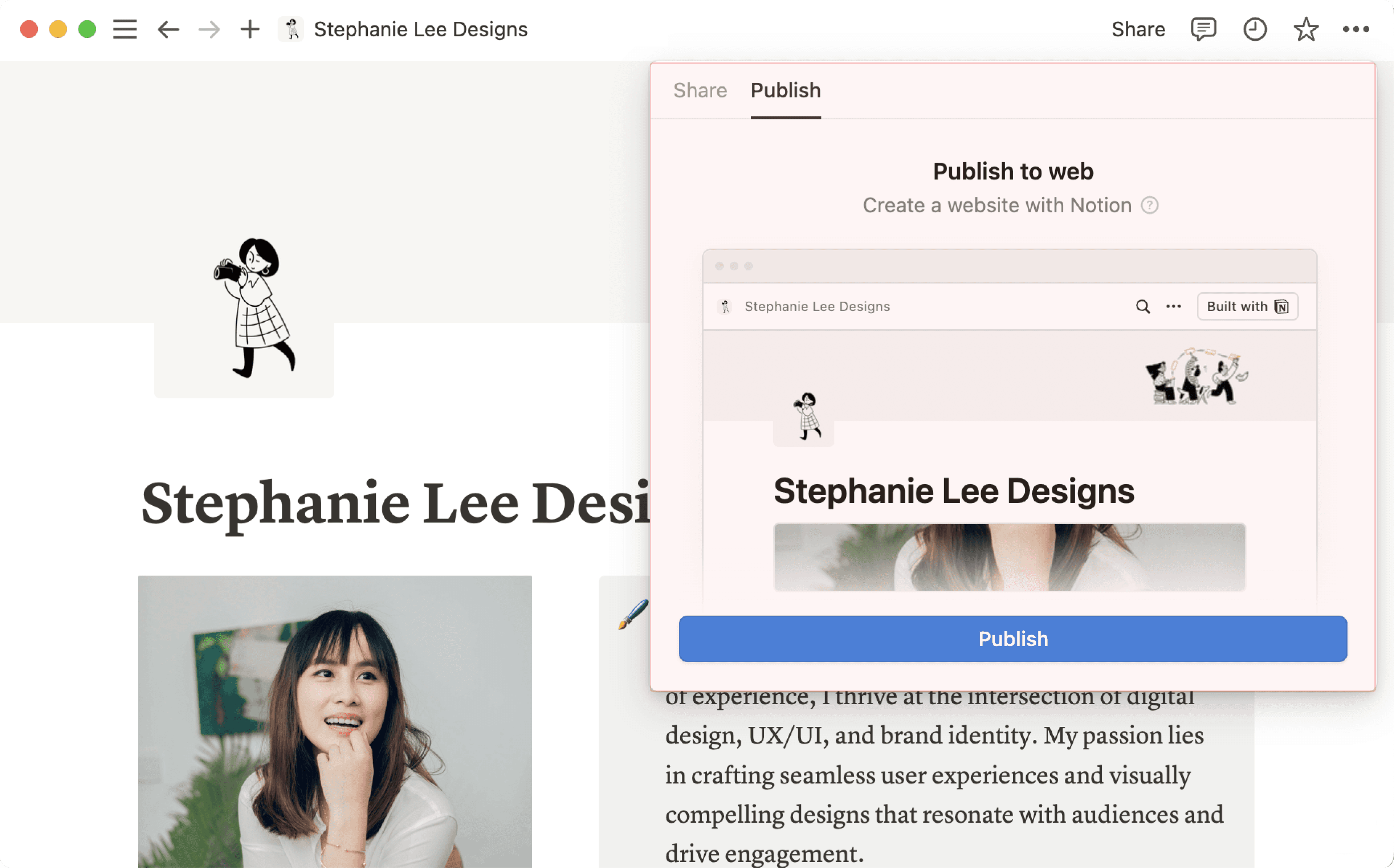
打开你想发布的页面,并点击页面顶部的
分享。打开
发布选项卡。点击
发布。
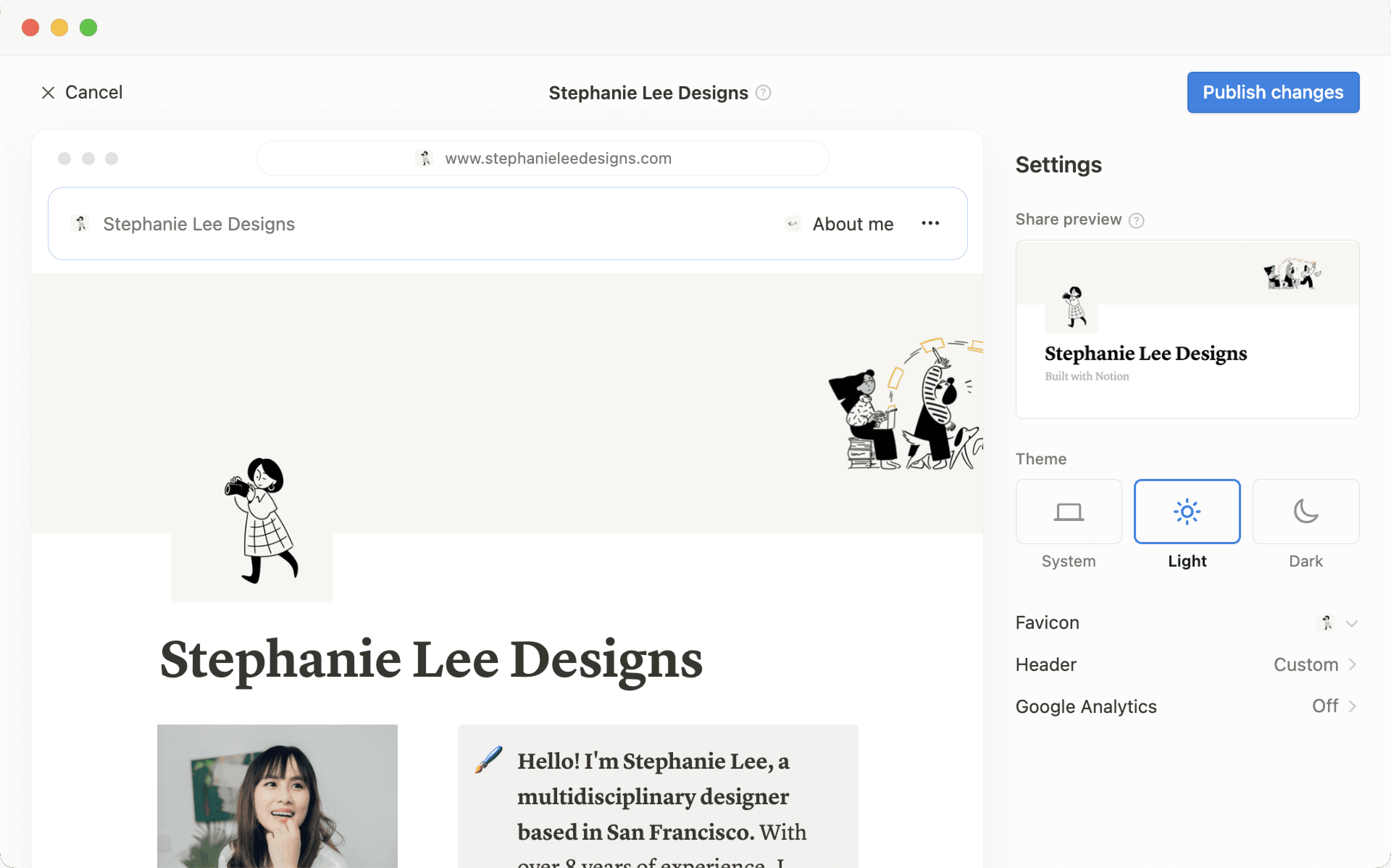
点击 查看站点,即可在网页上查看你的 Notion 站点!当你对已发布的 Notion 页面内容进行更改时,站点会自动更新。
将你发布的任何 Notion 页面(如表单、图表、数据库等)嵌入到非 Notion 网站中。
在已发布的页面上,点击
嵌入此页面。在嵌入模块中,点击
拷贝此代码。你可以可选地切换
显示页面标题。
将代码粘贴到你网站的 HTML 文件中;如果你使用的是网站生成器,这通常是一个代码块。

提示:将 Notion 页面发布到网络意味着其所有子页面也将被发布。在点击发布之前,请确保你的页面中所有子页面都已准备就绪!

点击 此处 → 了解如何构建美观且可随时发布的 Notion 网站。
Notion 站点发布后,在 Notion 中打开已发布的页面,然后选择顶部的 分享 → 发布。在此菜单中,你可以:
复制你的 Notion 站点链接,以便与他人共享。
如果你使用的是付费方案,则可以自定义 Notion 站点的 slug(即域名后的路径名)。例如,在 URL
notion.site/my-slug中,my-slug就是 slug。要自定义此项,请点击当前的 slug,输入你想要的 slug,然后点击Save。slug 可由字母、数字和连字符组成,不允许使用其他特殊字符。
你的 slug 最多可包含 60 个字符。
主页不能设置 slug。
你需要为每个 Notion 站点手动设置 slug。特定页面的 slug 不会自动应用于任何子页面。
你不能在工作空间内的不同页面使用相同的 slug,即使这些页面发布到了不同的域名。

重要提示: 一旦永久删除已发布的页面,其 slug 将无法再次使用。如果你认为以后可能还需要使用同一个 slug,请在删除页面 之前 更新 slug。
选择
Site customization以进一步个性化你的 Notion 站点。在 此文章 → 中了解更多关于自定义站点的信息。选择
搜索引擎索引并开启Discoverable on the web,即可让你的站点在网络上被搜索到。如果你使用的是付费方案,还可以编辑链接标题和描述,以进行搜索引擎优化。已启用
Duplicate as template,允许网站访问者将你的 Notion 站点复制为他们自己工作空间中的 Notion 页面。选择
嵌入此页面并已启用显示页面标题,或者选择拷贝代码,将你的 Notion 站点嵌入到其他页面中。选择
All published sites以管理你的所有站点。
注意:
Notion 网站可能需要最多四周的时间才能被编入索引并出现在搜索结果中。
如果你选择直接在 Marketplace 上销售模板,你现有的付费模板(其链接为 Notion 网站链接)将在 Marketplace 上直接供购买。这意味着,通过第三方平台访问你模板现有 Notion 网站链接的用户将无法复制模板。请务必 先复制模板,然后在新的 Notion 网站链接上进行设置,以便用于你在第三方平台上的上架信息。
提示:当你将 Notion 页面发布到网络上,或将 Notion 页面的共享访问权限设置为 拥有链接的任何人 时,该网页的元数据将包含与曾为该页面做出贡献的任何 Notion 用户相关联的姓名、档案照片和(电子)邮件地址。
当你发布 Notion 站点时:
网络上的任何人都可以查看它。
子页面及其所有子页面也会默认发布。你可以限制子页面权限,将它们从公开视图中隐藏!
如果你的 Notion 站点包含数据库,访问者可以在不同视图之间切换并打开其中的页面。
根据你已启用的 settings 和所做的 customizations,访问者还可以创建副本或搜索你的站点。
当你更改 Notion 页面中的内容时,站点会自动更新。
如果你使用的是付费方案,你可以进一步定制你的网站访客体验!点击 这篇文章 → 了解具体方法。
即使你的 Notion 网站已被取消发布,你的页面 常规访问设置 也可能仍被设置为 拥有链接的任何人,这意味着,拥有该页面链接的人依然可以访问它。
为确保你的页面内容不会被公开共享,请点击 Notion 页面顶部的 共享,然后在 拥有链接的任何人 旁打开下拉菜单,并点击 移除关闭此设置。
要将你的 Notion 站点从网络上移除:
打开你想取消发布的页面,并点击页面顶部的
分享。打开
发布选项卡。选择
取消发布。
如果你是企业版工作空间的所有者,你可以禁止工作空间成员发布 Notion 站点。为此,工作空间所有者可以:
前往
设置→安全性。在
安全选项卡中,开启禁用发布站点、表单和公共链接。
一旦开启此设置,任何已在网络上发布的站点都将被下线。请注意,开启此设置还会禁止工作空间成员将 表单 发布到网络。

从其他 Notion 网站获取灵感
常见问题
Notion 支持自定义域名吗?
Notion 支持自定义域名吗?
点击 此处 → 了解如何申请 notion.site 域名或将自定义域名连接到你的 Notion 网站。
你可以链接到页面的特定部分吗?
你可以链接到页面的特定部分吗?
你可以在公共页面中使用 目录 来创建指向其标题的锚点链接。
如果我更改了工作空间域名,我的公共页面 URL 还能正常工作吗?
如果我更改了工作空间域名,我的公共页面 URL 还能正常工作吗?
如果你更改了工作空间域名,任何以旧域名开头的现有链接都将失效,你需要分享新的链接。要找到新链接,请在 Notion 中打开已发布的页面,然后点击顶部的 分享 → 发布,找到顶部的 URL,并点击其旁边的 🔗进行拷贝。
我分享了我的公共页面 URL,但它会将用户引至一个显示“请点击下方链接继续访问外部网站”错误提示的页面。我哪里出错了?
我分享了我的公共页面 URL,但它会将用户引至一个显示“请点击下方链接继续访问外部网站”错误提示的页面。我哪里出错了?
请确保你分享的是已发布页面的链接,而不是 Notion 工作空间中页面的版本!该链接应以你的工作空间域名开头。要找到它,请在 Notion 中打开已发布的页面,然后点击顶部的 分享 → 发布,找到顶部的 URL,并点击其旁边的 🔗进行拷贝。
我可以为页面设置密码保护吗?
我可以为页面设置密码保护吗?
很遗憾,目前还不能实现。如果你想与某人分享页面,而对方拥有 Notion 帐号,你可以在页面顶部的 分享 菜单中选择 邀请一个人,从而私下分享你的页面。