Use Custom Agents on Slack Enterprise Grid
Learn how to connect Custom Agents to Slack Enterprise Grid, choose the right workspace, and manage channel access securely 💬
Buka Pertanyaan UmumYou can connect Custom Agents to Slack Enterprise Grid, so your agents can securely read, respond, and take action across all the workspaces in your Slack org — not just a single workspace. On Enterprise Grid, Slack is installed for your org, but each Custom Agent connection is scoped to a Slack workspace you select during setup. Each Custom Agent can only work in the channels you allow.
If your isn't already connected to Slack Grid with Notion, you'll need to get in touch with your sales contact to switch this on.
First, a workspace admin will need to connect the Slack workspace in Notion. This is required before any Custom Agent can use Slack.
Confirm you’re signed into the correct Slack account and Slack workspace/team during setup.
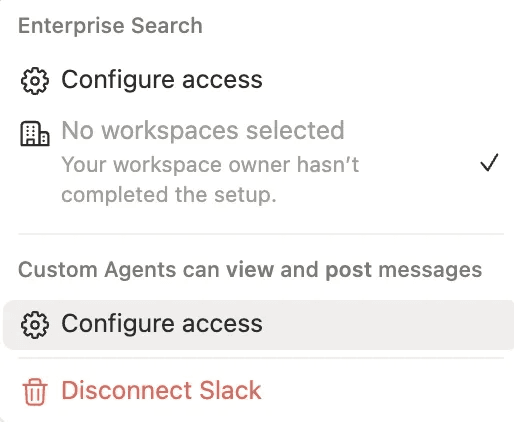
A Notion workspace owner will need to allow Custom Agents to view, read, and post messages in the Slack connector settings.
If your workspace is already connected to Slack Enterprise Grid, workspace owners need to update Custom Agent permission to read and post messages. Until this is changed, Custom Agents will have read-only permission in Slack.
In your sidebar, go to
Settings, then select theConnectionstab.Find Slack in the list of connections, and select
Settings.Under “Custom Agents can view and post messages,” select
Configure access.
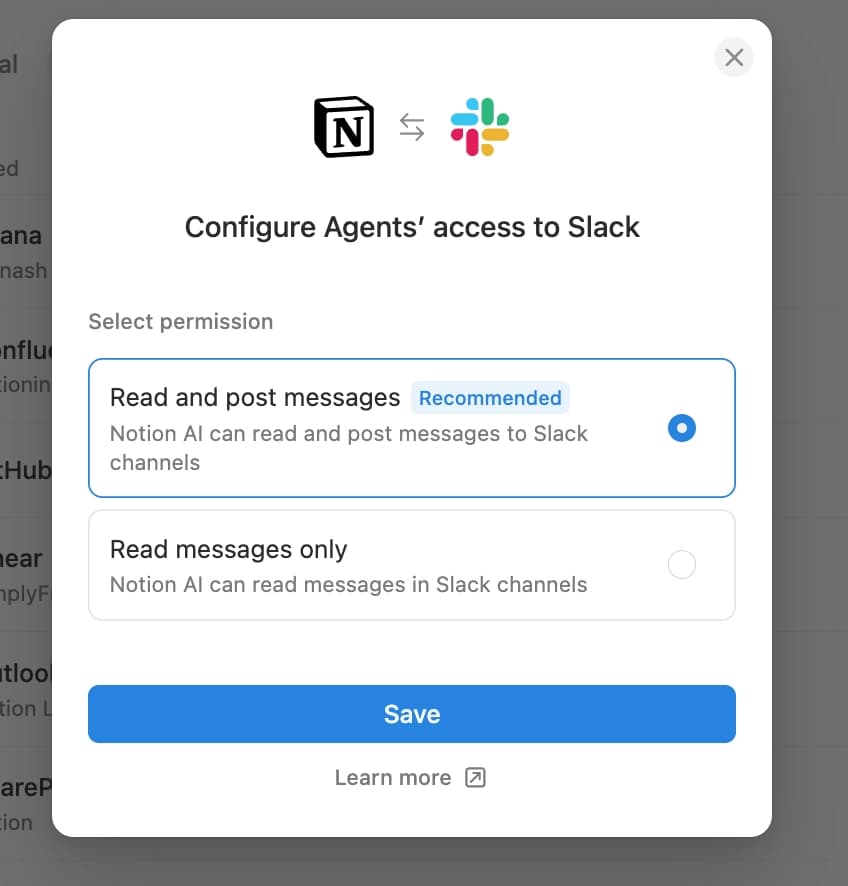
Select
Read and post messages→Save.
When you connect Slack to a Custom Agent on Enterprise Grid, you’ll choose a single Slack workspace/team for that agent. If you pick the wrong one, you can disconnect and reconnect.
Open your Custom Agent and go to
Settings.In
Tools and access, selectSlackto connect.Under
Organization name→ select the correct Slack workspace/team.
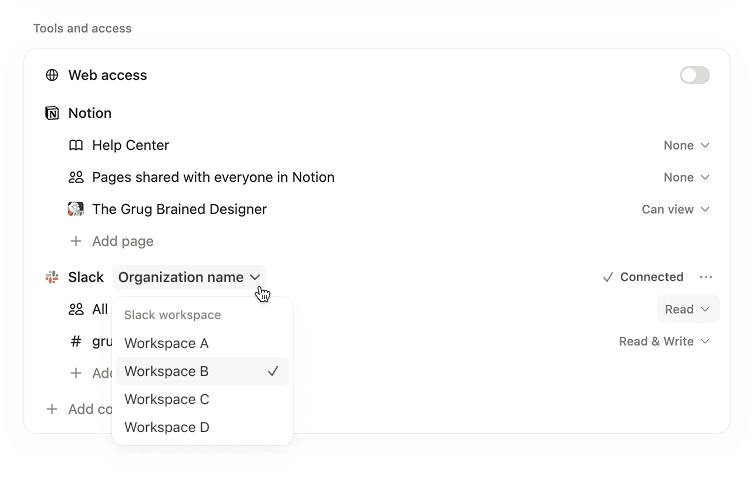
Choose which channels the agent can access, and update the triggers →
Save.
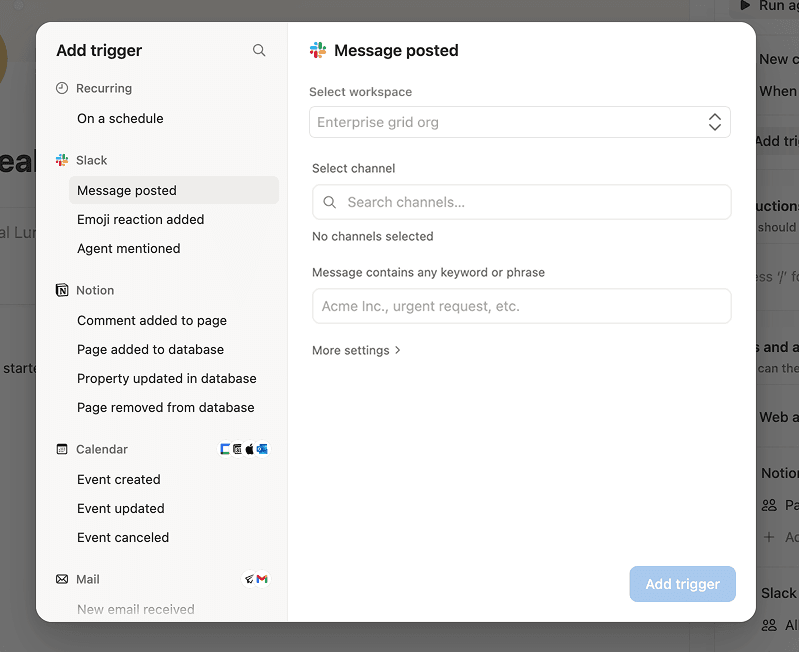
Each agent can only access the Slack workspace/team you selected during setup.
Each agent can only read and write in the channels you allow.
The agent won’t be able to work in channels outside the allowed list, even if the agent is shared with others.
Enterprise Grid doesn’t have a single set of public channels that apply to every workspace. Slack access is always scoped to the selected workspace/team.
Custom Agents can’t access your DMs in Slack Enterprise Grid.
People without access to a Slack channel shouldn’t see that channel’s messages through the Custom Agent.
People without access shouldn’t see channel names through the Custom Agent’s configuration.
If you’re ever unsure, keep the agent shared to a smaller group and limit the Slack channels it can access.
Pertanyaan Umum
Who can install Custom Agents?
Who can install Custom Agents?
Only Slack Org Admins (or Organization owners) can approve the org-level installation, and select which Slack workspaces are included. Individual workspace admins can still manage which channels the agent participates in within their workspace.
Will the agent have access to every channel in our Grid?
Will the agent have access to every channel in our Grid?
No. The agent only joins the channels you’ve invited it to join, and respects all Slack channel permissions, private channel rules, and Enterprise Key Management (EKM) settings.
Why don’t I see Slack as an option when setting up a Custom Agent?
Why don’t I see Slack as an option when setting up a Custom Agent?
Make sure an admin has connected the Slack AI connector first. Then, ask a Notion workspace owner to confirm Custom Agents are allowed to view and post messages in the Slack connector settings. Finally, confirm you’re on a plan that supports Slack with Custom Agents.
Why can’t the Custom Agent see a channel I expected?
Why can’t the Custom Agent see a channel I expected?
Check whether the channel is included in the agent’s allowed channel list. Confirm you’re signed into the right Slack workspace/team. You can also manually add the Slack channel by URL if it doesn’t populate in your channel list.
Why can the Custom Agent post in one channel, but not another?
Why can the Custom Agent post in one channel, but not another?
The Custom Agent can only work in channels you explicitly allow. Add the channel to the agent’s Slack access, then try again.
How do I get more help or report a bug?
How do I get more help or report a bug?
Reach out to your Notion contact directly, or share feedback via the in-product feedback button. We’re actively monitoring feedback to improve quickly.