NotionKhông gian làm việc AI của bạn
Lịch Notion
Thư Notion
Notion AICông cụ AI cho công việc
Trợ lýTự động hóa công việc rườm rà
Ghi chép cuộc họp với AIĐược viết hoàn hảo bởi AI
Tìm kiếm cho doanh nghiệpTìm câu trả lời tức thì
Cơ sở kiến thứcTập trung kiến thức của bạn
Tài liệuĐơn giản mà mạnh mẽ
Dự ánQuản lý mọi dự án
Tích hợpLiên kết ứng dụng của bạn
Bảo mậtAn toàn và có khả năng mở rộng
. Khám phá cập nhật mới→
Tải Ứng dụng Notion→

Các tính năng AI

Notion AICông cụ AI cho công việc
Trợ lýTự động hóa công việc rườm rà
Ghi chép cuộc họp với AIĐược viết hoàn hảo bởi AI
Tìm kiếm cho doanh nghiệpTìm câu trả lời tức thì

Khám phá các trường hợp sử dụng

Cho công việc
Cho cuộc sống

Đội nhóm

Kỹ thuật & Sản phẩm
Thiết kế
Marketing
CNTT

Quy mô công ty

Công ty khởi nghiệp
Doanh nghiệp nhỏ
Enterprise

Trường hợp sử dụng

Education
Cá nhân
Chuyên nghiệp
Các trường hợp sử dụng AI

Duyệt tìm

Mẫu
Tư vấn viên
Tích hợp

Khám phá

Những điểm mới
Câu chuyện của khách hàng
Blog
Hội thảo trực tuyến

Tìm hiểu

Nhà phát triển
Học viện
Giới thiệu sản phẩm
Trợ giúp
Nhà phát triểnEnterpriseGiáYêu cầu bản demo
Tải Notion miễn phíĐăng nhập
  1. Trung tâm trợ giúp
  2. Hướng dẫn
  3. Thư viện mẫu
  1. ← Hướng dẫn

Hướng dẫn

Nâng cao kỹ năng của bạn và khám phá những cách mới để sử dụng Notion.

Thư viện mẫu

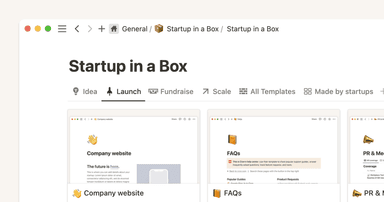
How to use Notion for your startup: Templates and more

How to use Notion for your startup: Templates and more

Discover how to launch your startup with our comprehensive Notion guide. Our tutorial video "Startup in a Box" provides step-by-step instructions to kickstart your entrepreneurial journey.
Video 5 phút
Start with a template

Start with a template

Not sure where to start with Notion? Templates allow you to quickly add some structure and content to your workspace, and can help illustrate what problems you can solve in Notion.
Video 3 phút
Hướng dẫn toàn diện về mẫu Notion

Hướng dẫn toàn diện về mẫu Notion

Trong hướng dẫn này, chúng ta sẽ tìm hiểu sâu về mẫu, cách tìm và sử dụng mẫu để cải thiện quy trình làm việc và cách tự tạo mẫu riêng.
Đọc trong 5 phút
Three key databases for teams, and how to use them
Three key databases for teams, and how to use them

Databases allow you to create and categorize your company’s information - from all hands meeting notes, to project briefs, tasks to do, and more. With databases for your meeting notes, docs, tasks, and projects, you can keep everything organized and easy to find in an instant.
Đọc trong 11 phút
  • Tài liệu trợ giúp
      • Intro to workspaces
      • Start here
      • Thành phần nội dung là gì?
      • Tạo trang
      • Create a subpage
      • What is a database?
      • Create a database
      • Start with a template
      • Share your work
      • Collaborate with people
      • Badges & certifications
      • Xem tất cả
      • Navigate with the sidebar
      • Manage your Library
      • Search in your workspace
      • Home & My tasks
      • Xem tất cả
      • Create, join & leave workspaces
      • Create, join & leave teamspaces
      • Workspace settings
      • Workspaces on mobile
      • Delete a workspace
      • Xem tất cả
      • Account settings & preferences
      • Notification settings
      • Two-step verification
      • HIPAA configuration
      • Data access consent
      • Delete your account
      • Manage your Mail & Calendar settings
      • Log in & out
      • Secondary emails
      • Change your language
      • Passkeys
      • Notion Faces
      • Xem tất cả
      • Intro to writing & editing
      • Format your page
      • Style & customize your page
      • Hình ảnh, tệp & phương tiện
      • Links & backlinks
      • Wikis & verified pages
      • Move & duplicate content
      • Xóa và khôi phục nội dung
      • Synced blocks
      • Code blocks
      • Math equations
      • Phím tắt
      • Archive pages
      • Presentation mode
      • Use pages offline
      • Duplicate public pages
      • Xem tất cả
      • Giới thiệu về công thức
      • Giới thiệu về cơ sở dữ liệu
      • Formula syntax & functions
      • Thuộc tính của cơ sở dữ liệu
      • Liên kết và tổng hợp
      • Database settings
      • Mẫu cơ sở dữ liệu
      • Sub-items & dependencies
      • Task databases & sprints
      • Data sources
      • Optimize database load times & performance
      • Unique ID
      • Xem tất cả
      • Views, filters, sorts & groups
      • Table view
      • Chế độ xem bảng
      • Timeline view
      • Calendar view
      • List view
      • Dashboards view
      • Gallery view
      • Chế độ xem biểu đồ
      • Forms
      • Map view
      • Feed view
      • Layouts
      • Xem tất cả
      • Chia sẻ và quyền
      • Quản lý thành viên và khách
      • Collaborate in a workspace
      • Inbox & notifications
      • Bình luận & đề cập
      • Lời nhắc
      • Suggested edits
      • Page analytics
      • Intro to teamspaces
      • Who’s who in a workspace
      • People profiles
      • People Directory
      • Create & manage groups
      • Xem tất cả
      • Đăng Trang web Notion
      • Edit & customize your Notion Sites
      • Manage your Notion Sites
      • Connect a custom domain with Notion Sites
      • Notion Sites availability & pricing
      • Xem tất cả
      • Import data into Notion
      • Export your content
      • Back up your data
      • Import from Asana
      • Import from Confluence
      • Import from Monday.com
      • Xem tất cả
      • Embeds, bookmarks & link mentions
      • Add & manage connections
      • Notion API connections
      • Link previews
      • Synced databases
      • Connected properties
      • Connect GitHub
      • Integrate Slack
      • Connect Jira
      • Xem tất cả
      • Buttons
      • Database buttons
      • Database automations
      • Webhook actions
      • Xem tất cả
      • What is Notion AI?
      • Notion AI for databases
      • Notion Agent
      • AI Meeting Notes (beta)
      • Enterprise Search
      • Notion MCP
      • Create & edit images with Notion AI
      • Research Mode
      • Instructions for Notion Agent
      • Skills for Notion Agent
      • Review & approve plans before Notion AI runs
      • Xem tất cả
      • Notion AI Connectors
      • GitHub AI Connector
      • Google Drive AI Connector
      • Linear AI Connector
      • Jira AI Connector (beta)
      • Microsoft Teams AI Connector
      • Microsoft SharePoint & OneDrive AI Connector
      • Slack AI Connector
      • Box AI Connector
      • Microsoft Outlook AI Connector
      • Asana AI Connector
      • Notion Mail AI Connector (beta)
      • Google Calendar AI Connector
      • Notion Calendar AI Connector (beta)
      • Gmail AI Connector
      • Salesforce AI Connector (beta)
      • Xem tất cả
      • Custom Agents
      • Best practices for creating and optimizing a Custom Agent
      • Buy & track Notion credits for Custom Agents
      • MCP connections for Custom Agents
      • Connect Calendar to Custom Agents
      • Custom Agents sharing and permissions
      • Connect Mail to Custom Agents
      • Mobile Custom Agents
      • Xem tất cả
      • SAML SSO
      • Set up Identity Provider (IdP) for SAML SSO
      • Manage your Enterprise workspace
      • Domain management
      • Provision users & groups with SCIM
      • Set up Identity Provider (IdP) for SCIM
      • Content search
      • Transfer content from a deprovisioned user
      • Audit log
      • Add security & compliance connections
      • Workspace analytics
      • Managed users
      • Enterprise connection settings
      • Custom data retention settings
      • Deploy Notion for macOS
      • Organization level controls
      • IP address restrictions
      • Set up Microsoft Intune with Notion (iOS and Android)
      • Manage teamspaces
      • Legal holds
      • Deploy Notion for Windows
      • Network control
      • Xem tất cả
      • Security practices
      • Privacy practices
      • GDPR at Notion
      • Security best practices for Agent connections
      • Custom Agents security features
      • Notion IP addresses & domains
      • Data accessible by your workspace owner
      • Report inappropriate content
      • How Notion 3.0 protects against prompt injection risks
      • Shared Responsibilities Model
      • Data residency for Notion
      • How to protect yourself from malvertising
      • Dormant account policy
      • Xem tất cả
      • Notion AI security & privacy practices
      • Notion’s commitment to AI safety
      • Enterprise Search security & privacy practices
      • Notion AI complimentary responses
      • Xem tất cả
      • Notion cho máy tính
      • Notion for web
      • Notion for mobile
      • System requirements for Notion
      • Notion beta program
      • Mobile widgets
      • Web Clipper
      • Notion New Tab extension
      • Xem tất cả
      • Get started with Notion Mail
      • Navigate your inbox
      • Compose an email
      • Views, groups, filters & properties
      • Schedule meetings with Notion Mail
      • Use Notion AI with Notion Mail
      • Notion Mail settings
      • Customize notifications in Notion Mail
      • Notion Mail keyboard shortcuts
      • Notion Mail security practices
      • Notion Mail for mobile
      • Xem tất cả
      • Tạo tài khoản Lịch Notion
      • Quản lý lịch và sự kiện của bạn
      • Scheduling & availability
      • Blocking
      • Time zones
      • Manage your linked Notion account
      • Notion Calendar settings
      • Notion Calendar connections & API
      • Use Notion Calendar with Notion
      • Notion Calendar for teams
      • Notion Calendar keyboard shortcuts
      • Notion Calendar apps
      • Notion Calendar security practices
      • Xem tất cả
      • Finding templates on Marketplace
      • Selling templates on Marketplace
      • Getting featured in Marketplace
      • Marketplace guidelines & terms
      • Template localization on Marketplace
      • Finding services on Marketplace
      • Become a Notion Solutions Partner
      • Offering services on Marketplace
      • Xem tất cả
      • Change your plan
      • Billing
      • How adding & removing members impacts billing
      • Invoices
      • Payment methods
      • Refunds
      • Notion for education
      • Notion for startups
      • Notion for creators
      • Paid plan trials
      • Understanding block usage
      • What happens when I downgrade my plan?
      • Sales tax
      • Can’t upgrade to the Plus Plan for students and educators
      • Xem tất cả
      • Reset Notion
      • I can't log in
      • I can’t access Notion
      • Common formula errors
      • I can't access my own page
      • I can’t upload or view a file
      • Common Notion errors
      • Record HAR files for troubleshooting
      • Common Jira Sync issues
      • Can’t log into Notion Mail
      • Xem tất cả
      • What is the Notion Developer Platform?
      • Run custom code with Workers (beta)
      • Use Notion from your terminal with Notion CLI
      • Understand pricing for Workers (beta)
      • Xem tất cả
  • Hướng dẫn
      • Notion AI
      • Tài liệu
      • Ghi chú
      • Quản lý dự án
      • Wiki
      • Sản phẩm
      • Kỹ thuật
      • Thiết kế
      • Nhân sự & nhân viên
      • Tiếp thị
      • Cá nhân
      • Enterprise
      • Khởi nghiệp
      • Demo
      • Thư viện mẫu
      • Tự động hóa
  • Phát triển với Notion

  • Học viện Notion
  • API

  • Tạo tích hợp
  • Hỗ trợ

  • Tham gia cộng đồng của chúng tôi
  • Tìm chuyên gia tư vấn

    © 2026 Notion Labs, Inc.
    • Công ty
    • Giới thiệu về chúng tôi
    • Cơ hội nghề nghiệp
    • Bảo mật
    • Trạng thái
    • Điều khoản và quyền riêng tư
    • Quyền riêng tư của bạn
    • Tải xuống
    • iOS & Android
    • Mac & Windows
    • Mail
    • Lịch
    • Web Clipper
    • Tài nguyên
    • Trung tâm trợ giúp
    • Giá
    • Blog
    • Cộng đồng
    • Tích hợp
    • Mẫu
    • Chương trình đối tác
    • Notion cho
    • Enterprise
    • Doanh nghiệp nhỏ
    • Cá nhân
    • Khám phá thêm→