Starte med en mal
For å hjelpe deg med å ta fatt på en rekke utfordringer med Notion har vi laget mange maler som du kan ta i bruk og tilpasse som dine egne – inkludert noen startmaler som allerede er i arbeidsområdet ditt! Slik bruker du dem.
Hopp til vanlige spørsmålNår du først registrerer deg for Notion, vil du se en samling av maler i sidestolpen din. Disse er valgt ut for deg basert på det du forteller oss under onboardingprosessen. Du kan velge å legge dem til i arbeidsområdet ditt og bruke dem, eller du kan slette dem.
Slik sletter du en mal:
Klikk på
•••til høyre for sidens navn.Klikk på
Slett.
Notions Marketplace inneholder tusenvis av maler bygget for mange formål av Notion-brukere over hele verden, som du kan bruke for å komme i gang i Notion eller bli inspirert.
Slik får du tilgang til Marketplace, leter etter maler og legger dem til i arbeidsområdet ditt:
Gå til
Marketplacei sidestolpen.Når du finner en mal du liker, kan du velge
Legg til i(hvis malen er kostnadsfritt) eller velgeKjøp for {price}øverst på siden for å legge malen til i arbeidsområdet ditt.
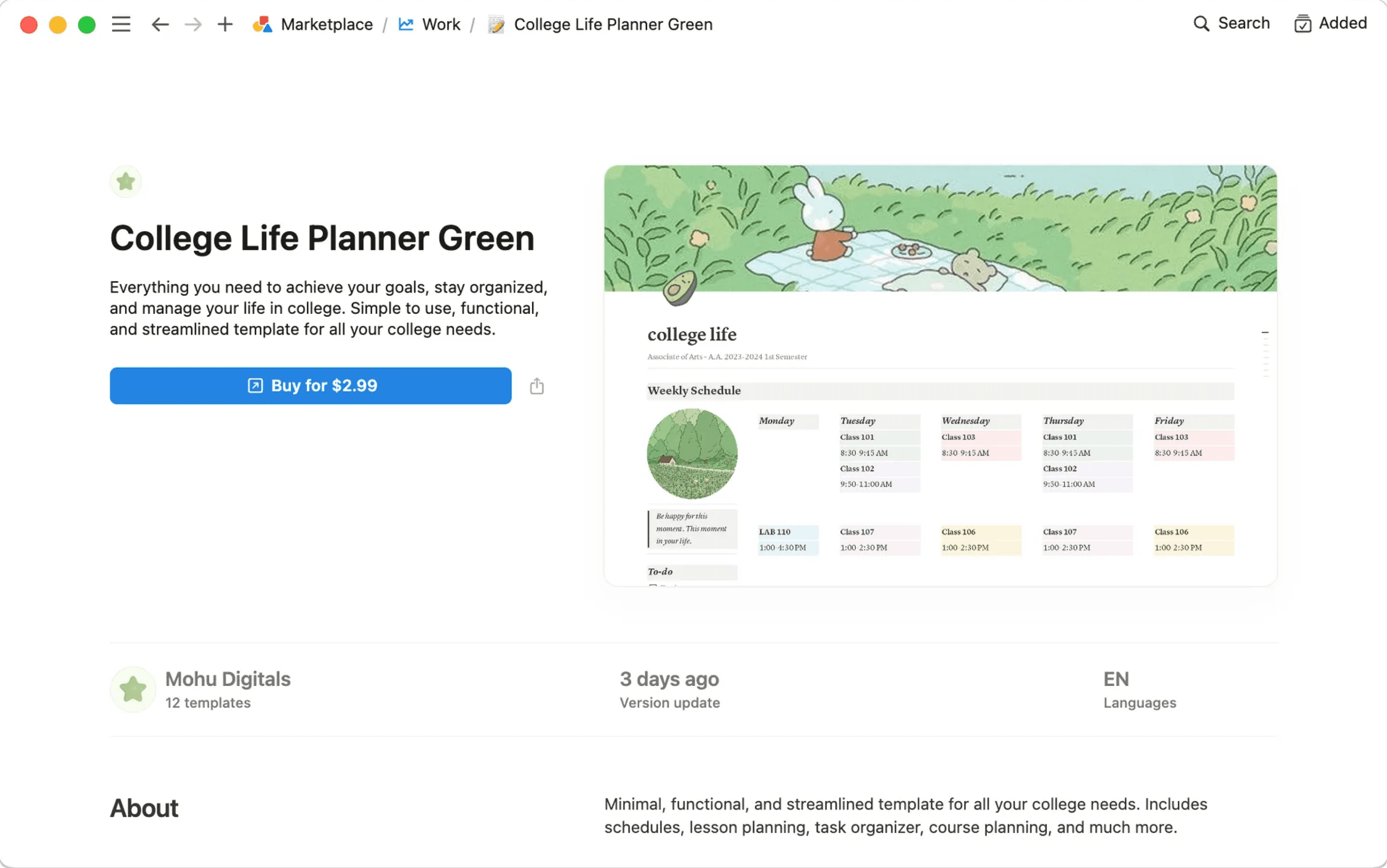
Når malen er lagt til i arbeidsområdet ditt, kan du justere den slik at den passer nøyaktig til dine behov. Lær mer om hvordan du finner maler på Marketplace her →
Vanlige spørsmål
Kan jeg gjøre siden min til en mal som jeg kan bruke andre steder i arbeidsområdet mitt?
Kan jeg gjøre siden min til en mal som jeg kan bruke andre steder i arbeidsområdet mitt?
Den beste måten å gjøre dette på er å:
Oppbevare en tom versjon av malsiden din i venstre sidestolpe.
Klikk på
•••ved siden av navnet på siden i sidestolpen, og deretter påDuplisernår du trenger en ny kopi.
Disse alternativene kan også være nyttige, avhengig av hva du bruker Notion til!
Du kan raskt duplisere deler av innholdet med en malknapp. Perfekt til å skrive dagbok! Mer informasjon her →
I databaser kan du opprette nye databaseoppføringer med egenskapene og sideinnholdet allerede fylt ut ved hjelp av databasemaler. Mer informasjon her →
Kan jeg be om en mal for noe?
Kan jeg be om en mal for noe?
Ja! Vi vil gjerne ha ideene dine. Tweet dem til oss på @NotionHQ (med hashtaggen #mal) eller send dem til teamet vårt på [email protected].