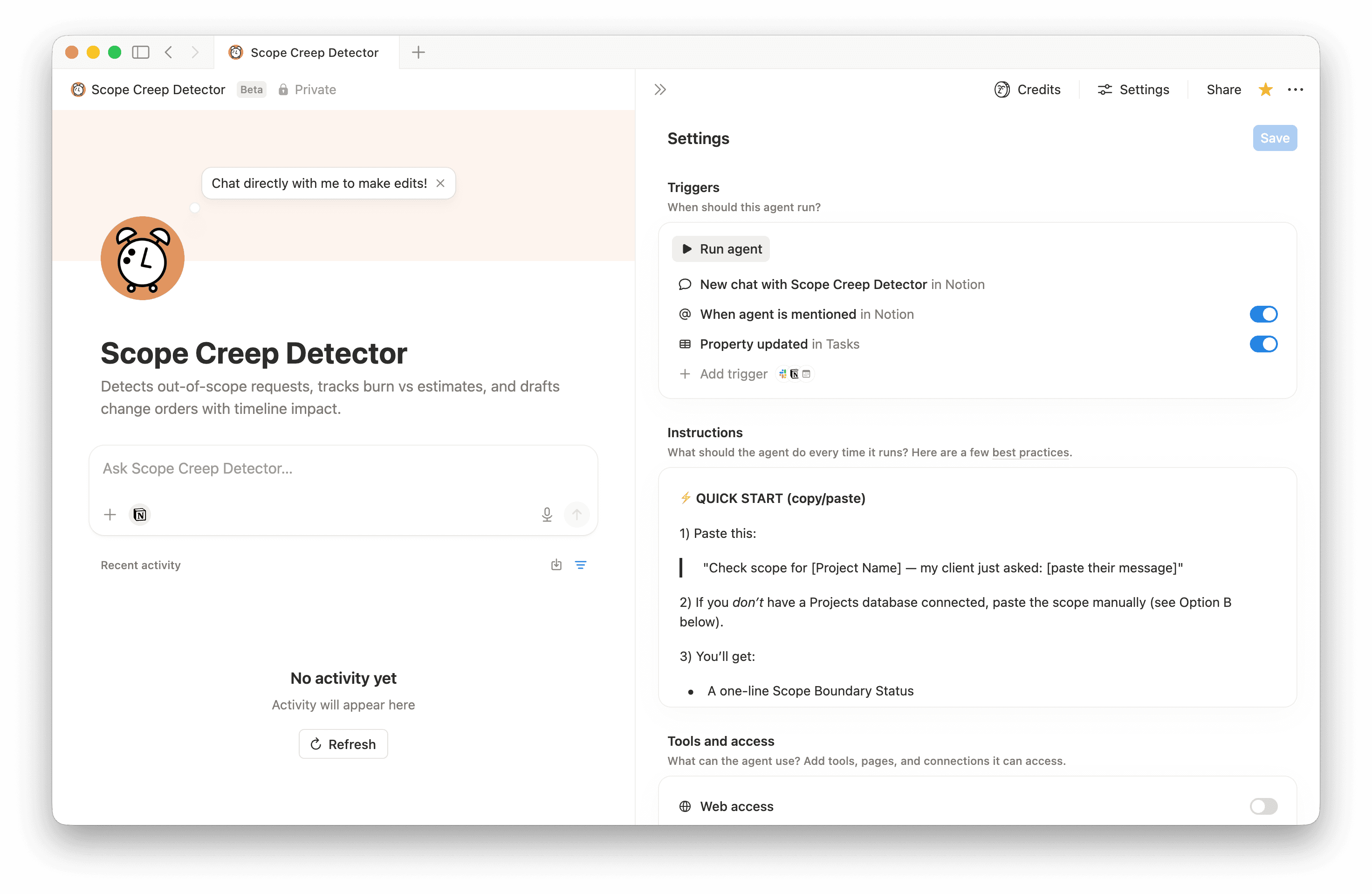

Scope Creep Detector
Catch scope creep before it costs you. Paste a client request → get instant in/out-of-scope verdict, burn rate status, a ready-to-send client message, and a change order draft. Works for any project-based service. Connect your database or paste manually.- Analysiert Daten oder Metriken
- Schreibt oder entwirft Inhalte
Über diesen Agenten
Every consultant has lost money to a "quick request."
A client messages: "Hey, can we just add one more thing?" You say yes because it seems small. Then another quick request. Then another. Three months later you've done 30 hours of work that wasn't in the original scope — and you can't bill for it because you never formalized a change order.
Scope Creep Detector catches it before you say yes.
What it does
Paste a client request (or connect your Projects database) and the agent will:
— Compare the request against your original scope — Classify it as ✅ In scope, 🟡 Ambiguous, or 🚨 Out of scope — Calculate your current burn rate vs. estimated hours — Show the timeline impact if you say yes — Draft a warm, professional message to send the client — Generate a copy-paste ready change order when needed
All in one run. No back and forth.
Who it's for
Any freelancer or consultant who works on project-based scopes: — Notion consultants — Web designers and developers — Brand and graphic designers — Copywriters and content strategists — Social media managers — Photographers, accountants, coaches — if you have a scope and a client, this works.
Two ways to use it
- Option A — Connected database (recommended)
Connect your existing Notion Projects database. Then just say:
"Check scope for [Project Name] — my client just asked: [paste their message]"
The agent reads your scope, hours, rate, and deadline automatically. No copy-pasting required. - Option B — Paste manually (zero setup)
No database? No problem. Paste your scope and the client request directly. You get the same full output instantly.
What you get every time
- Scope Boundary Status
— one line showing exactly where you stand on hours and deliverables - Request Breakdown
— every ask classified with hours impact and a clear recommendation - Out-of-Scope Alert
— triggered automatically when thresholds are crossed or a pattern of "small" requests is detected - Timeline Impact
— calculates the new delivery date if you say yes - Client Message Draft
— warm, non-defensive, ready to send - Change Order Draft
— professional, copy-paste ready, with payment terms placeholder
Optional: automate time logging
Set up a one-time automation in your Tasks database (trigger: Status → Complete, action: run this agent) and the agent will ask for hours whenever you finish a task, update your project's Time Spent automatically, and flag a burn alert if you cross 80%, 90%, or 100% — while the work is still top of mind.
Note: this automation requires manual setup and a relation between your Tasks and Projects databases. Most Notion workspaces already have this.
Minimum setup for Option A
Your Projects database needs: project name, estimated hours, hours used, and scope details (as a property or in the page body). Rate and deadline are optional but improve the output. Exact property names don't matter — the agent adapts to common variations.
Setup time: under 5 minutes if you already have a projects database.
Built by a Notion consultant, for consultants. Tested on real client scenarios. Works out of the box with any project-based service — no custom configuration needed beyond connecting your database.
Galerie