Work that sticks around after the chat ends.
Everything your team and Claude build together lives in one collaborative workspace. Searchable, editable, and never buried in an AI chat thread or someone's local files.
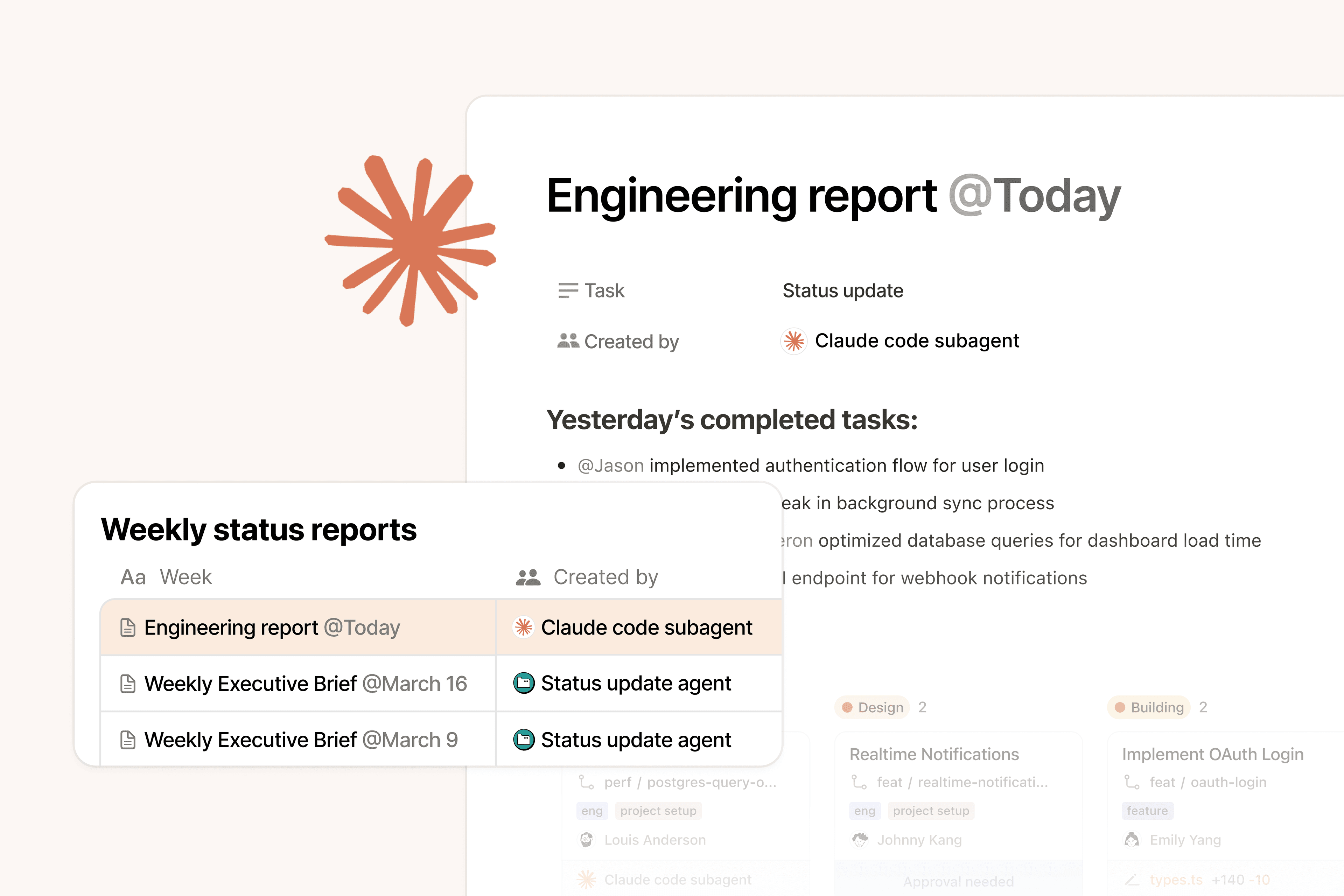
Now you can work directly with Claude agents in Notion. One place for teams to orchestrate agents, connect their knowledge, and get work done.
Assign work to a Claude agent right from your team's shared task board. Your team sees everything, while Claude picks up the full context of each task (docs, decisions, meetings, connected data) and reports back as it builds.
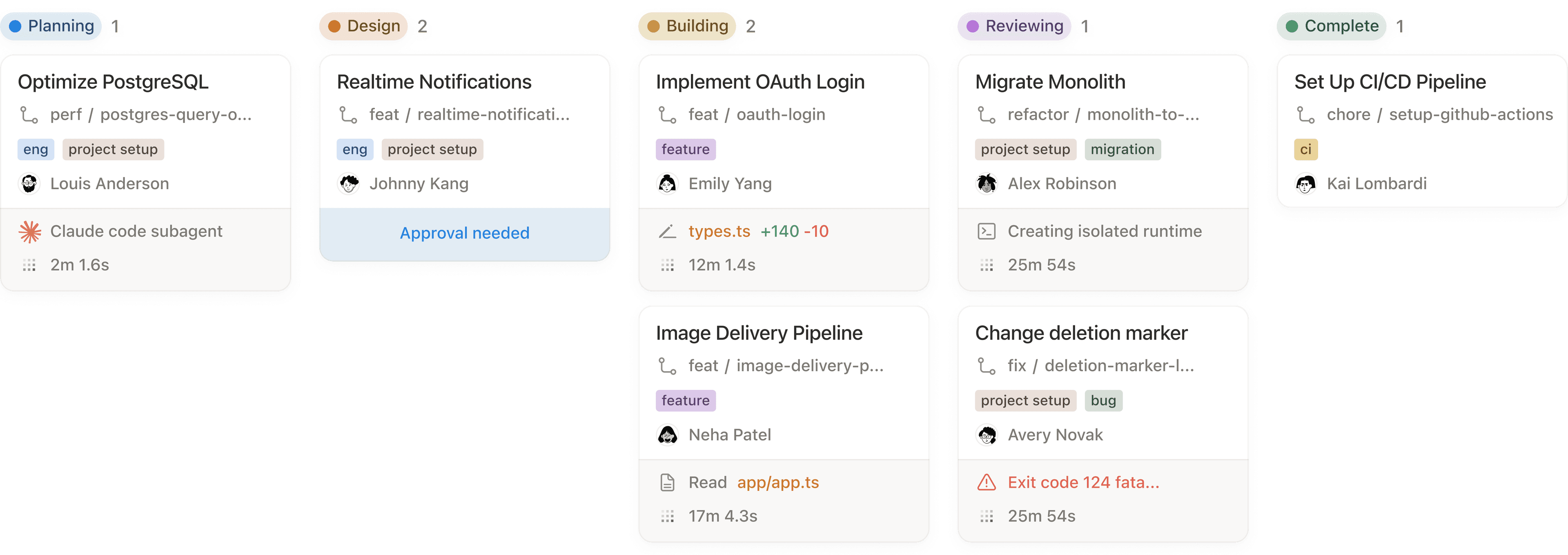
Everything your team and Claude build together lives in one collaborative workspace. Searchable, editable, and never buried in an AI chat thread or someone's local files.
Notion Agents handle the busywork. Claude does the thinking and coding. You have full visibility and control of every agent, every output, right in your Notion.
Notion is our AI layer because it's where work is created or imagined—and we want our agents as close to the action as possible.
Mention a Claude agent on a bug report. It reads the context, writes the fix, and reports back — without leaving Notion.
Assign a Claude agent to build the deck. The file link shows up as a comment on the task in Notion, ready to share.
Create tasks from your Meeting Notes and assign them to Claude. It picks up the full context and starts building, right alongside your team.
Learn how to generate code, tasks, files, and more with Claude agents in Notion. Now available in public beta.
What's the difference between Claude and Notion? Do I need both?
They do different jobs. Claude is the LLM that does the reasoning and coding. Notion is the shared system of record where the code, those docs, and those decisions become searchable, permissioned, and connected to real projects. Without the shared system of record, AI-generated work disappears into chat threads and local files.
How do Claude Managed Agents work inside Notion?
You assign tasks to Claude directly from shared Notion task boards. Claude picks up the full context of each task (docs, decisions, meeting notes, connected data) and reports back as it builds. Progress and outputs show up right in the task.
What happens to the work Claude creates?
Everything Claude builds lives in your Notion workspace. It’s searchable, editable, and visible to your whole team, not buried in an AI chat thread or someone’s local files.
What about governance and visibility?
Notion gives you permissions and a shared workspace where teams can decide who sees what and where outputs live. The goal is to make AI workflows visible and repeatable for the whole team, not something that only works because one person has a perfectly tuned private setup.
Can I use other AI agents alongside Claude Managed Agents in Notion?
Yes. Notion’s Custom Agents handle the busywork while Claude (or the best model for the job) does the thinking and coding. You get full visibility and control of every agent and every output right in Notion.