 Nateq
Nateq
Nateq
About
Nateq is a customer support platform — a shared inbox for WhatsApp, email, Instagram, Facebook and live chat, with an AI agent that answers alongside your team.
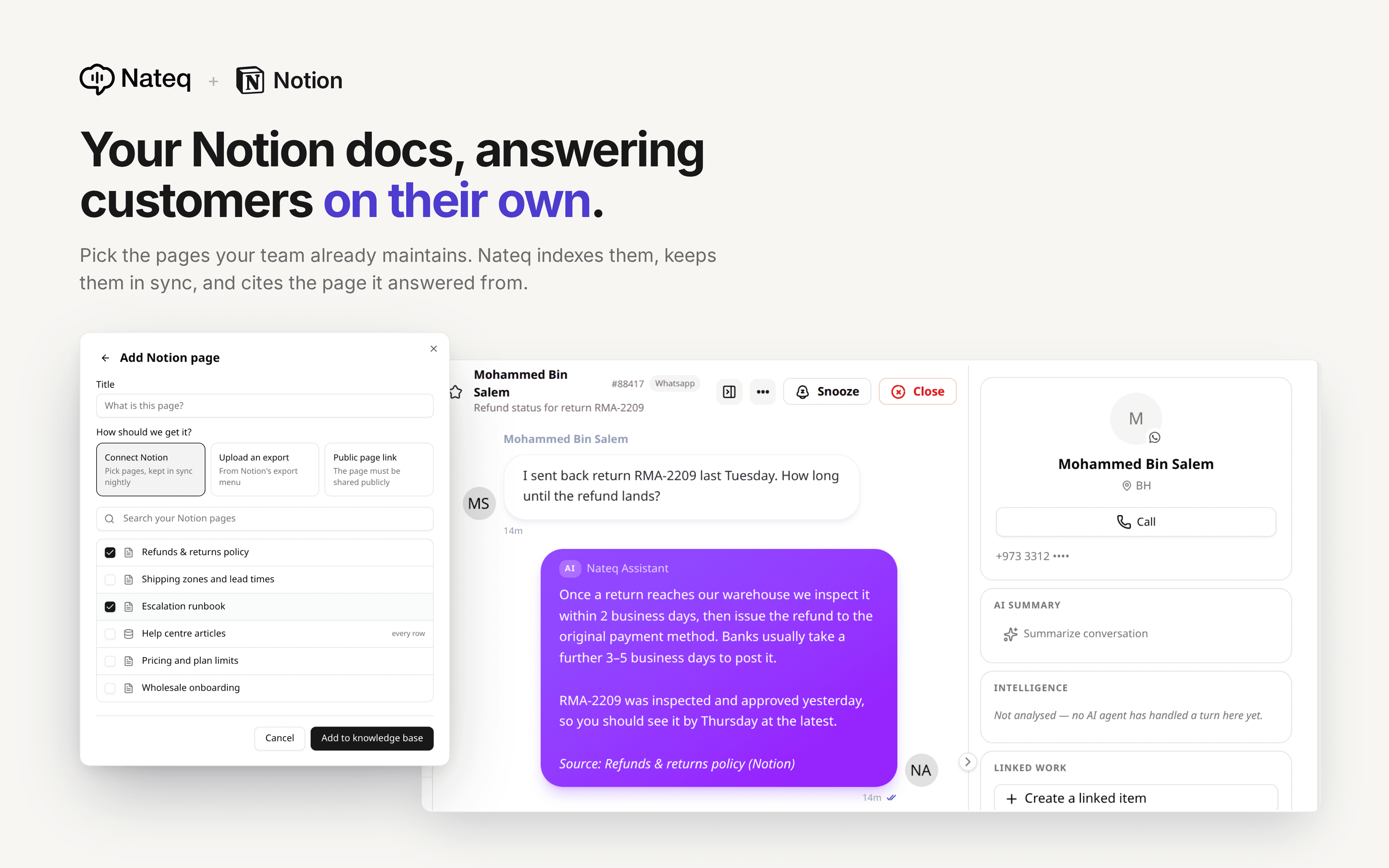
Connect Notion and the pages your team already maintains become the source those answers come from. Point Nateq at your help centre, your internal runbooks, your pricing page or a database of FAQs, and it reads them, indexes them, and uses them to answer real customer questions.
There is no second copy to keep in sync. Edit the page in Notion and the answer changes on the next refresh, about once a day. Nothing is exported, duplicated or pasted into another tool.
Every answer cites the page it came from, so an agent can open the source in Notion and check it before sending — and can see straight away when a page is out of date.
You choose exactly what Nateq can see. Notion grants access per page, in Notion's own picker, and Nateq reads nothing you have not shared with it. It is read-only: Nateq never creates, edits or deletes anything in your workspace.
Works with individual pages and with databases, where each entry becomes its own answer source rather than being flattened into one document.
Features
- Read & update contentCan read & update pages, databases, and blocks shared with this connection.
How to use
1. In Nateq, go to Knowledge base → Add → Notion, and choose "Connect Notion".
2. Approve the connection in Notion and pick the pages you want Nateq to use. You can change this selection at any time from Notion's Connections settings.
3. Back in Nateq, choose the pages and databases to index. Databases add each of their entries as a separate source.
4. That's it. Nateq indexes the pages immediately and re-reads them about once a day, so edits in Notion reach your customers without anyone re-uploading anything.
If the page picker is empty, Notion has not shared anything yet.
