

About
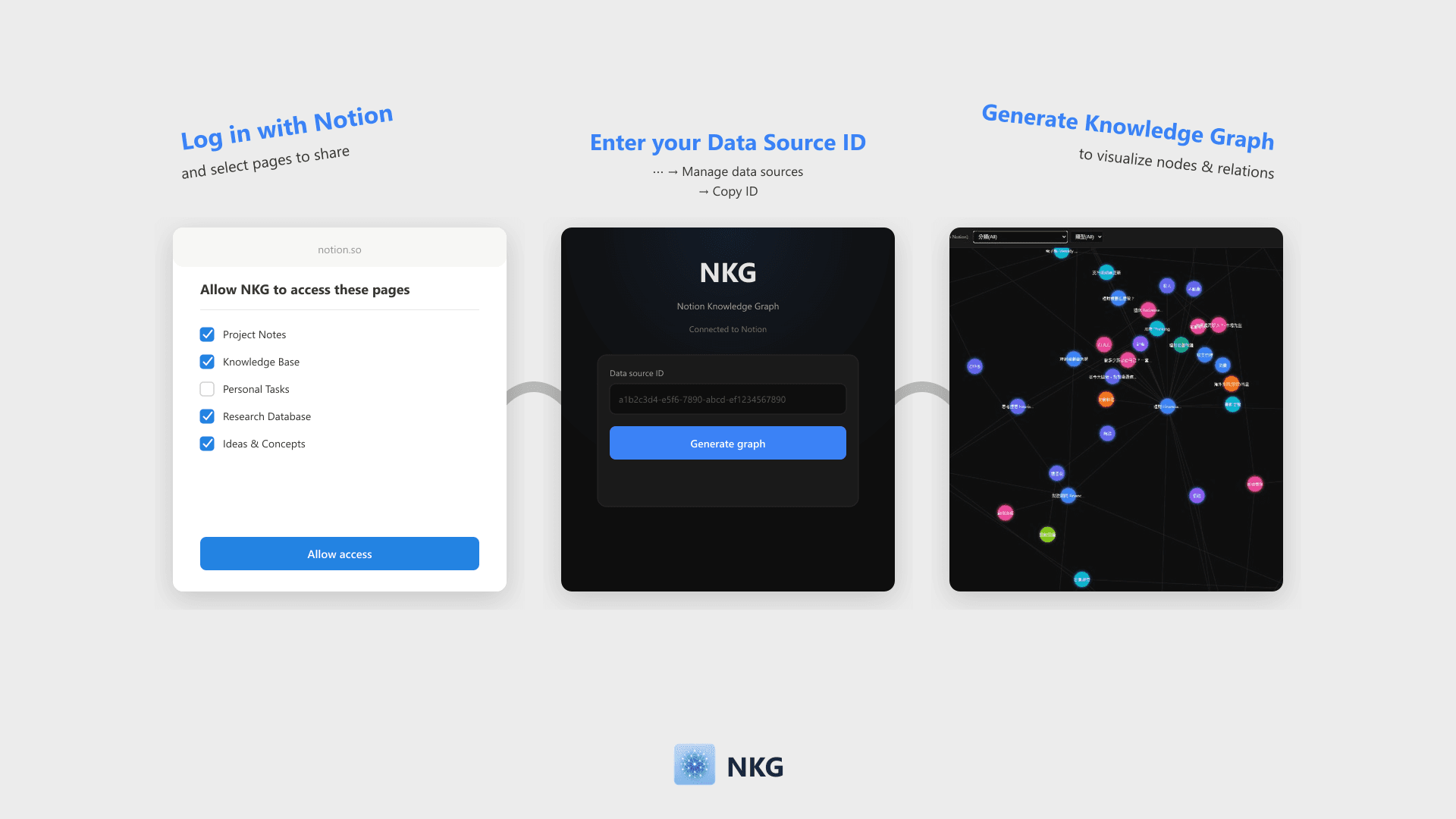
NKG visualizes Notion database pages and relations into a knowledge graph. Simply log in with Notion and enter your Data Source ID to generate a filterable, zoomable force-directed graph that can be embedded back into Notion.
Features
- Read contentCan read pages, databases, and blocks shared with this connection.
- View workspace usersReads basic profile details about workspace members and guests, including their email addresses.
How to use
- Click "Log in with Notion" and select the pages or databases to share on the authorization page.
- Once authorized, enter your Notion Data Source ID on the home page (Find this via ⋯ → Manage data sources → Copy data source ID).
- Click "Generate Knowledge Graph" to visualize nodes and Relation links.
- Filter nodes by properties like Select, Multi-select, or Date. The graph can be embedded directly into Notion.
Details
Made by

Category
- Productivity
- File management
- Analytics
Developer links