Build a product management dashboard in Notion AI (with templates)
Most product dashboards promise clarity—but in practice, many end up doing the opposite. For instance, roadmap statuses often live in one place and metrics in another, and teams make decisions in multiple places but fail to carry them back to the source of truth. As a result, product teams must update dashboards manually, context goes stale, and product leaders have to scan charts that explain what changed, but not why, to catch up.
Rather than just report progress, a useful product management dashboard should reflect how work actually happens across specs, projects, feedback, and decisions and stay current as that work evolves. Notion AI transforms this dashboard into a living system by keeping work, context, and updates connected as projects evolve.
What is a product management dashboard?
A product management dashboard isn’t a reporting artifact—it’s an operational layer for product decision-making. At its best, it gives engineering, product, and design (EPD) teams a shared view into what’s shipping, what’s blocked, what’s changing, and why. It also supports product leadership by allowing them to prioritize tradeoffs, align engineering and design, and make informed decisions with current information.
Timothée Dehouck, a staff data analyst at Qonto, captures this tension well when he describes dashboards as something that teams should build like products, not decorative summaries. In his words, strong dashboards aren’t about aesthetics—they’re about “a logical and structured process” that helps people make decisions, not just consume data.
That’s why Notion’s approach is fundamentally different. By connecting docs, projects, and data in one workspace, Notion enables dashboards to reflect work as it evolves. Meanwhile, AI helps teams keep context current instead of maintaining it manually.
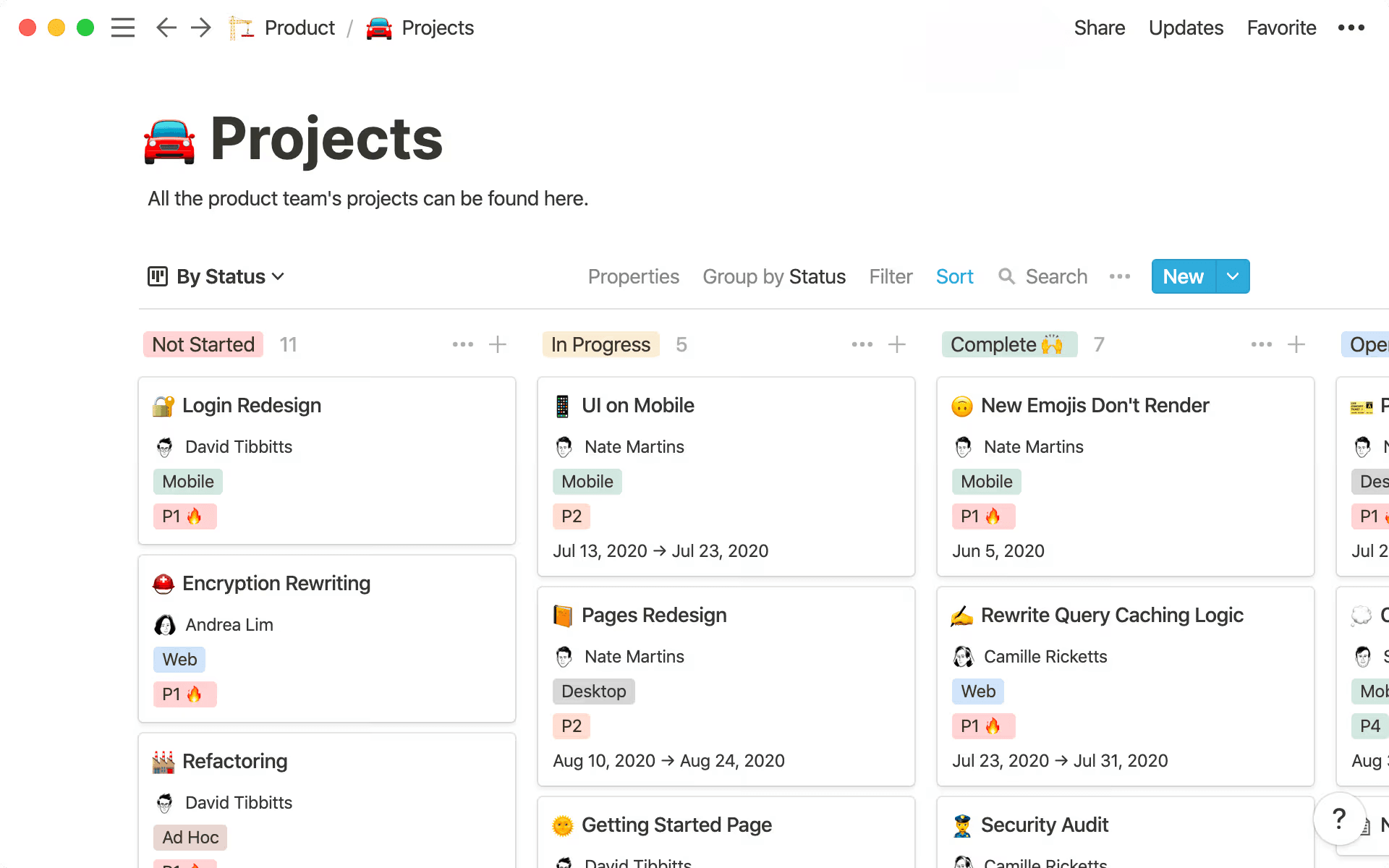
A project dashboard in Notion that shows all of a product team’s projects (Source)
When dashboards sit on top of a connected project management system, as they do in Notion, they stop translating work after the fact and start reflecting it in real time. That’s the idea behind Notion’s approach to product project management and roadmapping: centralizing cross-functional work in one place so teams can focus on what’s executing now while planning confidently for what’s next.
The benefits of product management dashboards for EPD teams
When team members design dashboards as part of the product system, they unlock these practical advantages for teams:
A shared source of truth across teams that contains the same underlying work
Updates that flow directly from live projects and docs, which means fewer sync meetings and less manual status reporting
Faster, more confident decision-making since context is attached to metrics and milestones
Clear ownership and accountability because priorities, progress, and blockers stay visible as work moves forward
In other words, a good product management dashboard helps teams decide what to do next—and why—without losing momentum.
What should a product management dashboard include?
A strong product management dashboard is a deliberate set of views that supports how product leaders work by helping them synthesize input, make tradeoffs, track progress, and adjust their direction as new information comes in. The simplest way to evaluate what belongs on your dashboard is to ask yourself if it helps your team make better decisions with less manual effort. If the answer is no, it probably doesn’t belong.
Here are some common components to evaluate as you create your own dashboard:
Customer insights and research themes
Customer insights only matter if they stay connected to decisions. But for many teams, qualitative feedback instead lives in interview docs, while quantitative data lives in tools like Google Analytics, which means neither reliably informs roadmap conversations.
A product dashboard closes that gap by compiling qualitative and quantitative feedback—like customer interviews, surveys, support tickets, and product usage signals—in one place so teams can track customer satisfaction alongside delivery work. After all, when research stays linked to initiatives, it’s easier to explain why something moved up or down the roadmap.
Notion AI also meaningfully reduces manual work here by searching across your workspace and connected apps to surface patterns across interviews, surveys, and feedback tools. That way, your PMs don’t have to tag or summarize every input themselves.
As Peter Escartin puts it, “[The] biggest piece[s that AI handles today are] collection, aggregation, cataloging, and theming.” That’s because “PMs are constantly fielding information from multiple sources, [so] Notion AI can do all the busy work of aggregating information and painting a picture of the type of feedback coming from customers and employees alike. This frees up the PM to work on more strategic work and […] tell the story of what the data is showing.”
Learn more about how Notion can find answers and source information from all your apps.
Roadmap priorities and initiative status
A product dashboard should show more than what you’ve planned—it should also make strategic intent visible alongside delivery status.
That’s easiest to do when roadmaps, initiatives, and execution live in a centralized product development hub. Rather than maintaining a separate reporting layer, teams can view priorities directly through the work itself—what’s in progress, what’s blocked, and what’s at risk.
Notion AI helps here by summarizing progress across related projects and flagging initiatives that are slipping so stakeholders don’t have to chase updates or wait for the next status meeting. And when timelines shift, a Notion Agent can reschedule deliverable deadlines and draft a clear team update in the same workflow to keep plans and communication in sync.
Engineering work, dependencies, and progress signals
For EPD teams, momentum often breaks down due to handoffs, dependencies, and hidden blockers between teams. But a useful dashboard makes those friction points visible early by surfacing engineering risks, cross-team dependencies, and signals that indicate where delivery may slow down.
By connecting context across projects and documentation, Notion AI can highlight emerging issues and dependencies that might otherwise stay buried in task comments or meeting notes, which helps teams intervene before small delays become larger problems.
Launch timelines, milestones, and cross-functional work
While launches are great for testing product strategy in the real world, they require tight alignment across product, design, engineering, and GTM teams—and often under shifting timelines as well. A product dashboard should make that alignment explicit by tying launch milestones, ownership, and readiness signals together in one view.
Notion AI supports this goal by generating launch readiness summaries from connected work, including meeting notes and AI-powered meeting summaries. The result is fewer manual updates and a clearer picture of whether a launch is truly on track.
Key metrics and outcomes tracking
Ultimately, dashboards determine if specific projects or techniques are working. That means tying initiatives directly to product metrics, product management key performance indicators (KPIs), and outcomes across analytics tools. Common examples include churn rate, retention rate, customer acquisition cost, customer lifetime value, monthly recurring revenue, net promoter score, monthly active users, conversion rate, and adoption metrics.
In Notion, teams can also track KPIs alongside objectives and key results and initiatives in the same workspace instead of maintaining a separate reporting system. You can also use charts and graphs to make progress visible, while the underlying connections preserve the context behind each change.
On top of that foundation, Notion AI helps teams move beyond surface-level reporting by synthesizing data across initiatives, explaining which work is driving results, and highlighting where deeper investigation is necessary so dashboards support decision-making, not just visibility.
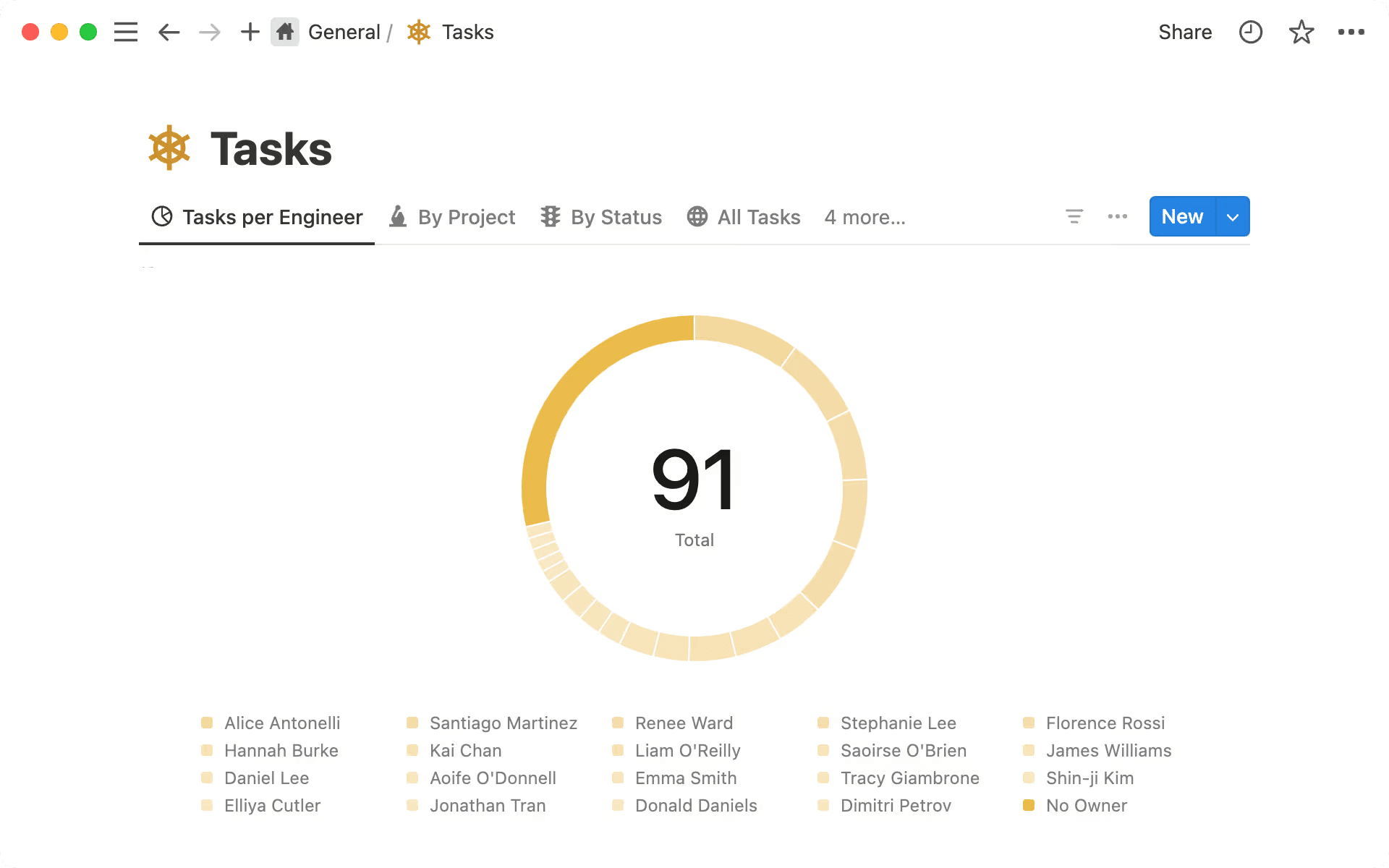
A chart that shows tasks per engineer in a Notion project (Source)
How to build a product management dashboard with Notion AI (with templates)
If you’re just getting started, Notion’s free work dashboard templates can provide helpful building blocks like time tracking. But the real value comes from how those pieces connect into a system that your team can trust as work moves forward.
Here’s a six-step process to show how you can build your own project management dashboard in Notion:
1. Centralize product, project, and delivery data
To get started, you’ll want to centralize the core elements of product work (like roadmaps, initiatives, research, delivery projects, and metrics) in one workspace. When this information lives together, your team can stop reconciling multiple sources of truth, and the dashboard will earn credibility by default.
Many teams do this by using a product development dashboard template, which brings initiatives, projects, and execution into a single hub. From there, it’s easier to layer in supporting databases—like research or issues—without fragmenting the system.
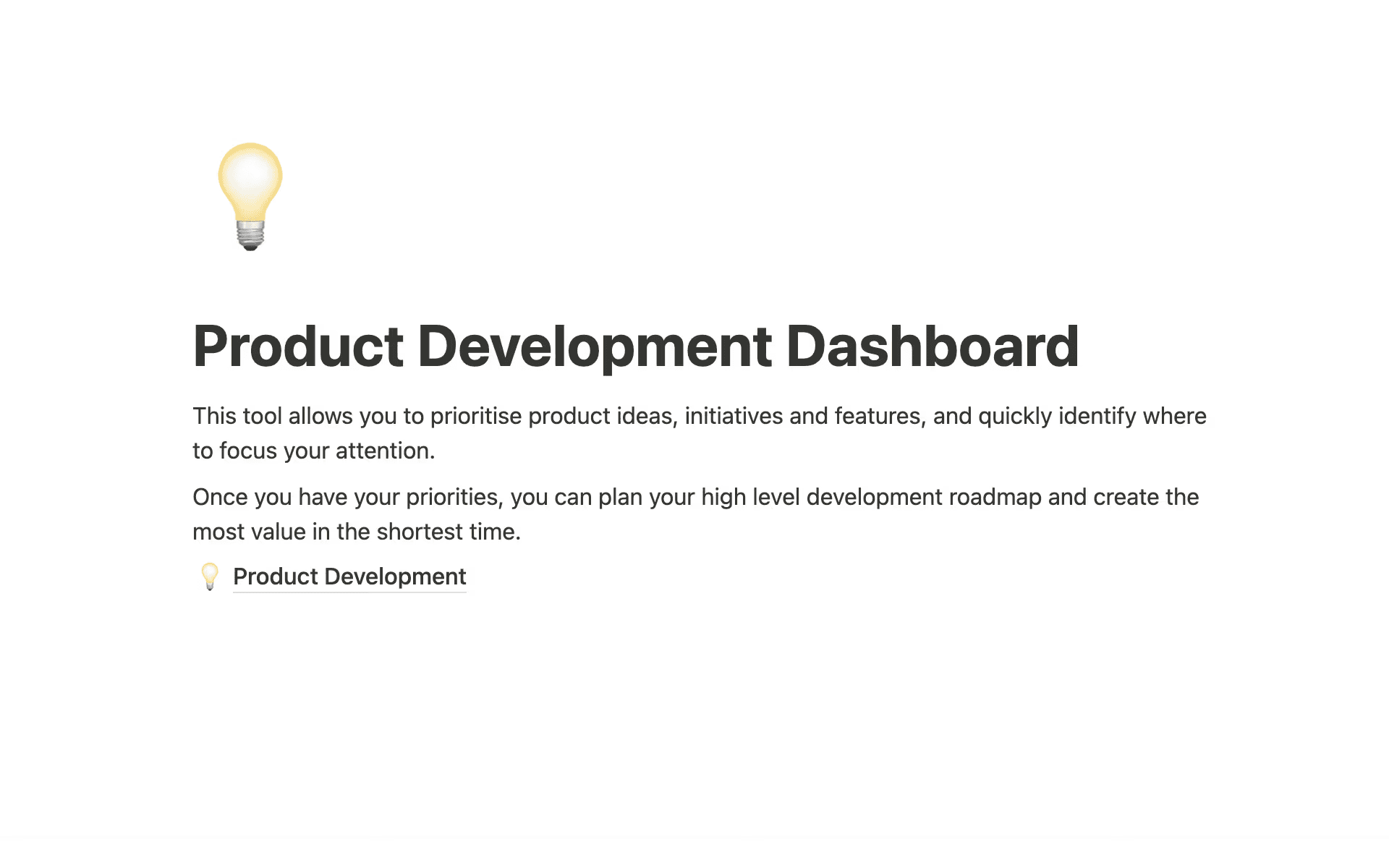
Product Development Dashboard template in Notion, which helps you prioritize product ideas (Source)
Because teams update this work as part of daily execution, the dashboard will stay current without extra maintenance, which allows downstream views to evolve naturally as product priorities shift.
2. Structure the dashboard around product questions
Once you’ve streamlined your data, you should structure the dashboard around the questions product leaders ask most often, like these:
What’s in progress?
What’s at risk?
What decisions do you need to make next?
Then, instead of categorizing views by team or artifact, you should organize them by intent. For example, a high-level “at risk” view might surface initiatives with slipping timelines, while a decision-focused view highlights work that’s awaiting prioritization or approval.
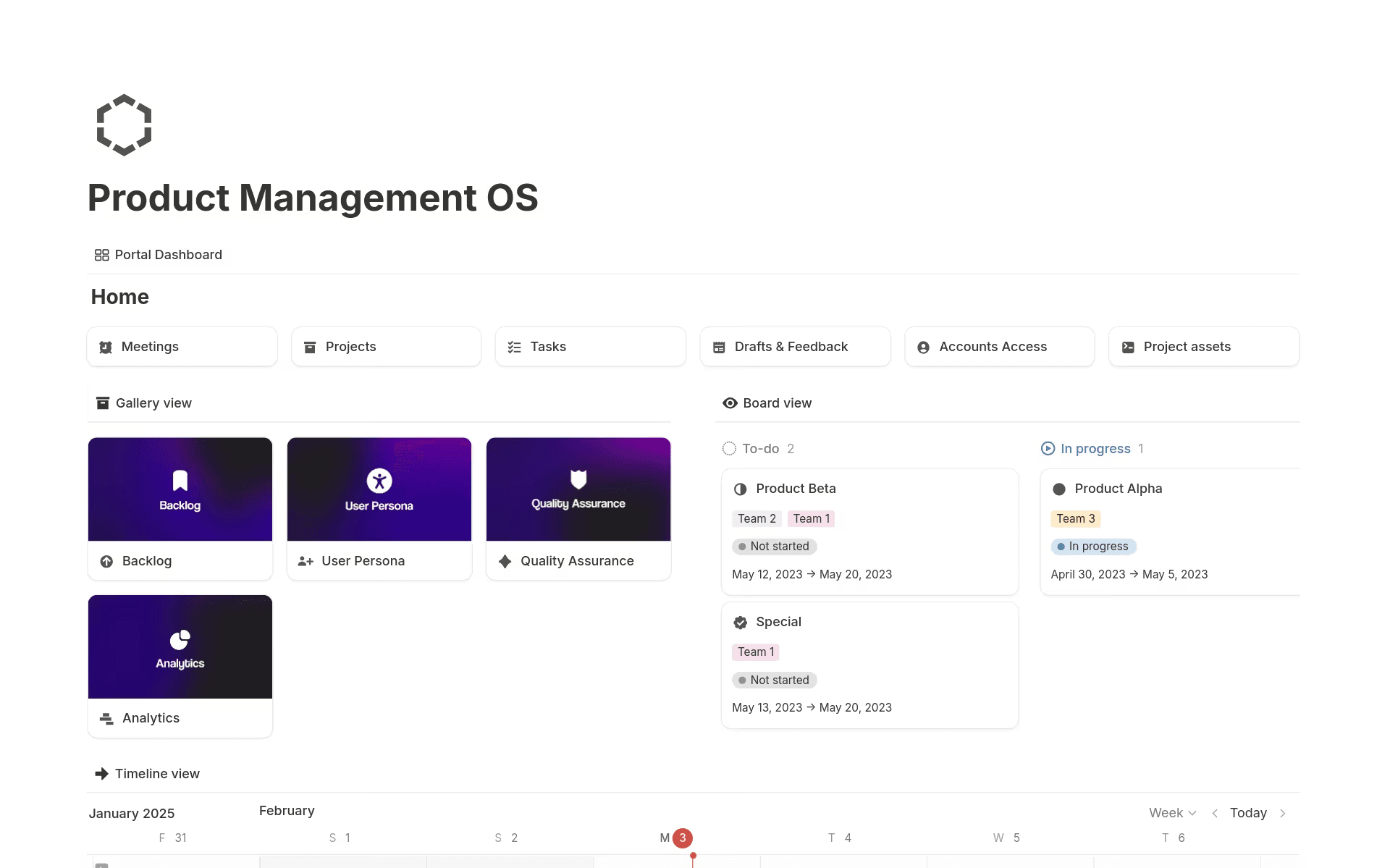
A Product Management OS dashboard in Notion (Source)
When your connected data is in place, Notion AI can help your teams answer these questions directly. That’s because it can summarize data points across related projects, surface emerging risks, and reduce the need to manually scan tasks, docs, and comments to understand what’s changing.
3. Use connected databases to power live views
The foundation of a scalable dashboard is a set of connected databases where initiatives link to projects, issues, and outcomes. This means updates will roll up automatically as work progresses, which eliminates duplicate reporting.
For instance, when a project status changes or a dependency emerges, that update will flow through the system and appear instantly in every relevant view. You can then pair this setup with a dedicated product metrics dashboard for tracking outcomes at a glance and a more detailed product analytics dashboard to explore trends, adoption, and performance over time.
Because both views draw from the same underlying data, you can move fluidly between execution and analysis without maintaining separate reporting layers.
4. Create role-specific views on shared data
Different roles need different perspectives—but they don’t need different systems. That’s because in Notion, PMs, engineering leads, and executives can each have tailored views of the same underlying data by using filters and synced views.
For instance, PMs might focus on roadmap progress and open decisions, engineering leads on dependencies and delivery health, and leadership on initiative-level outcomes. Some teams may even use Linear-style product management templates to mirror execution workflows while preserving the flexibility to adapt views as needs evolve.
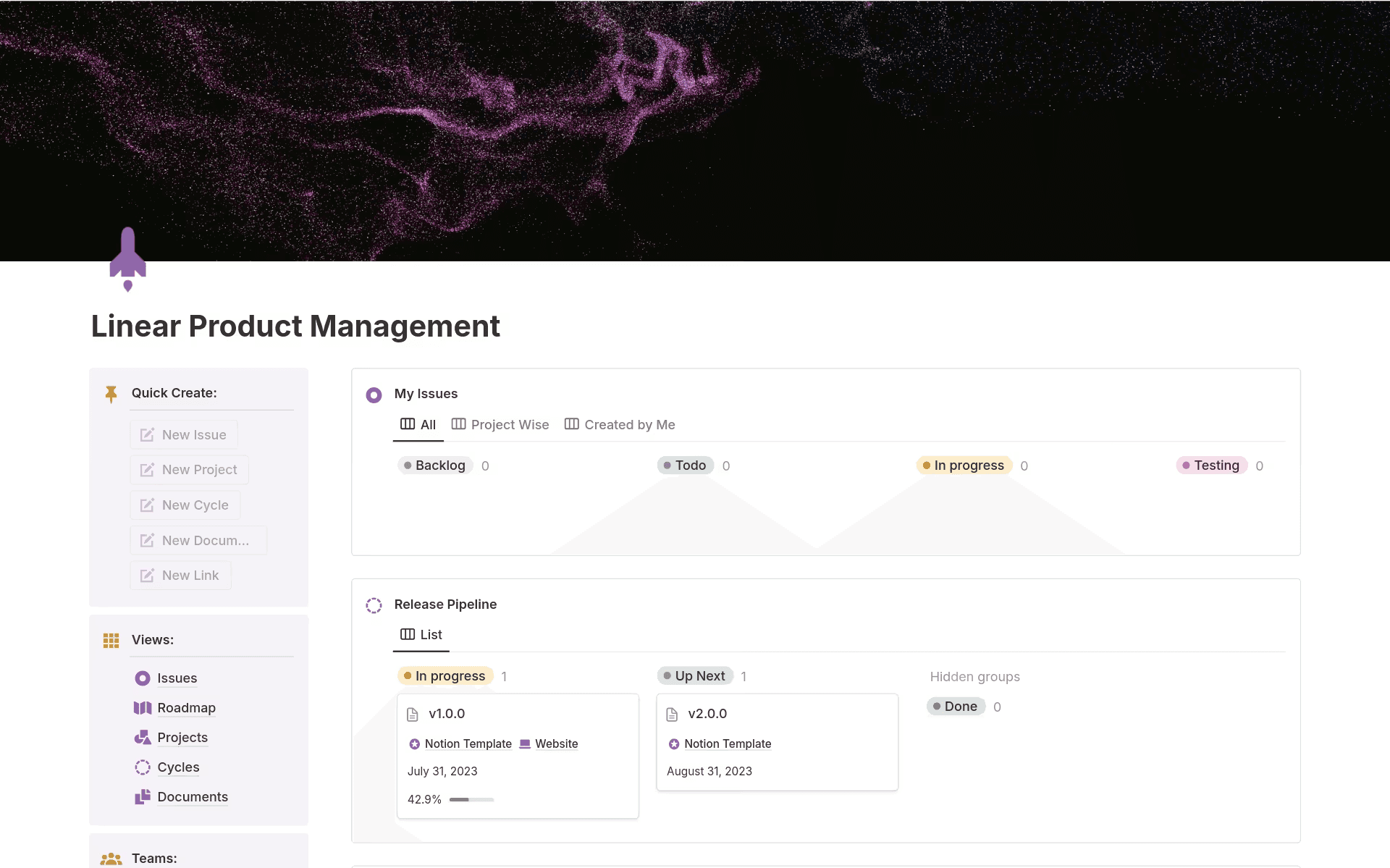
A Linear Product Management template in Notion (Source)
5. Use Notion AI for updates, summaries, and digests
When you have a connected system in place, Notion AI becomes a practical assistant for keeping stakeholders informed. That’s because it can generate weekly status summaries, highlight risks and dependencies, and draft leadership-ready updates directly from live projects and documentation.
And when timelines change, a Notion Agent can reschedule deliverable deadlines and write a clear team update in the same workflow to keep plans, execution, and communication aligned. This feature is especially useful for teams that need to provide frequent updates without interrupting execution to assemble reports.
Uh-oh! It looks like your ad blocker is preventing the video from playing.
Please watch it on YouTube

6. Keep dashboards current with async rituals
Dashboards stay useful when they capture decisions, not just activity. So to help your teams preserve context as work evolves, you can use lightweight async rituals like decision logs, post-launch reviews, and retrospectives.
By pairing these rituals with AI-assisted summaries and trend analysis, your team can reflect on what changed, why it mattered, and what to do differently next time. Over time, this turns the dashboard into a living record of product strategy and execution.
What do effective product management dashboards look like in Notion?
In Notion, product management dashboards adapt to how teams actually work. Instead of a single, fixed layout, they take shape around strategy, delivery, and visibility and each use the same connected data, just through different lenses.
Below are some common examples that teams use today, along with real workflows that use Notion AI:
Product strategy and roadmap dashboard
This dashboard gives product leaders a clear view of what matters most right now by showing high-level priorities, initiative statuses, and product areas that require strategic attention.
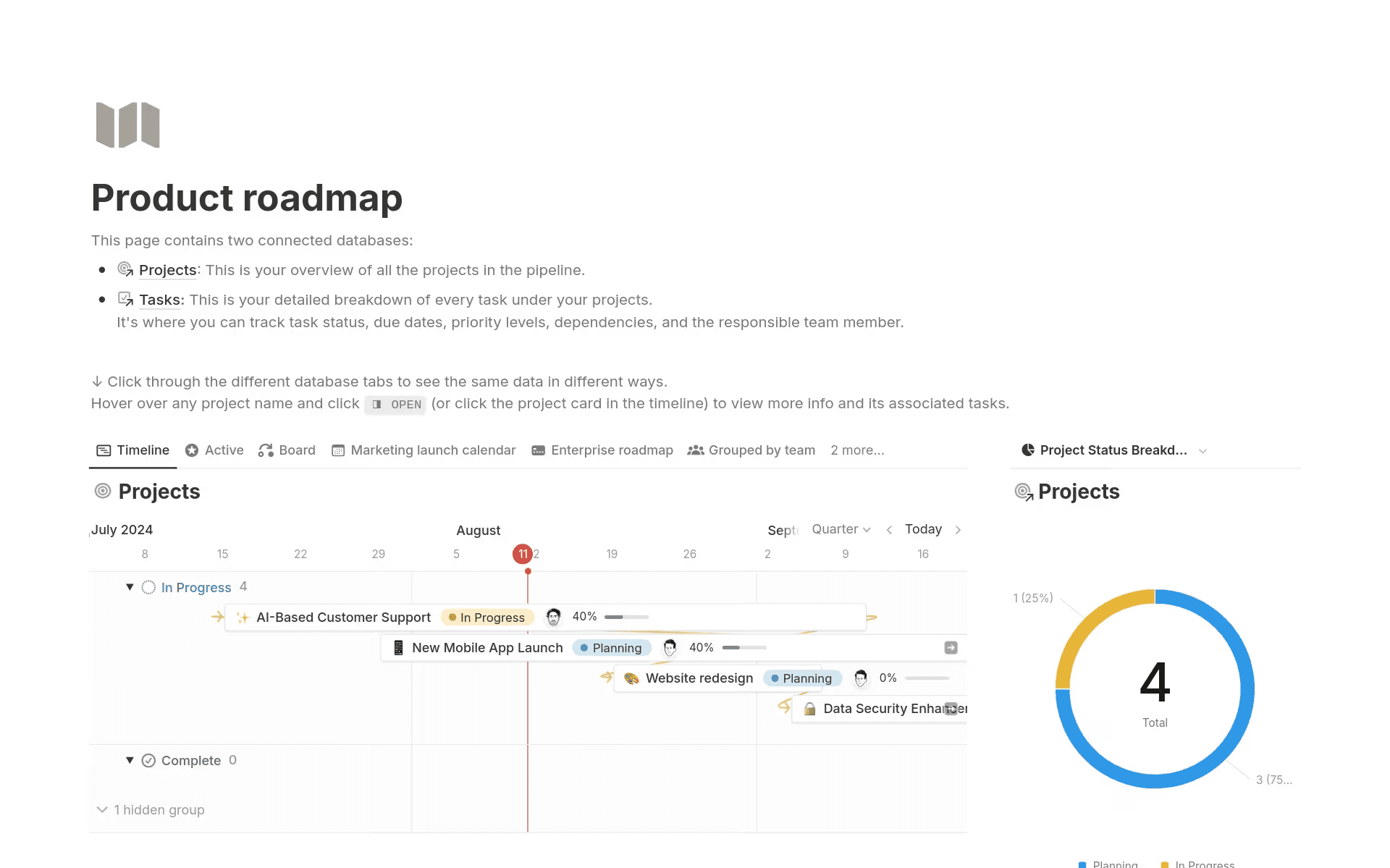
A product roadmap dashboard in Notion that highlights projects (Source)
Who uses it: Product leaders and senior PMs
What it solves: Maintains clarity on priorities while tracking initiative health as plans evolve
What powers it: Initiatives, roadmaps, and linked project databases
How AI helps: Rolls up progress and risks into leadership-ready context via AI-generated summaries
Delivery and execution dashboard
Instead of scanning task boards or status updates, teams can use this dashboard to understand how execution is trending and where intervention is necessary.
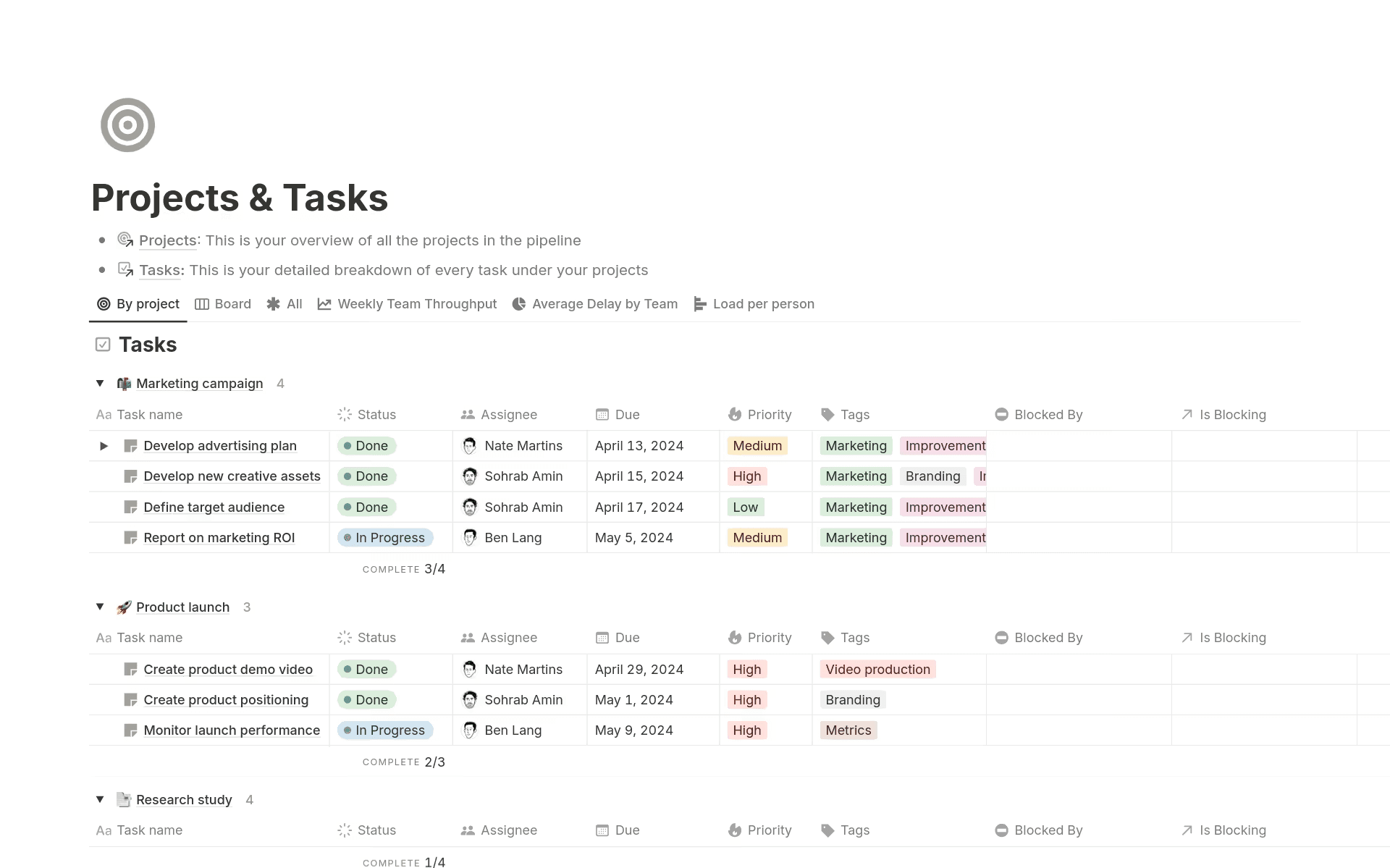
Notion's Project & Tasks template, which shows tasks, statuses, priority, and more (Source)
Who uses it: PMs, engineering leads, and cross-functional partners
What it solves: Provides visibility into progress, dependencies, and delivery risk across active work
What powers it: Projects, tasks, issues, and linked initiatives
How AI helps: Highlights blockers, slipping timelines, and emerging dependencies
Leadership visibility dashboard
This dashboard connects strategy to results by tying initiatives to metrics and progress. Meanwhile, AI handles the synthesis that would otherwise require custom reports or ad hoc updates.
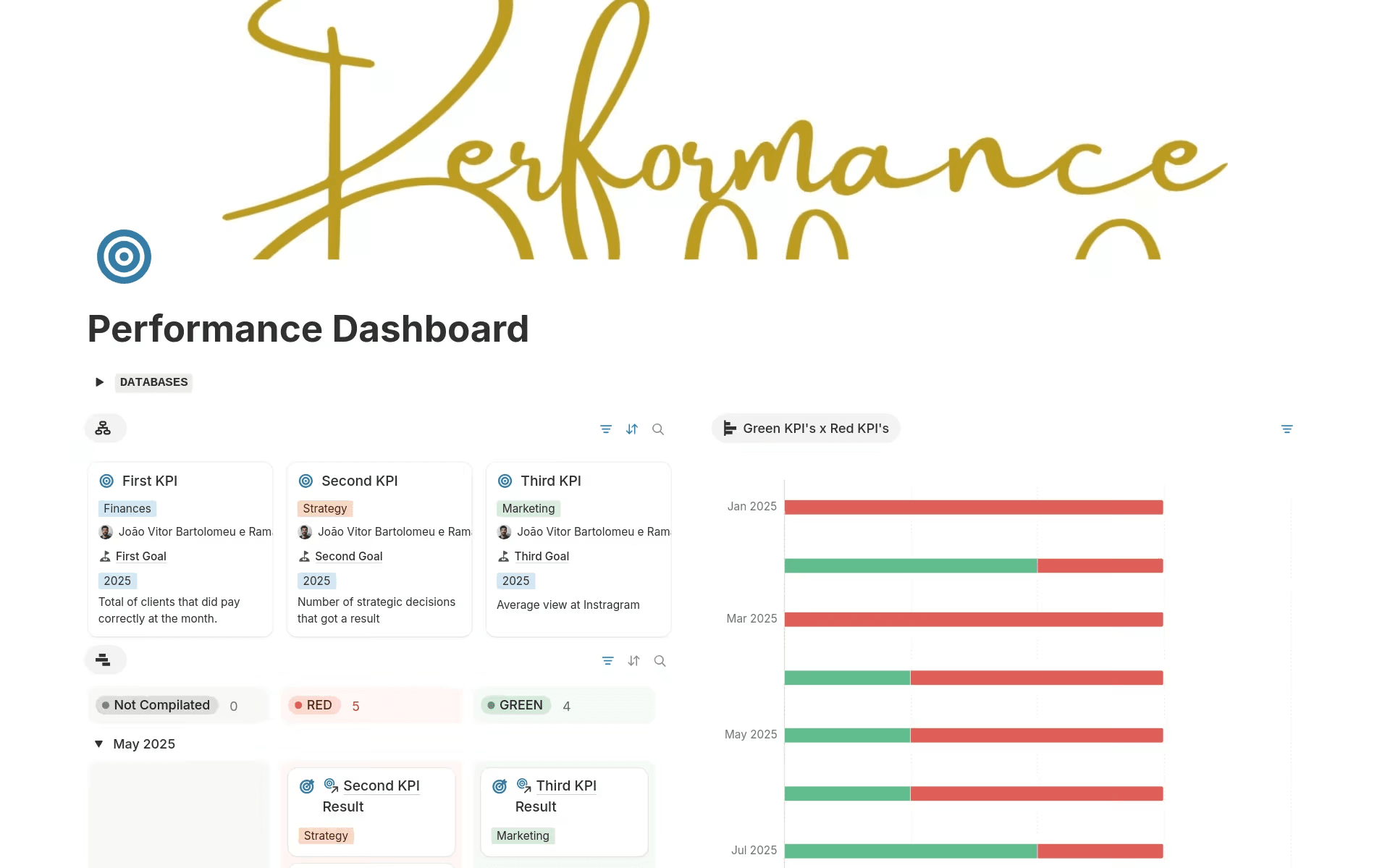
The Performance Dashboard in Notion, which maps KPIs to success (Source)
Who uses it: Executives and functional leaders
What it solves: Helps teams understand outcomes and strategic progress without manual reporting
What powers it: Initiatives, product metrics, and outcome tracking databases
How AI helps: Generates executive-ready updates directly from live work
What are the most common product management dashboard challenges?
Most dashboard problems aren’t a result of poor design—they instead come from disconnected systems, manual upkeep in spreadsheets, and dashboards that can’t keep pace with real product work.
Below are the most common challenges that product teams run into—and how Notion AI can help you address them at the system level:
Common challenge | What goes wrong | How Notion AI helps |
Dashboards go stale or fall out of sync. | Updates rely on manual reporting, which means context lags behind reality. | Linked databases keep views live, while AI-generated updates summarize what changed as work evolves. |
Different teams need different views of the same data. | Separate dashboards fragment context and create misalignment. | Role-based views let PMs, engineering, and leadership see what they need from the same shared data. |
Information lives across too many tools. | Decisions and progress go missing in Slack, Jira, or GitHub. | The centralized workspace connects tools and pulls context into one place for easier reference and action. |
Reporting takes too much manual effort. | PMs spend time writing updates instead of moving work forward. | AI automatically summarizes projects, notes, and discussions into ready-to-share updates. |
When teams power dashboards with connected data and support them with AI inside the workspace, they stay useful—not just at launch, but as the product lifecycle evolves, too.
Keep product management dashboards aligned as you scale
As product organizations grow, dashboards tend to multiply, then quietly lose relevance. What once started as a helpful view for one team becomes hard to maintain across many, especially as strategy shifts, teams reorganize, or a new product or feature changes priorities.
But we’ve built Notion for that reality. Its shared data, flexible views, and lightweight governance allow teams to scale from one product group to many without dashboard sprawl, especially when they use Notion AI. And as strategy evolves, those dashboards iterate with it because they run on live work, not static reports.
Ready to learn more? Check out everything you can do with Notion AI today.