A practical guide to sprint planning for product teams
Sprint planning is one of those rituals that everyone agrees is important, but many teams still leave planning meetings feeling uncertain, rushed, or misaligned. That’s because context is missing, priorities shift mid-conversation, and decisions drift away into Slack threads, Jira tickets, and half-finished Google Docs.
For product development teams—where hybrid methodology blends Scrum, Kanban, and real-world delivery constraints—the challenge isn’t whether you plan. Instead, it’s if your planning connects all the work that matters and helps your project move forward.
To shrink the distance between knowledge and action, you need to view sprint planning as a connective force, not a checkbox. Whether you follow the Scrum framework by the book or operate in a hybrid Agile model, the goal is the same: align around the right work, at the right time, with the right context.
What is sprint planning?
At its core, sprint planning is an alignment ritual that happens when product or software development teams decide what they’re going to work on next and how they intend to do it. In Scrum, this happens at the start of each new sprint and pulls from a prioritized product backlog to define a sprint goal.
While the standard Scrum framework is structured, real teams rarely work by the book. Product, design, and engineering teams often follow hybrid models that borrow the cadence of sprints while adapting Agile principles to real needs—discovery, continuous delivery, experimentation, and cross-disciplinary collaboration. However, hybrid workflows still need clarity, shared context, and alignment.
But that doesn’t mean that the artifacts that feed sprint planning can’t live neatly in one tool. Tools like Notion help teams keep these pieces connected by supporting both strict sprint rituals and flexible hybrid models without scattering context across 10 Internet tabs that you forgot the purpose of yesterday.
Outcomes of a well-planned sprint
A well-run sprint planning session helps agile teams accomplish these tasks:
Define a shared sprint goal that everyone understands.
Choose work items that are ready for delivery.
Bring the right context together so decisions stick.
Reduce mid-sprint surprises and distractions.
When planning connects to the work and knowledge that teams use every day, it stops being a meeting and instead becomes a launchpad.
Where does sprint planning break down in product teams?
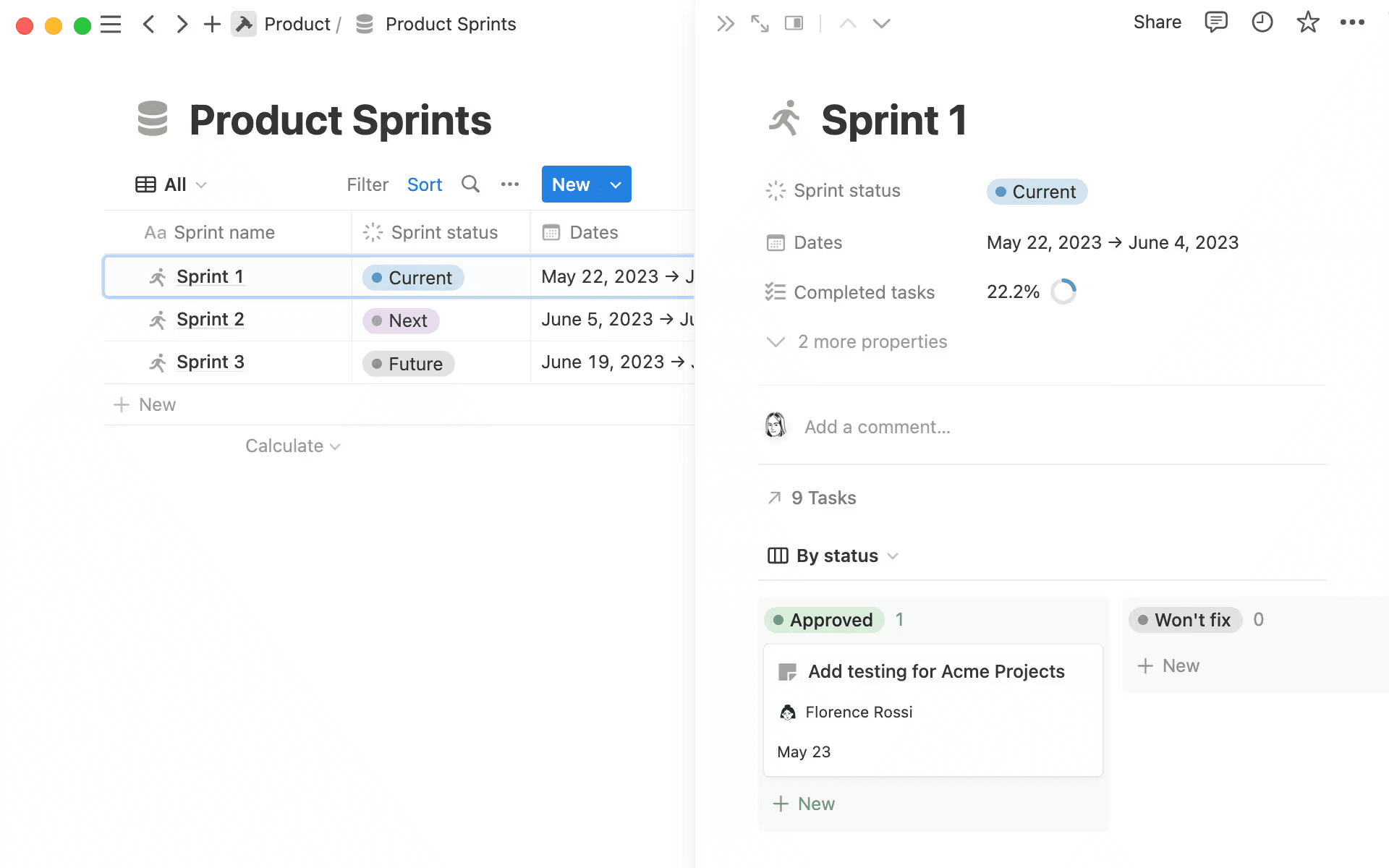
Sprint progress and details in Notion (Source)
Sprint planning usually fails because the information that teams need isn’t present when they meet, not because people aren’t trying. Additionally, essential context is often spread too thinly across tickets, chat threads, docs, design files, and memory.
Here are some other common challenges that teams face:
Poorly groomed backlogs
Most planning issues start long before sprint planning meetings begin. When the backlog isn’t ready and items are vague, conflicting, or missing crucial details, for example, you’ll spend the meeting figuring things out instead of making decisions.
Vague or missing acceptance criteria
Working without clear outcomes can leave you directionless. And when acceptance criteria are unclear or aren’t present, you’ll waste planning time interpreting intent instead of aligning on it.
Scattered context across tools
When specs live in Figma, questions in Slack, and decisions elsewhere, sprint planning becomes an endless search. As a result, every jump between tools costs time and focus that teams could have spent building instead.
Siloed decision-making
Product, design, and engineering all bring unique perspectives. But if those perspectives aren’t visible to each other before planning, alignment becomes a series of compromises rather than a shared understanding.
To achieve a common goal, teams need a way to converge their insights before and during planning—not in afterthoughts.
How should teams prepare for sprint planning before they meet?
Sprint planning should feel smooth, but that only happens when preparation becomes part of your rhythm rather than something you scramble to finish the day before. Here are five things you can do to better prepare for sprints:
1. Set up a consistent backlog refinement cadence
Your team should review product backlog items more than once a sprint. To help with this, establish regular increments—weekly or biweekly—for removing noise, clarifying details, and elevating ready-worthy candidates. The more you discuss these items ahead of time, the less catching up you’ll need to do in the meeting itself.
2. Establish a Definition of Ready
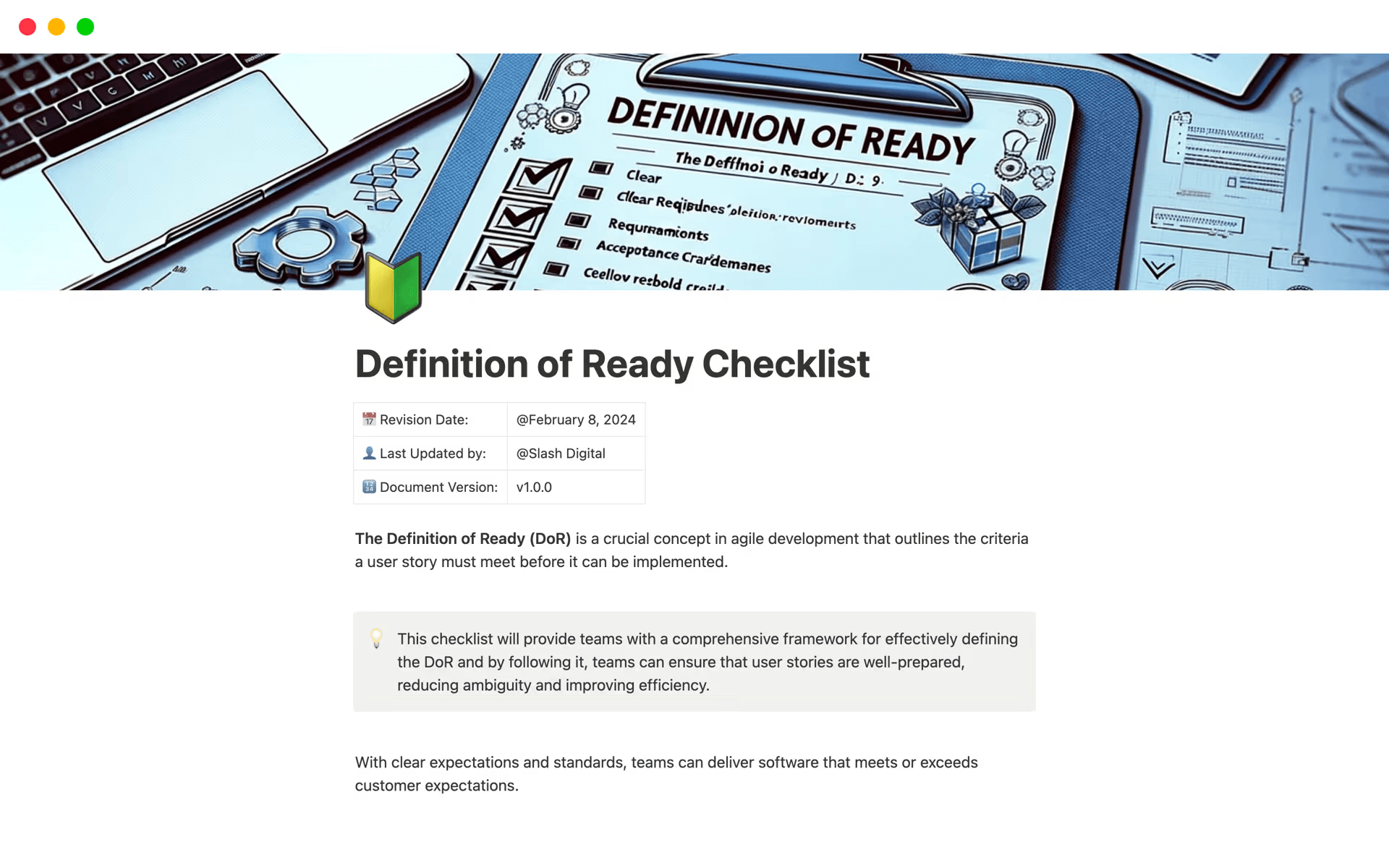
A Definition of Ready checklist template, available in Notion (Source)
A Definition of Ready (DoR) is a shared checklist that helps teams ensure that items meet a standard to help you plan more effectively. Think of it as a social contract that says, “We all understand what this is and what success looks like.”
3. Review goals, roadmap commitments, and capacity
You can’t properly plan without context or direction. That’s why, before planning begins, your whole team should have visibility into these items:
Roadmap commitments and milestones
Current sprint goals and success criteria
Team capacity that accounts for real constraints
Backlog items that meet the DoR
When this information lives in a connected space, it becomes fuel for the conversation instead of noise.
4. Curate pre-reads and connect them to work items
Designs, specs, research, and technical notes are important context, not optional extras. That’s why you should link work items to supporting documents and artifacts—this eliminates guesswork and gives everyone the context they need before the meeting even begins.
5. Use AI to synthesize inputs and surface blockers early
As your inputs grow, so does your prep work. But you don’t have to do it all alone. Notion AI can act like a teammate that reads everything, highlights missing acceptance criteria, extracts key questions, and even suggests dependencies or risks. This means when your team gathers, planning will be more about aligning and committing than catching up.
How do product teams run sprint planning meetings?
Even in hybrid workflows, the most effective planning sessions follow a rhythm that mirrors Scrum’s classic structure. Here’s an example outline that you can follow:
Define the goal
To get started, you’ll want to figure out what you’re trying to accomplish in your sprint. Aligning on this sets the direction up front.
Plan the work
Once everyone knows the goal, it’s time to pull in the backlog items that fit that goal and the team’s capacity.
During this phase, you should tick off these items:
Review refined work items.
Confirm readiness and acceptance criteria.
Discuss dependencies and an execution approach.
Adjust scope if necessary.
As decisions happen, teams often end up writing tasks or breaking stories into subtasks. To help with this process, Notion AI can capture decisions from the notes you’re already taking and use automation to turn them into tasks or checklists. In other words, it ensures that no one leaves the room with action items floating in their head.
How does AI transform sprint planning from reactive to strategic?
The goal of AI is to make sprint planning less about catching up and more about thinking ahead, not to take over the planning process entirely. Here are a few ways that AI functionality can do so to help you avoid unexpected roadblocks:
Helping product owners refine the backlog
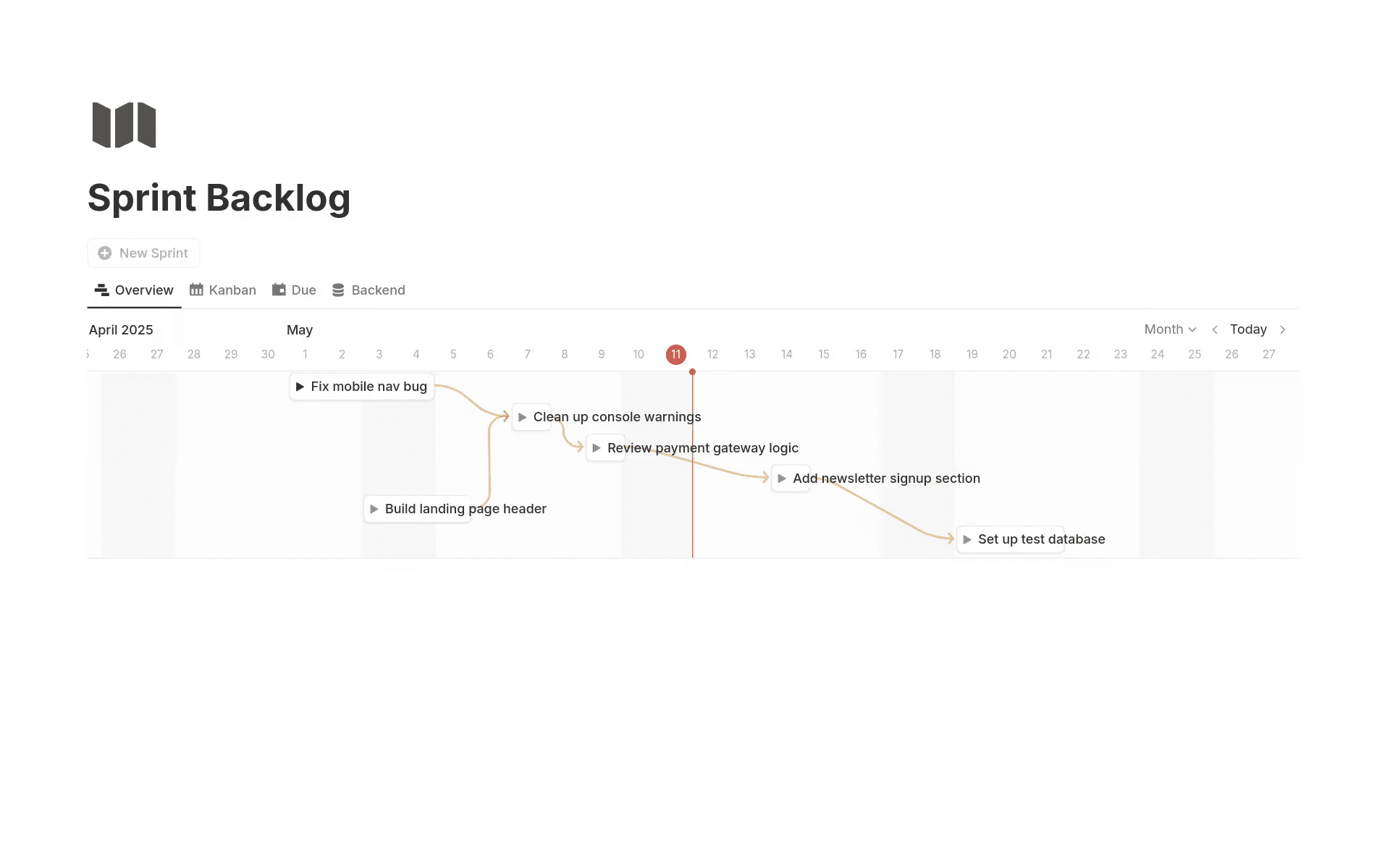
A sample sprint backlog template, available in Notion (Source)
AI can help teams connect the dots across feedback, specs, and tickets by performing these tasks:
Summarizing customer feedback into actionable themes
Drafting acceptance criteria from research notes
Spotting duplicates or overlaps before they become distractions
With this support, backlog refinement stops being ad hoc and instead becomes strategic.
Helping Scrum Masters identify risks and blockers
A Scrum Master’s job is part shepherd, part early warning system. AI can help them with these roles by detecting patterns in past sprints that might signal risk, recurring blockers, or hidden dependencies. That way, instead of reacting mid-sprint, teams can anticipate issues early on.
Keeping everyone on the same page
When AI generates summaries of decisions and captures context as it evolves, everyone will stay aligned, even if they miss a daily standup or join mid-sprint. That’s because connected context means fewer misunderstandings and less confusion about what teams decided on.
How to build an end-to-end sprint workflow in Notion
The best sprint planning happens when it’s part of a continuous loop—and that’s exactly what we’ve designed Notion to support. Because it houses every sprint artifact in one place, you can easily stitch together these items:
Backlogs
Planning documents
Specs and design iterations
Decision logs
Daily updates
Sprint reviews
Retrospective notes
That way, context travels with the work, not behind it.
Here are four specific steps you can take to build a workflow for effective sprint planning sessions in Notion within your cross-functional projects:
1. Prepare your sprint with refined backlogs, connected specs, and “ready” items
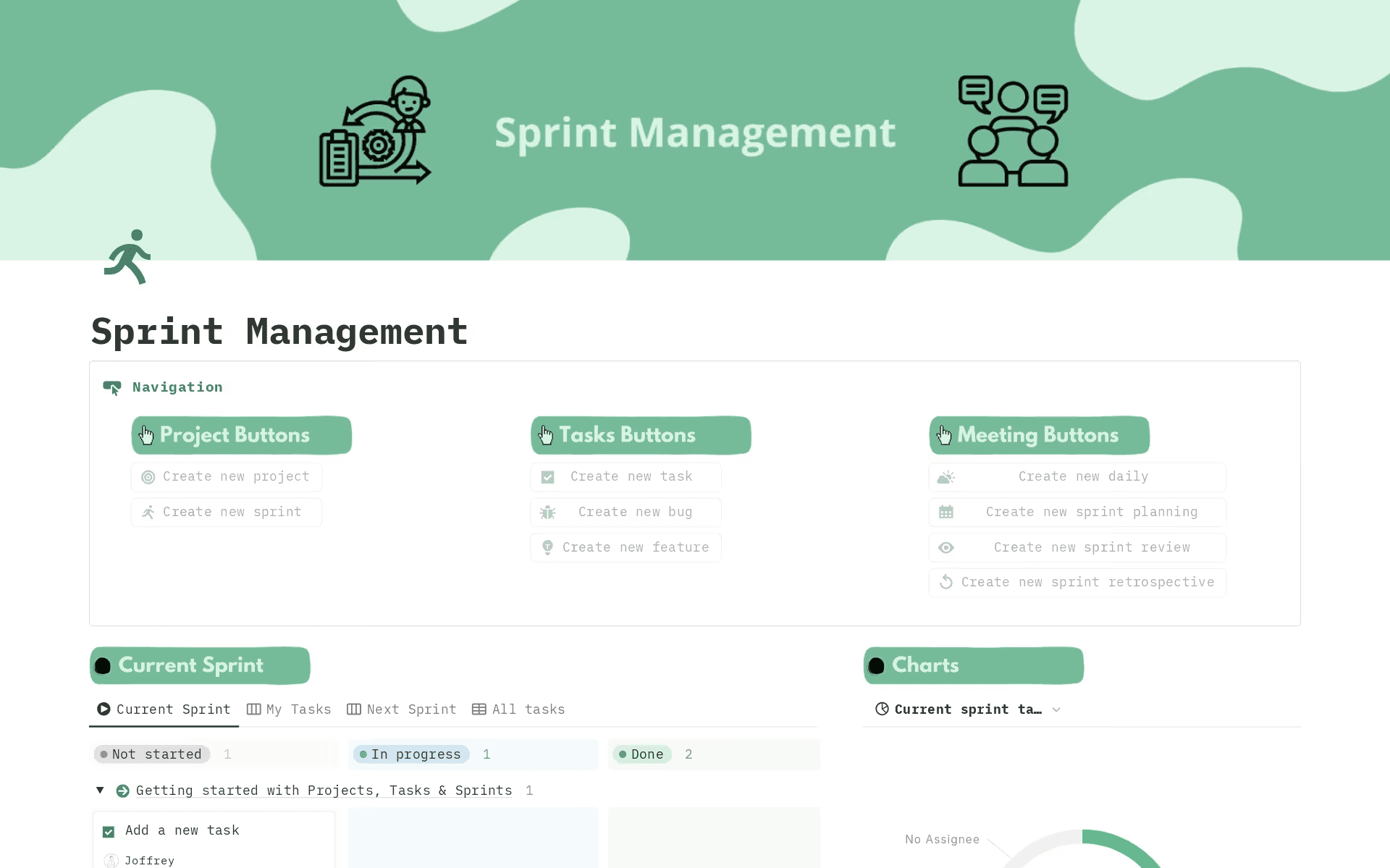
A simple sprint management template, available in Notion (Source)
To get started, you’ll want to create a single backlog database that acts as the foundation for your workflow. You should share it across product, design, and engineering and make sure it’s flexible enough to support different views for different needs.
What to set up:
A backlog database with these properties:
Status (like “Idea,” “Needs refinement,” “Ready,” “In sprint,” and “Done”)
Priority
Owner
Sprint
Effort or size
DoR (as a checkbox or selections)
A “sprint ready” view that only shows items that meet your DoR
Linked relations to specs, designs, or product requirements documents
How to use it:
During refinement, product and engineering teams should review items in the backlog view.
Designers can link Figma files or design docs to items so context travels with the task.
Questions and clarifications live as comments on the work item, not in Slack threads that disappear.

Template
Consider using a sprint planning template to get up and running quickly. Notion offers several free template options, as well as these tailored versions for specific needs:
2. Run the planning meeting with shared views and real-time updates
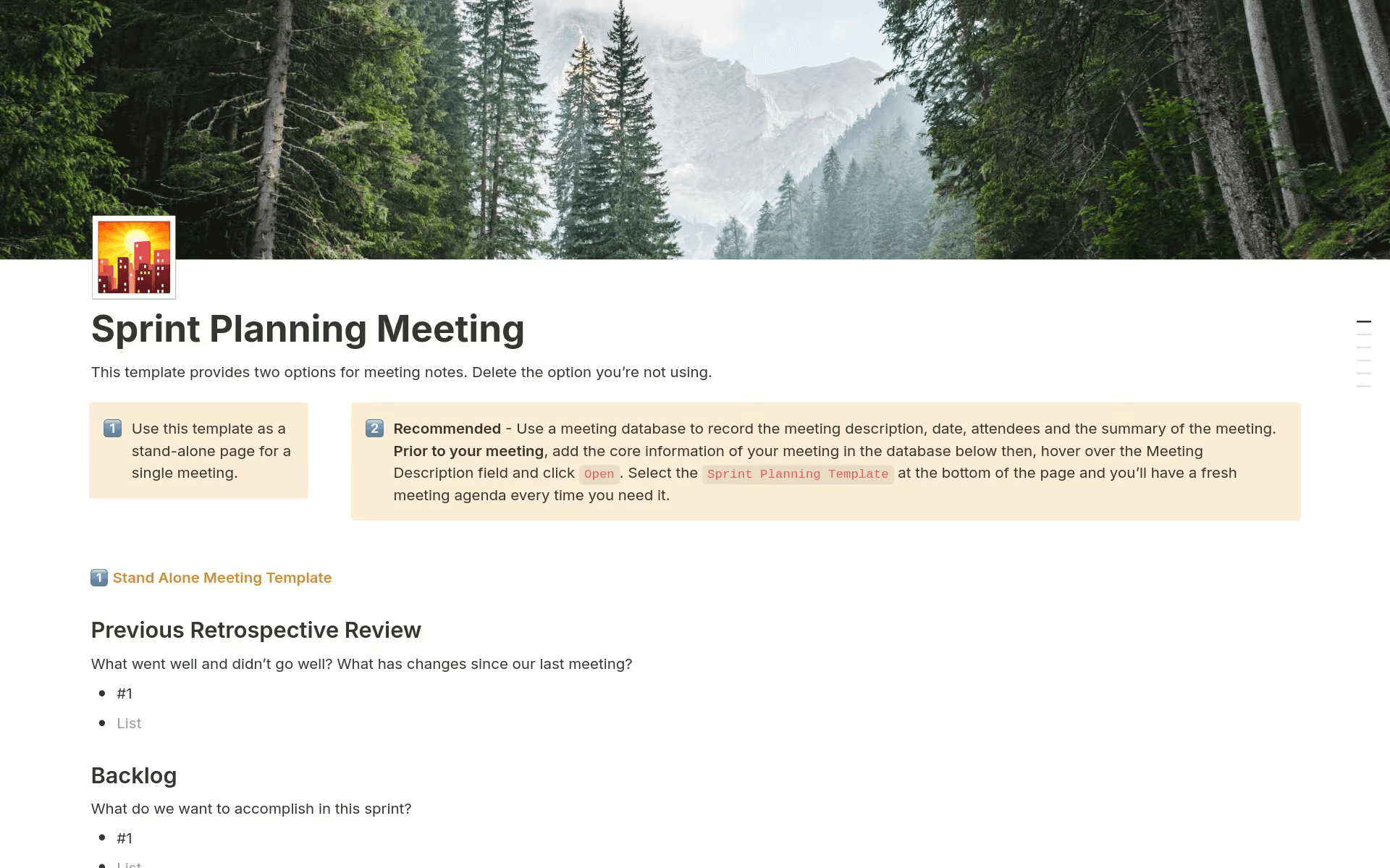
A sprint planning meeting template, available in Notion (Source)
Sprint planning works best when everyone is looking at the exact same thing. That’s why, in Notion, meetings become a connected workspace rather than a slide deck or screen share.
What to set up:
A sprint board view with filters to show the upcoming sprint
A planning doc or meeting page that links to the sprint
Side-by-side views for these items:
Sprint goals
Capacity notes
“Ready” backlog items
How to use it:
Start by writing the sprint goal at the top of the planning doc.
Pull backlog items into the sprint board as the team commits to them.
Break work into subtasks within the item to capture execution details immediately.
Use Notion AI to summarize discussion notes and convert decisions into tasks.
By the end of the meeting, the sprint will already be “alive”—that means no cleanup work to complete or follow-up docs to write.

Helpful Resource
Check out our guide on database views and filters for help setting up the correct views.
3. Execute the sprint with AI-assisted monitoring and context-rich task updates
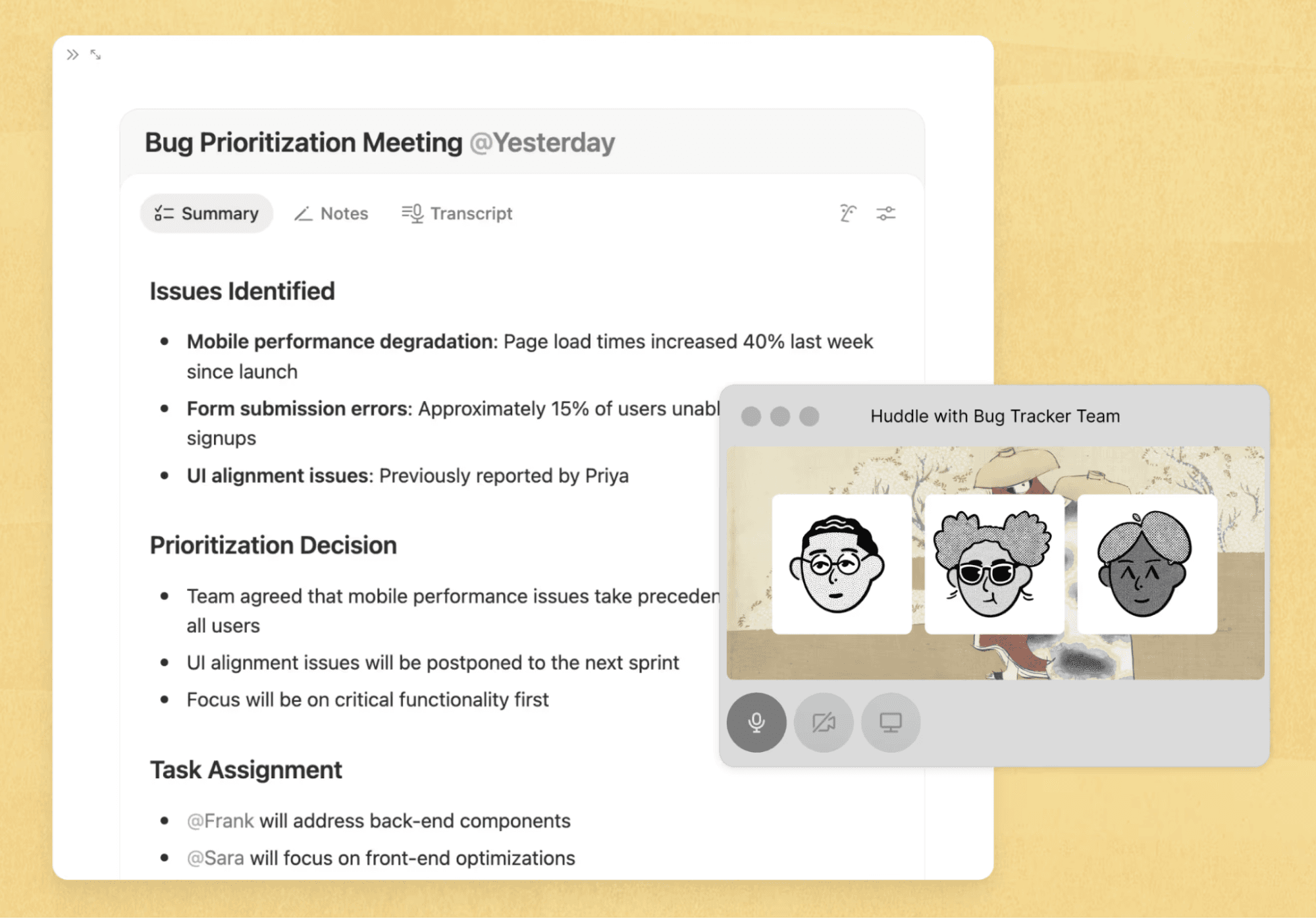
Example AI team meeting summary, clarifying issues, decisions, and tasks (Source)
Once the sprint starts, the goal is to increase clarity and decrease the number of status meetings you hold. Doing this means that execution will feel like a continuation of planning.
What to set up:
A sprint dashboard that shows these categories:
In-progress work
Blocked items
Upcoming deadlines
Task templates with built-in update sections
Linked daily notes or async standup entries
How to use it:
Engineers and designers can post updates directly on the work item to preserve context.
Status updates or tags flag blockers instead of leaving them buried in chats.
Notion AI summarizes weekly progress and highlights stalled work.
Stakeholders can check the sprint dashboard instead of asking for updates.
This step keeps execution transparent while minimizing interruptions and context switching.
4. Close the loop with sprint reviews and retros in one connected workspace
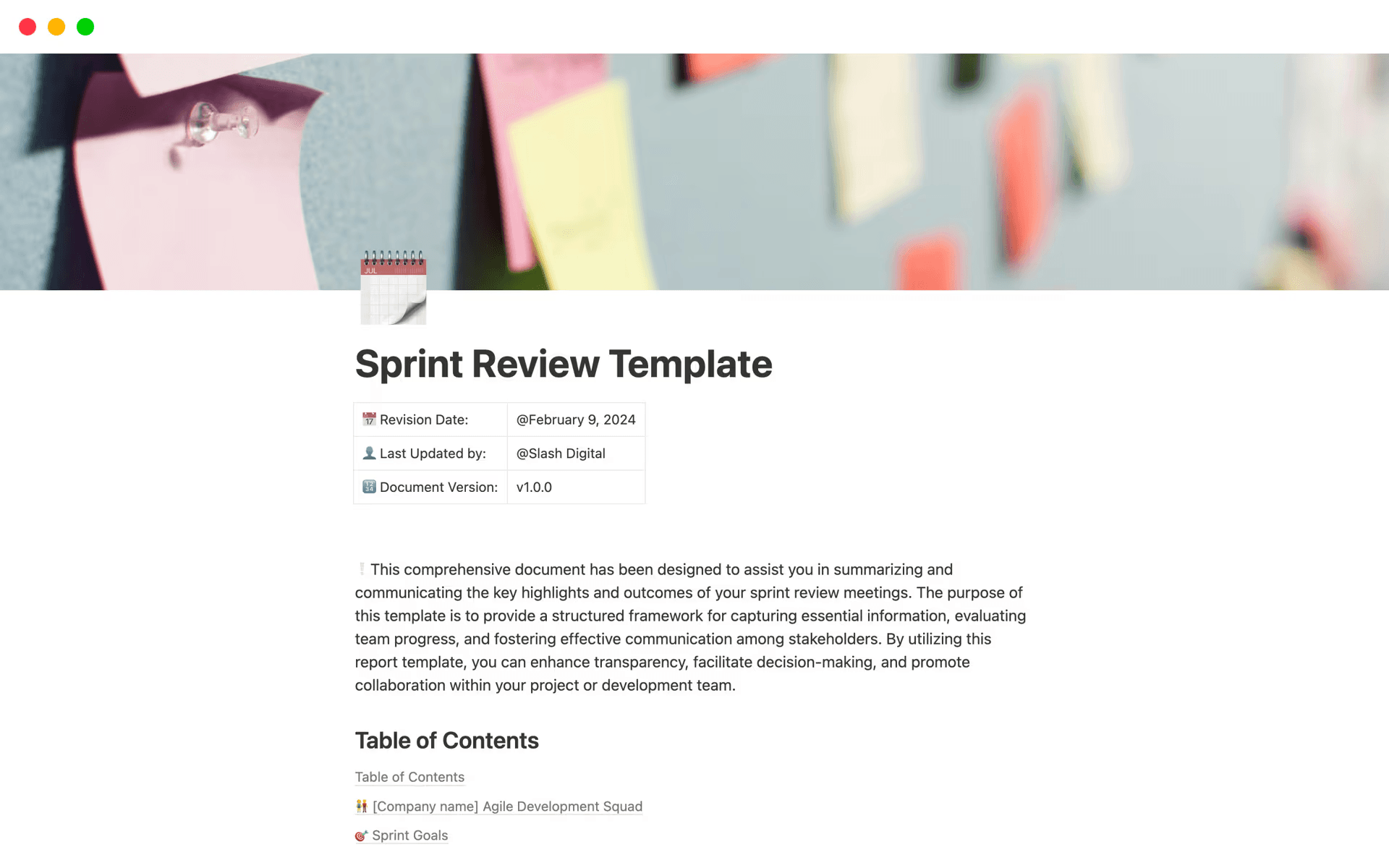
A sample sprint review template, available in Notion (Source)
The sprint doesn’t end when the last task moves to “done.” Reviews and retros are where learning actually happens—and where many teams lose valuable insight.
What to set up:
A sprint review template that links to the sprint
A sprint retrospective template with sections for these types of insight:
What went well
What didn’t go well
Action items
A relation between retro action items and the backlog
How to use it:
During the review, link shipped work directly to outcomes or metrics.
In the retro, capture themes, not just individual comments.
Convert retro action items into backlog entries so your team remembers to schedule improvements.
Use AI to summarize retro notes and highlight recurring issues across sprints.
When reviews and retros live in the same system as planning, learning will flow naturally into the next sprint without relying on memory or manual follow-up.
Streamline sprint planning with Notion AI
Sprint planning should create momentum, not friction. So when you have a shared source of truth, clear priorities, and the right context at your fingertips, planning becomes a catalyst for confident execution rather than a recurring reset.
That’s where Notion comes in—it brings the core pieces of sprint planning into one connected workspace, from refined backlogs and sprint boards to specs, decisions, and retros. And when you layer Notion AI across these workflows, you can surface risks earlier, stay aligned as priorities evolve, and spend less time managing processes and more time building great products.
If your sprint planning still feels reactive or fragmented, it may be time to rethink your system. Start your sprint planning for free with Notion today to give your team a clearer, more strategic way to plan, build, and ship.


