Engineering roadmap: How connected context helps product teams
When engineering priorities shift or systems change, work shouldn’t fall apart. But without a connected engineering roadmap, context will inevitably go missing across docs, sprint boards, and decisions. This leaves you scrambling to rebuild intent when you should be focusing on shipping features instead.
A roadmap solves these issues by tying strategy, architecture, and delivery together in one place. Then, with this unified context, your engineering team can make better decisions, spot risk earlier, and keep strategy and execution moving in step—even as priorities change.
What is an engineering roadmap?
An engineering roadmap is a structured plan that maps how technical work moves from themes → epics → tasks → documentation → delivery. It also helps engineering teams see how day-to-day work supports long-term architecture, reliability, and product goals—but it isn’t simply a list of projects. Instead, it provides shared context across system design, dependencies, and milestones.
According to Cortex’s 2024 State of Developer Productivity report, most development professionals say they lose 5-15 hours per week to unproductive work—and most often, that lack of productivity involves the time it takes to search for information. This shortcoming shows just how important shared context can be.
When tools and systems are disorganized, you lose visibility into past trade-offs, risk history, and technical rationale, which then forces you to spend time reconstructing context when priorities shift instead of shipping work. But a connected roadmap fixes these problems by linking roadmaps, docs, requests for comments (RFCs), sprints, and delivery workflows in one workspace. This helps you trace every initiative back to the decisions behind it.
Engineering roadmap vs. product roadmap: What’s the difference?
Product and engineering roadmaps work together, but at different planning layers. Here’s how each operates:
Product roadmap: By defining customer-facing outcomes, sets feature priorities, and sequences initiatives over time, this roadmap aligns stakeholders around value, market impact, and strategic goals.
Engineering roadmap: This type of roadmap maps the above priorities to platform upgrades, scalability and reliability work, migrations, performance improvements, and technical debt. It also shows how engineering teams allocate effort across themes, modules, and timeframes.
Together, these plans provide big-picture visibility into what your organization is building and how your engineering team will deliver it at scale.
What should an engineering roadmap include?
A strong engineering roadmap links architectural direction to the day-to-day development process so you can see how initiatives, platform work, and quiet stability improvements all contribute to long-term outcomes.
If you have the right components in your roadmap, it will serve as a working source of truth across software engineering, product development, and system design that connects context for making better, faster decisions across departments. Here are a few specific items that you should include in your own roadmap:
Technical pillars and long-term architectural goals
This part of an engineering or technology roadmap establishes your technical pillars, which provide a clear picture of how your product or platform will develop over time. They also help your engineering team understand direction, put daily work into context, and prioritize the initiatives that move your product or platform toward the bigger vision, which prevents you from making short-term decisions that conflict with longer-term initiatives and progress.
Major initiatives, epics, and engineering themes
Components like major initiatives, engineering themes, and epics show how strategic priorities turn into real work. To this end, your roadmap should group work into themes, then break them into epics and tasks across agile delivery, DevOps, and software development. That structure creates a live view into how work moves through the system by linking themes to active sprints, shared templates, GitHub workflows, and internal API integrations.
With these facets in place, you can see progress across initiatives and understand why work unfolds in a given sequence.
Dependencies, risks, and system-level considerations
An engineering roadmap makes dependencies and risks more visible, especially in areas where older systems or shared services can slow progress. With that clarity, you can adjust the order of work to put the right foundations in place first, which reduces rework, prevents mid-sprint blockages, and optimizes effort in real time.
That same visibility also helps leaders understand how engineering decisions affect project management and product management timelines, scope, and priorities. And because that impact is visible, the product roadmap will stay in sync with what’s realistic, not just with what looked possible on paper.
Milestones, ownership, and expected outcomes
Milestones mark meaningful points in the timeframe of an initiative, while ownership makes it clear which team members are accountable for decisions and delivery. Establishing these components up front turns plans into commitments. That way, leaders and stakeholders can see whether work is tracking toward the intended outcomes and know where to step in if they need to give support.
When should you use an engineering roadmap?
An engineering roadmap is especially useful when technical work spans multiple initiatives, teams, and time horizons. That’s because it anchors long-term goals in the realities of daily engineering work, making prioritization clearer, more practical, and easier to justify.
Below are some specific instances when an engineering roadmap is most helpful:
Mapping and sequencing platform or infrastructure work
Roadmaps are critical when you’re working on platform upgrades or deeper system design changes that ripple across teams. After all, when dependencies are visible early, you’re less likely to run into blockers halfway through a sprint. This makes it easier to sequence work in a way that keeps momentum going.
At Faire, bringing its roadmap, sprints, and delivery workflows into Notion created a single place to understand what was happening across the platform.
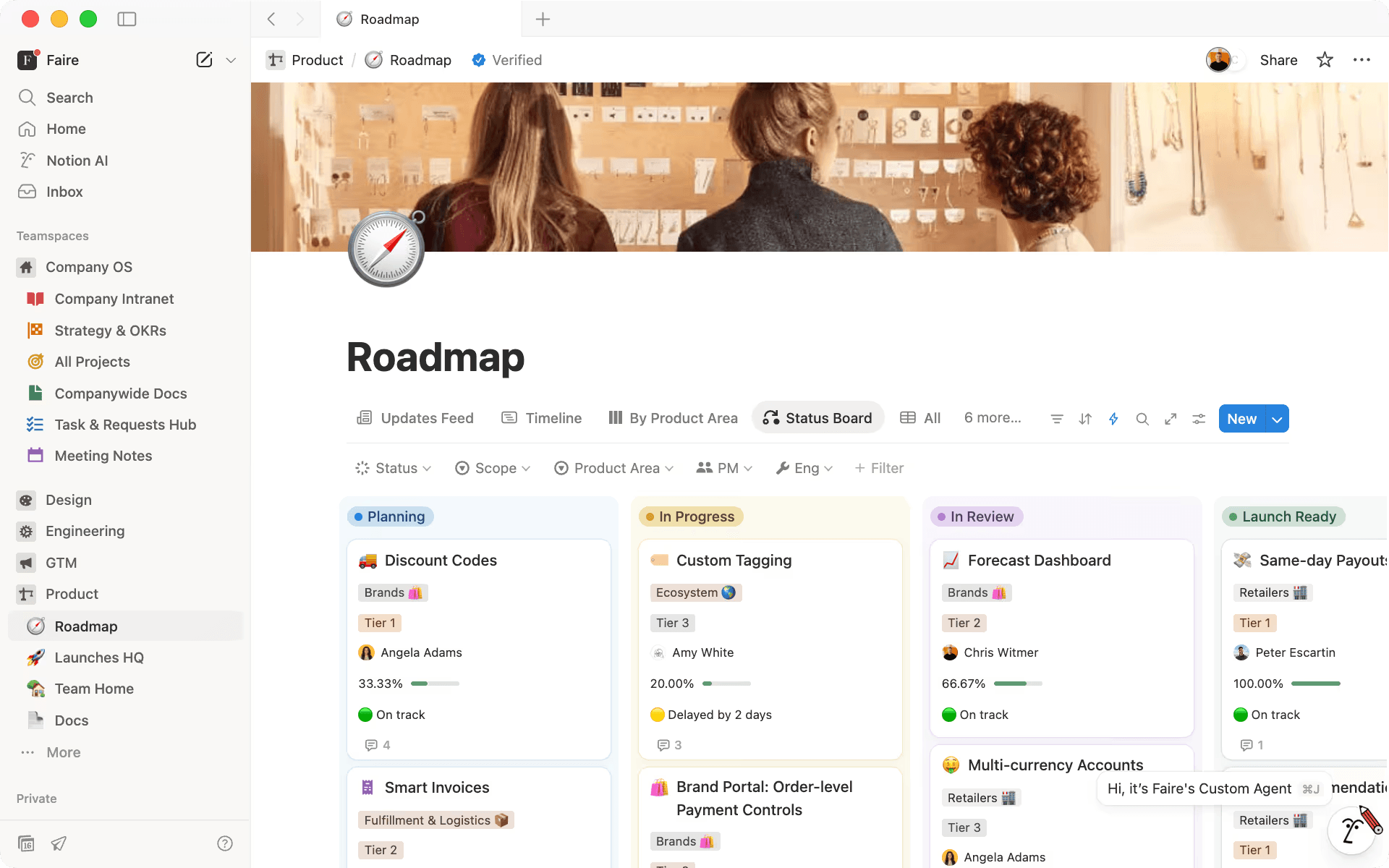
Faire’s Notion engineering roadmap shows tasks in planning, in progress, in review, and launch ready. (Source)
Instead of jumping between tools to piece together decisions, dependencies, and statuses, Faire’s teams can now see the full picture before sequencing work. That visibility helps its engineers plan smarter handoffs, reduce rework, and keep initiatives moving smoothly across teams.
Aligning engineering execution with product priorities
Product priorities rarely stay static—so as scope evolves or opportunities emerge, an engineering project roadmap gives you a unified view of how those shifts affect active work and what needs to move, pause, or accelerate in response.
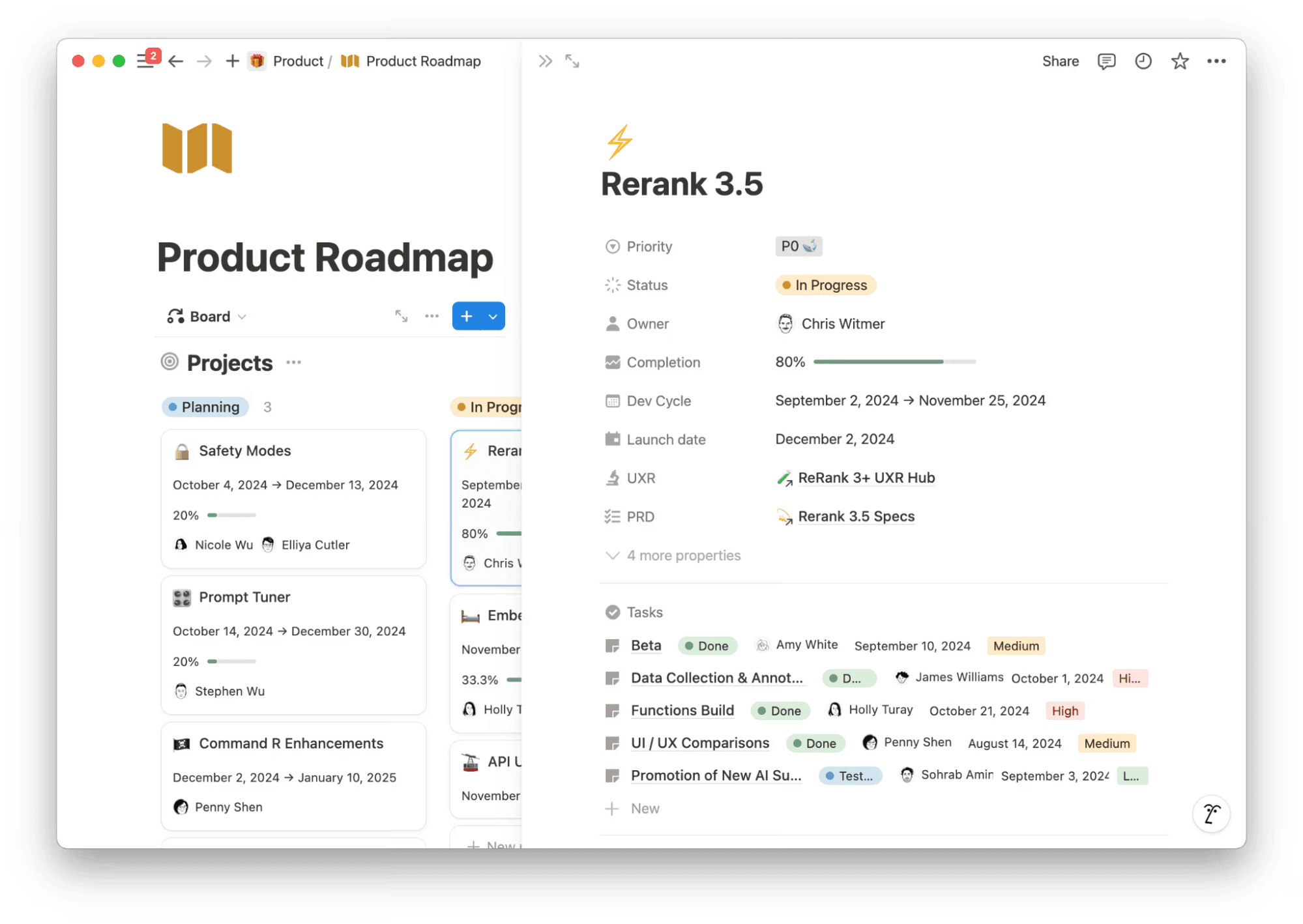
Cohere’s Notion product roadmap shows a Kanban board with project cards and details inside the Rerank 3.5 card. (Source)
By centralizing its strategy, specs, and delivery plans in Notion’s product roadmap, Cohere’s product managers and engineers now work from the same roadmap instead of different versions in separate tools. And when priorities move, the impact on timelines and workstreams is visible immediately. As a result, teams realign faster and keep the product roadmap and execution moving in step.
As staff product manager at Cohere, Elliott Choi, explains, “Notion bridges the gap between our high-level product vision and the nitty-gritty details of development.”
Prioritizing quality, reliability, and technical debt work
A lot of important work—like reliability, performance, and technical debt—doesn’t ship as features. But this work is what keeps your systems stable and scalable over time, and an engineering roadmap makes that foundational work visible to stakeholders.
At Partiful, bringing tasks, sprints, and project context into one connected workspace made delivery easier to understand over time, not just sprint to sprint.
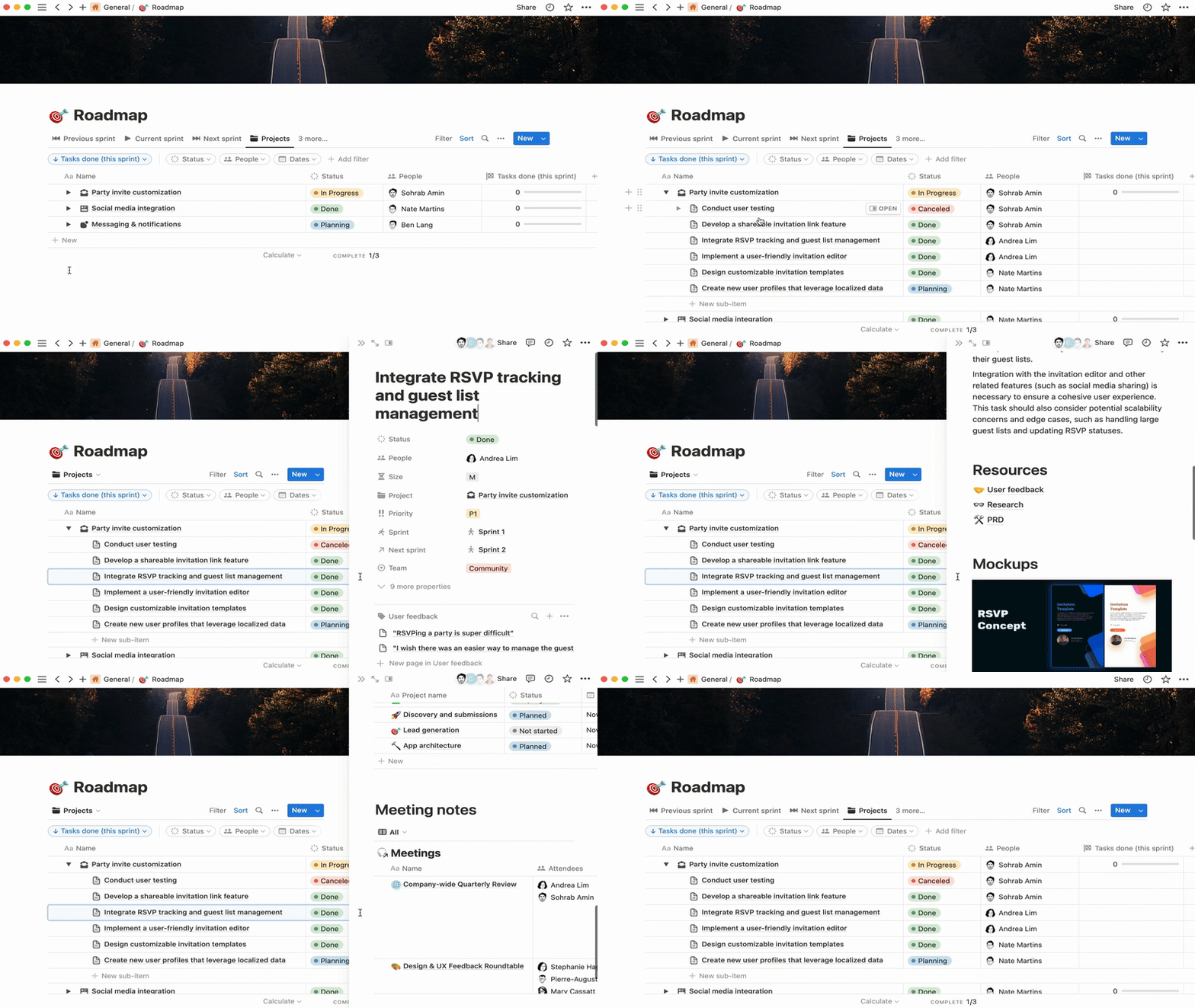
Partiful’s Notion roadmap shows themes with connected epics, linked task details, and meeting notes. (Source)
As Product Engineer Alex Chou explains, “With Notion, we’re able to look back on previous sprints and see if we’re improving. We use that to understand if there’s something we need to change in our process.”
How to get started with an engineering roadmap
An effective engineering roadmap works best when you connect it to execution. In Notion, that means linking themes, epics, tasks, and docs in one workspace so context travels with the work—and you don’t need to recreate it in every tool.
Notion AI supports that process by summarizing context, drafting rollups, or pulling together updates to help you reduce manual effort, which allows engineers to instead focus on the key decisions that shape priorities and sequencing.
Here’s a six-step plan for how you can create your own engineering roadmap—along with how Notion helps:
1. Collect inputs from across systems, teams, and users
To start, create a single engineering inputs database in Notion using the developer task list template. This will act as your engineering inbox before anything becomes an epic or roadmap item. It’s also a place to capture this information:
Proposals
Technical debt candidates
Reliability or scalability concerns
Links to specs, GitHub issues, or API references
Collecting these inputs in one place helps you see patterns, dependencies, and impact early to make better decisions before work moves into delivery.
Notion AI can help you clean up noisy inputs at this stage so engineers understand risk and rationale early in the planning process. You can also use it to reduce manual overhead by summarizing and structuring messy inputs.
To this end, here are some example prompts you can try:
“Condense these long Slack threads into a short problem statement and context summary.”
“Distill these historical RFCs into key decisions, risks, and trade-offs.”
“Group this user feedback into emerging themes to inform prioritization.”
“Turn these research docs and technical investigations into concise briefs that teams can review quickly.”
2. Define engineering themes and technical priorities
Once you’ve collected inputs, you should group related work into engineering themes—the areas where your team is intentionally investing in your project or product.
These themes should describe direction, like improving scalability, strengthening reliability, or reducing developer friction, not just features or tickets. Thinking in this way helps your teams prioritize work at a higher level so you’re not making decisions one task at a time.
3. Map themes to epics and break down work
Under each theme, you should then identify the epics or initiatives that represent meaningful chunks of delivery. These are the larger bodies of work that move through planning and execution. Here are a few examples of themes you may see:
Refactors
Migrations
Performance improvements
Platform upgrades
Epics connect strategy to day-to-day engineering work because they link down to the tasks, specs, and sprint activity that make the work happen.
4. Visualize work in a roadmap with multiple views
Now, you can map themes and epics into a shared roadmap.
In a template like Lenny Rachitsky’s product roadmap, themes sit at the top level, while the epics underneath represent the work that supports each priority.
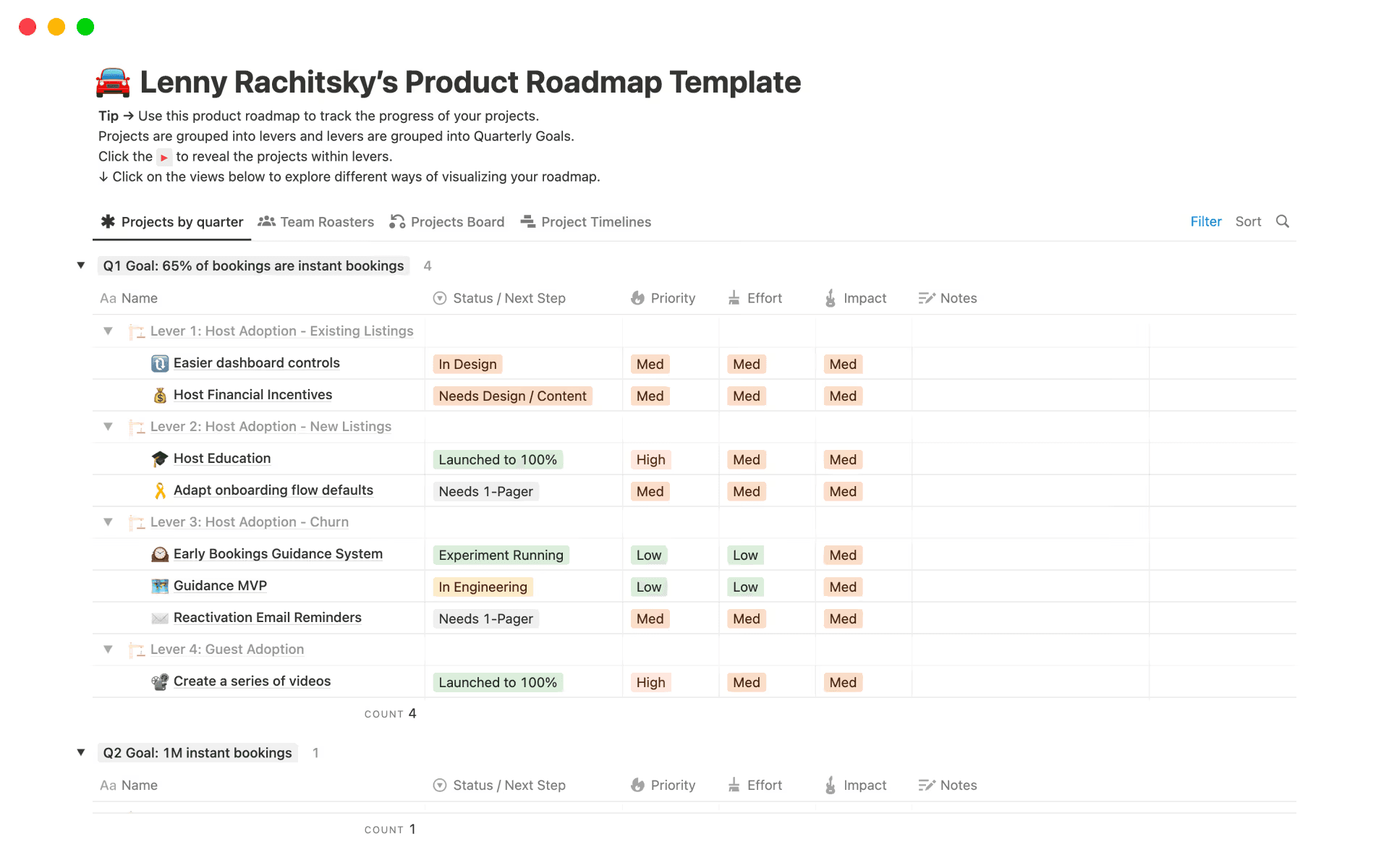
Lenny Rachitsky’s product roadmap template, with levers that act as themes and a list of epics underneath them (Source)
Rachitsky’s engineering template works well because you can view the same roadmap as a timeline, board, or table. This lets you see sequencing and investment while tracking progress through delivery—all from a single, connected source of truth.

Template
Check out these 10 free engineering templates for more inspiration.
5. Connect roadmap initiatives to execution workflows
Once you’ve defined your epics in the roadmap, link them to where execution happens: your sprint planning board, RFCs, or engineering tasks. That way, progress flows back into the epic automatically so you’re letting the work reflect itself there, not just copying updates manually into the roadmap.
Many teams use a Sprint planner or Task planner in Notion as the execution layer beneath each epic. This allows you to manage tasks, tickets, and specs in that workspace while the epic remains the anchor in the roadmap.
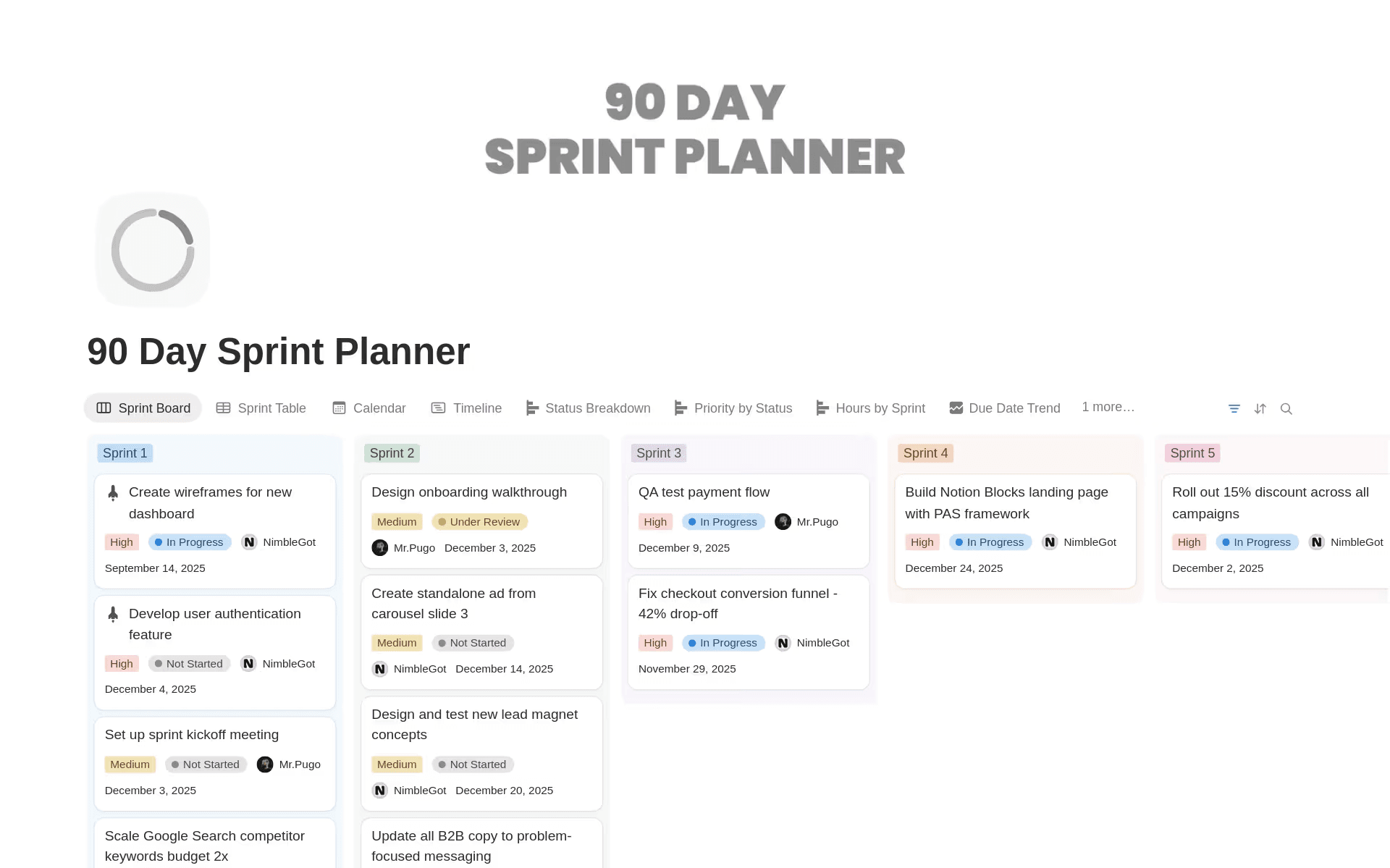
Notion’s 90-day sprint planner template shows tasks by numerical sprints. (Source)
6. Review, adapt, and maintain the roadmap regularly
Finally, you should treat the roadmap as a living hub. That means revisiting sequencing, reassessing dependencies, and capturing what changed and why.
To help with your assessment, you can use Notion AI to generate review digests, risk summaries, and change histories for a real-time understanding of progress without extra overhead.
Common engineering roadmap challenges (and how to avoid them)
Even strong EPD teams run into problems when strategy, context, and execution drift apart. Here are some of the most common failure points you may see and how connected context helps you prevent them:
Teams lose context across docs, tasks, and specs
When product requirements documents, RFCs, sprint boards, and decisions live in different tools, teams lose the reasoning behind past trade-offs and, as a result, need to spend extra time rebuilding intent.
To prevent this fragmentation, you should keep everything connected in one central workspace. That way, you can link all relevant information to each epic.
Roadmaps drift because updates are manual
If you copy roadmap updates over manually, they’ll fall out of date quickly—and teams and leaders will end up looking at the wrong picture as a result. To avoid this issue, you should link tasks to epics so progress rolls up automatically.
Dependencies aren’t visible until it’s too late
When dependencies aren’t visible upfront, they’ll turn into blockers during the sprint, which delays work. To keep this from happening, connect epics across systems and use dependency matrices to reveal impact and ordering earlier.
Leadership visibility is limited or inconsistent
Fragmented or irregular reporting leaves leaders reacting to snapshots instead of trends and makes it hard for them to see risks before they escalate into issues. For more consistent reporting, you should create shared dashboards with weekly AI digests that highlight movement, blockers, and emerging risk without extra admin work.
Build an engineering roadmap that your team can trust
With a unified roadmap, your engineering team can move faster, understand trade-offs sooner, and keep strategy and execution aligned as priorities shift. That means your roadmap will become a living system that evolves with the work instead of going stale immediately.
Ready to make your roadmap work for you? Try out Notion AI today to learn how you can keep context in sync with less manual effort as work moves forward.


