 Roadmark
Roadmark
Info
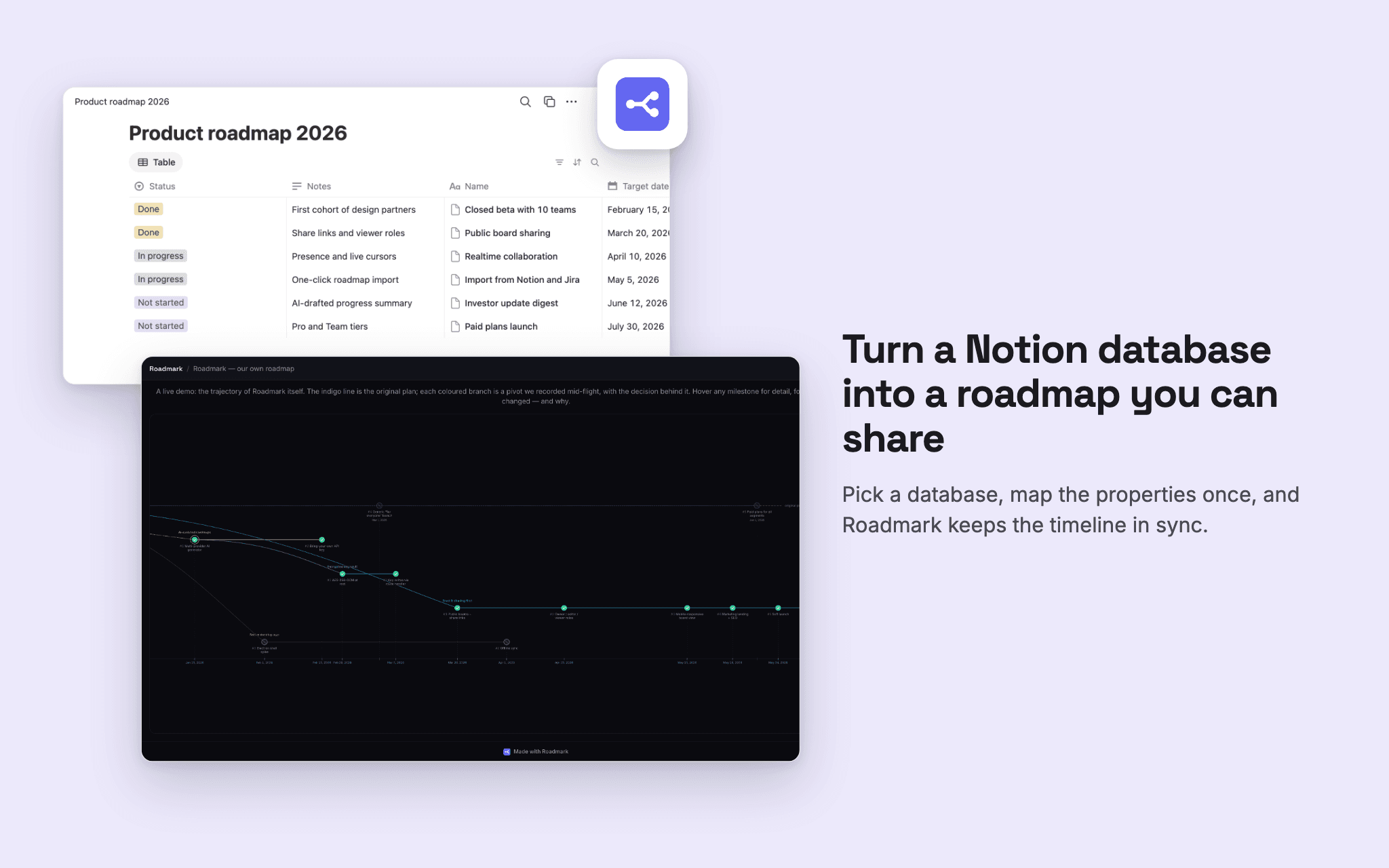
Roadmark turns your Notion roadmap database into a visual, shareable timeline — and keeps the record of why the plan changed.
Connect Notion and pick a database. Because Notion databases are freeform, you map which properties are the title, date, status, and description, with a live preview of the milestones you'll get. Roadmark builds the timeline from your rows, and a daily sync keeps it current as you keep editing in Notion.
Then it adds what a database can't show: branches. When the plan forks — "ship v1 fast" versus "ship v1 polished" — Roadmark records the fork with a required decision log, so months later the roadmap still explains the call. Share a public link (or a password-protected, expiring one) and investors see both the plan and the reasoning behind it.
Read-only: Roadmark reads only the databases you grant in Notion's picker, and never writes to your workspace.
Funktionen
- Inhalte LesenKann Seiten, Datenbanken und Blöcke lesen, die mit dieser Verbindung geteilt werden.
Informationen zur Nutzung
1. Create a free Roadmark account at yourroadmark.com.
2. In your dashboard, click "Import" and choose Notion.
3. Authorize Roadmark. Notion's picker asks which pages and databases to share — Roadmark only ever sees what you select there and can only read.
4. Pick your roadmap database, then map the columns: choose which Notion properties hold the milestone title, date, status, and description. A live preview shows exactly the timeline you'll get before anything is created.
5. Click Import. Your board is ready.
6. Optional: turn on daily sync so edits you make in Notion flow through automatically, and share a public link when you want to show the plan to your team or investors.
Details

- Produktivität
- Entwicklung
- Zusammenarbeit