

Info
Your Notion workspace is your company's memory. ProBackup makes sure it can't be erased.
Wikis, project databases, meeting notes, SOPs, product specs: for most teams, Notion quietly becomes the single place where everything important lives. Which means one deleted page tree, one bad bulk edit, or one departing teammate cleaning up "their" pages can wipe out knowledge that took years to build. Notion keeps its platform running, but protecting your workspace from your own team is your responsibility.
ProBackup handles it with one quiet habit: every 24 hours, it automatically backs up your Notion workspace to independent, encrypted storage. No exports to remember, no scripts to maintain. Connect via OAuth in about 3 minutes and it simply runs... until the day someone asks "where did that page go?" and you have an actual answer.
What a backup actually gets you
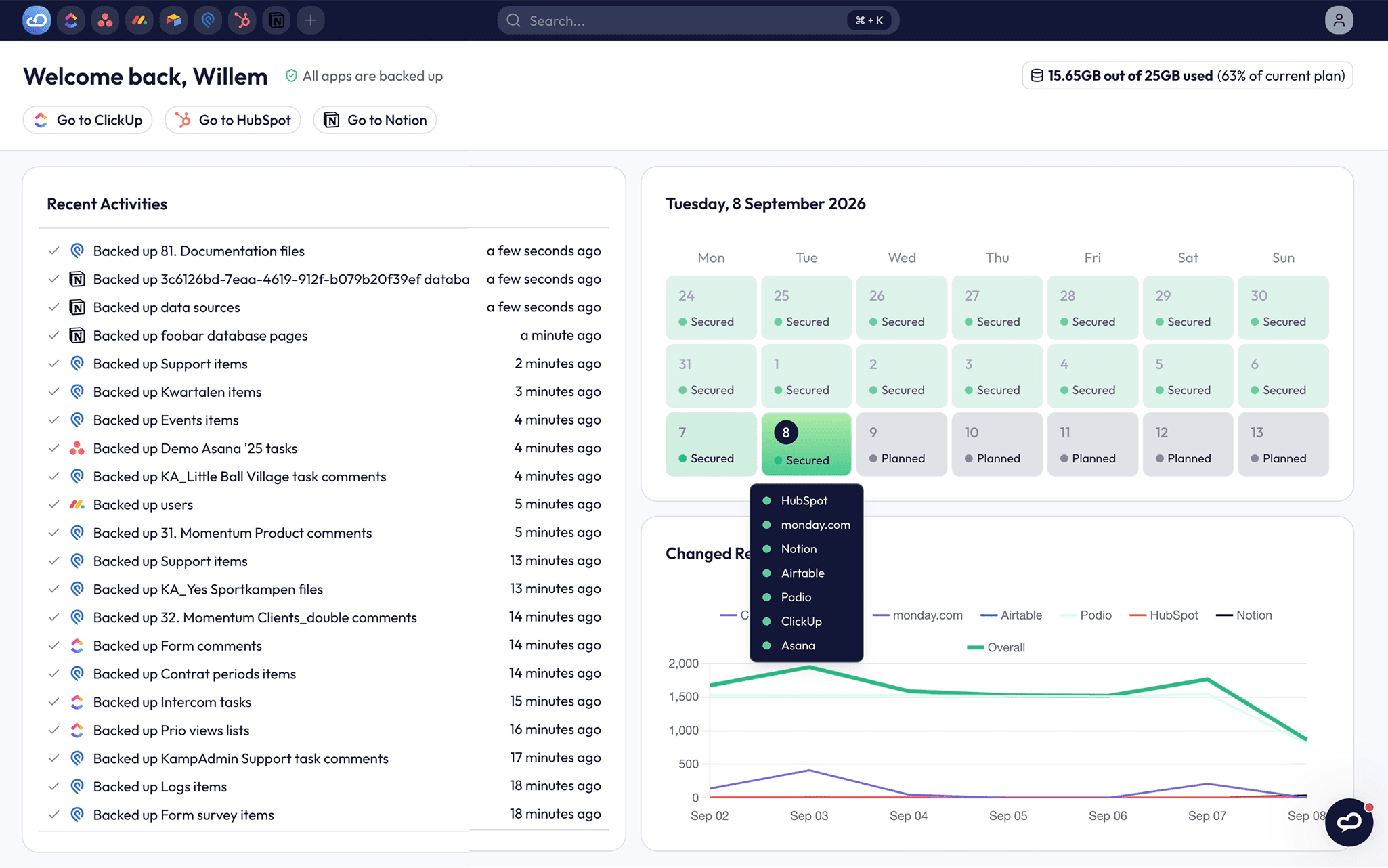
See your workspace as it existed on any past date. Browse your backups in a clean, visual interface that mirrors your Notion structure. Pick a date and there's everything as it was: pages, databases, comments and attachments. Compare versions to see exactly what changed, and when.
Restore pages that you lost. Restores never overwrite your live workspace: content is recreated alongside your team's current work, so fixing last week's mistake never undoes this week's progress.
Get warned before small problems become big ones. Smart Alerts flag unusual activity (like a sudden drop in backed-up pages) so a mass deletion is caught in hours, not discovered months later when someone needs that page. Weekly status emails keep backup health on your radar automatically. (Pro and Premium plans)
Keep a copy you control completely. Sync backups to your own Google Drive: a second, independent copy in a format your team already knows, accessible even without ProBackup. (Pro and Premium plans)
Built for the risks of 2026
The classic threats remain: accidental deletions, over-enthusiastic spring cleans, the occasional disgruntled leaver. But AI agents and automations now create, edit and delete Notion content autonomously. One badly-worded instruction can gut a workspace at machine speed, before anyone notices. An independent daily snapshot is the difference between "roll it back" and "rebuild from memory."
Security you can put in front of procurement
ProBackup is SOC 2 Type II certified and GDPR compliant. Your data is encrypted with AES-256 at rest and TLS in transit, and stored on AWS infrastructure, fully separate from Notion's. Version history is retained for 6 months on Plus, 2 years on Pro, and without limit on Premium.
One subscription. Your whole stack.
Pricing scales with data volume, not team size or per-member costs, so protecting a 200-person workspace costs the same as a 20-person one. The same subscription also covers 20+ cloud apps including Asana, Jira, monday.com, ClickUp, Trello and HubSpot. Trusted by 4,000+ teams. Non-profits receive a 50% discount.
Try it before you need it
The worst time to think about backups is after something's gone. Start a free trial, connect Notion in minutes, and run a test restore, so the next "who deleted this?" moment ends with a shrug, not an archaeology project.
Funktionen
- Inhalte Lesen, einfügen und Update durchführenKann Seiten, Datenbanken und Blöcke lesen, einfügen und Update durchführen, die mit dieser Verbindung geteilt werden.
- Kommentare Lesen und hinzufügenKann Kommentare zu den Seiten und Blöcken, auf die er zugreifen kann, lesen und hinzufügen.
- Nutzer/-innen des Workspace anzeigenLiest grundlegende Profildetails über Workspace-Mitglieder und Gäste, einschließlich ihrer E-Mail-Adressen.
Informationen zur Nutzung
Getting started
Setup takes about 3 minutes and requires no installation or technical configuration.
1. Create your ProBackup account
Go to probackup.io/backup/notion and sign up with your email: no password needed by default, and no credit card required for the trial. (You can add a password with two-factor authentication, or SSO on Premium, later.)
2. Connect Notion
Click the "+" icon, select Notion, and sign in to authorise ProBackup via Notion's secure connection flow. On the authorisation screen, choose which pages ProBackup can access. This is how you set your backup scope. You can widen or narrow it any time from your Notion workspace settings under Connections → ProBackup → Select pages; changes apply from the next backup cycle.
3. Optional: enable Google Drive Sync (Pro and Premium plans)
Connect your Google Drive to keep an additional independent copy of your backups. You can skip this and enable it later from Settings → Google Drive.
4. Confirm
Your first backup starts immediately. Depending on the size of your workspace it may take a few hours; you'll receive an email once it's complete. From then on, ProBackup runs automatically every 24 hours: nothing to schedule, nothing to maintain.
Good to know: ProBackup can only back up pages it's been granted access to, so connect with an account that can see everything you want protected, and select all relevant top-level pages during authorisation.
Details

- Sicherheit und Compliance
- Dateiverwaltung
- Analysen