

Info
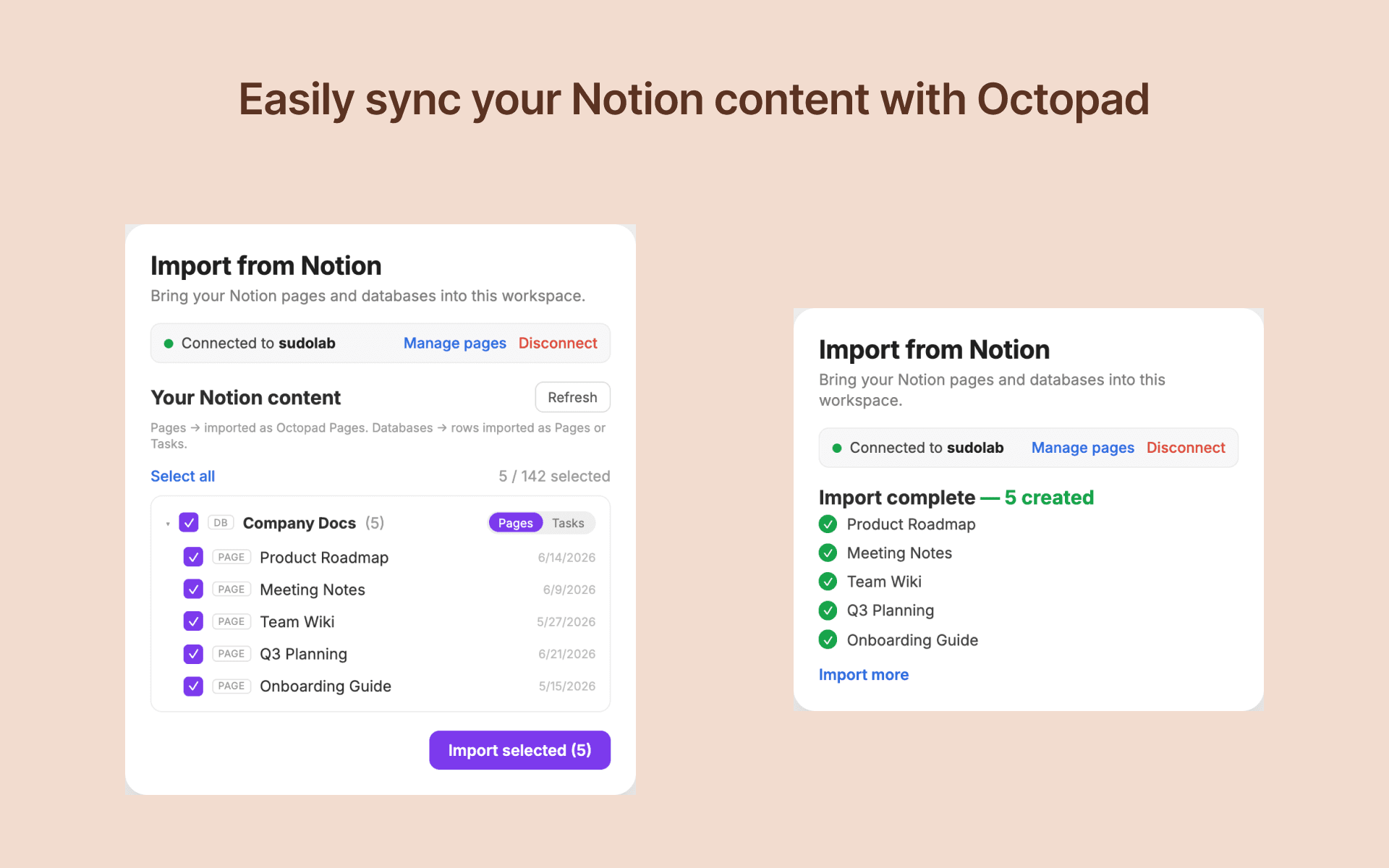
Octopad connects to your Notion workspace to import pages and databases into Octopad's project management platform. Users browse their Notion content in a tree view, select specific pages or databases, and import them as Octopad pages or tasks. The integration reads page content, properties, and comments, converting them to markdown. It does not write to or modify any Notion content.
Funktionen
- Inhalte LesenKann Seiten, Datenbanken und Blöcke lesen, die mit dieser Verbindung geteilt werden.
- Kommentare LesenKann Kommentare zu den Seiten und Blöcken, auf die er zugreifen kann, lesen.
Informationen zur Nutzung
- Open your Octopad workspace settings and navigate to the "Import from Notion" section.
- Click "Connect to Notion" to authorize Octopad to read your Notion workspace.
- Once connected, browse your Notion pages and databases in the tree view.
- Select the items you want to import (up to 50 per batch).
- For databases, choose whether to import rows as Octopad pages or tasks.
- Click "Import" to bring the selected content into your Octopad workspace.
Details
Erstellt von

Kategorie
- Produktivität
Links für Entwickler/-innen