MindMapist

Öffentliche API
MindMapist
Info
MindMapist is a mind-map web app that works alongside Notion.
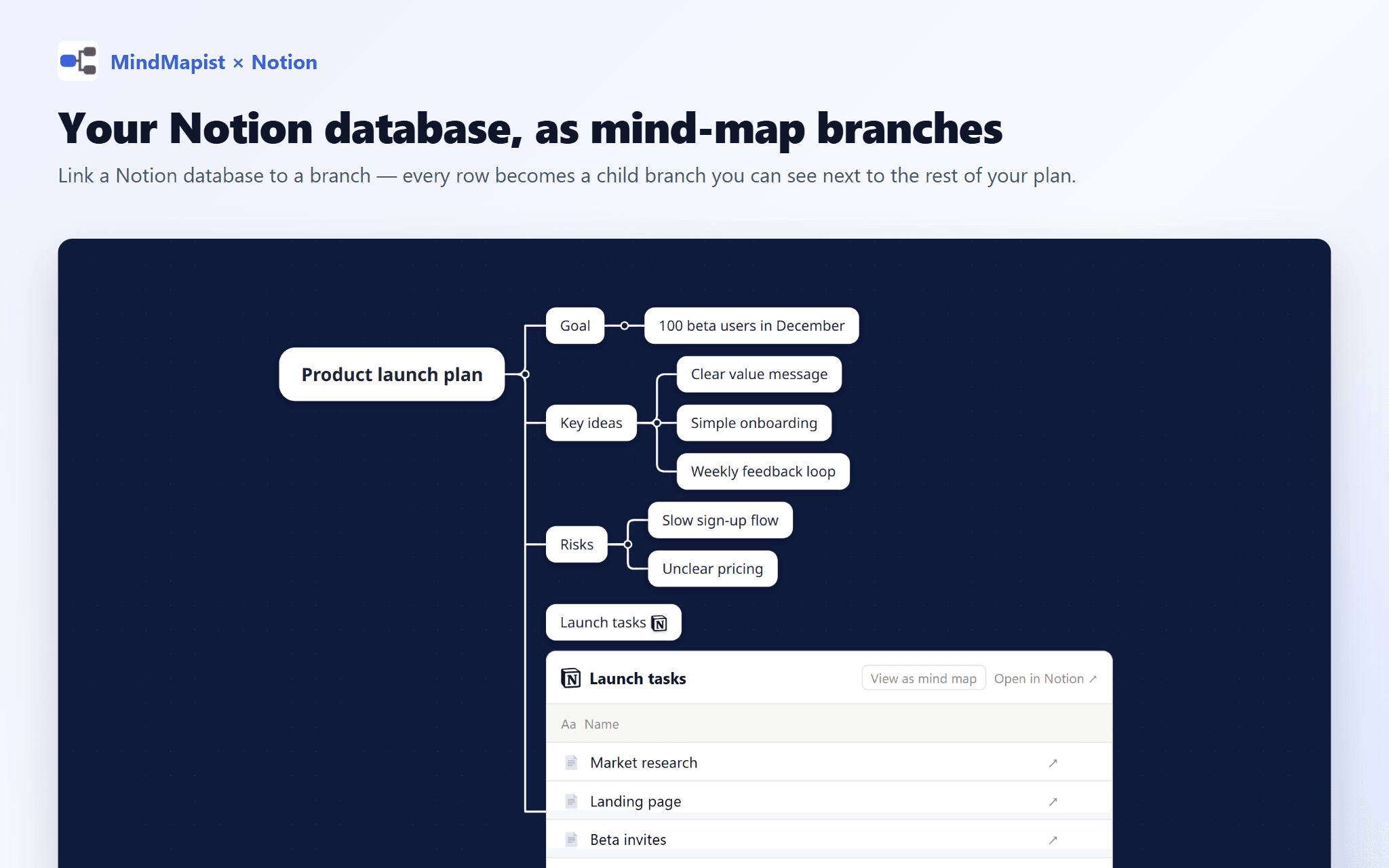
Notion databases as branches: link a Notion database to a branch and every row becomes a child branch. Add or rename a row in either app and the other follows. Deleting a row branch moves that Notion page to the trash, so nothing is lost.
Notion pages and mind maps: link a mind map to a Notion page to keep the outline and title in sync, or add the mind map to the page as a bookmark.
Easy setup: connect with Notion, pick the pages you want to share, and choose them from a searchable list. MindMapist only accesses the pages you choose.
Funktionen
- Inhalte Lesen, einfügen und Update durchführenKann Seiten, Datenbanken und Blöcke lesen, einfügen und Update durchführen, die mit dieser Verbindung geteilt werden.
- Nutzer/-innen des Workspace anzeigenLiest grundlegende Profildetails über Workspace-Mitglieder und Gäste, einschließlich ihrer E-Mail-Adressen.
Informationen zur Nutzung
- Sign up at app.mindmapistai.com with Google or email.
- 2. Open Settings, go to Connections and choose Connect with Notion. Pick the pages and databases to share.
- 3. In a mind map, use the Notion chip at the top to link a Notion page, or insert a Notion database branch from the right panel.
Details
Erstellt von
Kategorie
- Produktivität
- Zusammenarbeit
Links für Entwickler/-innen