
Info
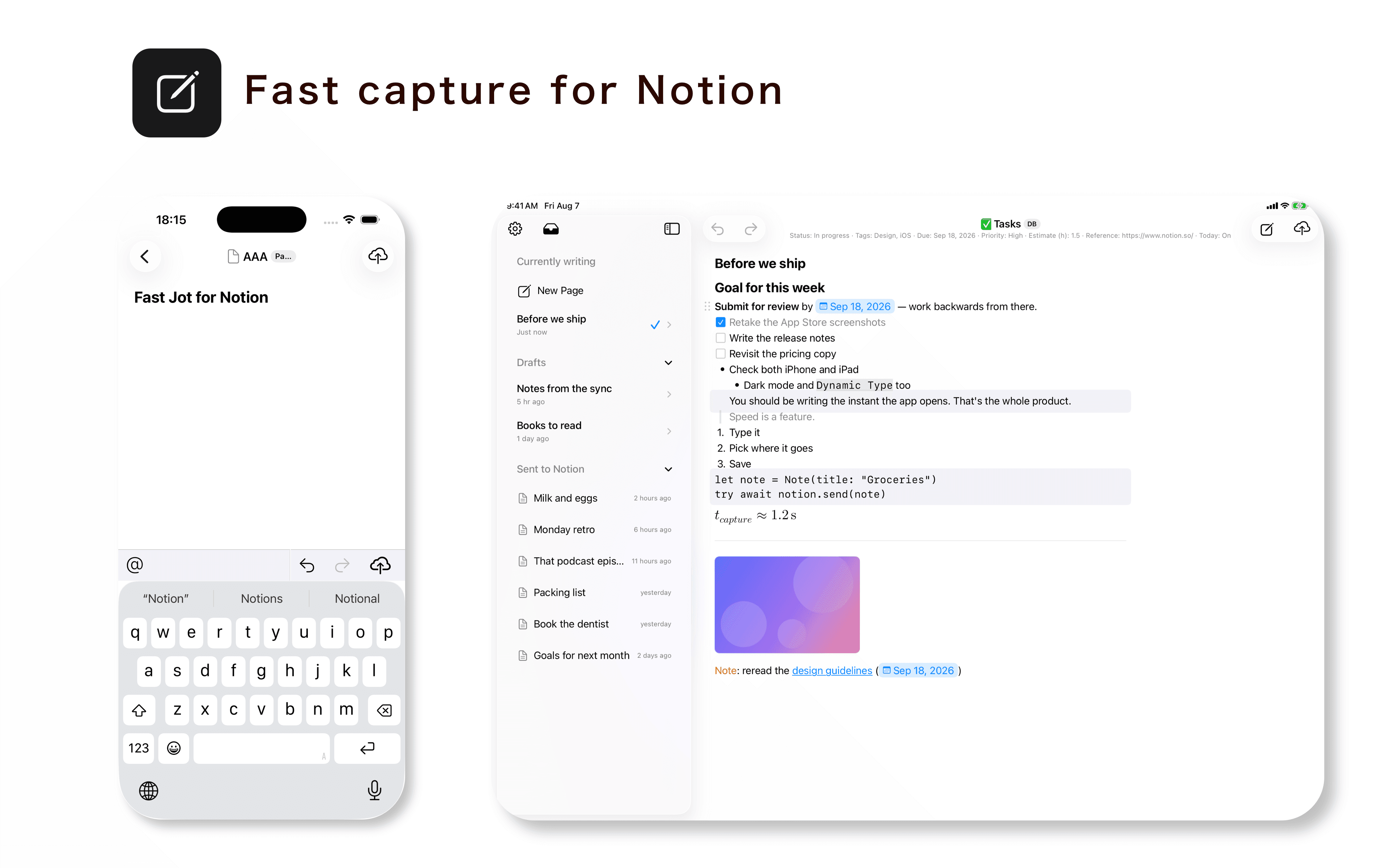
Fast Jot is a native iPhone and iPad app designed for quickly capturing notes directly into Notion.
Open the app and start writing immediately, then send your note to any Notion database you have connected.
Unlike simple text capture tools, Fast Jot lets you compose content using native Notion blocks and set database properties such as status, tags, dates, and more before sending.
Fast Jot supports headings, to-do lists, numbered lists, quotes, callouts, code blocks, dividers, mentions, images, equations, and Markdown input.
Templates make repeated entries faster, while drafts and offline sending help you capture ideas even when a connection is unavailable. You can also connect multiple Notion workspaces and choose where each note is saved.
Fast Jot uses the official Notion API and only accesses the pages and databases that you authorize when connecting your workspace.
Funktionen
- Inhalte Lesen, einfügen und Update durchführenKann Seiten, Datenbanken und Blöcke lesen, einfügen und Update durchführen, die mit dieser Verbindung geteilt werden.
- Kommentare Lesen und hinzufügenKann Kommentare zu den Seiten und Blöcken, auf die er zugreifen kann, lesen und hinzufügen.
- Nutzer/-innen des Workspace anzeigenLiest grundlegende Profildetails über Workspace-Mitglieder und Gäste.
Informationen zur Nutzung
1. Download Fast Jot from the App Store.
2. Open Fast Jot and tap “Connect Notion.”
3. Sign in to Notion and select the pages and databases you want Fast Jot to access.
4. In Fast Jot, select the database where you want to create new pages.
5. Start writing. You can use Notion blocks, Markdown, and set database properties such as status, tags, and dates before sending.
6. Tap Send to create the page in Notion.
You can change which pages and databases Fast Jot can access at any time from Notion’s connection settings.
Details
- Produktivität