
Dalemi
Info
Dalemi turns your Notion workspace into an interactive mind map — and keeps the two in sync.
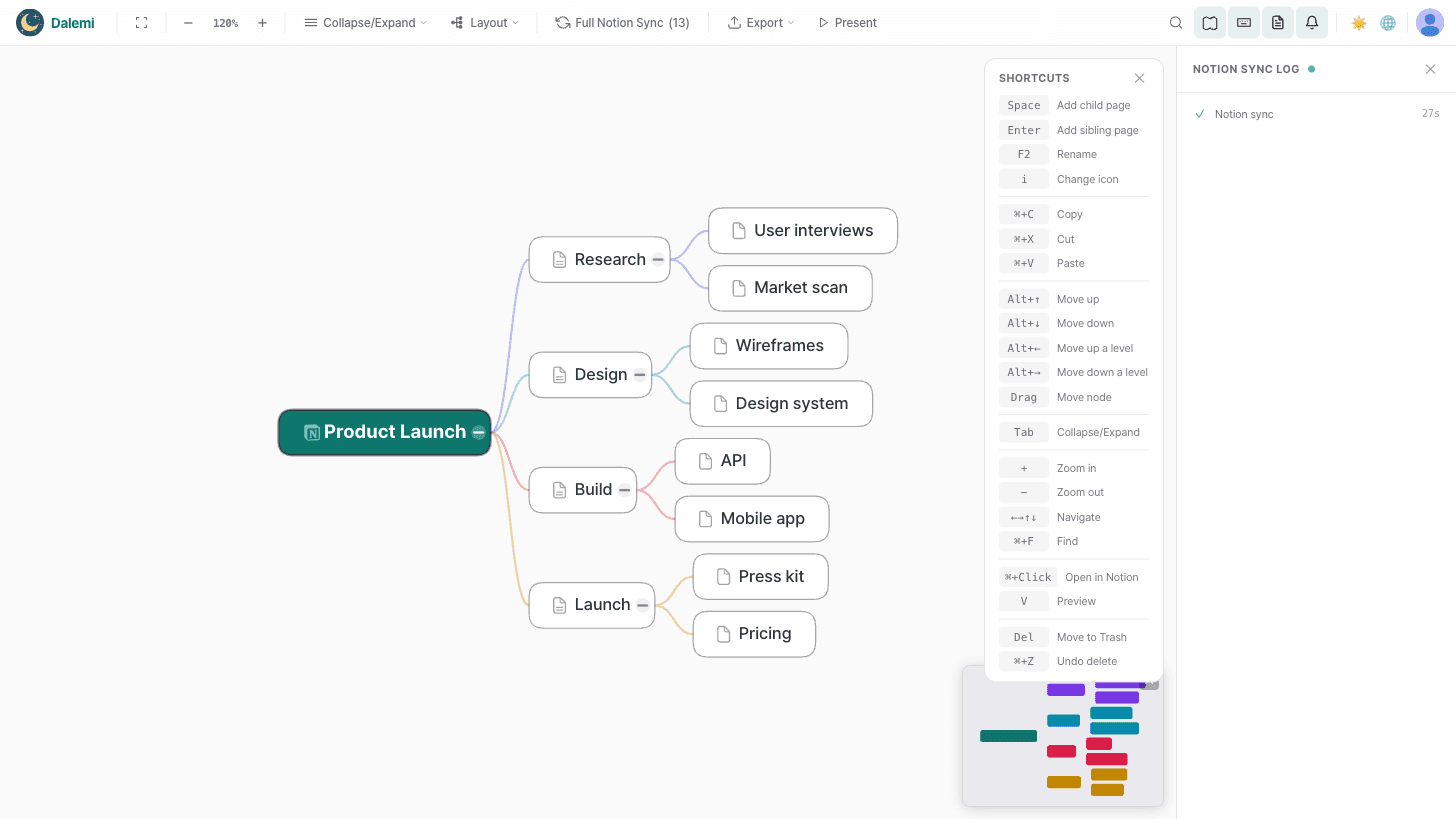
Open any page (or your whole workspace) as a mind map, then edit it the way you think: add a child, rename a node, drag a branch somewhere else, give it an icon. Every change is written straight back to Notion through the official API. Edit in Notion instead, and the map updates on its own — no copy, no export, no second source of truth.
WHAT YOU CAN DO
• Two-way sync — edits in the map become real page changes in Notion, and Notion edits flow back.
• Four layouts — horizontal tree, radial, org chart, and left-right split, switchable at any time.
• AI brainstorming — select a node, ask for ideas, and watch sub-ideas stream in as new pages.
• Presentation mode — step through your map full screen like slides.
• Export — PNG, PDF, SVG, Markdown, and JSON.
• Share — send a read-only link, or embed the map back inside a Notion page.
• Light and dark themes.
WORKS IN YOUR LANGUAGE
The whole app — editor, toolbars, billing, help — is available in 22 languages, including Korean, Japanese, Simplified and Traditional Chinese, Spanish, Portuguese, French, German, Italian, Dutch, Indonesian, Danish, Norwegian, Swedish, Finnish, Vietnamese, Thai, and the right-to-left languages Hebrew and Arabic. Our privacy policy and terms follow your language too.
HOW IT HANDLES YOUR DATA
Dalemi reads and writes only the pages you grant it. Access tokens are encrypted with AES-256-GCM and never leave the server — the browser never sees them. We don't store your page content beyond a short-lived cache used to keep the map responsive.
Free to start. Paid plans add unlimited nodes, every layout, presentation mode, and clean exports.
Funktionen
- Inhalte Lesen, einfügen und Update durchführenKann Seiten, Datenbanken und Blöcke lesen, einfügen und Update durchführen, die mit dieser Verbindung geteilt werden.
- Nutzer/-innen des Workspace anzeigenLiest grundlegende Profildetails über Workspace-Mitglieder und Gäste, einschließlich ihrer E-Mail-Adressen.
Informationen zur Nutzung
1. Go to dalemi.io and choose "Start with Notion".
2. Notion asks which pages Dalemi may access. Pick a page, a set of pages, or the whole workspace — Dalemi only ever sees what you grant here, and you can change it later from Notion's Connections settings.
3. You land straight in the editor with your pages drawn as a mind map.
4. Edit the map: press Space to add a child, double-click to rename, drag a node to move it, click the icon to change it. Every change is written back to your Notion page.
5. Change something in Notion instead, and the map picks it up on its own.
Tips
• Switch layouts (tree, radial, org chart, split) from the toolbar.
• Select a node and open AI brainstorm to expand it into sub-pages.
• Press the present button to step through the map full screen.
• Export to PNG, PDF, SVG, Markdown, or JSON from the toolbar.
Dalemi is available in 22 languages — the interface follows your Notion/browser language automatically.
Free to start — no card required. Paid plans lift the node limit and unlock every layout, presentation mode, and clean exports.
Details
- Produktivität