

Info
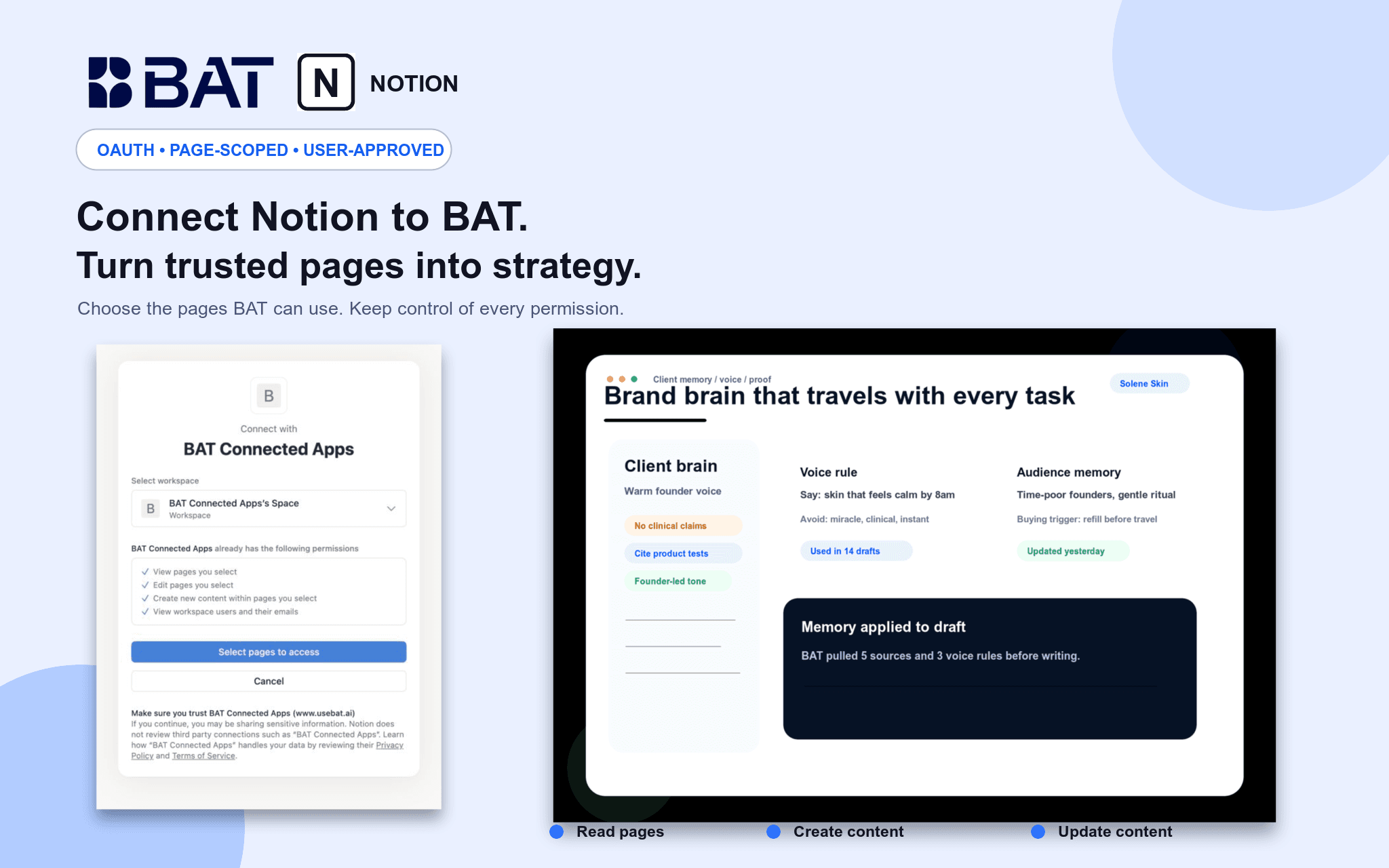
Connect Notion to BAT so your team can use authorized pages as grounded context in Brand Brain and chat. BAT uses OAuth 2.0 and acts only within pages shared with the connection. Users can search and read permitted pages, create new pages, and update existing pages through explicit, reviewed actions. Credentials are actor-owned and isolated by workspace, and users can disconnect at any time.
Funktionen
- Inhalte Lesen, einfügen und Update durchführenKann Seiten, Datenbanken und Blöcke lesen, einfügen und Update durchführen, die mit dieser Verbindung geteilt werden.
- Nutzer/-innen des Workspace anzeigenLiest grundlegende Profildetails über Workspace-Mitglieder und Gäste, einschließlich ihrer E-Mail-Adressen.
Informationen zur Nutzung
1. Create or sign in to your BAT account.
2. Open a BAT workspace, then go to Brain → Sources → Connected apps & MCP.
3. Choose Notion and approve the requested access.
4. Select the Notion workspace and pages you want to share.
5. Use BAT Chat to search, summarize, create, or update authorized Notion content. Write actions require explicit approval.
Details
Erstellt von
Kategorie
- Marketing
Links für Entwickler/-innen