 Elfsight

Beamtrace
Info
Beamtrace tracks how AI assistants talk about your business: which prompts you show up for, where you rank against competitors, which sources they pull from, and what's holding your visibility back.
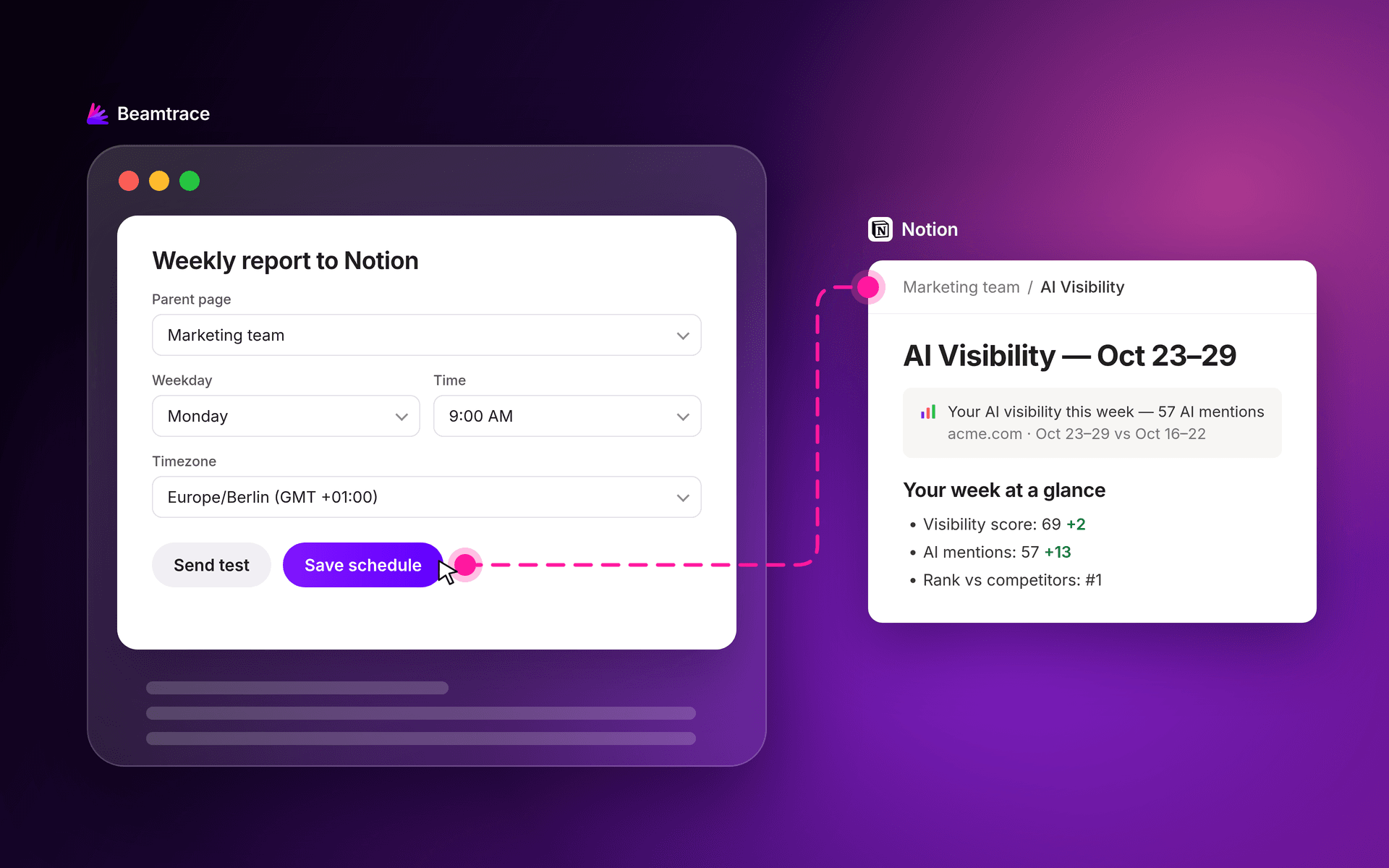
This connection delivers that tracking into Notion as a scheduled report. Pick a parent page and a weekday, and Beamtrace creates a new page there every week — mentions, rank, competitors, and what changed since last time — so the data lands where your team already plans and discusses work.
Each report is a regular Notion page. Comment on it, assign follow-ups, file it into a database, or pull numbers from it into a client update or QBR.
And because the data sits in your workspace, Notion AI can work with it: summarize a month of reports, collect competitors into a database, or turn Beamtrace recommendations into assigned tasks.
Funktionen
- Inhalte Lesen, einfügen und Update durchführenKann Seiten, Datenbanken und Blöcke lesen, einfügen und Update durchführen, die mit dieser Verbindung geteilt werden.
- Nutzer/-innen des Workspace anzeigenLiest grundlegende Profildetails über Workspace-Mitglieder und Gäste, einschließlich ihrer E-Mail-Adressen.
Informationen zur Nutzung
1. In Beamtrace, open Integrations → Notion and select Connect. You need to be an organization owner or admin.
2. Authorize Beamtrace in Notion and choose the pages to share.
3. Pick the parent page where reports should be created.
4. Choose the weekday, time and timezone, then select Save.
5. Select Send test to confirm Beamtrace can create a page. Your first report arrives at the next scheduled time.
From there, every report is a normal Notion page: comment on it, assign follow-ups, or move it into a database alongside your other work.
Working with Notion AI Because the reports live in your workspace, Notion AI can work with them too — for example:
• "Summarize what changed in my AI visibility over the last month"
• "Pull the competitors from the latest Beamtrace report into this database"
• "Turn the recommendations in this report into tasks and assign them"
Details

- Analysen