
We launched Custom Agents in beta back in February. In two months, you’ve created more than a million Custom Agents.
What surprised us most was how quickly teams went from experimenting with their first agent to automating end-to-end workflows whole companies run on. Our agents “hall of fame” captures some of the best agents from teams like Ramp, Vercel, and Clay with step-by-step guides so you can build them too.
Custom Agents are out of beta and usage-based pricing goes live today. Here’s what we learned building alongside you.
The fastest teams treated Custom Agents like internal products
Building an agent isn’t a one-and-done task. The teams that scaled agents fast started with a small group of people who knew their workflows well, built iteratively until each agent met its success criteria, and shared what they learned. Every agent made the next one easier and that knowledge compounds fast when people build together.
At Ramp, that approach grew into over 300 Custom Agents. Ben Levick, their Head of Ops and Internal AI, describes what that momentum feels like below.
There are two dopamine hits along the way. One is when you crack the problem and automate work you don’t like doing. The other is when, on the other side, things go a little more quiet, you have more time in your day.

Ben Levick
Ramp 운영책임자
Agent-building became a new operational skill
The teams who built the most durable agents were the ones who live closest to the problem every day and want to build a culture of no busywork. Not necessarily the ones with the most technical resources.
None of these agents were built by engineers:
Heidi’s product team saves up to 60 hours each month by creating an internal Q&A agent to answers product-related questions.
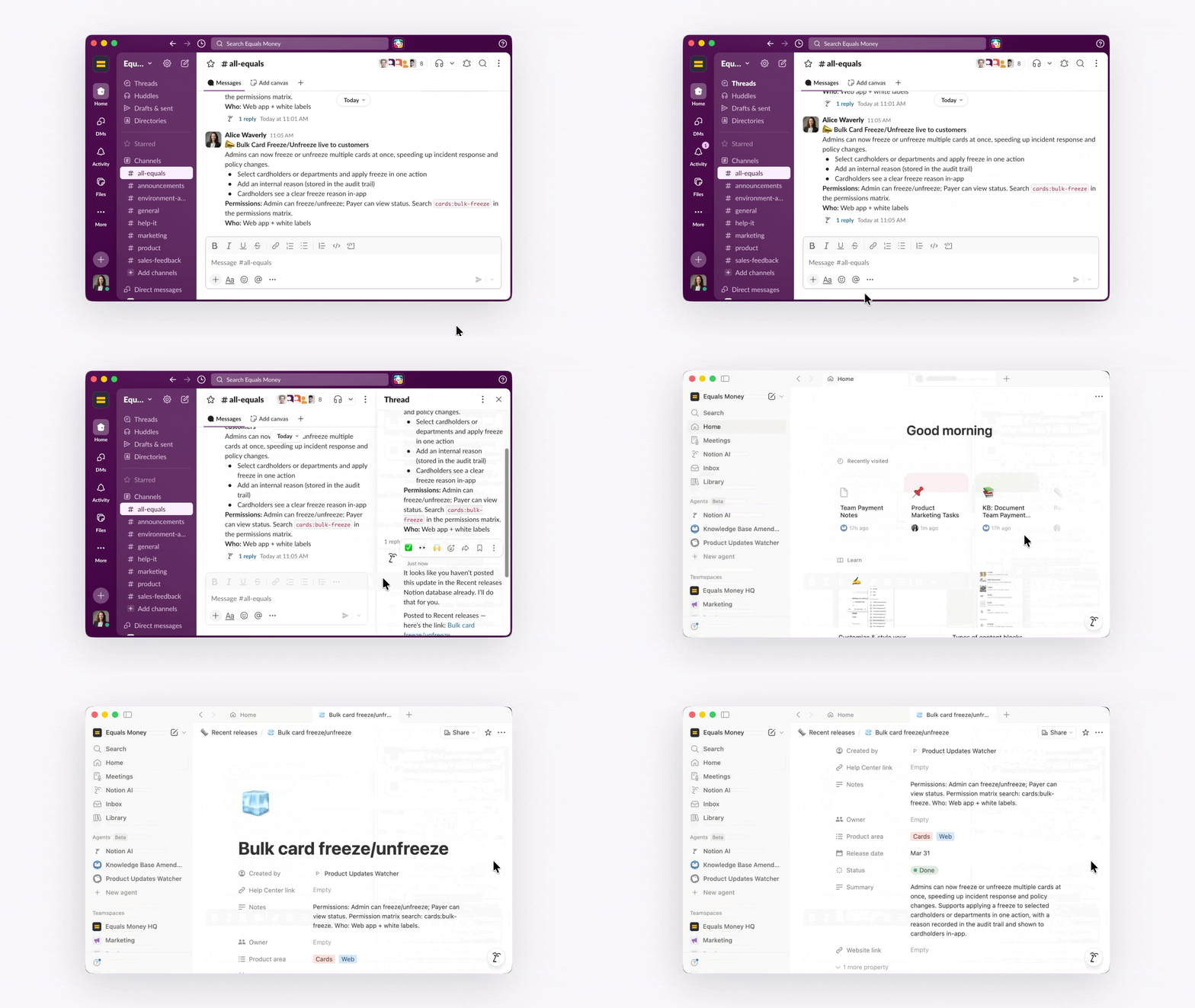
Equals Money's product marketing team built a Knowledge Base Amendment agent, so docs stay current after every release and website updates don’t get missed.
Notion's Customer Support team built an agent that helps reps respond to customers faster and spend more time on complex questions.
If you can describe what you’d tell a new hire to do, you can build a Custom Agent.
The biggest wins came from rewiring workflows
We expected most teams to start with task automation, but many took it further by redesigning how work flows end to end.
At Braintrust, competitive intelligence used to require the marketing team to do manual research every morning. When it slipped, reps showed up to calls without fresh context and deals slowed down.
So the marketing team built Competitive Intelligence Buddy. Every morning, it scans competitor change logs and Gong transcripts, updates the sales one-pager in Notion, and flags launches that matter for active deals. Now reps show up ready without doing any extra prep and the marketing team gets hours back every day.
Cost efficiency comes from both small and big wins
Making the same workflows cheaper over time is one of our core commitments to you. In the past two months, Custom Agents got up to 50% cheaper to run.
The biggest single driver was introducing lighter‑weight models like Haiku 4.5 and GPT-5.4 Mini, which use up to 10× fewer credits. Because Notion isn’t locked into a single model, you can match the right model to the task so you’re never paying for more than the work needs.
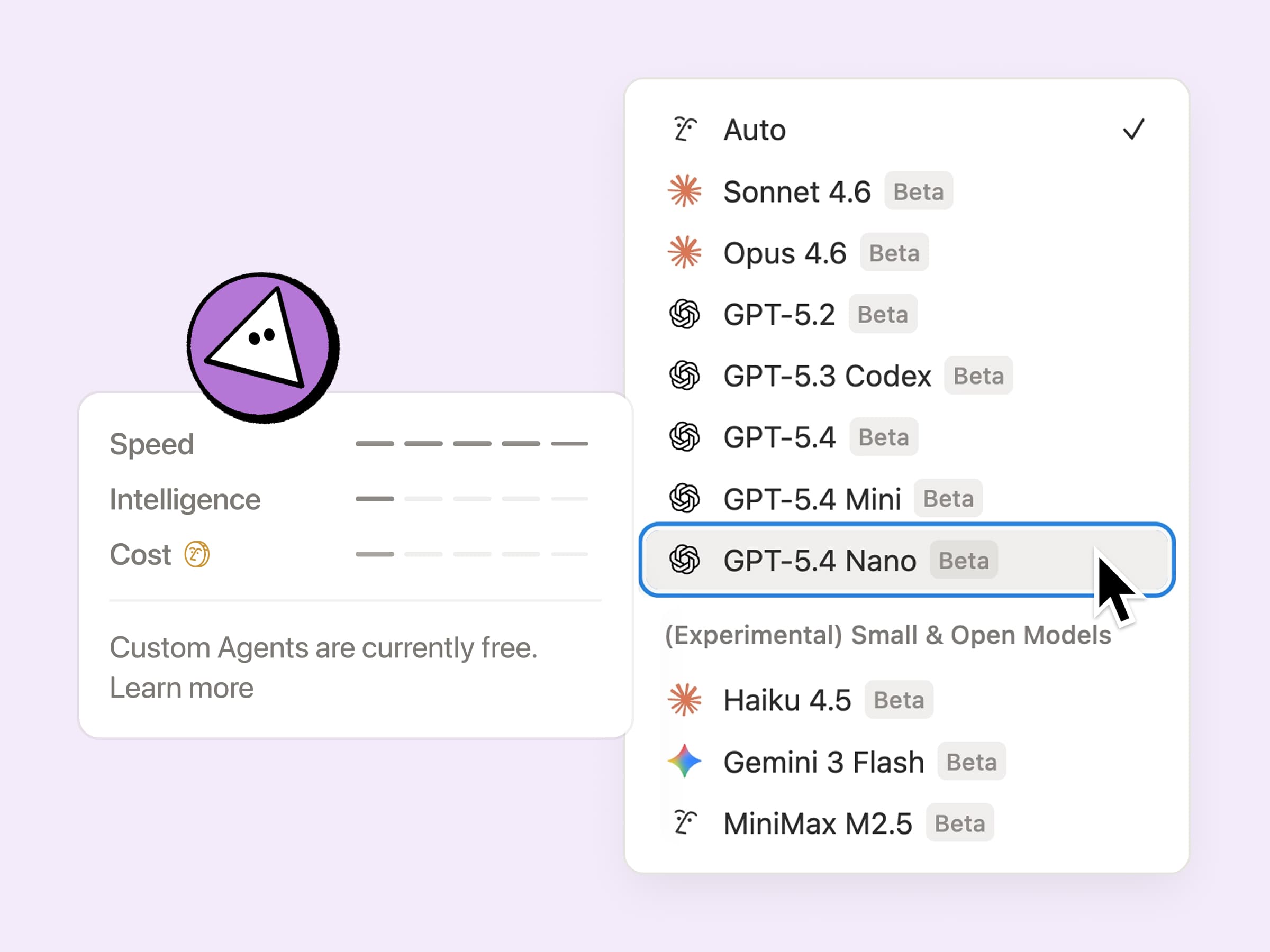
The rest is a steady stream of under-the-hood improvements that compound over time. None of it is a silver bullet, but it adds up and we’ll keep at it.
Scaling confidently is the hard part
One theme from teams that scaled agents was consistent: they wanted control at scale without adding a new layer of work to manage. Your feedback shaped what we built next.
Starting today, you'll have new tools to set guardrails like per-agent credit limits, full visibility into every agent across your workspace on your dashboard, and ways to catch issues fast like proactive alerts as you approach your credit limit and the ability to pause agents. Here's a guide for admins rolling out agents for the first time covering best practices and everything you need to know about the new tools.
Getting ready for usage-based pricing
Starting May 4, Custom Agents move out of beta and run on Notion credits, available as an add-on to Business and Enterprise plans. Enforcement rolls out on a rolling basis, so your agents keep running for free until your next monthly service date on or after May 4 (check the usage dashboard for your exact date).
Recurring monthly Notion credits are $10 per 1,000 credits and flex to your needs, so you can scale up or down monthly. Here are a few tips on how to plan ahead and size your first credit purchase.
What’s next
In the coming months, we’ll keep expanding what Custom Agents can do with more ways to automate recurring work, deeper integrations with the tools your team already uses, and controls that get more powerful as usage grows.
We’re building this alongside you. Your feedback during the beta has shaped a lot of what shipped. Keep sharing what’s working and not.
자주 묻는 질문(FAQ)
How do I buy Notion credits?
How do I buy Notion credits?
Workspace admins on Business and Enterprise plans can purchase credits in-product directly from the dashboard. Credits become available to purchase at your next monthly service date on or after May 4. Check your Notion credits dashboard for your exact date.
Credits are $10 per 1,000 and available as a monthly add-on. You can buy what you need, from a few hundred to thousands. They’re shared across your workspace and reset monthly.
If you have an account team, they can help you right-size credits at higher volumes and offer flexible options like annual and on-demand credits.
How many credits do I need?
How many credits do I need?
The most reliable starting point is your usage history from the beta. Your credits dashboard shows what’s been running and gives you a concrete monthly baseline.Here are a few tips for sizing your first purchase.
If you’re just getting started, our Help Center has cost benchmarks for the top use cases to help you estimate.
What’s the difference between Custom Agents and the Notion Agent I already use?
What’s the difference between Custom Agents and the Notion Agent I already use?
Think of Notion Agent as a capable coworker you can ask questions, while Custom Agents are more like a teammate you’ve delegated a whole workflow to.
Notion Agent responds when you ask it to. It’s a personal tool that helps you think, write, and work faster in the moment.
Custom Agents are autonomous teammates that work in the background. You set them up once and they run on their own, on a schedule or triggered by an event, completing multi-step work across Notion and your connected tools without anyone having to ask.
Why are Custom Agents billed based on usage-based pricing?
Why are Custom Agents billed based on usage-based pricing?
Usage-based pricing ties what you pay to the work done on your behalf. Custom Agents can be built by one person and benefit whole teams and companies, so the value scales independently of the number of seats.
A flat fee would mean teams running one lightweight agent subsidize teams running hundreds of complex ones. It also means you can scale up spend when agents are delivering value and pull back when they’re not.
How do I build a Custom Agent? Where do I start?
How do I build a Custom Agent? Where do I start?
First, go to the Agents section of your left-hand sidebar, and click the + button.
The best starting point is a workflow that’s already predictable: something that happens on a regular schedule, follows a clear set of steps, and currently requires someone to kick it off manually. Think weekly status reports, ticket triage, FAQ responses in Slack.
Pick one of those, describe what you want it to do, connect the tools the agent needs access to, and let it run. Our Help Center has step-by-step guides to get you started.