
How Pennylane is turning Custom Agents into everyday AI teammates
In just six months, Pennylane has more than 600 Custom Agents running over 2,000 times a day, routing tasks, following up on meetings, answering internal questions, and supporting major initiatives. We spoke with New Business & AI Lead Cyril Allard about how Pennylane got started, which workflows proved most useful, and why clean, structured data is the foundation for building agents that compound in value over time.
The Custom Agent that kickstarted 600 more
Tell us a bit about Pennylane, your role there, and how the company uses Notion.
Pennylane is a collaboration platform for accountants and their clients. We’re growing quickly across Europe, with more than 1,000 employees and plans to expand across Europe following our recent €75 million funding round.
Notion sits at the center of how we work. It’s our documentation tool, but it’s also become our data and knowledge platform.
I joined a year ago, and I currently focus on AI adoption—helping teams move beyond individual experimentation to more systematic ways of working. Custom Agents have been one of the most practical ways to make that shift.
What problem first made you want to build a Custom Agent?
It started with something very simple: task capture.
I used to rely heavily on a to-do list app. When I joined Pennylane, that tool wasn’t on our authorized tools list, so I lost the quick capture workflow I depended on. I wanted to be able to write something like, “For tomorrow, for this project, do this,” and have the task created instantly with the right date, project, and priority.
So I built a Custom Agent connected to Slack. I write a task in a dedicated Slack channel, and the agent understands what I mean, standardizes it, and adds it to my Notion task database. It’s just as fast as my old app, but the difference is that the task data now lives in Notion. That means it’s structured, searchable, and reusable by other agents.
At the same time, I noticed a similar pattern elsewhere in my work. Meeting notes needed to be updated manually. Context from initiatives had to be re-explained every time I opened Notion AI. Some projects were public, some were private, and there wasn’t a clean way to route the right information to the right people automatically.
That’s when I started thinking about Custom Agents as a way to clean and organize information first, then use that clean data to make better decisions. That became the basis for a framework I use across every agent I build: data cleaners and data consumers. Cleaners keep information organized, tagged, and up-to-date. Consumers read that clean data to help you think, decide, and move faster.
What are some data-cleaner and data-consumer Custom Agents you’ve built?
One data cleaner is my Calendar Manager. It runs every night, clones meetings into a structured database, tags them by topic, and posts a morning summary in Slack. For public initiatives, it can also route meetings into shared databases so teammates can access the right transcripts without me manually sharing them.
Then there are Domain Copilots, which are data-consumer Custom Agents. I have one for each top initiative at Pennylane, and it has access to the related pages and meetings, with that context populated dynamically. When I ask a specific question, I don’t have to re-paste context—the agent already knows the domain.
For me, that’s a huge time saver. It may look like a simple chat experience, but it goes further because the agent has the full context of the initiative I’m working on. That’s where the value compounds. Once your data is clean and structured, every agent built on top becomes more useful.
Notion is one of the few tools used by everyone at the company, and is part of onboarding for every new hire.

Scaling company-wide, with guardrails built in
How has Pennylane scaled Custom Agents across the company?
It started organically. Notion was already used everywhere, so we began with hands-on trainings that showed real workflows people could copy. One person built an agent, shared it, and other teams asked for help. In a few months, we trained 7–10 teams and saw power users emerge across Growth, Ops, IT, Sales, and more.
We’re now making adoption more structured: every new joiner gets a two-hour Custom Agents session. Today, we have around 600 Custom Agents running more than 2,000 times daily. They’re mostly team-owned rather than centrally standardized. Teams build what fits their workflows, and only some are shared broadly. A few examples include:
Help-Migration and Help-Legal. People kept asking the same migration and legal questions, pulling leads away from their work. Now the agent drafts an answer from our FAQs and past tickets right in the Slack thread, and every good answer gets saved back into our knowledge base.
An “Ask AI at Pennylane” agent. There wasn’t one obvious place to ask basic questions about AI at Pennylane. So we built a company-wide agent anyone can ask about our best practices and tools, without tracking down our AI team.
Monitoring agents. Dedicated monitoring tools are often expensive and complicated to configure. I built one that tracks fundraising rounds across AI companies and sends me a Slack recap. Setting it up barely took any time.
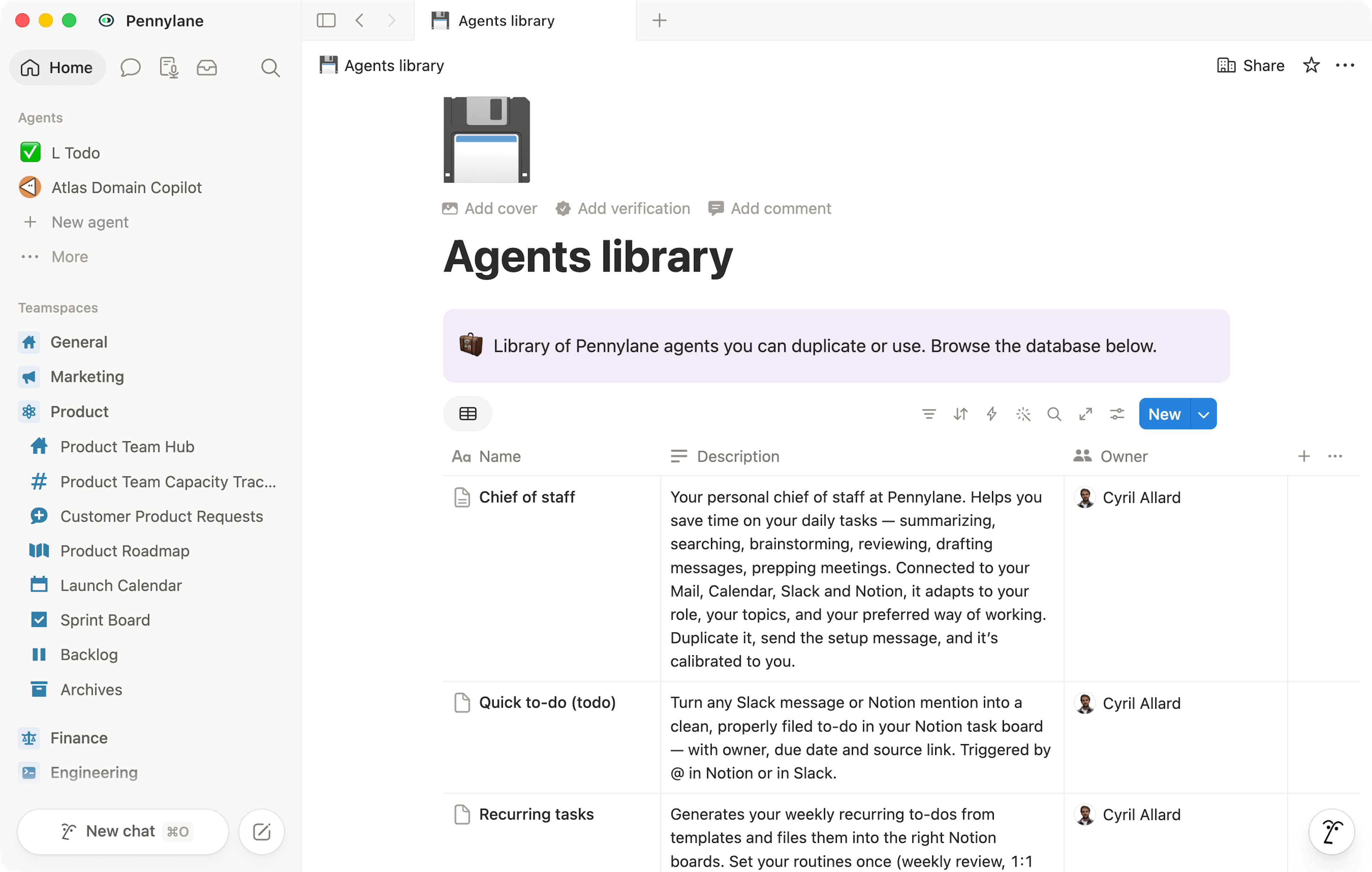
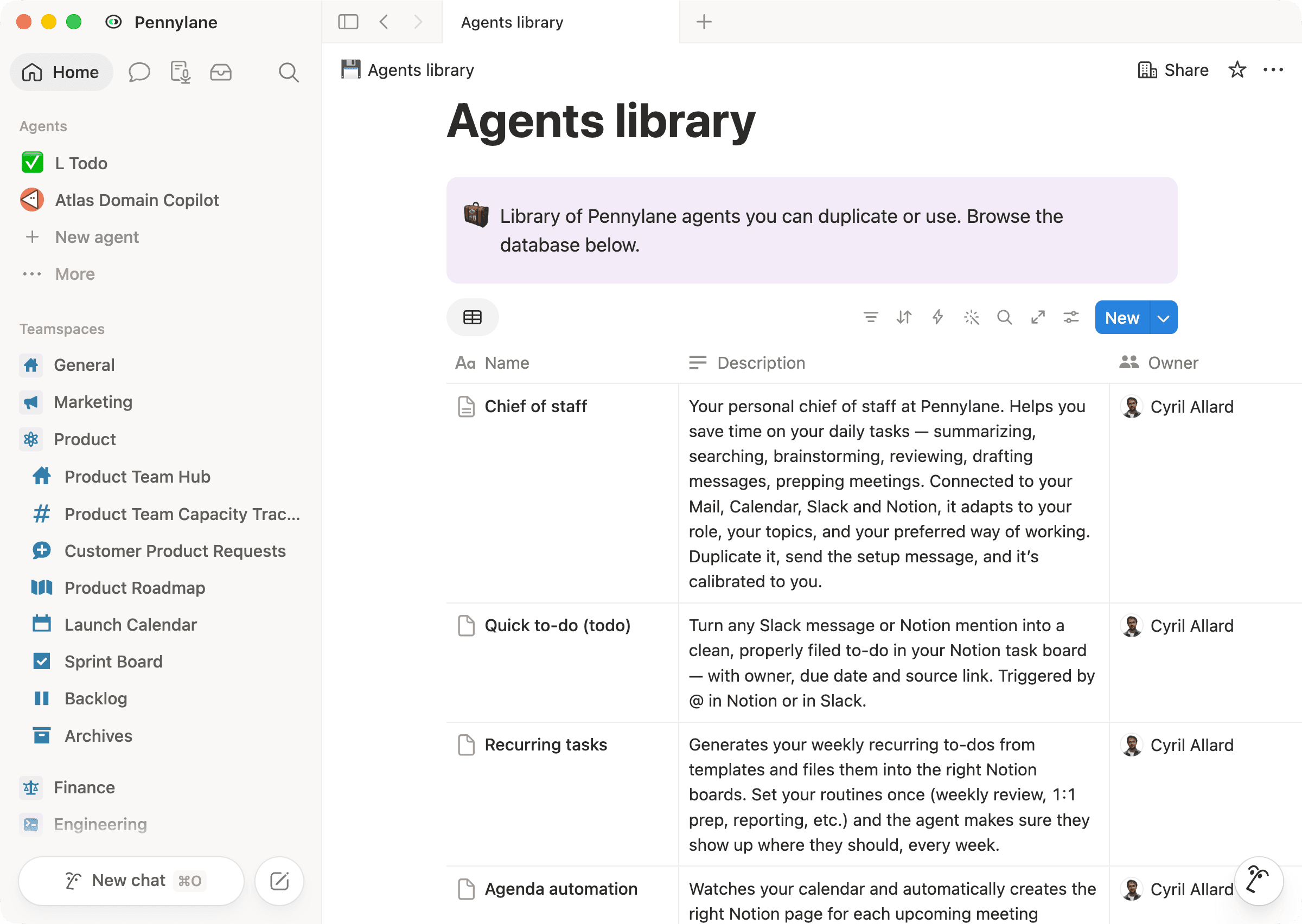
Chief of Staff and other templates. Not everyone wants to build an agent from scratch. So we created a guide and a library of ready-to-duplicate Custom Agents: a Chief of Staff productivity assistant, recurring-task agents, agenda automation, and the to-do capture workflow I mentioned earlier. That way, anyone can start with a working agent right away.
How do you handle governance, security, and cost as adoption of Custom Agents grows?
Our IT team plays a very important role in setting the framework. For example, if we want to connect an MCP, IT validates it, handles the process, and makes sure everything is above-board. Within that framework, people can build Custom Agents for their work. The important thing is that the right guardrails are in place.
That framework is backed by how Custom Agents work by design: an agent can never have more access than the person who created it, so no one can build an agent with broader reach than their own permissions.
On cost, we’re still in an adoption phase, not a rationalization phase. We don’t want costs to explode, so we set a maximum cost per employee and track usage at a high level. Usage caps can also be set for individual agents, so a workflow pauses automatically once it hits its limit—giving us the room to experiment while keeping spend predictable.
Where do Custom Agents fit into Pennylane’s broader AI ecosystem?
We use different AI tools for different teams and needs, but Notion Custom Agents are a natural fit for workflows that rely on company knowledge. All our documentation already lives in Notion, and that foundation is what matters most for AI. Our workspace is also relatively clean and well-structured. It’s never perfect, but we have dedicated people maintaining it well. That makes the ROI on using AI in Notion immediate, because we can point an agent straight at the right information.
Custom Agents also fit naturally into the way people already work at Pennylane. Someone who doesn’t understand AI or what an agent is can use them easily, because they’re already used to working in Notion. There’s no new tool to learn or switch to.
For how we work today, that combination of context and ease of use is exactly what we need. Some of these workflows could be handled by dedicated tools, but those can be expensive, complex to configure, or not available to everyone at Pennylane. Custom Agents give teams flexibility. They can build a lightweight workflow for a very specific need without asking the company to buy and roll out a new tool.
Someone who doesn’t understand anything about AI or what an agent is can use a Custom Agent in Notion very easily.
An AI teammate for everyone, one Custom Agent at a time
What’s next for Pennylane’s use of Custom Agents?
We have a “no one left behind” mindset. Everyone should be able to benefit from AI, but only a minority of people should need to master the deepest parts of agent-building for the rest of the organization to benefit.
The next step is pre-built agents that we can give to teams or individuals. For example, a Sales agent that already understands our products, ideal customer profile, and objection handling. Or a personal agent that’s preloaded with someone’s role and team context.
The goal is to deliver value automatically, with very little setup. People should be able to benefit from agents without even realizing they’ve moved to a more advanced way of working.
That’s the bigger vision: moving from “some power users build agents” to “everyone has the right AI teammate already in place.”
If someone is building their first Custom Agent, where should they begin?
Two things. First, make the data easy for a human to find and understand, and it’ll be easy for AI to use too. I keep a database listing every topic I’m working on, with a description of each one—that context is what makes my Domain Copilots relevant instead of generic.
Second, use AI to learn what AI can do. It can be hard to see where AI will help at first. The best entity to answer that question is AI—combined with your own understanding of your work. You don’t need to map every possible use case on paper before you start. Open a Custom Agent, describe your job or the work that takes up your time, and ask: “What could you automate for me?”
You can also ask the agent to create itself. In my experience, telling the agent, “Here is my problem, create yourself,” works very well—and it helped adoption at Pennylane. Many people weren’t afraid of AI; they just didn’t immediately see how it could help. Asking AI to audit their work and suggest automations made the value much clearer. You’ll probably discover use cases you wouldn’t have thought of on your own. Start with the most obvious one. It doesn’t need to be complicated. A simple workflow that runs reliably on clean data can be more valuable than a very ambitious agent that nobody uses.
AI is only as good as the context it can access. All our documentation already lives in Notion, so Custom Agents can easily read from it, update it, and help teams move faster.