 Runa
Runa
Runa
概要
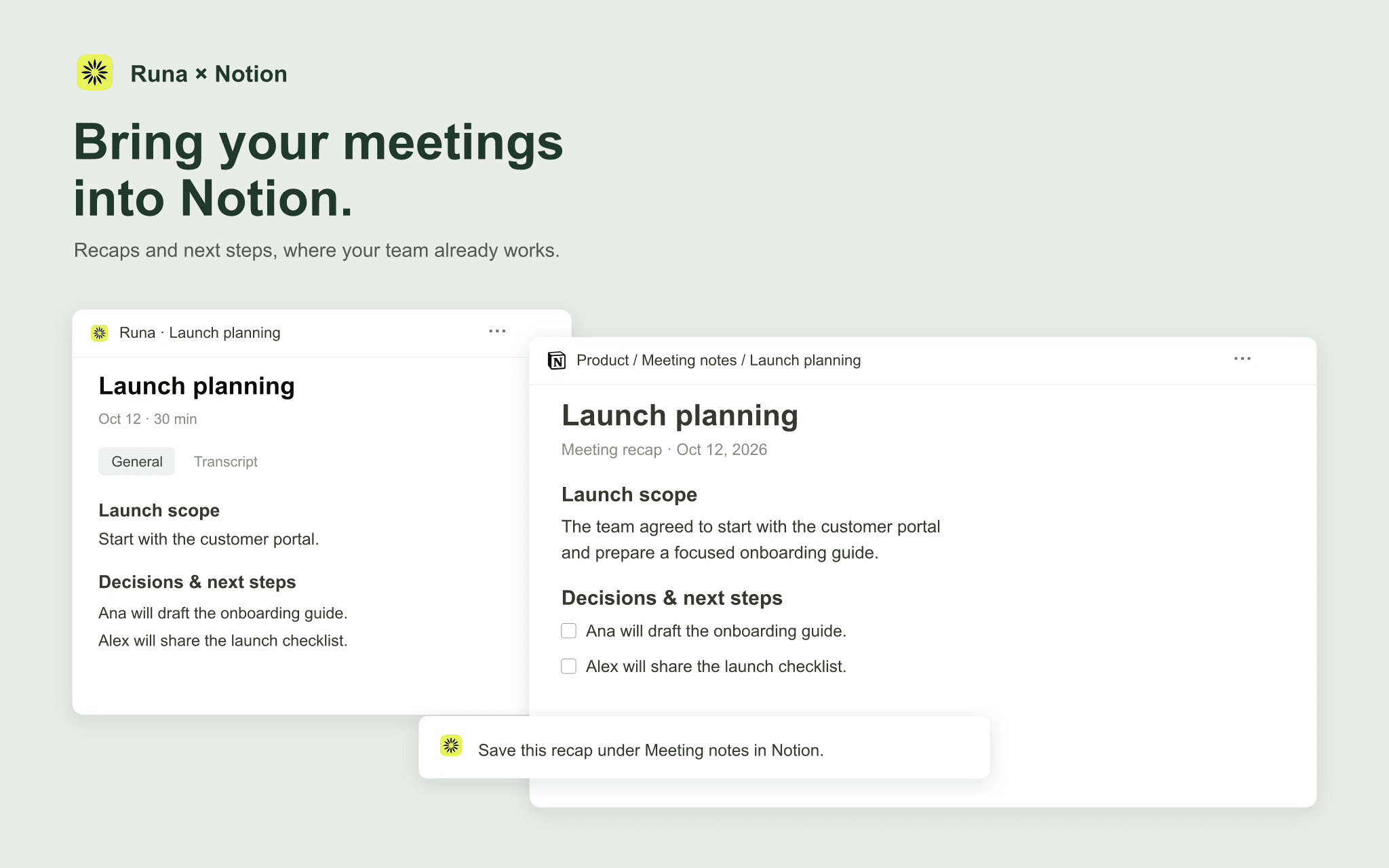
Runa is an AI meeting assistant that records, transcribes, and summarizes your meetings. Connecting Notion lets Runa use what your team has already written, and put meeting outcomes back where people will find them.
Read, from any chat: search the pages and databases you share with Runa; read a page in full, including its properties and body content; inspect a database's schema and query its rows with filters and sorts; pull up comments and workspace members.
Write, always behind a review card: create pages under a parent page, or as database entries with real, schema-validated properties; update a page's properties, title, or append content; comment on a page.
Runa never writes to Notion silently. Every change appears first as a review card naming the exact workspace, destination, and values, and nothing happens until you press Confirm. Runa sees only the pages and databases you select when you authorize the connection, and acts strictly as you, never with broader access than your own Notion permissions allow.
機能
- コンテンツを読み取る、挿入、更新このコネクトと共有されているページ、データベース、ブロックを読み取る、挿入、更新できます。
- コメントを読み取る、追加アクセスできるページとブロックにコメントを読み取る、追加ことができます。
- ワークスペースユーザーを表示するワークスペースメンバーとゲストに関する基本的なプロフィール情報(メールアドレスなど)を読み取ります。
使い方
In Runa, open Settings, go to Connections, and click Connect next to Notion. Approve the connection in your browser and choose the pages and databases you want Runa to work with — you can add more later by reconnecting. Then just ask, in a meeting chat or the home chat: what is in my Product Specs database, or find the Acme launch plan. To write, ask the same way — file these action items in my Tasks database, or drop this recap under the Acme project page — and Runa shows a review card naming the exact destination and values, creating it only after you press Confirm.
