KnitKnot AI
KnitKnot
概要
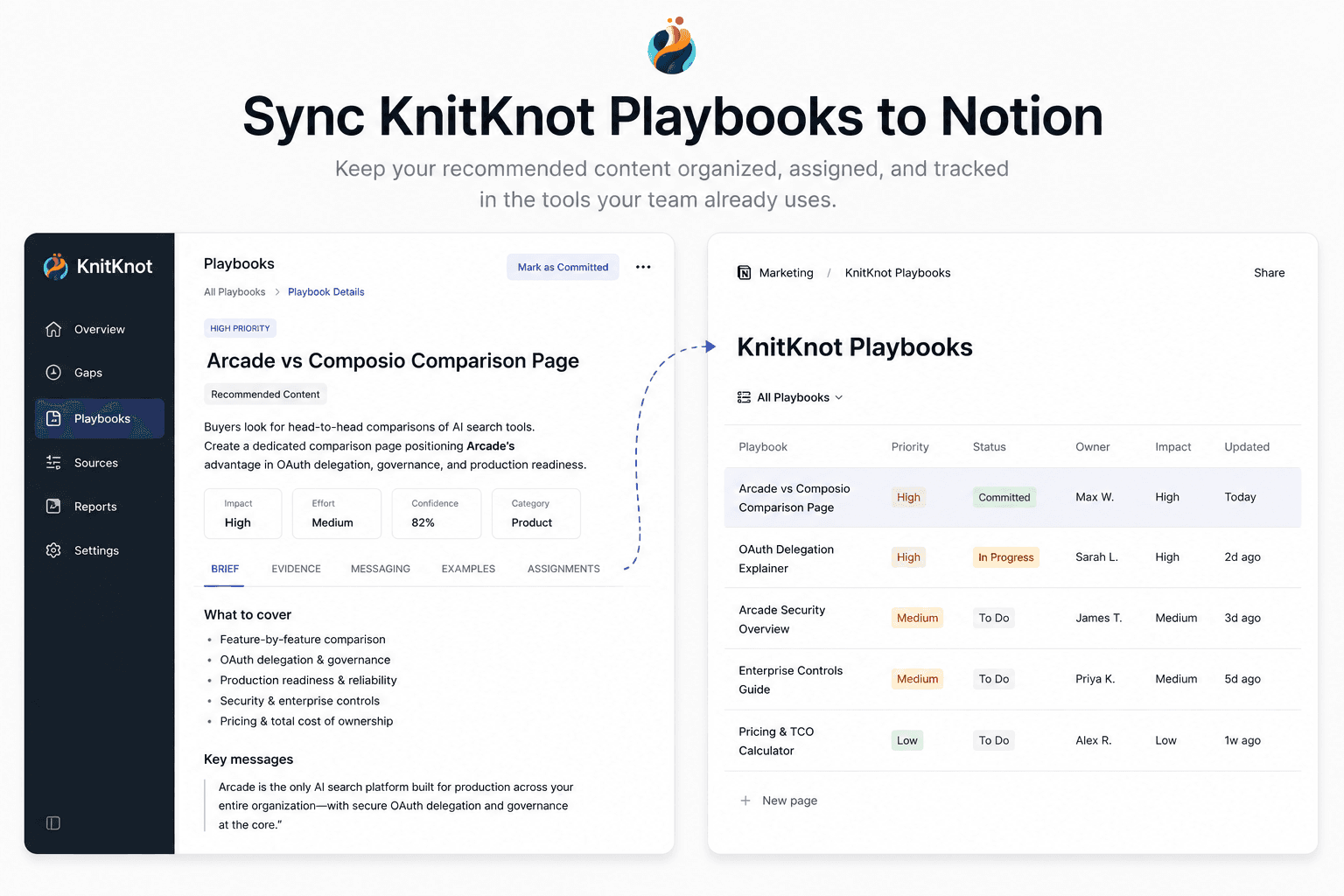
KnitKnot measures how AI assistants like ChatGPT and Claude represent your company, and turns the gaps into actionable content playbooks. This connection syncs the playbooks you've committed to into a Notion database, so your team can assign, track, and comment on them where they already work. KnitKnot keeps each page up to date as playbook status and evidence change.
機能
- コンテンツを読み取る、挿入、更新このコネクトと共有されているページ、データベース、ブロックを読み取る、挿入、更新できます。
- ワークスペースユーザーを表示するワークスペースメンバーとゲストに関する基本的なプロフィール情報(メールアドレスなど)を読み取ります。
使い方
1. In KnitKnot, go to Settings → Integrations and click Connect on the Notion card.
2. Approve access and select the Notion pages you want KnitKnot to use.
3. Back in KnitKnot, choose the parent page where your playbooks should live.
4. KnitKnot creates a "KnitKnot Playbooks" database there and syncs your committed playbooks. Pages update automatically — keep your own notes in comments or sub-pages.