Firnity
NotiCord for Discord
概要
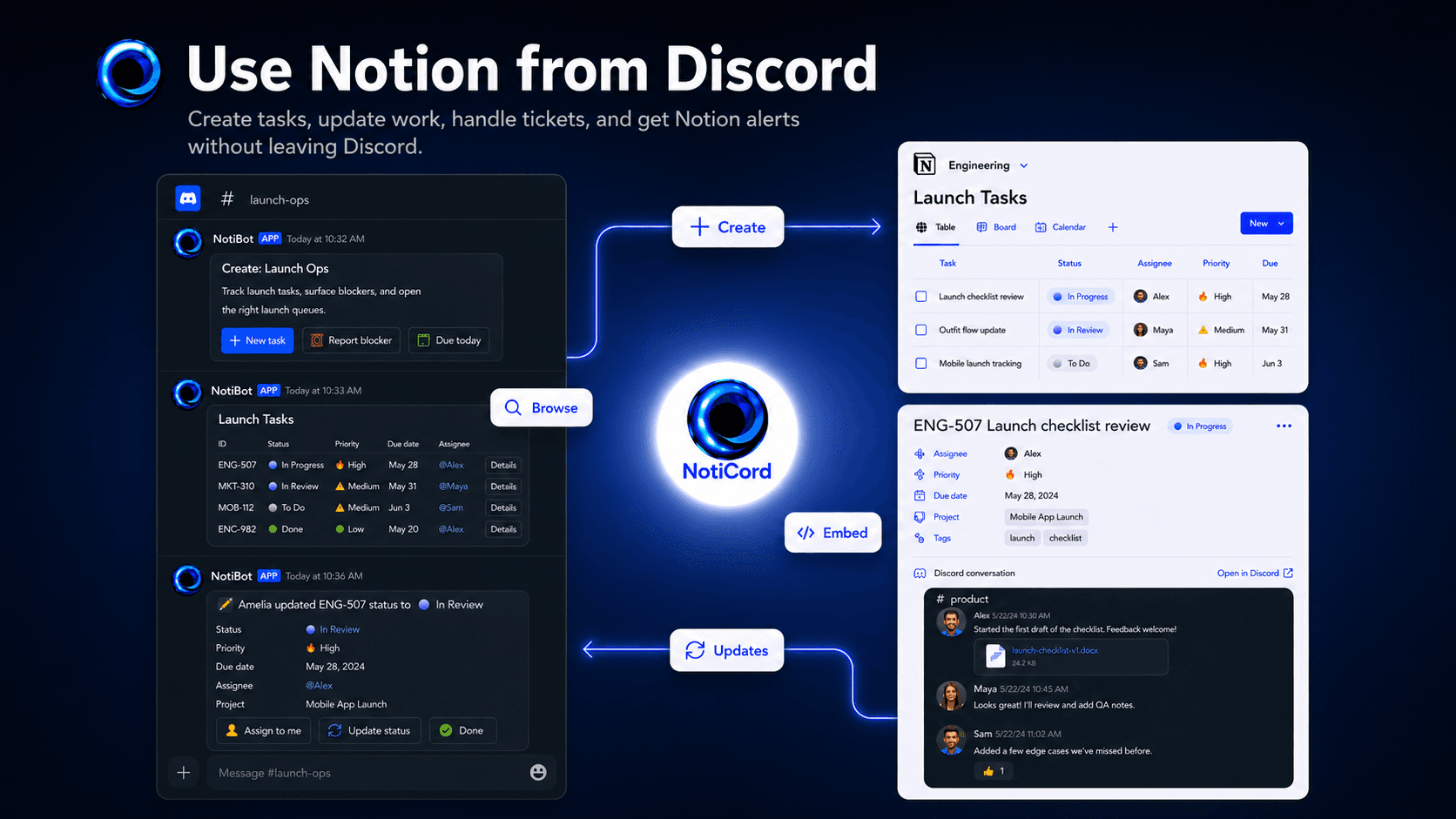
Bring Notion into your Discord server. Send page and database updates to the right channels, create tasks, tickets, docs, and requests from slash commands or panels, search Notion pages with /find, and update records with quick-action buttons. Embed read-only Discord channels in Notion pages and link accounts for synced @mentions.
機能
- コンテンツを読み取る、挿入、更新このコネクトと共有されているページ、データベース、ブロックを読み取る、挿入、更新できます。
- コメントを読み取る、追加アクセスできるページとブロックにコメントを読み取る、追加ことができます。
- ワークスペースユーザーを表示するワークスペースメンバーとゲストに関する基本的なプロフィール情報(メールアドレスなど)を読み取ります。
使い方
1. Click "Login with Discord" at https://app.noticord.com
2. Authorize Discord and add the bot to your server
3. Connect your Notion workspace and select databases to share
4. Create a notification rule:
- Choose a Notion database and Discord channel
- Select events to track (Page Created, Page Updated)
5. Test it! Create a page in Notion and see it appear in Discord.
Full documentation: https://noticord.com/docs