
Informazioni
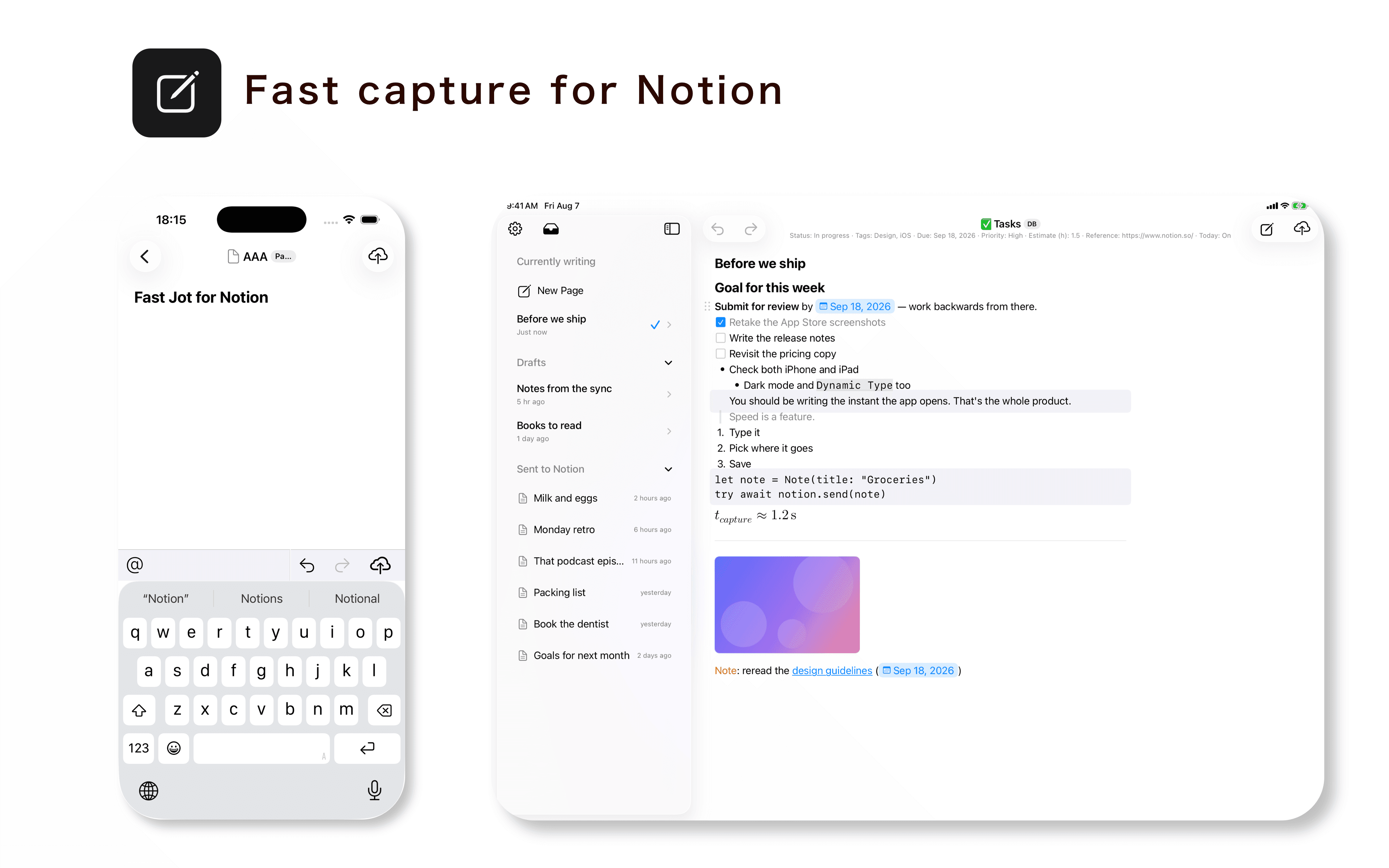
Fast Jot is a native iPhone and iPad app designed for quickly capturing notes directly into Notion.
Fast Jot for Notion is an app built for one thing: getting your notes into Notion, fast. It opens straight to the editor, and saving takes a single tap. Notes written offline are sent automatically once you're back online.
◆ Built to get you writing instantly
- First line automatically becomes the title
- Templates pre-fill your defaults
- Optional: send with the Return key
- Optional: reopen right where you left off
- Widget support
- Markdown input supported
[Supported blocks]
Headings, to-do lists, numbered lists, quotes, callouts, code blocks, dividers, mentions, images, and equations
◆ Open and edit Notion pages
- Edit any page you've granted access to, right in the app
- Works with notes you've sent and with existing pages created in Notion
◆ Auto-save & offline support
- Unsent notes are auto-saved as drafts
- Notes sent while offline or in airplane mode go out automatically once you reconnect
- Review sent notes in your history
- Changes sync automatically
◆ No limits on destinations, full control over properties
- Authenticate per workspace
- Add new pages to any database you've granted access to
- Set properties like status, tags, and dates in the app before sending
Funzionalità
- Leggere, inserire e aggiornare contenutiPuò leggere, inserire e aggiornare pagine, database e blocchi condivisi con questa connessione.
- Leggere e aggiungere commentiPuò leggere e aggiungere commenti sulle pagine e sui blocchi a cui può accedere.
- Visualizza gli utenti dello spazio di lavoroLegge i dettagli di base del profilo dei membri e degli ospiti dello spazio di lavoro.
Modalità d'uso
1. Download Fast Jot from the App Store or Google Play.
AppStore: https://apps.apple.com/us/app/fast-jot-for-notion/id6789509978
GooglePlay: https://play.google.com/store/apps/details?id=com.jagaimopotato.fastjot
2. Open Fast Jot and tap “Connect Notion.”
3. Sign in to Notion and select the pages and databases you want Fast Jot to access.
4. In Fast Jot, select the database where you want to create new pages.
5. Start writing. You can use Notion blocks, Markdown, and set database properties such as status, tags, and dates before sending.
6. Tap Send to create the page in Notion.
Dettagli
- Produttività