

About
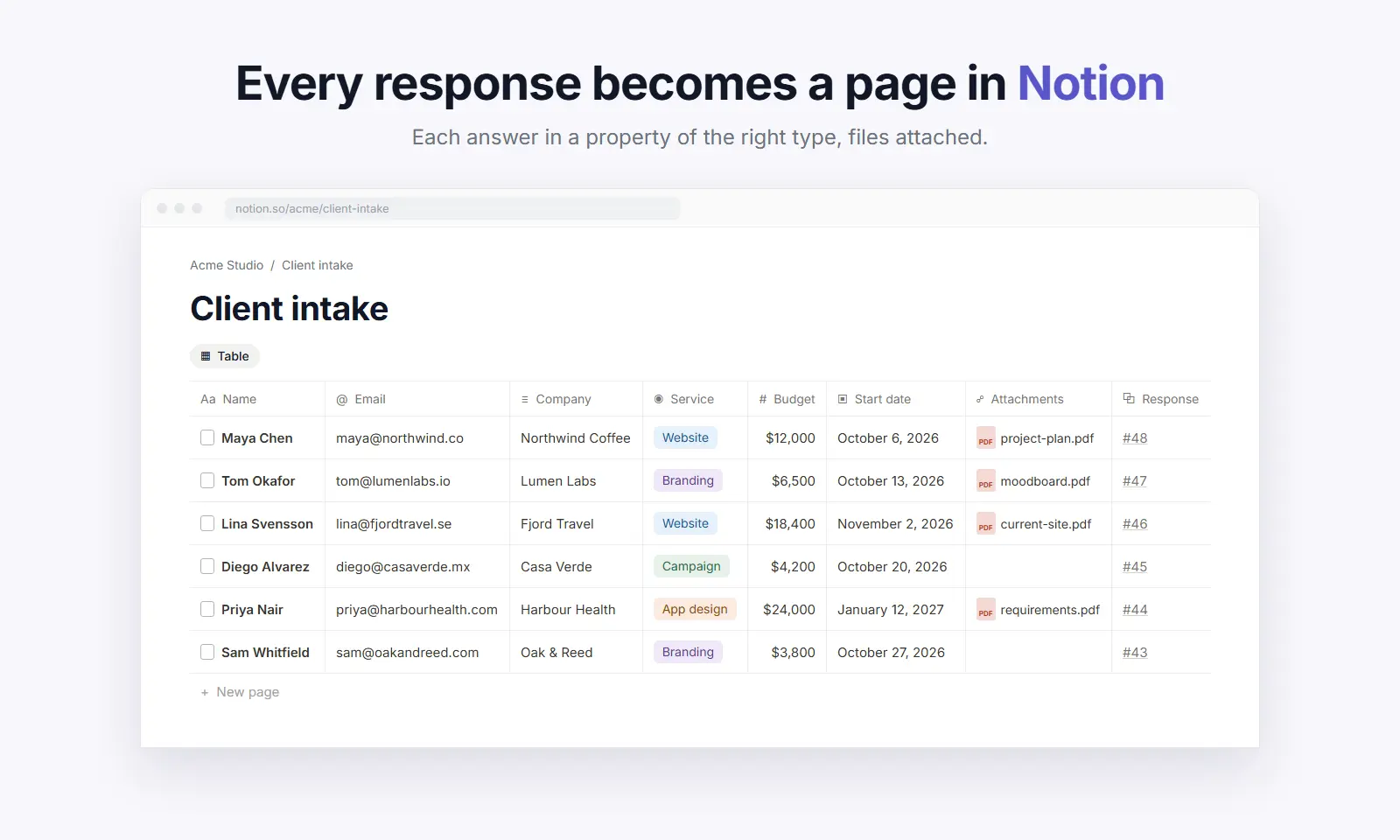
Nextforms is a form builder with workflows built in. Connect Notion and every response becomes a page in your database: each answer in a property of the right type (numbers, dates, selects, checkboxes, email and phone), uploaded files attached, and edited responses updating the same page.
Create a database from your form in one click, or map to one you already have. Properties are matched by Notion's own id, so you can rename and rearrange them freely, and Nextforms only changes your database when you ask it to.
Add conditions, routes and approvals so only the right responses reach the right database. Free on every Nextforms plan.
Ominaisuudet
- Lukea, lisätä ja päivittää sisältöjäVoi lukea, lisätä ja päivittää sivuja, tietokantoja ja lohkoja, jotka on jaettu tämän yhteyden kanssa.
- Tarkastelee työtilan käyttäjiäLukee työtilan jäsenten ja vieraiden profiilin perustietoja.
How to use
1. In Nextforms, open Integrations and connect Notion. Tick the databases you want to fill, and a page if you want Nextforms to create new databases.
2. Open a form's workflow and add a Notion step.
3. Create a new database, or choose an existing one and check the property for each question.
4. Publish the workflow. Every new response appears as a page in your database.
Full guide: https://nextforms.com/docs/notion
