

About
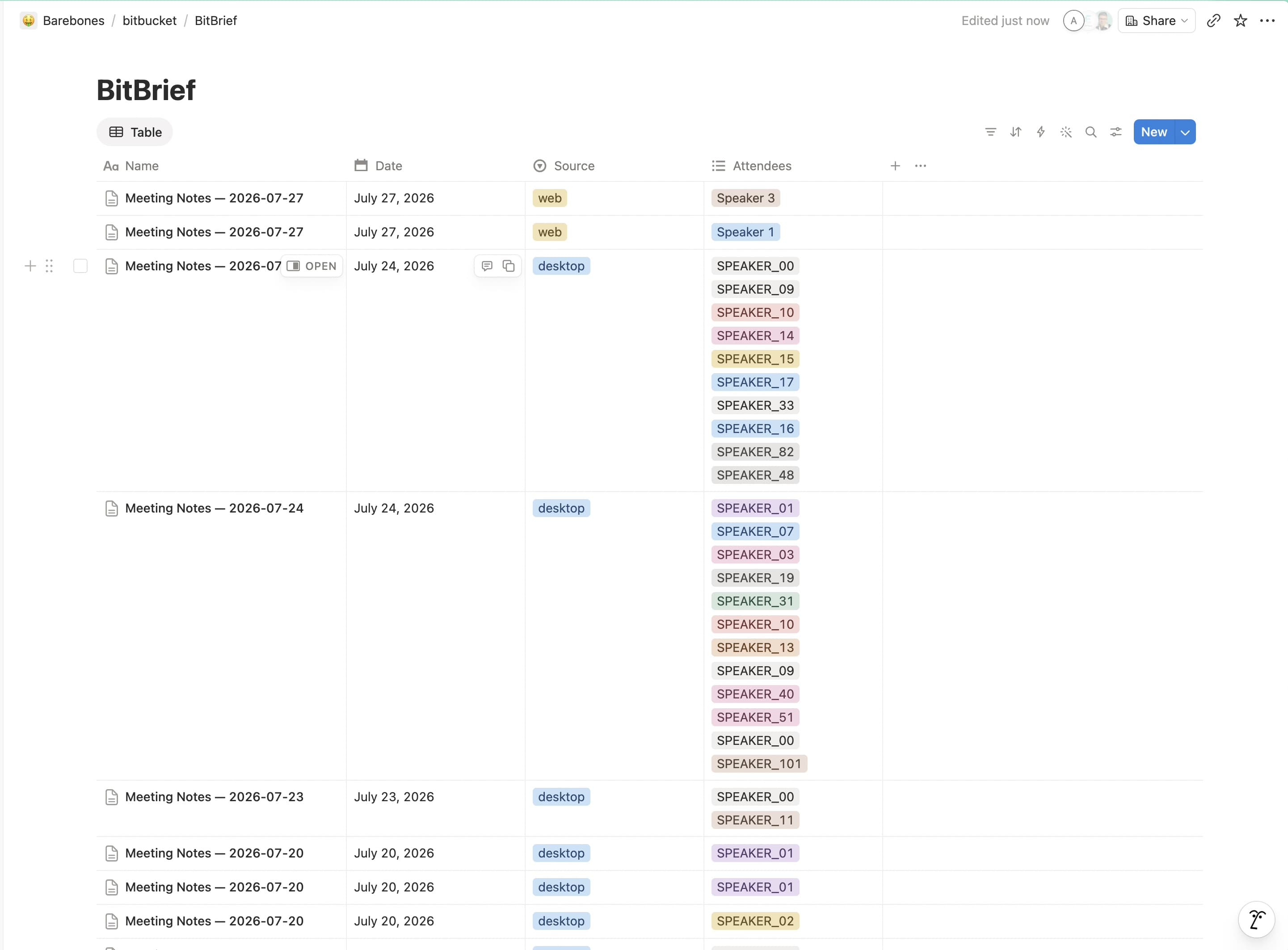
BitBrief turns your meeting recordings into structured notes: summary, decisions, action items, and a full transcript. It then publishes each meeting as a page in a "BitBrief Meetings" database in your workspace. Use the provided template during connection and BitBrief sets the database up for you; it only creates and updates the meeting pages you've shared with it.
Ominaisuudet
- Lukea, lisätä ja päivittää sisältöjäVoi lukea, lisätä ja päivittää sivuja, tietokantoja ja lohkoja, jotka on jaettu tämän yhteyden kanssa.
- Tarkastelee työtilan käyttäjiäLukee työtilan jäsenten ja vieraiden profiilin perustietoja, mukaan lukien heidän sähköpostiosoitteensa.
How to use
1. Install BitBrief on your Mac and open it.
2. In the setup wizard or Settings → Notion export, click Connect to Notion.
3. Approve access in your browser and choose Use a template — BitBrief adds a "BitBrief Meetings" database to your workspace automatically.
4. Record or upload a meeting. Your notes, action items, and transcript appear in that database when processing finishes — no other setup needed.
