TweakTick

开放 API
TweakTick
关于
TweakTick collects client feedback where it happens. Clients click on a live website, image, PDF or video and leave a comment pinned to that spot, with no account needed.
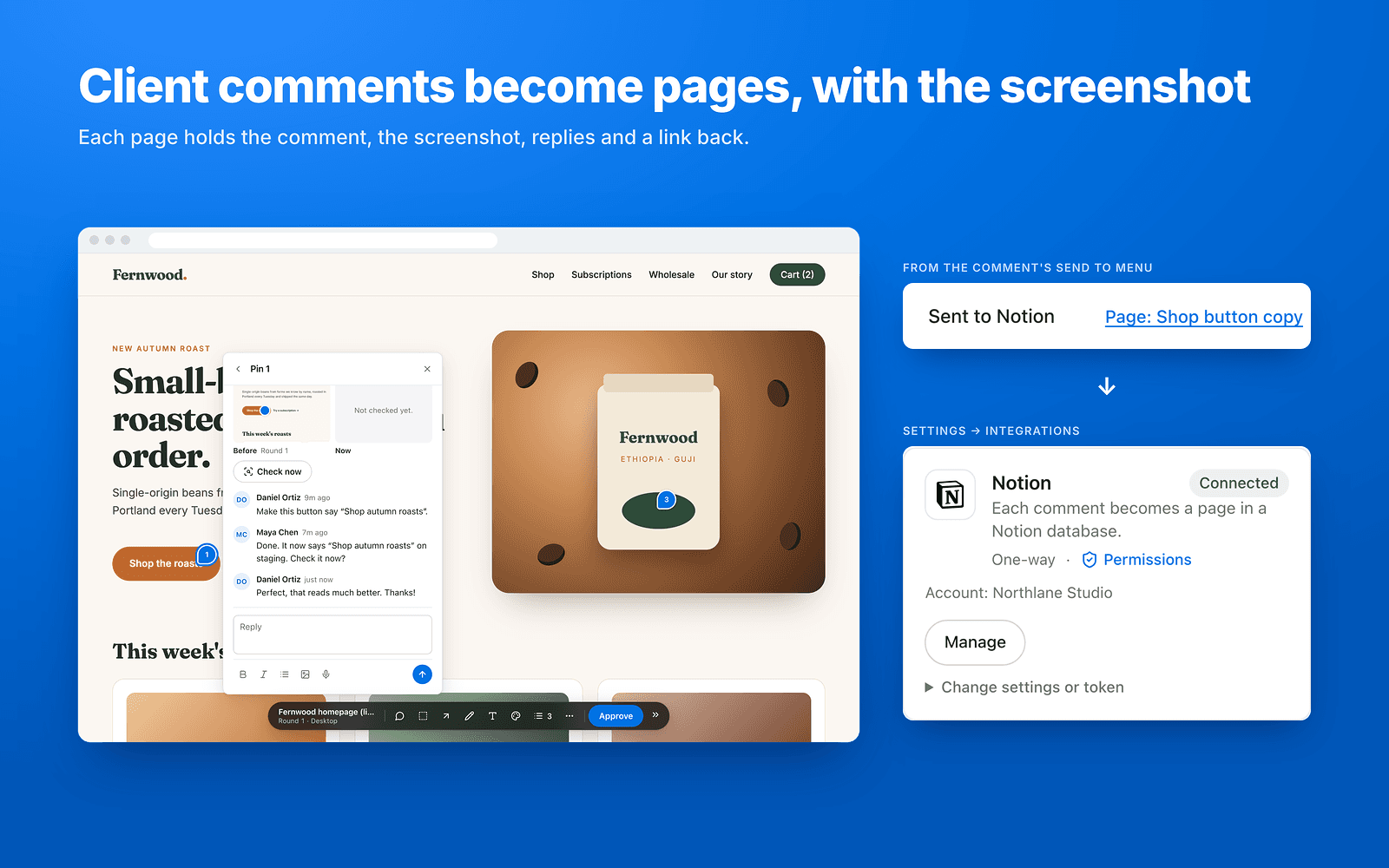
Connect Notion, share a database with TweakTick, and every new client comment becomes a page in it:
- Title, status and assignee are filled in from the comment.
- The page body holds the comment, a screenshot of the pinned spot, the replies and a link back.
- Resolving or reopening the comment and new replies update the page.
- Internal (agency-only) comments are labelled "[Internal]" or left out with one switch.
TweakTick only sees the pages and databases you share with it. Free plan available; paid plans from $19/mo.
功能
- 读取、插入和更新内容可以读取、插入和更新与此连接共享的页面、数据库和区块。
- 查看工作空间用户读取有关工作空间成员和访客的基本档案详细信息。
如何使用
- In TweakTick (https://tweaktick.com), open Settings → Integrations and press Connect next to Notion. Pick the pages or databases to share, then press Allow.
- In Notion, share the database with TweakTick (connections menu) if you didn't pick it in step 1.
- In a TweakTick project's settings, pick that database. TweakTick finds the Title, Status and Assignee fields.
- Match teammates under People (Notion ↔ your team).
- New client comments now arrive as pages in the database.
To disconnect: Settings → Integrations → Disconnect next to Notion, and remove TweakTick from the database's connections. Full guide: https://tweaktick.com/help/notion-integration