 SEO Buddy
SEO Buddy AI Content Engine
关于
SEO Buddy is an SEO platform. Its AI Content Engine reads what a website already ranks for in Google Search Console, what it nearly ranks for, the pages in its sitemap and the pages its competitors win with, and from that decides what is worth writing this month. It then writes those articles, illustrates them, and delivers them.
This connection is the Notion end of that. Every finished article arrives as a new page in a Notion database you choose, so your team can read, edit and approve work in the place it already works.
What arrives with each article:
- The headline, in your database's title column.
- The full article as native Notion blocks: headings, paragraphs, bulleted and numbered lists, quotes, images, code and dividers, with bold, italic and links preserved. Not a wall of pasted text, and not an HTML dump.
- The target keywords, in a multi-select column, if your database has one.
- The meta description, in a text column, if your database has one.
- The article's illustration, as the page cover.
How it fits your workspace, rather than the other way round:
- You choose which database articles go into, from the databases you shared with us. We never see anything you did not share.
- We read that database's own schema and fill the columns you already have. We never create columns, never rename them, and never change a database's structure.
- We only ever create new pages. We do not edit, move or delete anything already in your workspace.
What this connection does not do: it does not publish to the web. A Notion page is not indexed by Google. Teams use this connection when Notion is where they review and approve content before it goes live, or when their public site is built by a tool that reads from Notion. SEO Buddy also publishes directly to WordPress, WordPress.com and any endpoint you control, for people who want articles live rather than waiting.
A SEO Buddy account is required. Nothing in this connection works on its own.
功能
- 读取、插入和更新内容可以读取、插入和更新与此连接共享的页面、数据库和区块。
- 读取和添加评论可以在其有权访问的页面和区块上读取和添加评论。
- 查看工作空间用户读取有关工作空间成员和访客的基本档案详细信息,包括其电子邮件地址。
如何使用
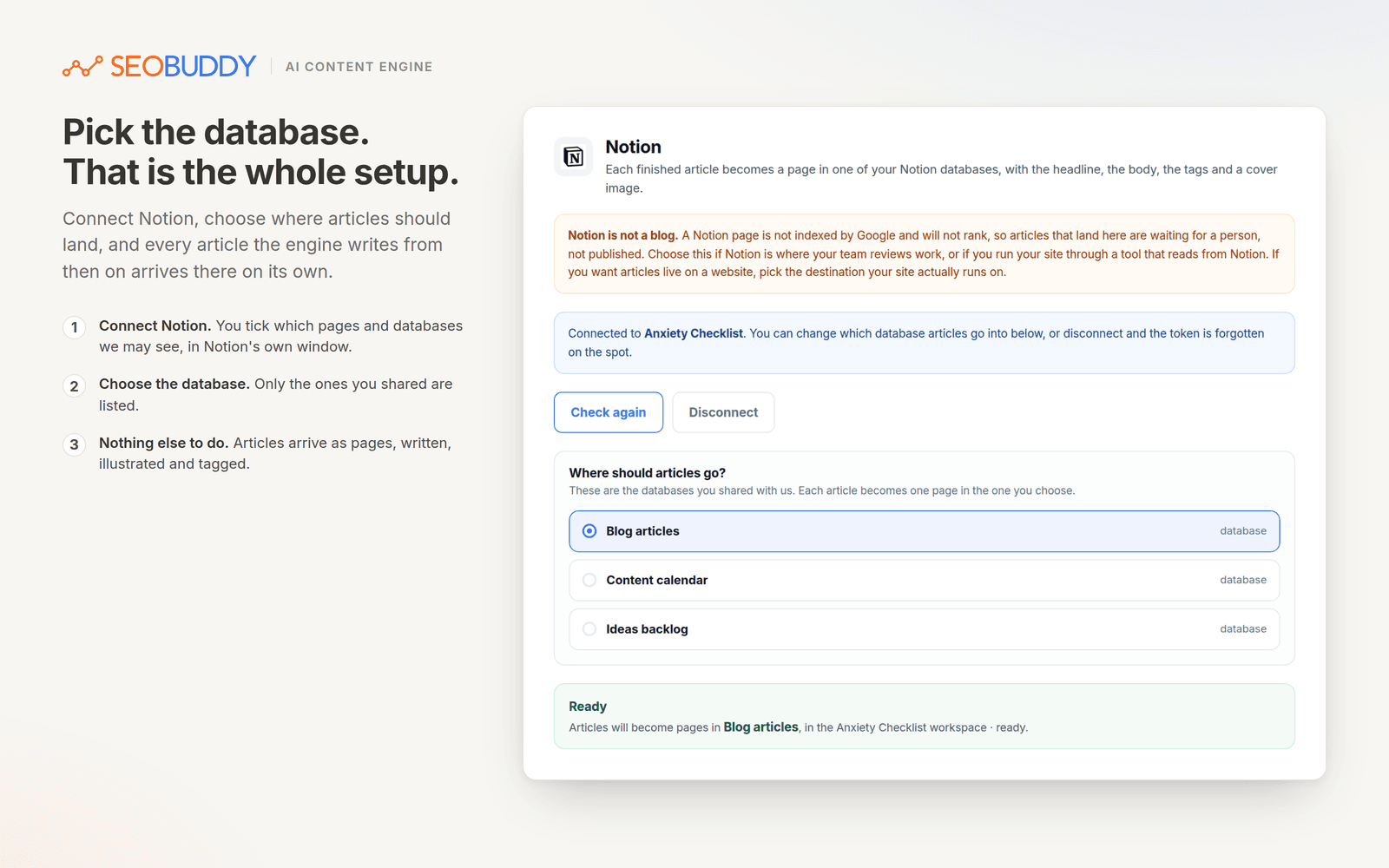
1. In SEO Buddy, open Project & Domain Settings, then AI Content Engine, then Integration.
2. Choose the Notion tile and press Connect Notion.
3. Notion asks which pages and databases this connection may see. Tick the database you want articles delivered into. Nothing outside what you tick is reachable, and you can change it later from Notion at any time.
4. You are returned to SEO Buddy, where the databases you shared are listed. Choose the one articles should go into.
5. That is the setup finished. Every article the engine writes from then on arrives as a new page in that database.
Your database needs a title column, which every Notion database has by default. A multi-select column named Tags and a text column named Description are optional: if they exist we fill them, and if they do not we leave the page without them. We never add columns to your database.
You need a SEO Buddy account with the AI Content Engine. You can start one at
