关于
Reos is a user research platform. It turns interviews, transcripts and documents into observations, insights and recommendations, each backed by evidence.
The Notion connection works in both directions.
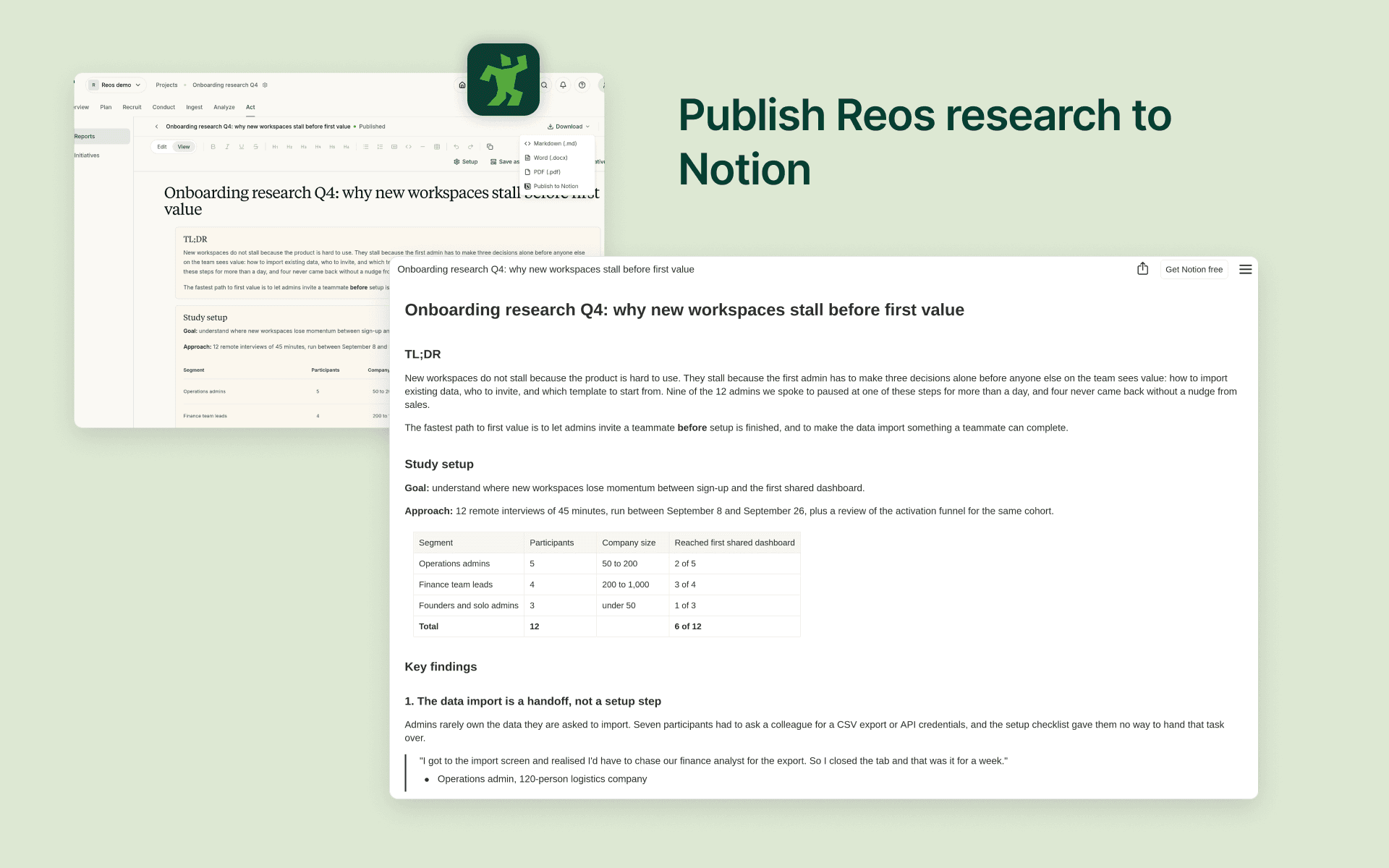
Publish to Notion
Send any Reos report, document, research plan or discussion guide to a Notion page you choose. Headings, lists, tables, quotes and code keep their formatting, and every page links back to the source in Reos. Publish again later and the same page updates in place, so your team's Notion stays current without copy and paste.
Import pages
Pick Notion pages to add to a Reos project as raw data: interview notes, research briefs, meeting notes or past studies. Reos analyses them alongside your recordings and transcripts.
Sync a database
Connect a Notion database, such as an interview log or a feedback tracker, to a Reos project. Each row becomes a source in Reos, including its properties. New and edited rows sync automatically.
Reos only sees the pages and databases you choose to share with it, and you can share more or disconnect at any time.
功能
- 读取、插入和更新内容可以读取、插入和更新与此连接共享的页面、数据库和区块。
- 查看工作空间用户读取有关工作空间成员和访客的基本档案详细信息,包括其电子邮件地址。
如何使用
- In Reos, open your account settings and click Connect next to Notion under Connected accounts.
- In the Notion window, choose the pages and databases Reos may access, then allow access.
- An org admin enables Notion for the organization in the org's integration settings.
- To publish, open a report or document, open the Download menu and choose "Publish to Notion", then pick a parent page.
- To import pages, open a project, choose "Add data", then "Import from Notion", and select the pages you want.
- To sync a database, open Channels in a project, create a channel, choose "Notion database" and pick the database.
To give Reos access to more pages later, use "Share more pages" next to Notion in your account settings.