关于
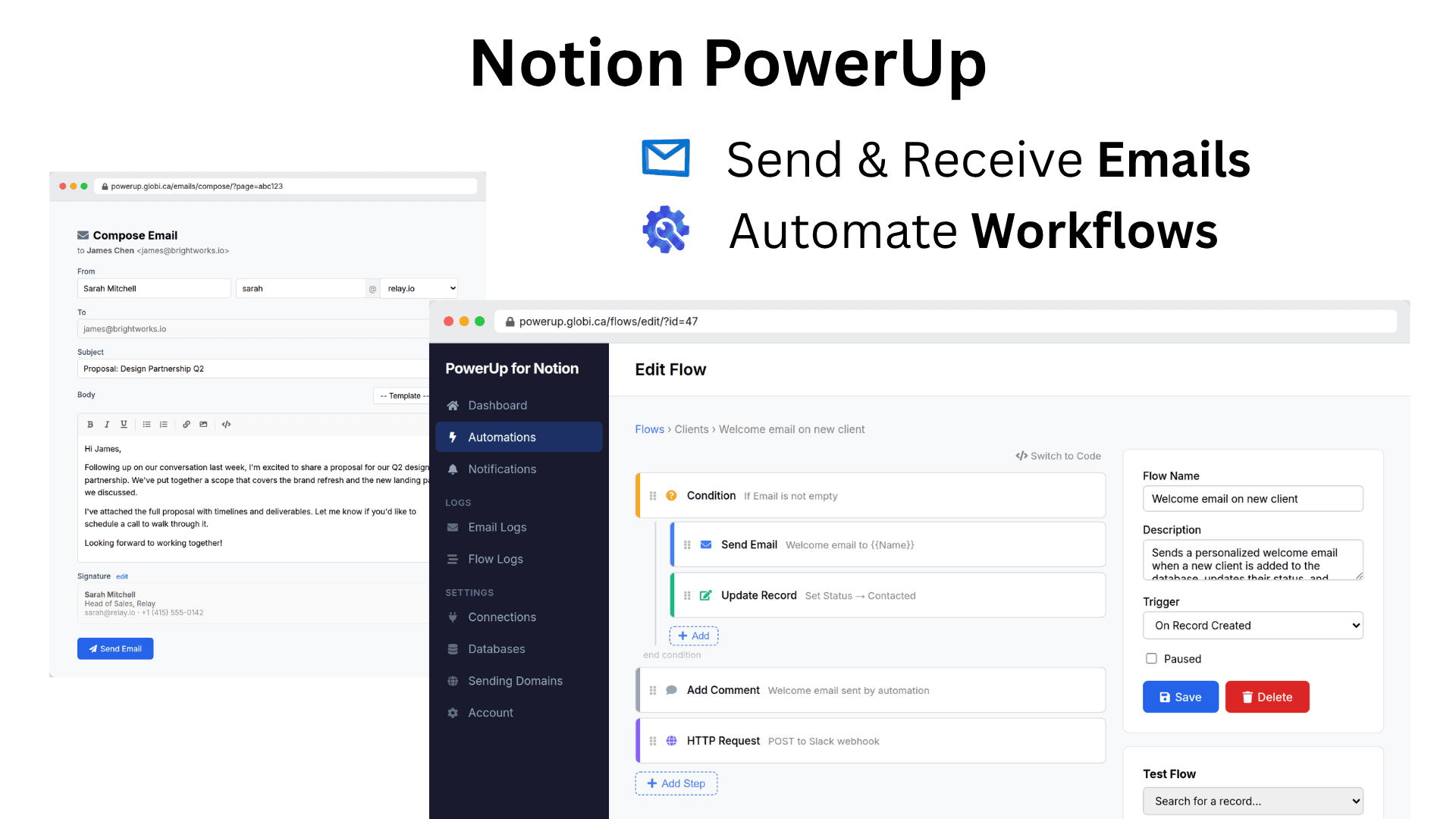
PowerUp adds email and workflow automation to your Notion databases. Send and receive email directly from database records, with replies automatically routed back and stored as sub-pages. Track opens, clicks, and bounces. Send from your own domain with full authentication.
Build automations that trigger instantly when records change — no polling delays. Use the visual drag-and-drop builder, write code, or describe what you want in plain English and let the AI assistant build it. Query databases, update records, send email, call external APIs, and more. Schedule recurring flows or accept webhooks from external services.
Everything stays in Notion. Emails are stored as pages, automations read and write your databases directly, and your whole team shares the same context. Disconnect anytime and your data stays in your workspace.
功能
- 读取、插入和更新内容可以读取、插入和更新与此连接共享的页面、数据库和区块。
- 添加 条评论可以在其有权访问的页面和区块上添加评论。
- 查看工作空间用户读取有关工作空间成员和访客的基本档案详细信息,包括其电子邮件地址。
如何使用
-
Install PowerUp from the Notion Marketplace and connect your workspace. PowerUp uses your Notion identity — no extra account or password needed.
-
Add your databases. Pick which databases you want to use with email or automations, and map the email and name properties.
-
Start sending email or building flows. Compose email directly from any record, or create your first automation using the visual builder, code editor, or AI assistant.