

关于
Humanlike is an AI hiring platform. Connect Notion so your AI recruiters and interviewers can work with the hiring pages you choose.
What it can do
- Read job descriptions, scorecards and interview kits from Notion
- Create a page for each candidate with notes and interview summaries
- Update candidate status and other properties in your hiring database
- Search and query your recruiting databases
- Add feedback to existing pages after an interview
Workflows
Start a Humanlike workflow when a page is created or edited, a database row changes or someone comments. For example, move a candidate to Interview in Notion and Humanlike starts the next hiring step.
Several workspaces
Connect as many Notion workspaces as you like, for example one per client if you recruit for several companies. Each sign in adds one workspace.
Use it from your AI tools
Add Notion to a Humanlike MCP server and use your hiring data from Claude, ChatGPT or Cursor.
Your data
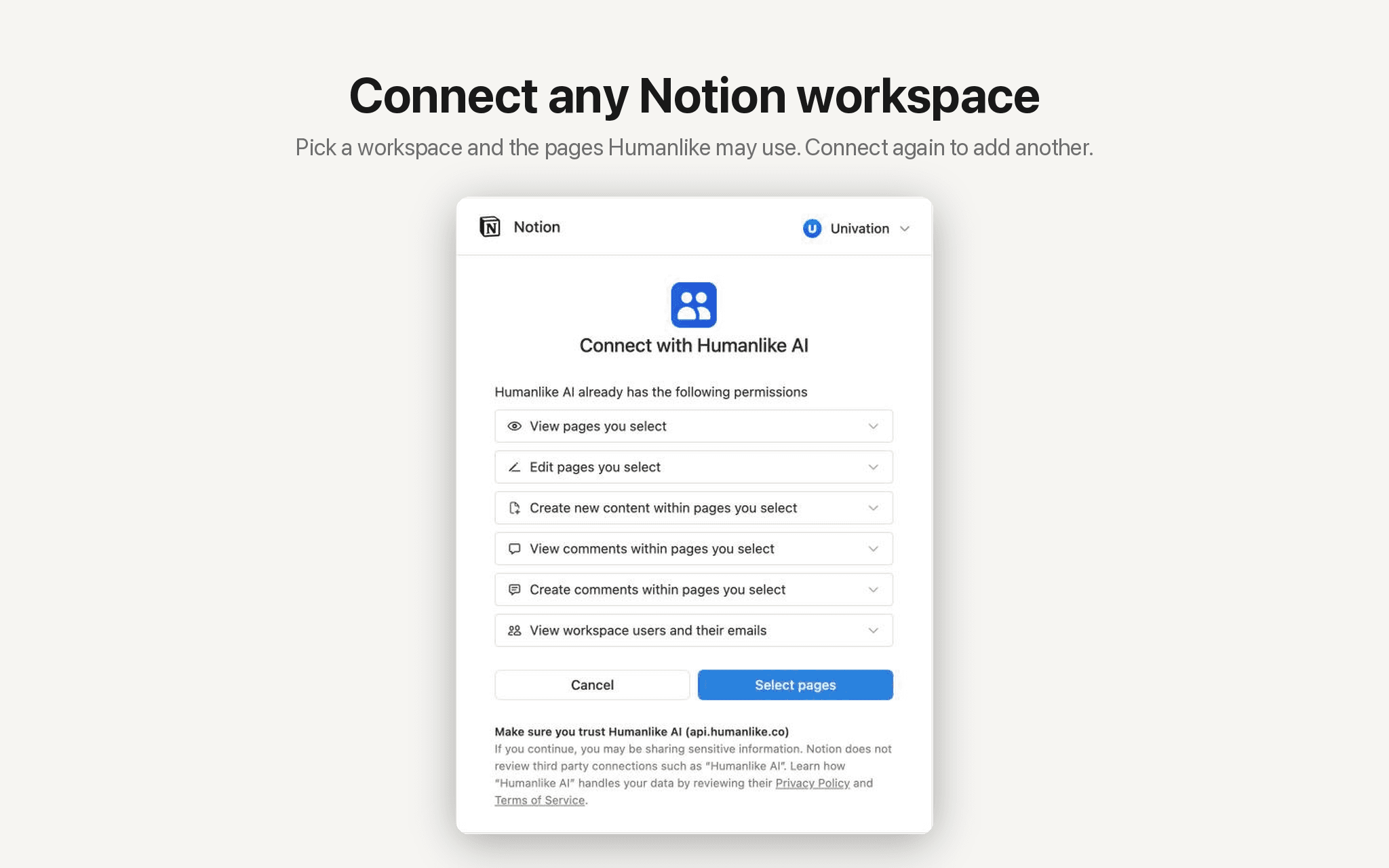
Humanlike only sees the pages you share during sign in. You can remove access at any time in Notion under Settings, Connections.
功能
- 读取、插入和更新内容可以读取、插入和更新与此连接共享的页面、数据库和区块。
- 读取和添加评论可以在其有权访问的页面和区块上读取和添加评论。
- 查看工作空间用户读取有关工作空间成员和访客的基本档案详细信息,包括其电子邮件地址。
如何使用
- Open
humanlike.co/integrations/notion/connect
and sign in to Humanlike, or create an account. - Notion asks which workspace to connect and which pages Humanlike may see. Choose them and click
Allow access
. - You return to Humanlike with Notion connected. Your AI coworkers can use it right away, and you can add Notion to a custom MCP server for Claude, ChatGPT or Cursor.
- To add another workspace, connect again and choose a different one.
- To start workflows from Notion events, open
Workflows
in Humanlike and pick a Notion trigger such as
Page created
.
