clianta
clianta
关于
Clianta is an AI-powered workspace and CRM that unifies your sales data, communication, and productivity tools. By connecting Notion to Clianta, you can:
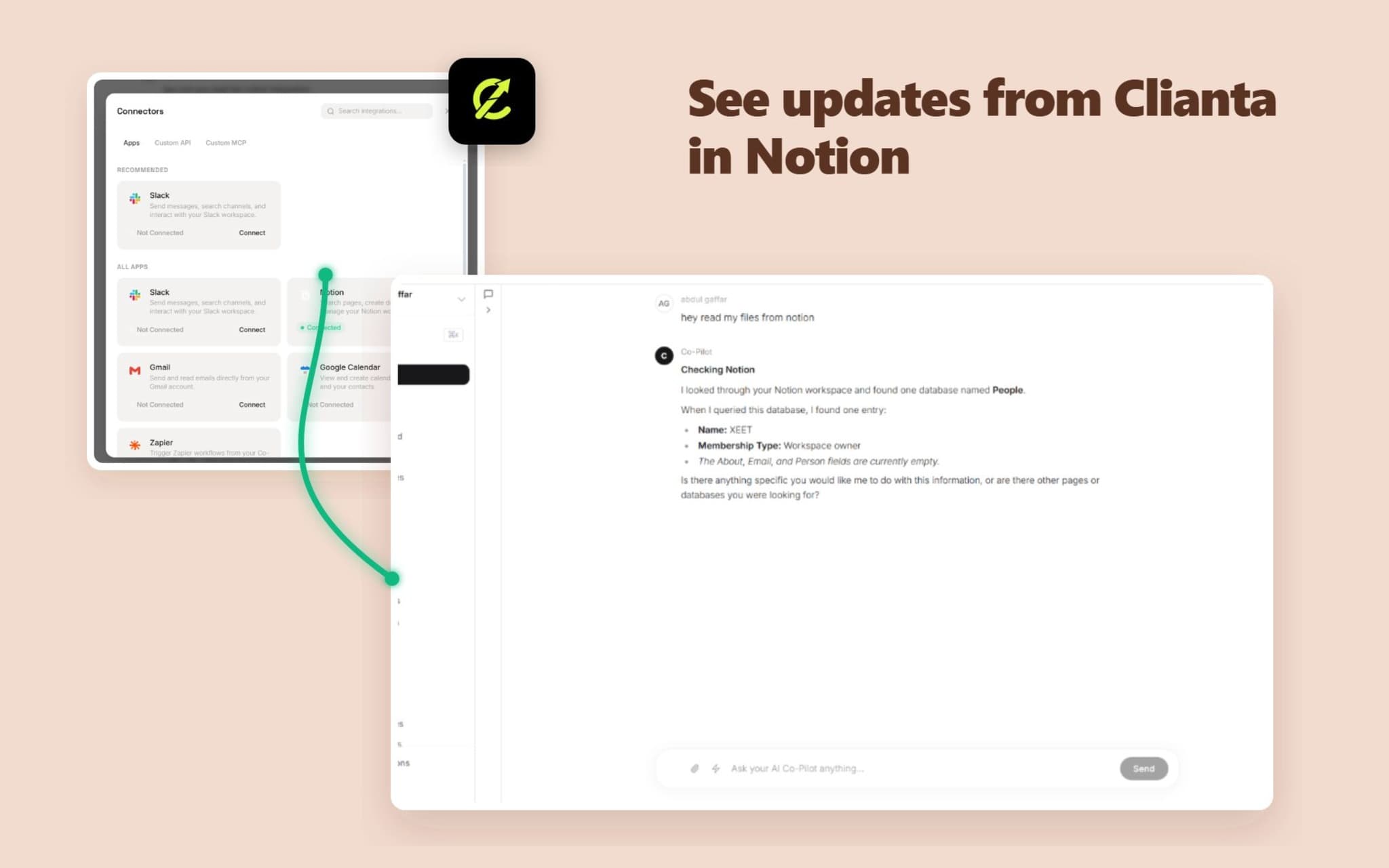
1. Sync Notion Pages to AI Memory: Let your Clianta AI Co-Pilot answer questions, draft emails, and analyze deals using context retrieved directly from your Notion workspace.
2. Automate Notion Actions in Workflows: Build automated workflows that create pages, update properties, or query Notion databases when CRM triggers occur.
3. Export CRM Reports: Export contact lists, sales pipelines, and summaries directly to your Notion tables and databases.
Clianta protects your data with enterprise-grade encryption, ensuring all tokens and retrieved pages are kept isolated and secure.
功能
- 读取、插入和更新内容可以读取、插入和更新与此连接共享的页面、数据库和区块。
- 读取和添加评论可以在其有权访问的页面和区块上读取和添加评论。
- 查看工作空间用户读取有关工作空间成员和访客的基本档案详细信息,包括其电子邮件地址。
如何使用
To connect Clianta to your Notion workspace:
1. Log in to your Clianta dashboard (e.g., https://clianta.online).
2. To connect the AI Co-Pilot: Open the AI Chat panel, click the 'Connectors' button, select 'Apps', find Notion, and click 'Connect'.
3. To connect Workflows: Open a workflow draft in the Workflow Builder, add a Notion action step, and click 'Connect Notion' in the configuration panel.
4. In the Notion authorization popup, select the workspace and specific pages or databases you want Clianta to access, then click 'Allow access'.
5. Your integration is ready! You can now start querying databases or building automated page creation steps.